
Description
StaticForm for WordPress lets you connect your StaticForm account and embed your forms anywhere on your site — no coding required.
Key Features
- API Key Authentication – Connect your StaticForm account securely with an API key
- Three Embedding Methods – Shortcode, Gutenberg block, and Elementor widget
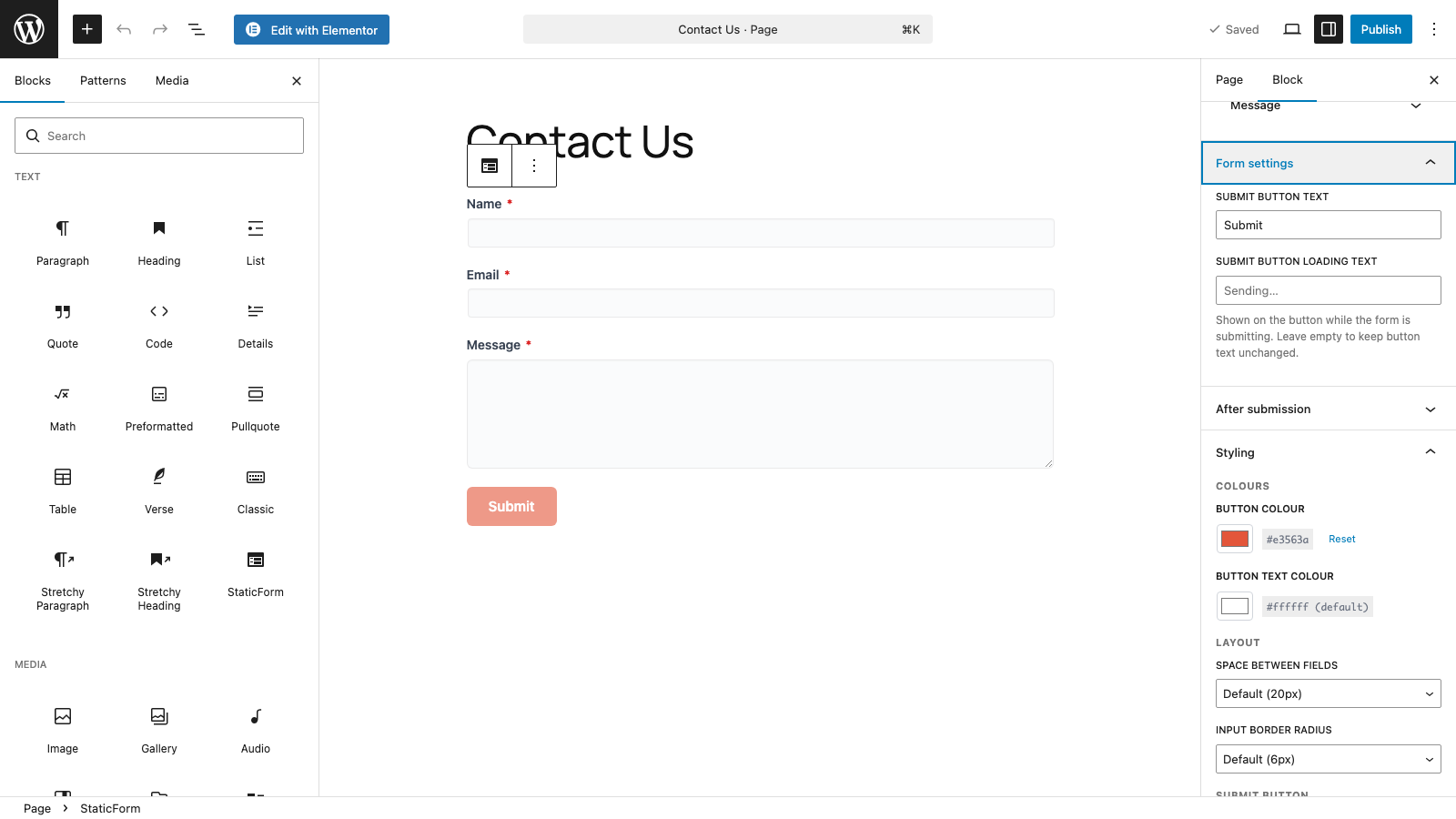
- Per-form Styling – Customize accent color, button radius, field spacing, and more per form
- Captcha Support – Configure reCAPTCHA v2/v3, hCaptcha, or Cloudflare Turnstile per form
- Custom Success Behavior – Show a message, redirect, or display an animation after submission
- Field Customization – Override labels and placeholder text per form
How It Works
- Install and activate the plugin
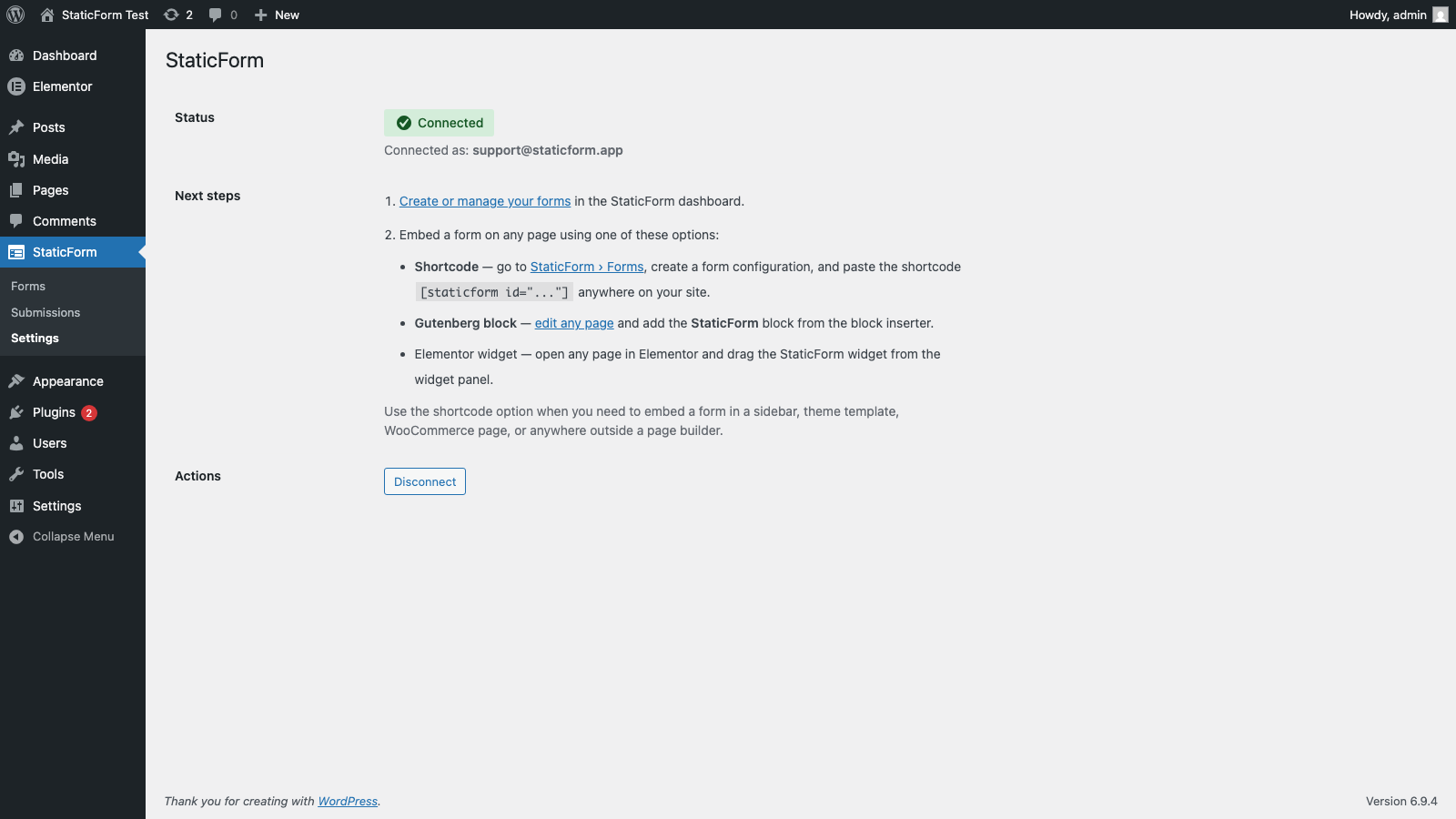
- Go to StaticForm > Settings and enter your API key
- Create forms in the StaticForm web app at https://app.staticform.app
- Embed forms using a shortcode, Gutenberg block, or Elementor widget
Shortcode Usage
Embed a form by its StaticForm form ID:
[staticform-app id=”your-form-id”]
Requirements
- WordPress 5.8 or higher
- PHP 7.4 or higher
- A StaticForm account (free signup at https://staticform.app)
External Services
This plugin connects to the StaticForm API (https://api.staticform.app). Specifically:
- Your API key is validated with the StaticForm API when saved in Settings
- Form configurations are fetched from the StaticForm API when a page containing a form is rendered
- Form submissions are sent to the StaticForm API when a visitor submits a form
StaticForm’s terms of service: https://staticform.app/terms
StaticForm’s privacy policy: https://staticform.app/privacy
Privacy Policy
This plugin connects to StaticForm’s external API at https://api.staticform.app. When using this plugin:
- Your StaticForm API key is stored encrypted in the WordPress database
- Form configurations are retrieved from the StaticForm API
- Form submissions entered by your site visitors are sent to the StaticForm API for processing
- No form submission data is stored locally in WordPress
For full details, see: https://staticform.app/privacy
Support
- Documentation: https://docs.staticform.app
- Support: https://staticform.app/support
Screenshots
Blocks
This plugin provides 1 block.
- StaticForm
Installation
- Upload the plugin files to
/wp-content/plugins/staticform-app/, or install through the WordPress Plugins screen - Activate the plugin through the ‘Plugins’ menu in WordPress
- Go to StaticForm > Settings
- Enter your StaticForm API key and click Save
- Start embedding forms using the shortcode, Gutenberg block, or Elementor widget
FAQ
-
Do I need a StaticForm account?
-
Yes, you need a StaticForm account to use this plugin. Sign up for free at https://staticform.app.
-
Where do I find my API key?
-
Log in to your StaticForm account at https://app.staticform.app, go to Settings > API Keys, and create a new key.
-
Is the plugin free?
-
Yes, the plugin is completely free. StaticForm has its own pricing for form submissions — see https://staticform.app/pricing for details.
-
How do I create forms?
-
Forms are created in the StaticForm web app at https://app.staticform.app. Once created, they are available to embed in WordPress via the plugin.
-
Can I customize form styling?
-
Yes. After connecting your API key and adding a form to a page, you can configure per-form styling options (colours, button radius, field spacing) via the form embed block or shortcode settings in the admin.
-
Does it work with Gutenberg?
-
Yes. Use the “StaticForm” block in the block editor to embed a form.
-
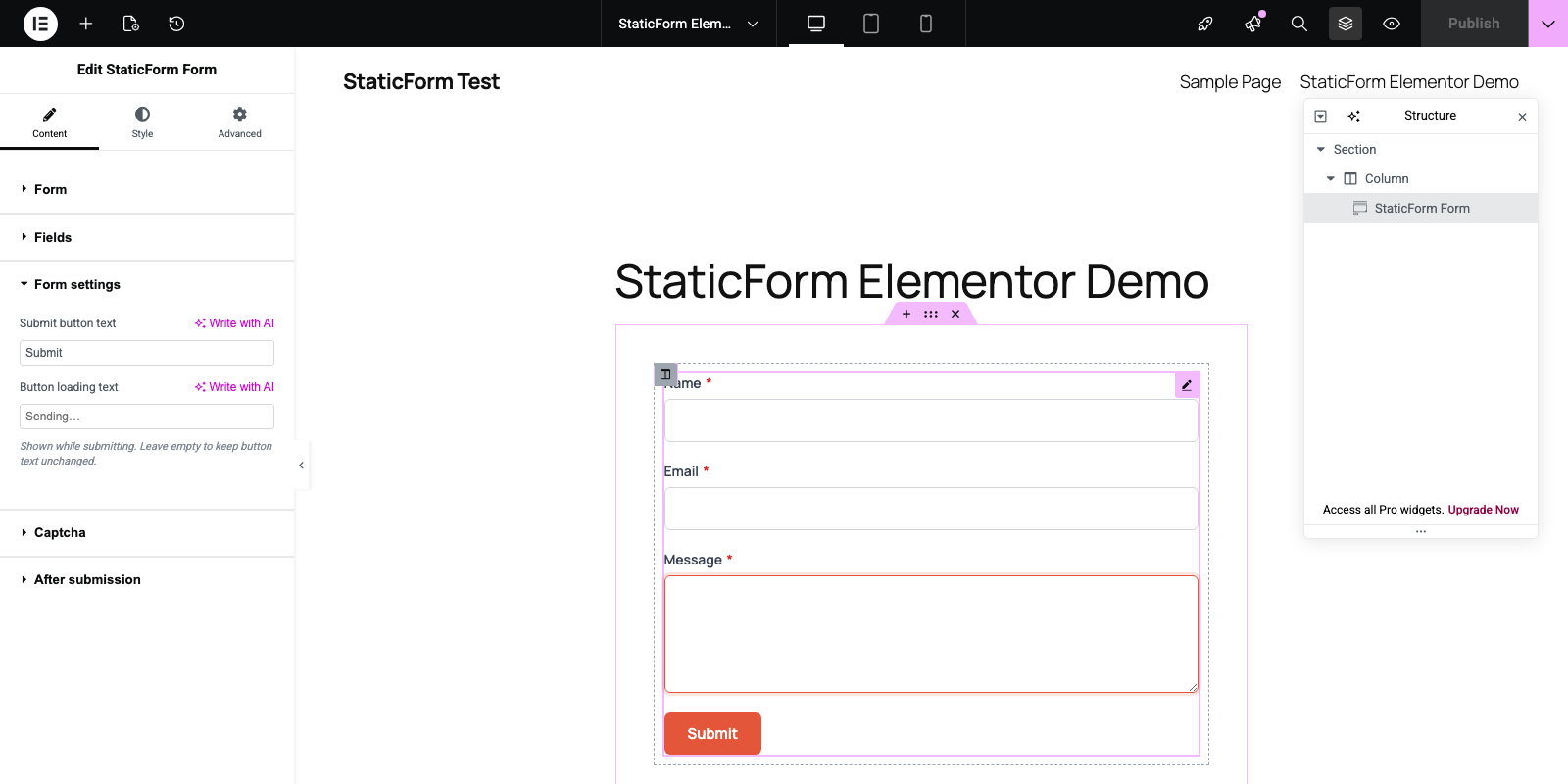
Does it work with Elementor?
-
Yes. A StaticForm widget is available in the Elementor widget panel.
-
What captcha providers are supported?
-
reCAPTCHA v2, reCAPTCHA v3, hCaptcha, and Cloudflare Turnstile. You provide your own site key per form.
Reviews
There are no reviews for this plugin.
Contributors & Developers
“StaticForm App” is open source software. The following people have contributed to this plugin.
Contributors
Translate “StaticForm App” into your language.
Interested in development?
Browse the code, check out the SVN repository, or subscribe to the development log by RSS.
Changelog
1.2.0
- Renamed the plugin to StaticForm App (slug staticform-app) and updated the text domain to match
- Renamed the shortcode to [staticform-app id=”…”]
1.1.0
- Replaced the free-form Custom CSS field with structured colour controls (text, label, help, input background, border, error) across the Gutenberg block, Elementor widget, and shortcode form configs
- Moved all inline scripts and styles to the WordPress enqueue API
- Prefixed transient and JavaScript globals for uniqueness
1.0.0
- Initial public release
- API key authentication
- Shortcode support: [staticform-app id=”…”]
- Gutenberg block for the block editor
- Elementor widget support
- Per-form styling (accent color, button radius, field spacing, colours)
- Captcha site key configuration per form (reCAPTCHA v2/v3, hCaptcha, Turnstile)
- Custom after-submission behavior (success message, redirect, animation)
- Field label and placeholder customization