

Description
Stablevoy is a non-custodial crypto payment gateway for Easy Digital Downloads. It lets you sell software, licenses, ebooks, courses, templates and any other digital goods for USDT (Tether) and USDC (USD Coin), the two biggest stablecoins, so every price stays in US dollars and there is no volatility to worry about. Buyers anywhere in the world pay from their own crypto wallet, there are no card chargebacks, and the money goes straight to your wallet, not to an exchange or a payment processor account.
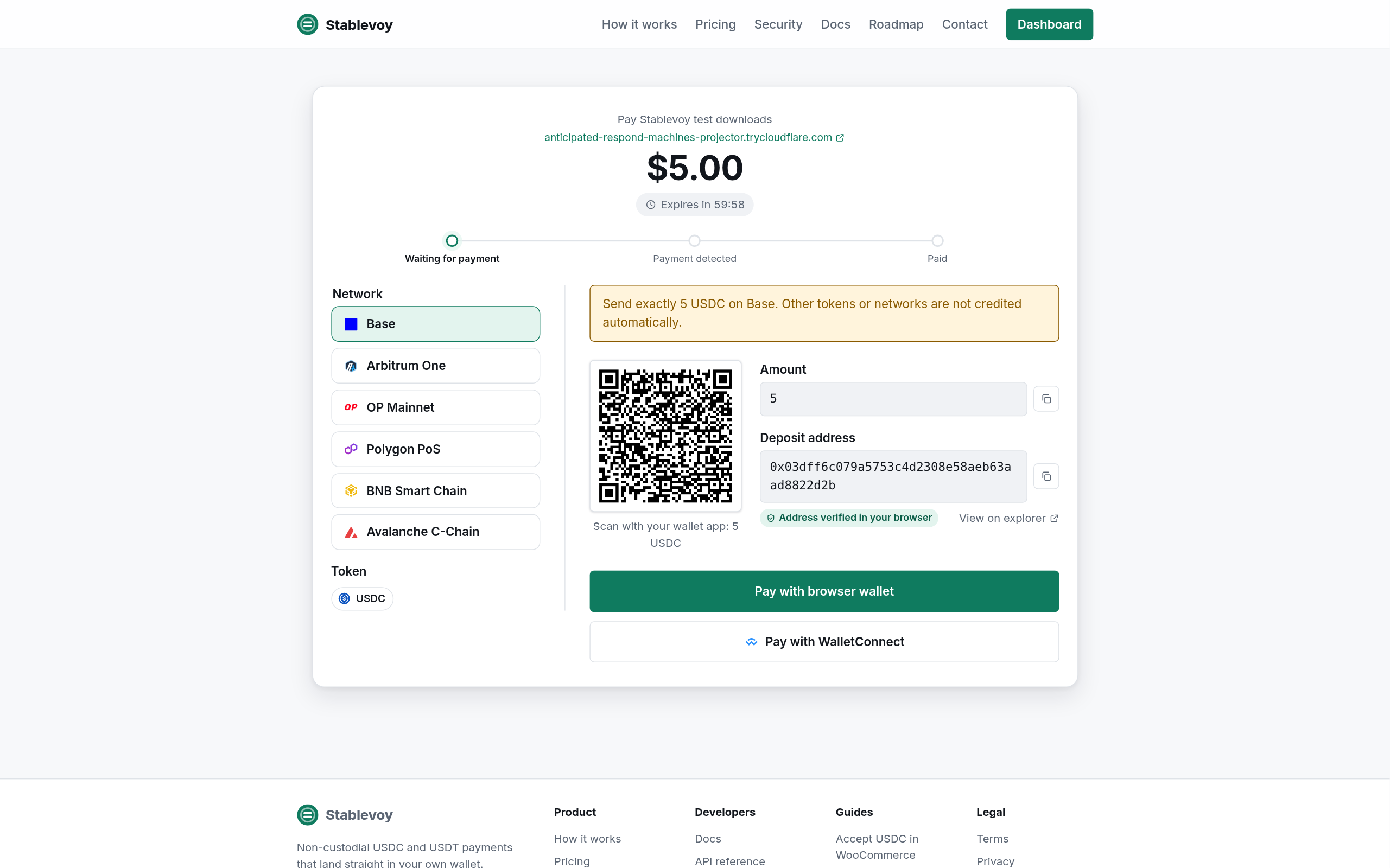
Accept USDT TRC20 on Tron with no fee, USDT BEP20 and USDC on BNB Chain (BSC), and USDT and USDC on Base, Arbitrum, Optimism, Avalanche and Polygon, where network fees are cents. Buyers pay with MetaMask, Trust Wallet, TronLink, Rabby or any other wallet, or by scanning a QR code from an exchange app.
Features
- Connect in one click: sign in to Stablevoy with your wallet, choose or create a store, and come back with the API key and webhook secret saved.
- Money goes straight to your own wallet. Stablevoy never holds it.
- USDT and USDC on Base, Arbitrum, Optimism, Avalanche, Polygon and BNB Chain, and USDT on Tron.
- Every order gets its own deposit address, checked in the buyer’s browser before payment.
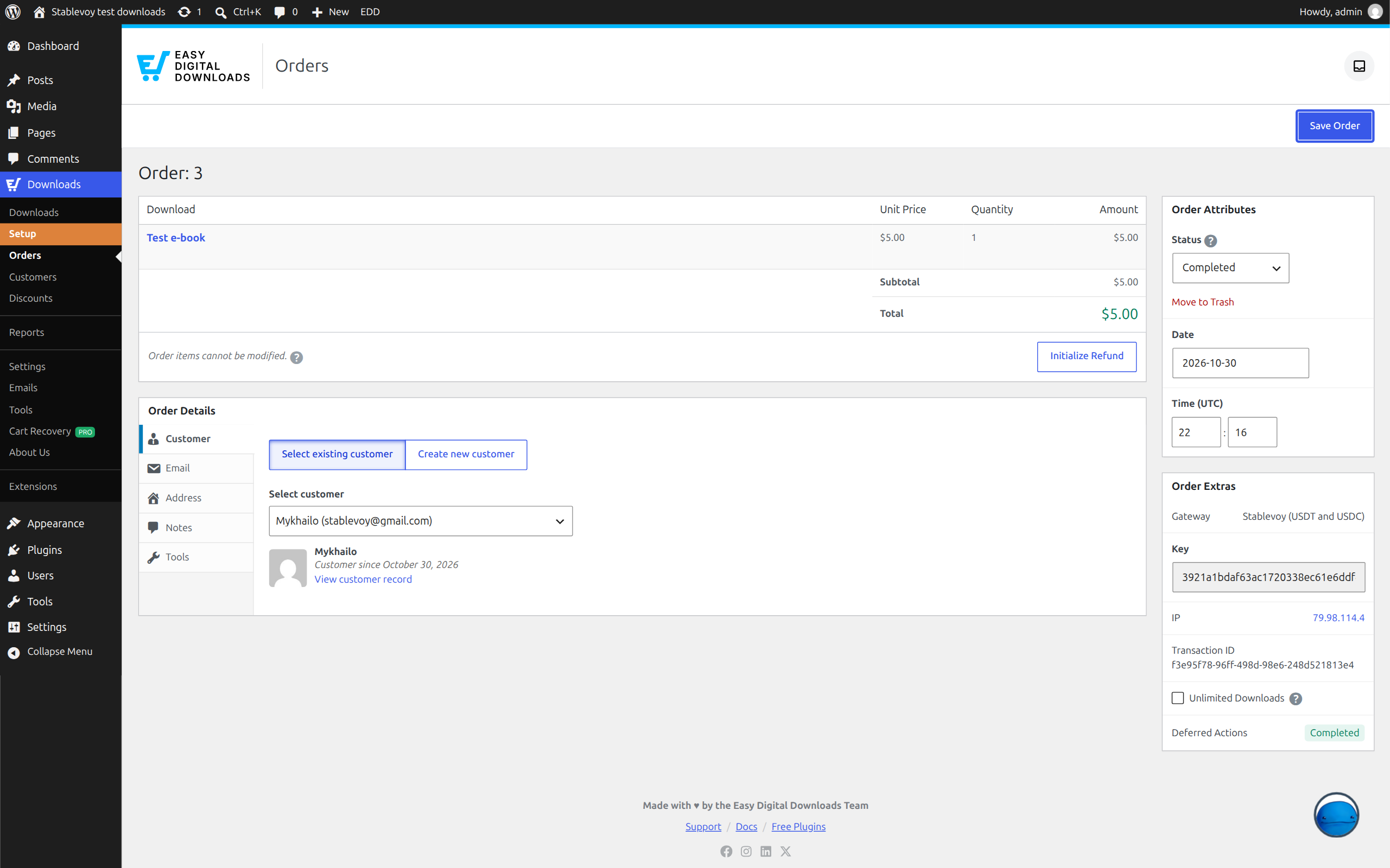
- The order completes on its own once the payment is confirmed on chain, and EDD sends the download links and the receipt. Status changes arrive as signed webhooks.
- Underpaid, overpaid and late payments are recognised and noted on the order; an underpayment never releases the downloads.
- Sender addresses are screened against the OFAC sanctions list.
- Runs next to the Stablevoy plugin for WooCommerce on the same site, each with its own Stablevoy store.
Pricing
No monthly fee and no setup fee. The first $1,000 of payments is free, once per payout wallet. After that the fee is 0.5% per payment, taken on chain when the funds are forwarded to you, and the contract caps it at 2% forever. USDT on Tron has no fee from Stablevoy.
How it works
Stablevoy is a payment gateway; Easy Digital Downloads is one of the platforms it plugs into. Each order gets its own deposit address, backed by an immutable contract that can only forward funds to your payout wallet (minus a fixed fee). Stablevoy never holds your money.
On Tron (USDT TRC20, also written TRC-20) there is no contract at all: the buyer pays your own wallet directly, an exact amount identifies the order, and Stablevoy takes no fee. A payment that arrives with another amount, for example from an exchange that took its withdrawal fee out of it, is listed in your Stablevoy dashboard for you to match to the order.
External service
This plugin connects to the Stablevoy API (https://api.stablevoy.com, or the URL you configure) to create an invoice for each order and to check the connection. It sends the order total, the order id and the address of the purchase confirmation page. When you click Connect to Stablevoy, your browser opens https://stablevoy.com/app/connect/ with this shop’s address, settings page address and webhook address; after you confirm there, the plugin sends a one-time code back to the Stablevoy API to receive the shop’s API key and webhook secret. Disconnect asks the Stablevoy API to revoke that key. Stablevoy sends signed webhooks back to your site when a payment is confirmed. Terms of service: https://stablevoy.com/terms/ Privacy policy: https://stablevoy.com/privacy/
Screenshots
Installation
- Install and activate the plugin. Easy Digital Downloads must be active and the shop currency must be US dollars.
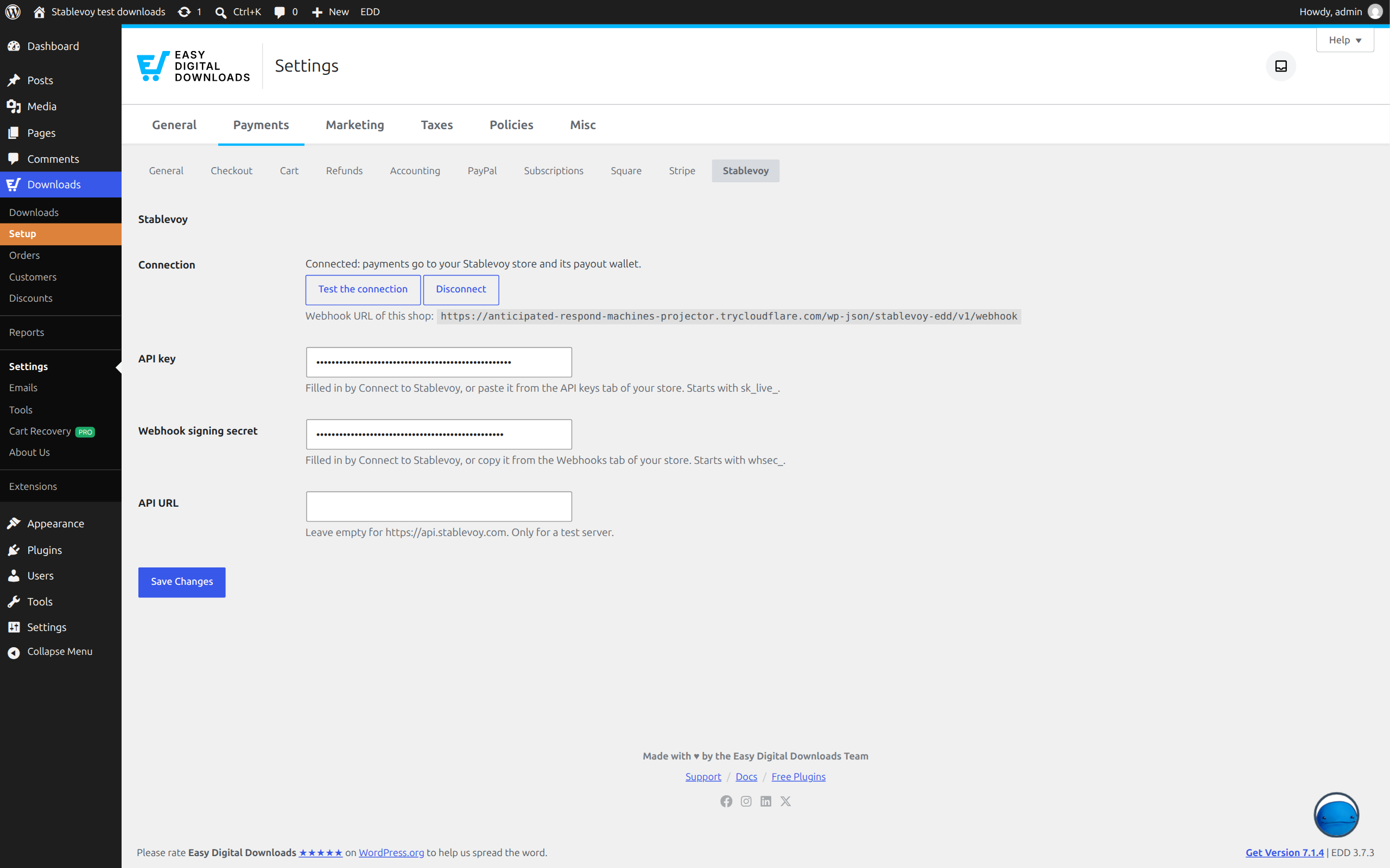
- In Downloads, Settings, Payments, open the Stablevoy section and click Connect to Stablevoy.
- Sign in to Stablevoy with your wallet, choose or create a store and confirm. You come back with the key and the webhook secret saved.
- In Downloads, Settings, Payments, General, tick Stablevoy under Active Gateways and save.
Manual setup still works: in the Stablevoy dashboard create a store and an API key, set the webhook URL shown in the Stablevoy section, and paste the API key and the webhook signing secret into the fields.
FAQ
-
How do I sell digital downloads for USDT and USDC?
-
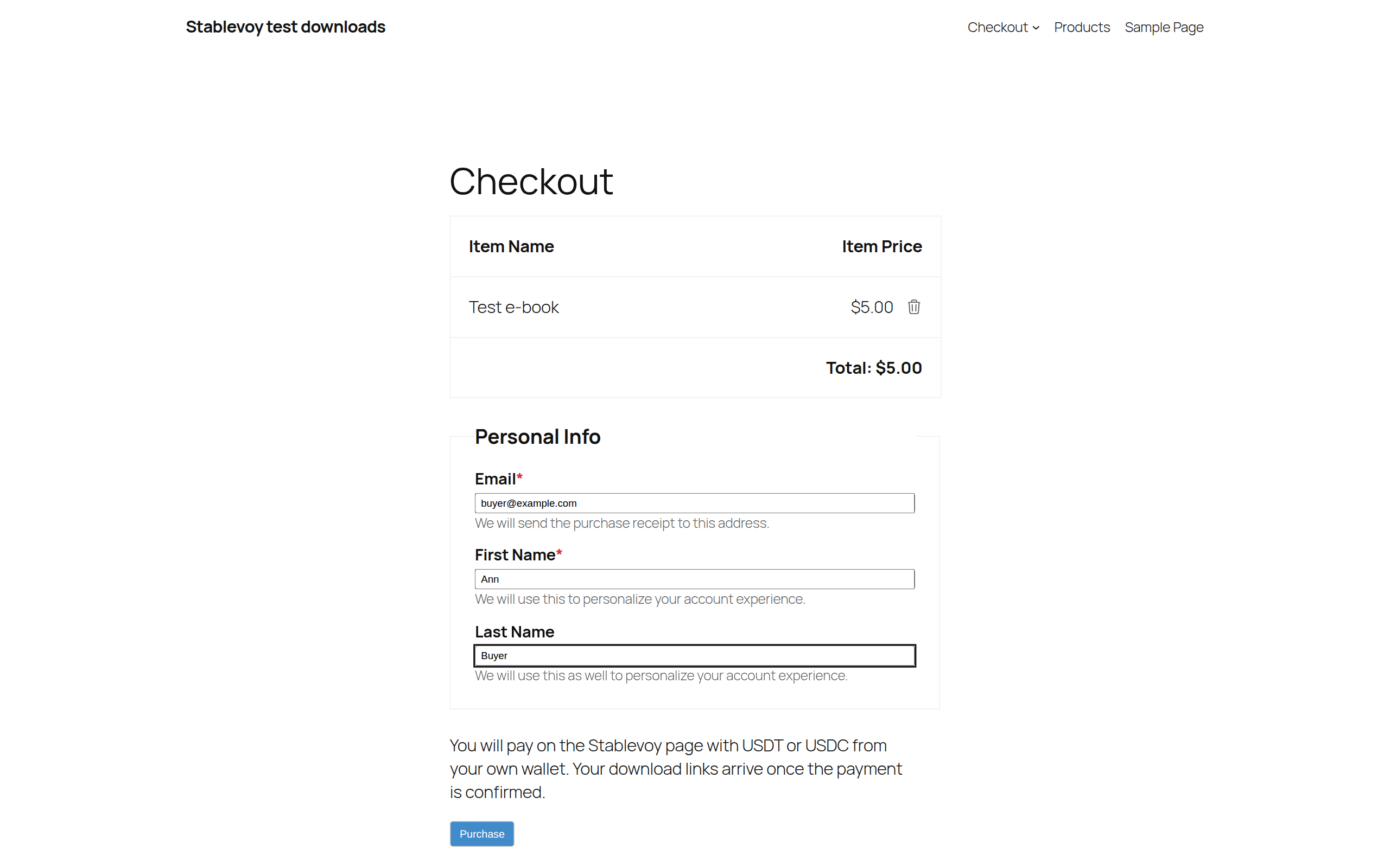
Install this plugin, click Connect to Stablevoy in Downloads, Settings, Payments, Stablevoy, sign in with your wallet and confirm, then turn the gateway on. Buyers see “Pay with USDT or USDC” at checkout, pay in crypto, and get their download links as soon as the payment is confirmed.
-
Are download links sent before the payment is confirmed?
-
No. The order stays pending until the full amount is confirmed on chain. Only then does it complete, and only then does Easy Digital Downloads send the links.
-
Does Stablevoy ever hold my money?
-
No. Every order gets its own deposit address, a small contract that can only send the funds to your payout wallet and the fee to Stablevoy. There is no owner key and no way to change where the funds go. On Tron the buyer pays your own wallet directly.
-
What happens if Stablevoy goes offline?
-
Your money is not stuck. Forwarding from a deposit address is permissionless: anyone, including you, can call one function of the public factory contract on a block explorer and the funds move to your wallet. The Stablevoy docs have a step-by-step recovery guide.
-
Which wallets can buyers pay with?
-
Any wallet that can send USDT or USDC on the chosen network: browser extensions such as MetaMask or Rabby, mobile wallets over WalletConnect, or a plain transfer by scanning the QR code or copying the address. On Tron, TronLink or a mobile wallet such as Trust Wallet.
-
What if the buyer sends the wrong amount?
-
Partial payments add up until the invoice expires. If the order is still short, it stays pending with a note and no links are sent. A top-up within seven days after expiry completes the order, with a note. Overpayments are forwarded to you like any payment, so you can refund the difference.
-
Is there a fee on Tron?
-
No. On Tron there are no contracts and nothing to forward: the buyer pays your own wallet directly and Stablevoy takes no fee. The buyer pays only their own wallet or exchange fee.
-
Does my shop currency have to be USD?
-
Yes. Invoices are in US dollars, so the Easy Digital Downloads currency must be US dollars; with another currency the gateway is not offered at checkout.
-
I also run WooCommerce on the same site. Can both use Stablevoy?
-
Yes, with one Stablevoy store each. Connect the WooCommerce plugin to one store and this plugin to another; the connect screen lets you create the second store and refuses to reuse the first one.
-
Do I need to know crypto?
-
You need a wallet to receive the money, that is all. Sign in to Stablevoy with it, set the payout address, connect the plugin, and buyers pay from their own wallets.
Reviews
There are no reviews for this plugin.
Contributors & Developers
“Stablevoy: USDT and USDC Crypto Payments for Easy Digital Downloads” is open source software. The following people have contributed to this plugin.
Contributors
Translate “Stablevoy: USDT and USDC Crypto Payments for Easy Digital Downloads” into your language.
Interested in development?
Browse the code, check out the SVN repository, or subscribe to the development log by RSS.
Changelog
1.0.1
- Test connection names the store networks that have no payout wallet set on the Stablevoy dashboard.
- Without a payout wallet the buyer is told the payment method is unavailable, and the order note says why.
- Stablevoy PHP SDK 1.3.0.
1.0.0
- First release: USDT and USDC payments for Easy Digital Downloads, one-click connect, signed webhooks that complete the order and send the download links.