
Description
SpoofLens Fraud Check asks the SpoofLens API one question when someone registers, places an order or sends a form: does this visitor look like an honest person in a normal browser?
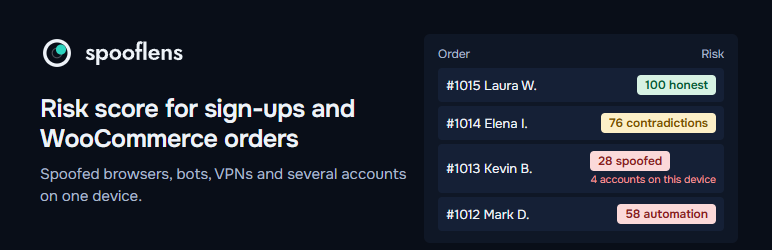
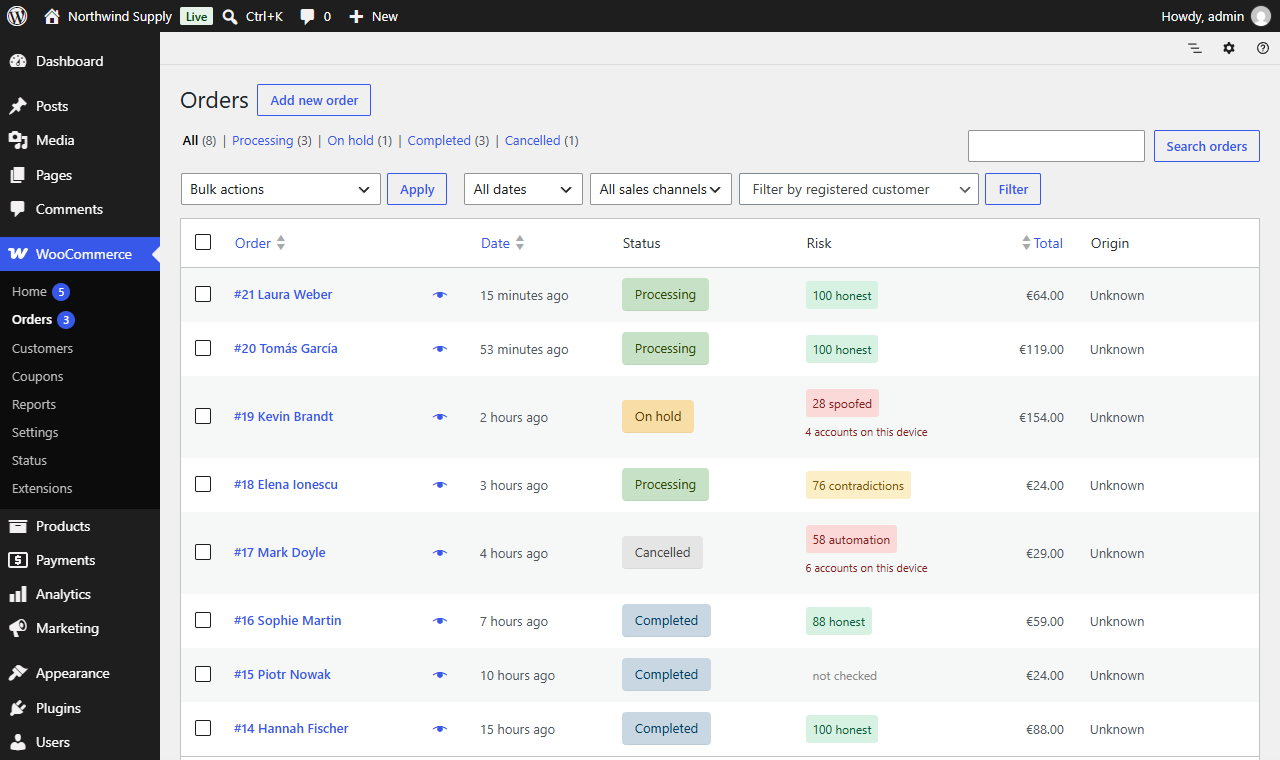
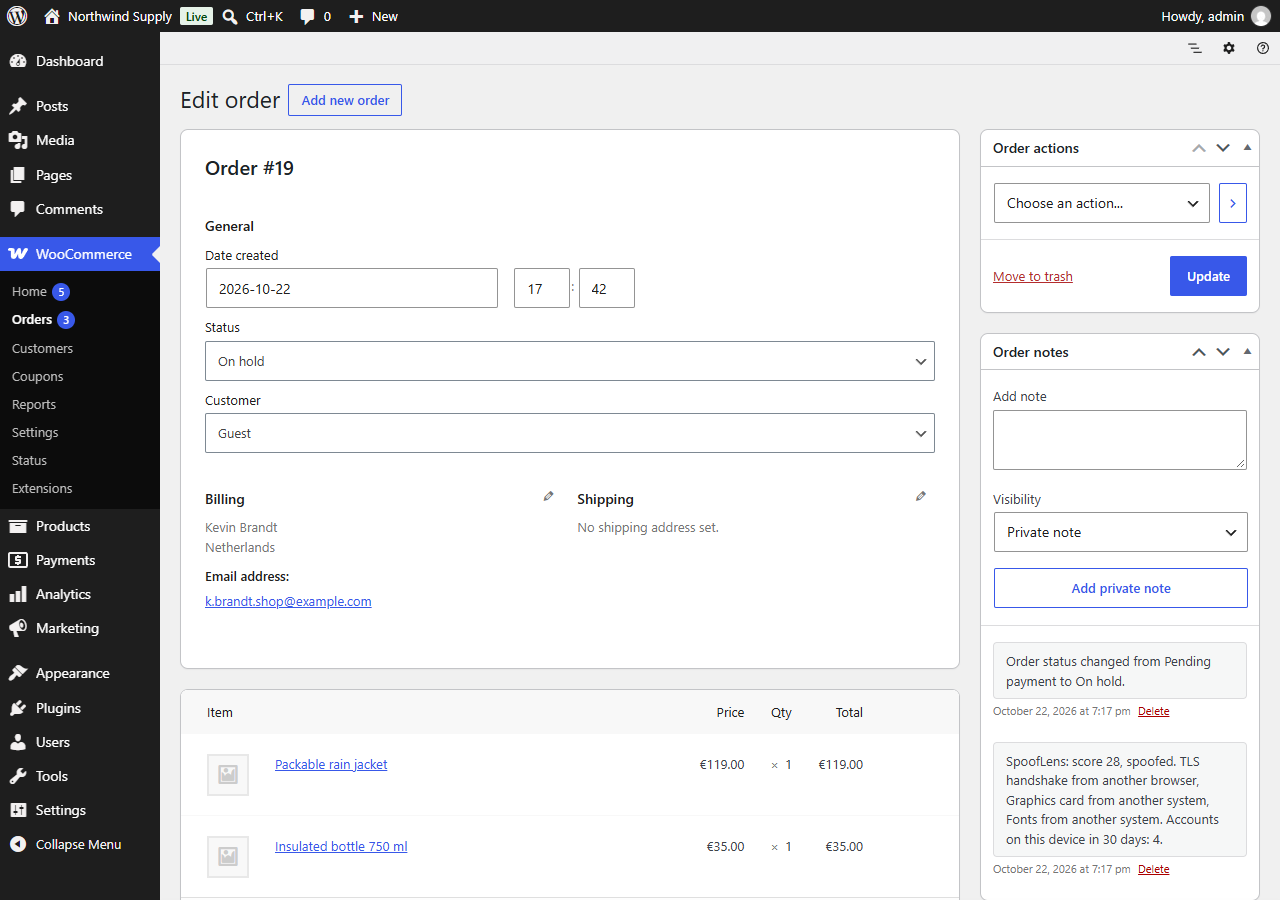
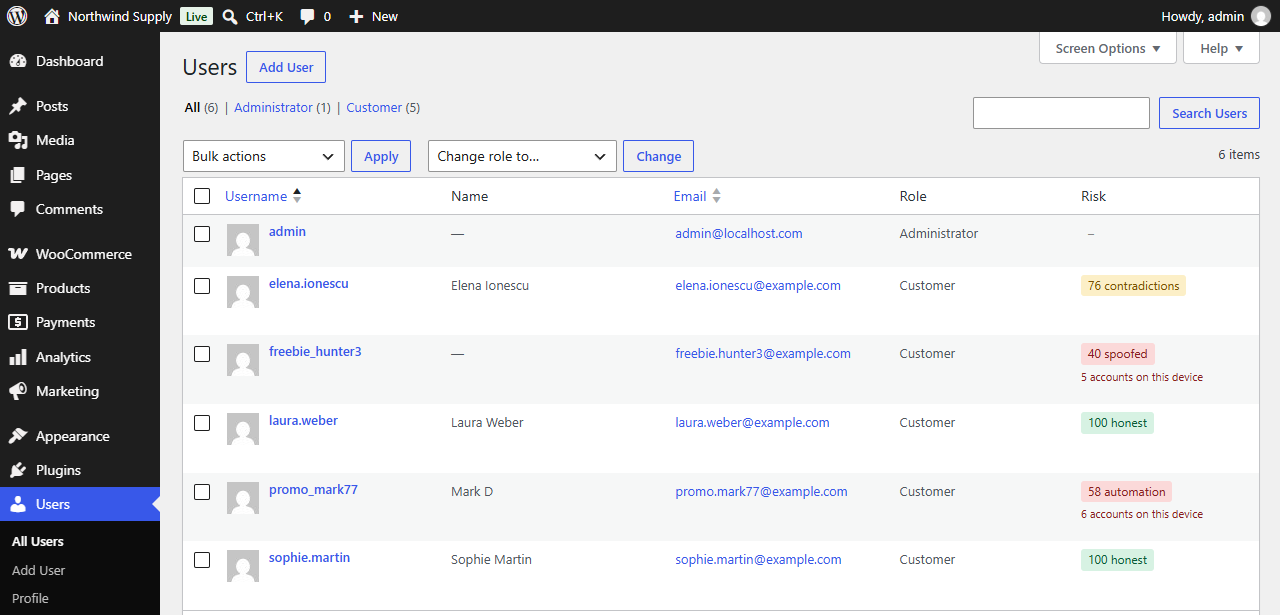
You get a score from 0 to 100, a verdict and the reasons in plain words, next to each user and order:
- browsers that lie about themselves (a user-agent switch, antidetect browsers, contradictions between the browser, its graphics card, fonts and time zone);
- bots and automated or headless browsers;
- data center, VPN and Tor networks, DNS and WebRTC leaks;
- how many accounts were created on the same device in the last 30 days, the classic sign of promo-code and free-trial abuse.
By default nothing is blocked: you see a “Risk” column in the Users and Orders lists and a note on each order. You can choose to block automated browsers, scores below a threshold, whatever the rules in your SpoofLens account say to block (block lists of IPs, devices and countries, thresholds), and form submissions sent without browser data, which is how most spam bots post. If the API is unavailable, nobody is blocked.
Works with WordPress registration, WooCommerce My Account registration, both the classic and the block WooCommerce checkout, Contact Form 7 and WPForms. Compatible with High-Performance Order Storage. A blocked form submission is treated as spam: Contact Form 7 marks it as spam, WPForms shows an error and does not save the entry.
A free key gives 1,000 checks a month: https://spooflens.com/en/app/api
External services
This plugin relies on the SpoofLens service (https://spooflens.com), operated by SpoofLens.
- On the registration page, on the WooCommerce checkout and My Account pages and on pages with a Contact Form 7 or WPForms form, the visitor’s browser runs the collector script that ships with the plugin (assets/sl.js, MIT; its signal part is also published at https://github.com/spooflens/spooflens-collector). The script collects technical characteristics the browser reports to websites (system and its display settings, screen, languages, time zone, fonts, graphics card and its parameters, sound output, the number and a hash of the names of speech voices, which emoji the system can draw, a class of the storage quota, canvas, WebGL and audio fingerprints) and connects to edge.spooflens.com and a random name under l.spooflens.com to read the TLS handshake, the first TCP packet of the connection, the round trip of a few short requests, the DNS resolver and the public WebRTC address.
- When a user registers, an order is placed or a form is sent, your server sends to https://spooflens.com/v1/assess: the collected data, the visitor’s IP address and request headers (User-Agent, Accept-Language, Client Hints), and a SHA-256 hash of the email address. The answer (score, verdict, reasons) is stored with the user or order on your site.
- SpoofLens does not store the browser data or the full IP address. Its request log, visible to you in your SpoofLens account, keeps for 30 days the time, score, decision, reasons, device identifier, the shortened IP address, country and network type; it also keeps a hash of the device identifier and of the account reference for 30 days to count accounts per device.
SpoofLens privacy policy: https://spooflens.com/en/privacy
Terms of use: https://spooflens.com/developers#terms
Screenshots
Installation
- Install and activate the plugin.
- Get a free API key at https://spooflens.com/en/app/api
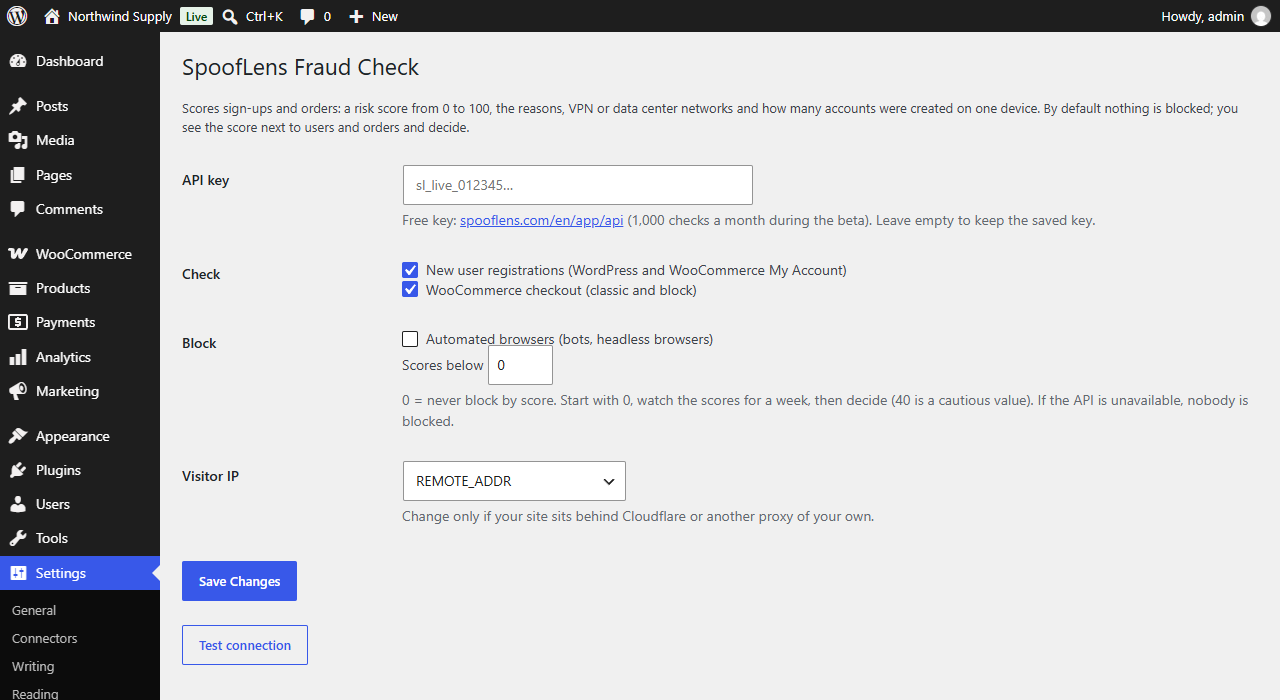
- Go to Settings > SpoofLens, paste the key, save and press “Test connection”.
- Watch the scores for a week before you turn on any blocking.
FAQ
-
Will it block real customers?
-
Not unless you tell it to. Blocking is off by default, and the plugin always lets the visitor through when the API cannot be reached.
-
Does it stop contact form spam?
-
Yes, for Contact Form 7 and WPForms. Form checks are off by default, because each submission uses one API request: in Settings, SpoofLens, tick your form plugin under “Check”. Then turn on “Form submissions without browser data” to stop bots that post the form without running JavaScript, and “Automated browsers” for headless browsers. Every submission is checked in your SpoofLens account log (Request log), with the reason.
-
What about ad blockers?
-
If a blocker stops the collector script, the order or user is marked “not checked”. That is not treated as fraud.
-
Does it slow down checkout?
-
The browser data is collected in the background while the visitor fills the form. The API call itself usually takes 50 to 300 ms and has a 5 second timeout.
-
Is customer data sent to SpoofLens?
-
See “External services” below. Email addresses are hashed on your server before they are sent.
Reviews
There are no reviews for this plugin.
Contributors & Developers
“SpoofLens Fraud Check” is open source software. The following people have contributed to this plugin.
Contributors
Translate “SpoofLens Fraud Check” into your language.
Interested in development?
Browse the code, check out the SVN repository, or subscribe to the development log by RSS.
Changelog
0.2.1
- Updated collector: more traits of the device and its system (display settings, sound output, speech voices, emoji support, a class of the storage quota, graphics card parameters, a second WebGL test scene), the JavaScript engine, traces of automation tools and the round trip to the checking server. The new checks run on the SpoofLens side; your settings do not change.
- Settings: the free key gives 1,000 checks a month, also after the beta.
0.2.0
- Contact Form 7 and WPForms: the collector and a hidden field go into every form; a submission your settings say to block is treated as spam.
- New blocking options: follow the decision of the rules in your SpoofLens account, and block form submissions sent without browser data.
0.1.1
- The collector script ships with the plugin instead of being loaded from spooflens.com.
- The text domain matches the plugin slug (spooflens-fraud-check); admin styles load through wp_add_inline_style.
- The “accounts on this device” line sits under the score in the Risk column.
0.1.0
- First version: registration and checkout checks, Risk columns, order notes, optional blocking.