
Description
Let customers build their own product bundles from your existing WooCommerce catalogue. Create a coffee tasting box, a snack selection or a pet food starter kit, and set how many items customers can choose.
Customers can select more than one of the same item within your limits. Choose an exact total quantity for the whole bundle, or organise products into named groups with their own selection requirements.
Try the live demos
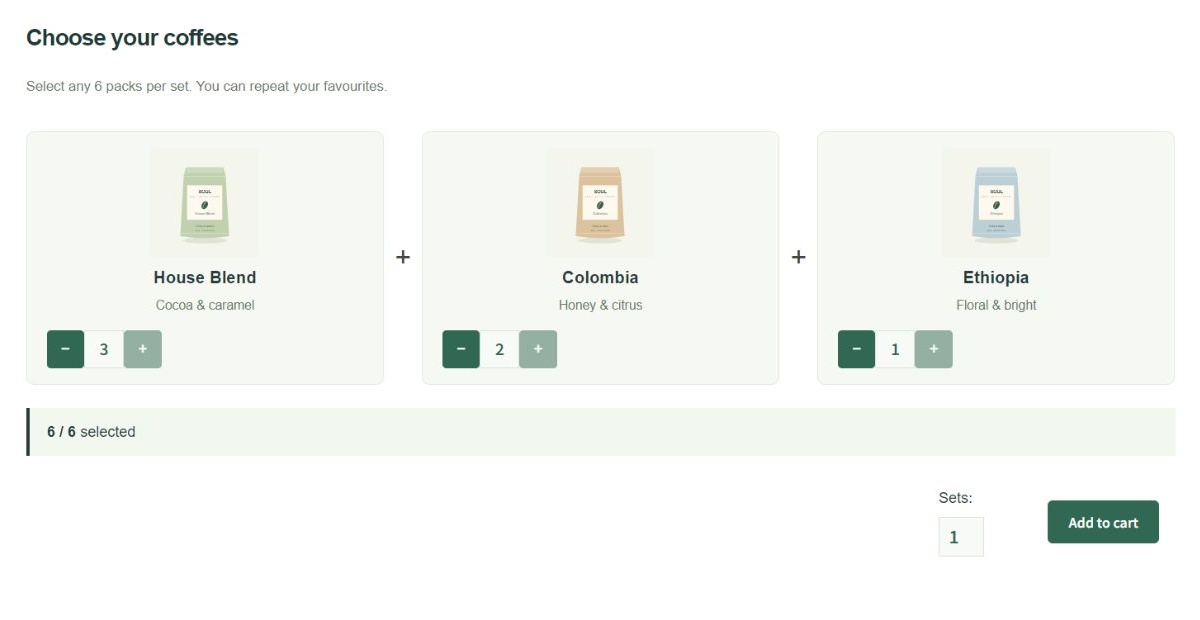
- Mix & Match demo: Coffee Tasting Box – choose any six coffees, including repeats, and add your box to the cart.
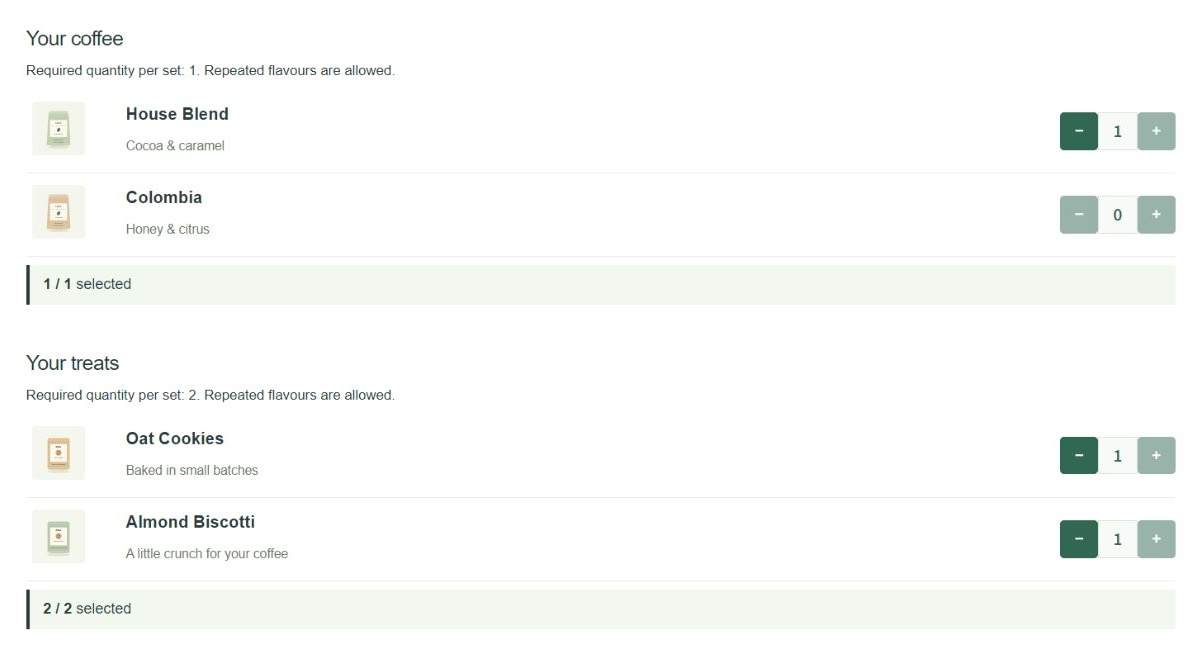
- Grouped Choices demo: Coffee & Treats Kit – choose one coffee and two treats across separate groups.
No login is required. These are fictional demonstration products; orders and payments are disabled. The example storefront uses a customised Storefront child theme. Your storefront appearance depends on your theme and the plugin’s layout and style settings.
Two ways to build a bundle
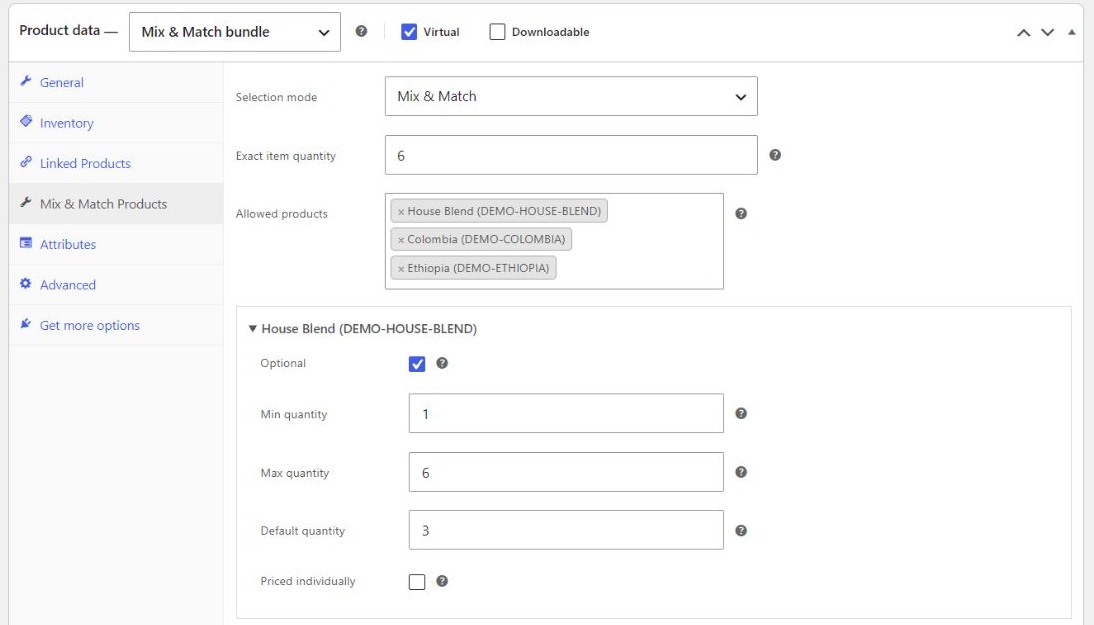
Mix & Match: Set an exact item quantity, such as six items per box. Configure which products are available and the optional, minimum, maximum and default quantities for each choice.
Grouped Choices: Create named groups, such as Coffee and Treats, with independent minimum and maximum quantities. For example, require one coffee and two treats in each set.
Features
- Repeatable choices: let customers choose multiple units of the same product within the configured limits.
- Quantity rules: set an exact bundle total or independent selection limits for named groups.
- Existing products and variations: use your catalogue as bundle components; groups can also offer a variable product’s available variations.
- Flexible pricing: set a fixed parent base price, with optional individual component pricing in Mix & Match mode.
- Four product layouts: Basic, Standard, Tabular and Grid, with drag-and-drop component ordering.
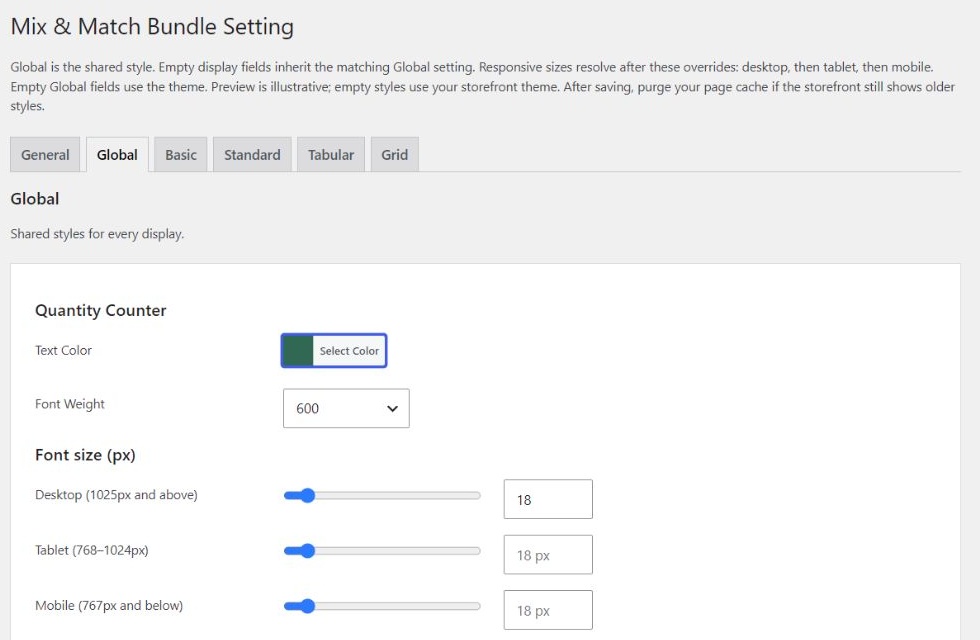
- Appearance controls: global and per-layout colours, font weights and responsive typography settings.
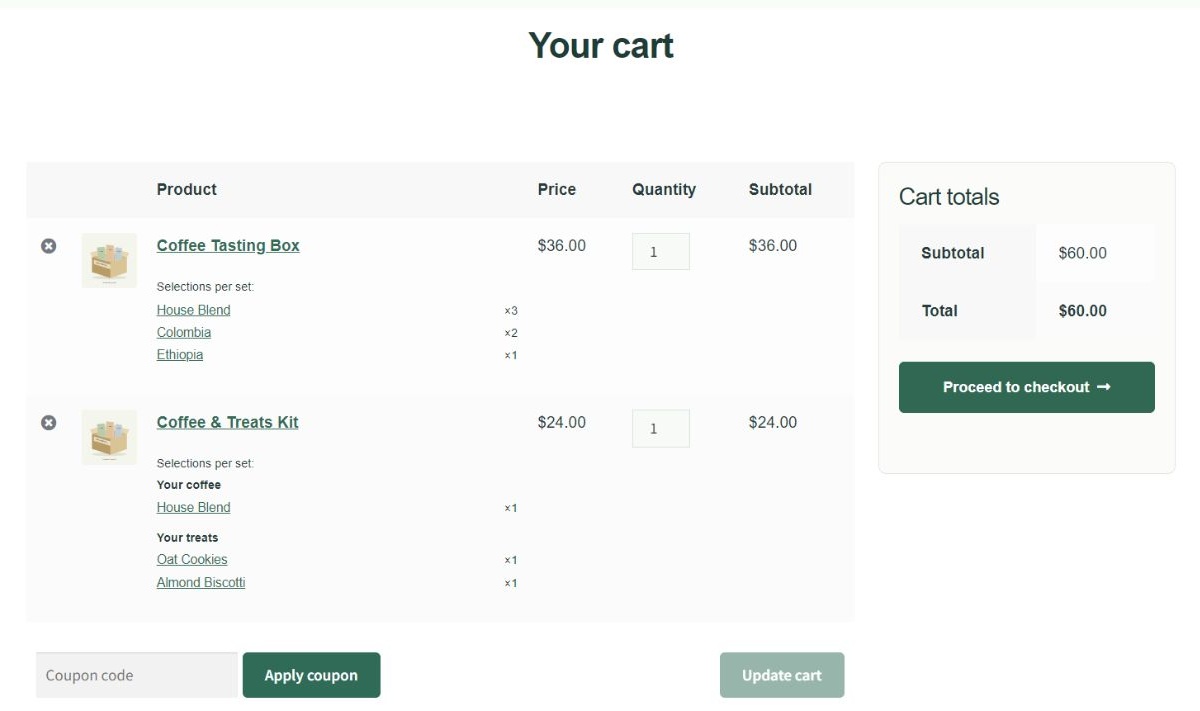
- Cart presentation: show component rows or a compact summary of the customer’s selections.
- Native WooCommerce orders: retain parent and component order lines and synchronise bundle set quantities.
- Component inventory: follow each product’s existing managed-stock quantities or stock status.
- High-Performance Order Storage (HPOS) support.
Requirements and current limitations
- Requires WooCommerce, WordPress 6.5 or later and PHP 7.4 or later.
- Uses classic WooCommerce product, Cart and Checkout forms. Cart and Checkout Blocks are not supported.
- Grouped Choices uses the fixed parent price. Individual component pricing is available in Mix & Match mode.
- Set shipping weight, dimensions and shipping class on the parent bundle. Component weights are not added together, and separate component shipping is not supported.
- Subscriptions and changing selected products directly in the cart are not supported. Customers can change the number of sets in the cart.
Help and feedback
Need help configuring a bundle? Open a topic in the support forum. Include your WordPress and WooCommerce versions, selection mode and the steps needed to reproduce the issue.
Privacy and stored data
This plugin adds no analytics, tracking or external API calls. Selected component IDs, quantities and bundle relationships are stored with WooCommerce orders. Stock failure logs can contain order and product IDs. Product settings and order metadata remain after plugin deletion to preserve fulfilment records.
Independently developed by Soul Creative. This plugin is not affiliated with or endorsed by WooCommerce.
Screenshots
Installation
- Install and activate WooCommerce, then install and activate Soul Mix and Match for WooCommerce.
- Add or edit a product, choose Mix & Match bundle in Product data, and set its regular price.
- In Mix & Match Products, choose your selection mode. Configure the allowed products and exact quantity, or create named groups with their own quantity limits.
- Choose a product layout. Adjust appearance and cart display under WooCommerce > Mix & Match Bundle Setting.
- Use classic Cart and Checkout pages. Before accepting live orders, test your theme, quantity rules, inventory, taxes and payment flow on staging.
FAQ
-
Can customers choose the same flavour more than once?
-
Yes. Customers can repeat a product within its quantity limits. Selections must also satisfy the bundle or group requirements and the product’s existing stock settings.
-
Do I need a variation for every possible bundle combination?
-
No. Bundles select existing products or individual variations. In Grouped Choices, a variable parent can supply its available variations as choices.
-
How do prices and taxes work?
-
The parent carries the base price and its tax class. In Mix & Match mode, components marked Priced individually add their current product price and tax class. Other components are included at zero price. Grouped Choices uses the fixed parent price.
-
Must every component track a stock quantity?
-
No. Components follow their existing WooCommerce stock settings. Products with stock management enabled use tracked quantities; other products use their In stock / Out of stock status. The plugin does not enable stock management or invent stock quantities.
-
How do refunds and restocking work?
-
Selected components become native WooCommerce order lines. When refunding a bundle quantity, enter matching quantities for its component lines, including zero-priced components. Select Restock refunded items when stock should return. A money-only refund does not restore quantities.
-
Can customers edit their selections in the cart?
-
Customers can change the number of bundle sets in the cart. To change the selected products, remove the bundle and choose again on its product page.
-
Does the plugin support Cart and Checkout Blocks?
-
No. Use classic WooCommerce Cart and Checkout pages. Cart and Checkout Blocks are outside the current scope.
-
Does the plugin support subscriptions or separate component shipping?
-
No. Configure shipping weight, dimensions and shipping class on the parent bundle. Component weights are not added together.
-
Will my store look exactly like the demo?
-
The demo uses a customised Storefront child theme and fictional products. The plugin provides four selection layouts and appearance settings; the surrounding page, header and general store styling come from your theme.
Reviews
There are no reviews for this plugin.
Contributors & Developers
“Soul Mix and Match for WooCommerce” is open source software. The following people have contributed to this plugin.
Contributors
Translate “Soul Mix and Match for WooCommerce” into your language.
Interested in development?
Browse the code, check out the SVN repository, or subscribe to the development log by RSS.
Changelog
0.14.10
- Allow exact-quantity bundles to use simple products and individual variations with stock-status-only inventory, matching grouped bundles.
- Preserve managed-stock checks and out-of-stock restrictions. Avoid a misleading quantity warning when invalid components are excluded.
0.14.9
- Moved Karlpet/The7 mini-cart presentation into the site child theme; kept portable bundle summaries and visibility logic.
0.14.8
- Restyled bundle mini-cart with grouped selections, responsive width and accessible open/close controls.
0.14.5
- Compact mini-cart bundle summaries without duplicate component rows.
- Preserve variation product identity and include individually-priced components in mini-cart prices.
0.14.4
- Align WP Overnight invoice and packing slip bundle details with the clean order editor. Preserve component rows, SKUs, selections, quantities and amounts.
0.14.3
- Hide internal bundle metadata and redundant component Bundle labels in the order editor. Stored order relationships remain intact.
0.14.2
- Compact email summaries with selections on separate lines.
- Hide duplicate included component email rows when the parent summary is available.
- Preserve charged components, download information and purchase notes; original order data is unchanged.
0.14.0
- Initial directory submission version following staging development.
- Exact-quantity bundles and grouped selections with repeatable components.
- Four display layouts, global and layout-specific style settings.
- Native cart and order component lines with HPOS support.
- Compact cart summaries with distinct group headings and shorter variation labels.
- Nonce, permission, quantity and input validation hardening.