

Description
Solutiontech Customer Chat is a lightweight and modern customer chat integration for WordPress and WooCommerce.
Designed without framework bloat or third-party tracking scripts, it allows your potential customers and site visitors to reach out to you or your sales and support team with zero friction.
🌟 Key Features
- Customizable Floating Widget: Modern button (bottom-right or bottom-left) with pulse or bounce animations.
- Notification Badge (“1”): High-converting unread message counter badge with customizable delay to capture visitor attention.
- Web Audio Pop Chime: Subtle synthesized bubble sound when the chat opens or badge triggers (zero external audio files).
- Smart Behavior Triggers: Auto-open chat popup based on time delay, page scroll percentage, or desktop exit-intent.
- Business Hours & Availability: Configure customer service hours and working days with automatic online/offline status and custom notices.
- Desktop QR Code Scanner: Allows desktop visitors to scan an offline-generated QR code with their mobile camera to chat immediately on their phone.
- Interactive Chat Popup: Realistic chat window with greeting messages, agent details, and custom call to action.
- Privacy & GDPR Compliance: Optional consent checkbox requiring visitors to agree before initiating a chat.
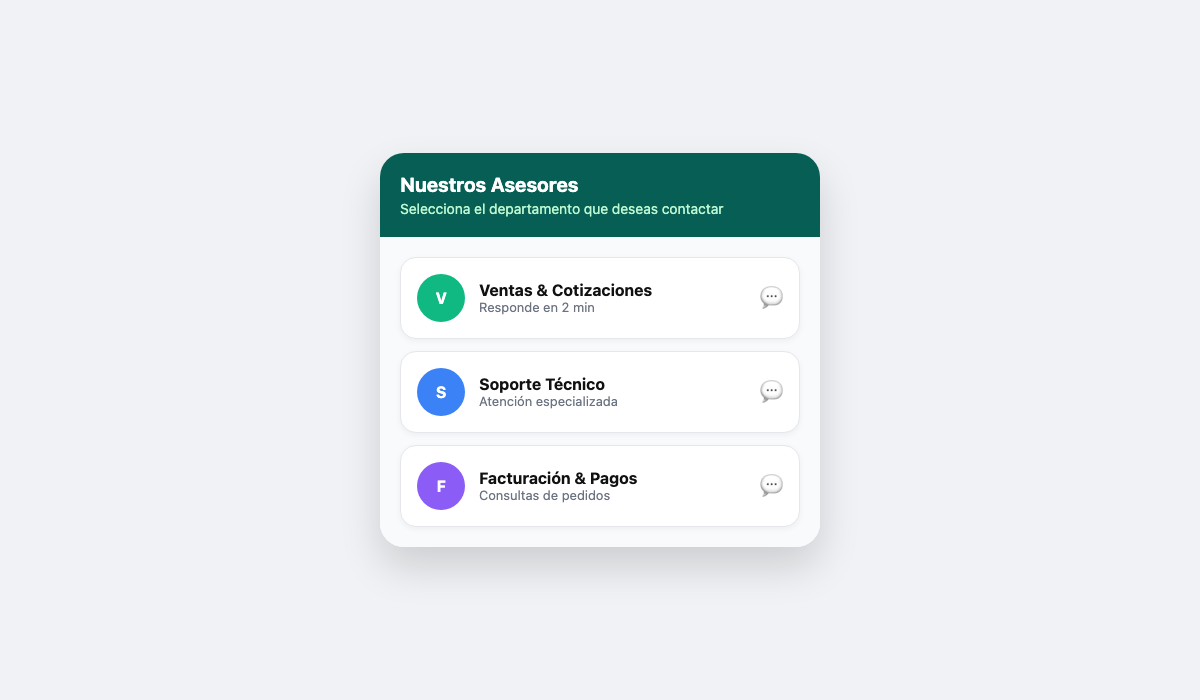
- Multi-Agent & Department Support: Add unlimited team members or departments (Sales, Technical Support, Invoicing) with custom avatars and roles.
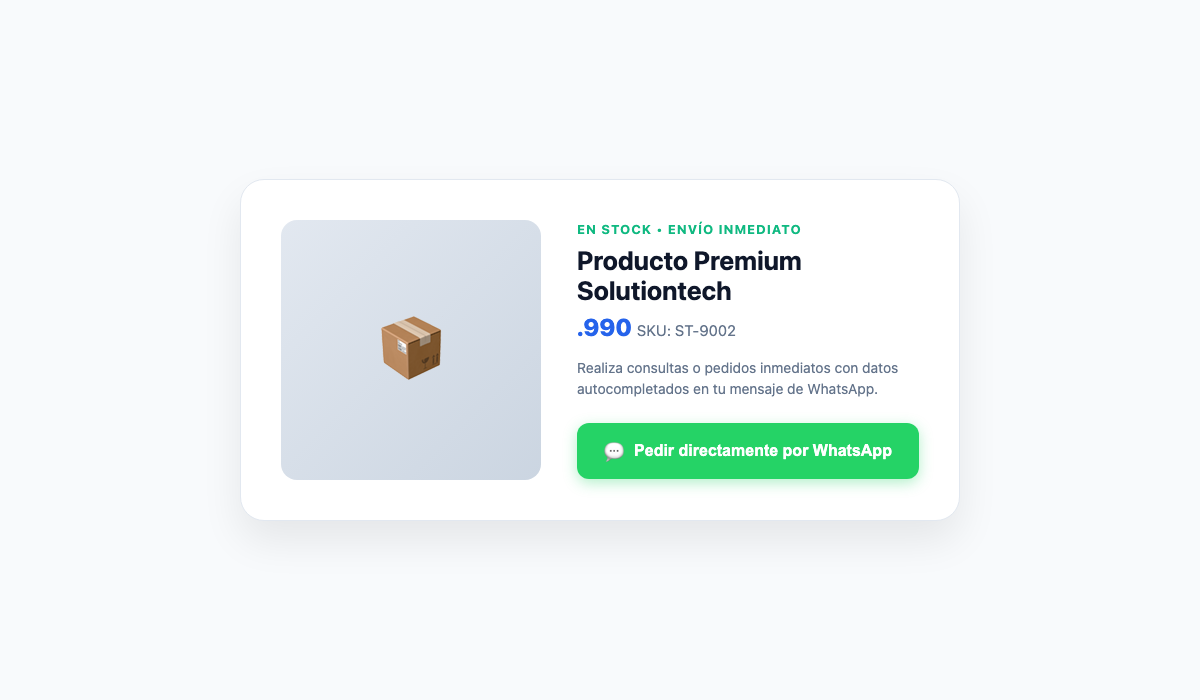
- WooCommerce Direct Sales: Add an inquiry or direct order button on single product pages with automatic details (Product Name, SKU, Price, URL) and on the Cart page.
- Smart Dynamic Tags: Use placeholders such as
{page_title},{page_url},{site_name},{product_name},{product_price}, and{product_sku}in pre-filled messages. - Conversion Tracking: Native integration with Google Analytics 4 (
gtag) and Meta Pixel (fbq), plus custom JavaScript events for Google Tag Manager (GTM). - Click-to-Chat Shortcode: Place customizable buttons anywhere in posts or pages with
[solutiontech_whatsapp]. - Lightweight & Fast: Pure vanilla JavaScript frontend, zero jQuery dependency on the frontend, perfectly compliant with Core Web Vitals.
- Zero External Dependencies: Built with zero remote trackers or third-party APIs. QR codes and audio chimes are rendered 100% locally in the client browser.
- 100% Secure & Standardized: Built adhering to the official WordPress Coding Standards, nonces, data sanitization, and output escaping.
External services
This plugin does not connect to or exchange user data with any external third-party API or service. All dynamic features, including the desktop QR code generator and audio chimes, run 100% locally in the visitor’s browser. Standard outbound chat links direct the user directly to the official WhatsApp messaging service (https://api.whatsapp.com/ or https://web.whatsapp.com/) only when explicitly clicked by the user.
Screenshots


Installation
- Upload the
solutiontech-customer-chatdirectory to your/wp-content/plugins/folder, or install via the WordPress Plugins screen by uploading the ZIP file. - Activate the plugin through the ‘Plugins’ menu in WordPress.
- Navigate to Customer Chat in your WordPress admin menu.
- Enter your phone number (with country code, no + or spaces), configure your welcome messages, and click Save All Changes.
FAQ
-
What phone format should I use?
-
Enter your full international number without any plus (+) symbols, dashes, or spaces. For example:
* Chile:56912345678
* Spain:34600000000
* Mexico:5215512345678
* United States:15551234567
* Argentina:5491123456789 -
Does it slow down my website?
-
Not at all! The frontend script is written in clean, modern vanilla JavaScript with no jQuery dependency. It is optimized for high performance and excellent PageSpeed / Core Web Vitals scores.
-
Does it support WooCommerce?
-
Yes! When WooCommerce is activated, Solutiontech Customer Chat automatically displays an order/inquiry button directly on your product pages and a button on the cart page.
-
Can I configure multiple agents?
-
Yes! You can enable “Multi-Agent Mode” under the Team & Agents tab to list multiple representatives with their respective titles, numbers, and avatars.
-
How do I track conversions in Google Analytics 4?
-
Simply keep “Google Analytics 4” enabled in the Analytics tab. If your website loads
gtag.js, clicks will trigger awhatsapp_clickevent automatically. -
Does this plugin use external third-party services or CDNs?
-
No. Solutiontech Customer Chat operates 100% locally and offline. All icons, synthesized audio chimes, and QR codes are generated client-side without transmitting visitor data to external APIs.
Reviews
There are no reviews for this plugin.
Contributors & Developers
“Solutiontech Customer Chat” is open source software. The following people have contributed to this plugin.
Contributors
Translate “Solutiontech Customer Chat” into your language.
Interested in development?
Browse the code, check out the SVN repository, or subscribe to the development log by RSS.
Changelog
1.0.0
- Initial official release.
- Redesigned vertical admin navigation with zero horizontal scroll.
- Added notification badge, Web Audio pop chime, and behavior triggers.
- Added business hours scheduling and offline desktop SVG QR code.
- Added WooCommerce integration and GA4 / Meta Pixel event tracking.