
Description
SoftIcon Poll adds a Poll block to the block editor. Write the question and the answers right in the block, publish, and visitors vote. The votes stay in your own WordPress database: no sign-up, no outside service, and no data sent anywhere.
Why choose SoftIcon Poll?
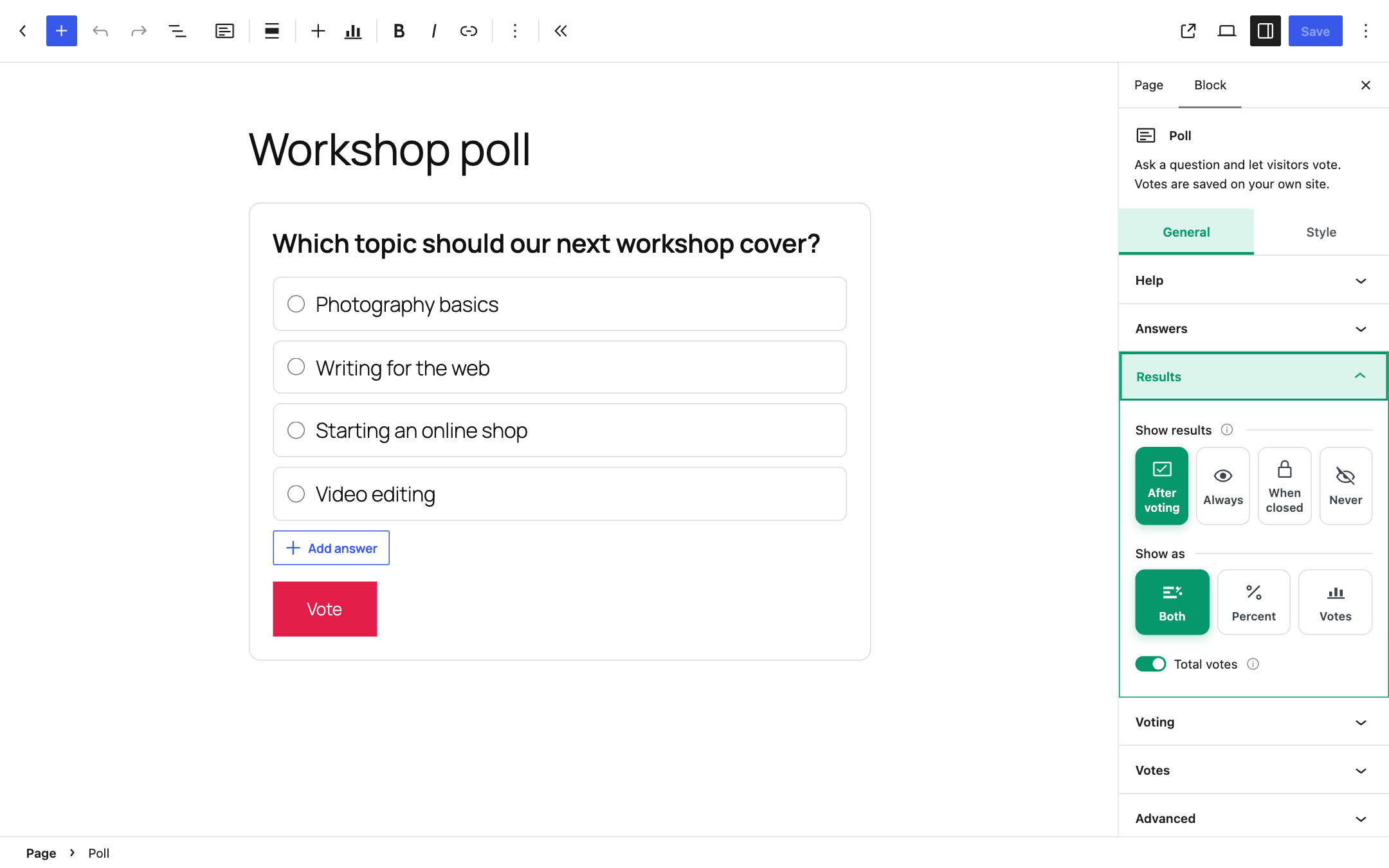
- Block first – the question and answers are edited in place, and the results can be previewed in the editor with your colors.
- Your data stays with you – votes are saved in a table on your own site. Nothing is sent to another server.
- Works with caching plugins – the page can be cached; the vote and the results come from your site’s REST API.
- One vote per person – by account for logged-in visitors, otherwise by a browser cookie and a scrambled code made from the IP address. The IP address itself is never saved.
- Accessible – real radio buttons and checkboxes, full keyboard use, and the results are read out to screen readers.
Features
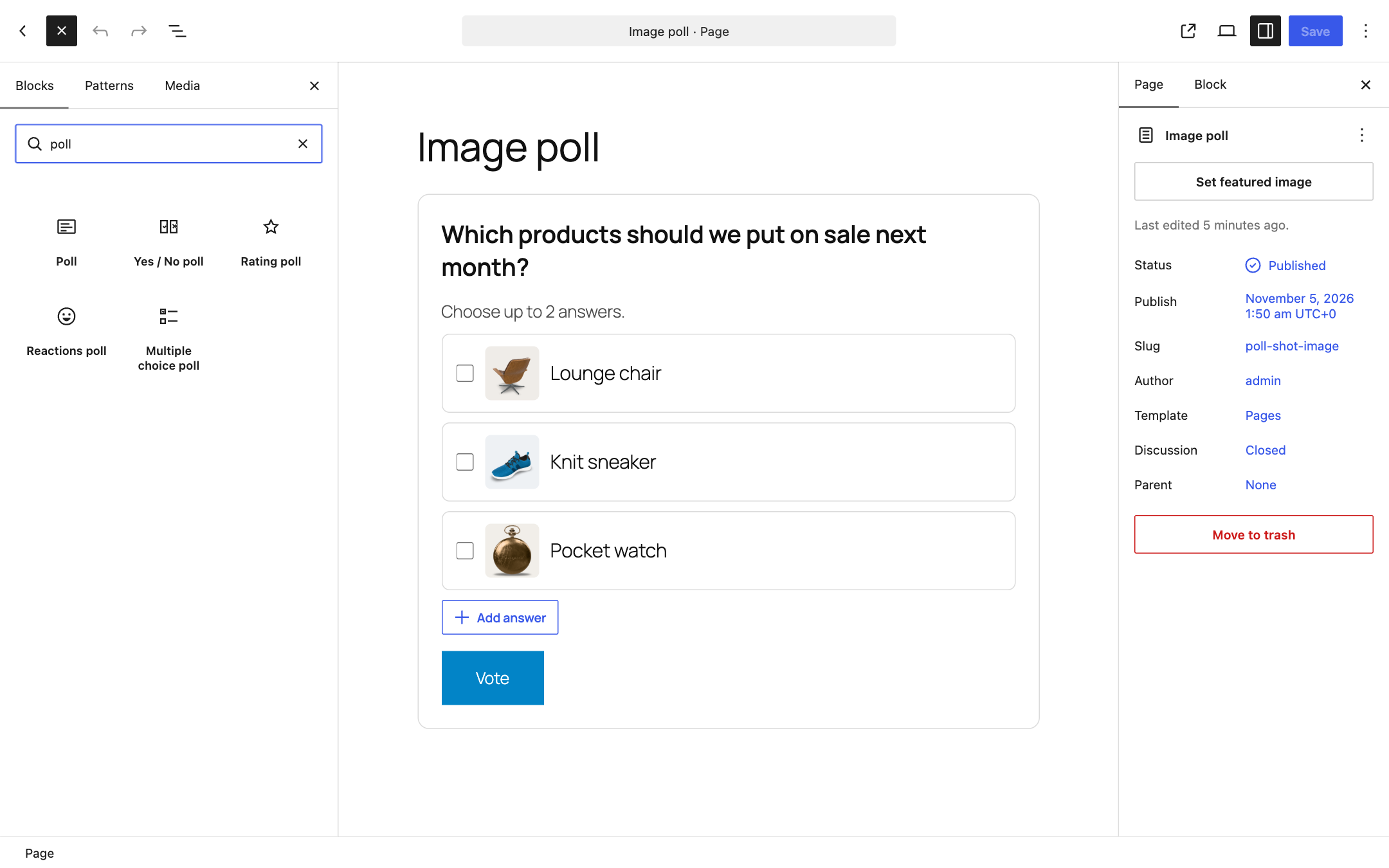
- Question and any number of answers, with an optional image for each answer
- Ready-made polls in the inserter: Yes / No, Rating, Reactions (emoji) and Multiple choice
- One answer, or several answers with an optional limit (“Choose up to 2 answers”)
- Show the results after voting, always (with a “View results” link), only when the poll is closed, or never
- Results as percent, number of votes or both, with animated bars and the total number of votes
- End date and time, or close the poll by hand
- Only logged-in users can vote (optional); others get a link to log in and come back
- Current results and a “Reset votes” button in the block settings
- Colors for the background, text, accent, bars and border; wide and full width alignment
- Works in posts, pages, synced patterns, templates and template parts (for example a poll in the footer of every page)
- Translation ready and right-to-left ready
Screenshots




Blocks
This plugin provides 1 block.
- Poll Ask a question and let visitors vote. Votes are saved on your own site.
Installation
- In your WordPress admin go to Plugins > Add New, search for “SoftIcon Poll” and click Install, then Activate. Or upload the plugin folder to
/wp-content/plugins/and activate it on the Plugins screen. - Edit a post or page, add the Poll block (or search for “poll”), write the question and the answers.
- Choose when the results show, an end date and the colors in the block settings, then publish.
FAQ
-
Do I need an account or an outside service?
-
No. Everything runs on your own site, and the votes are saved in your own database (in a table named
wp_alpl_votes, with your table prefix). -
How does “one vote per person” work?
-
A logged-in visitor votes once per account. A visitor who is not logged in is recognised by a browser cookie and by a scrambled code made from the IP address, so clearing cookies does not allow a second vote.
People who share one internet connection, for example a family or an office, share one IP address, so only one of them can vote while not logged in. If that matters for your poll, turn on “Only logged-in users” in the Voting panel: then every account votes once.
-
My site is behind Cloudflare or another proxy. Does that matter?
-
Behind Cloudflare the plugin reads the visitor’s real address from Cloudflare’s header, but only when the request really comes from Cloudflare, so the header can’t be faked.
Behind another proxy or load balancer, every visitor may seem to come from the proxy’s address, and then only one vote would be possible. Return the real address with the
alpl_voter_ipfilter, for example:add_filter( 'alpl_voter_ip', function ( $ip ) { return $_SERVER['HTTP_X_REAL_IP'] ?? $ip; } );Only do this when your proxy always sets that header, or visitors could fake it.
-
Does it work with caching plugins?
-
Yes. The page holds only the question and answers. Whether the visitor has voted, and the results, are loaded from your site when the poll comes into view, so a cached page still shows the current results and a poll you have closed.
-
Why do the percentages add up to more than 100%?
-
Only in polls that allow several answers. The percent is the share of people who voted that picked that answer, so if every voter picks two answers the shares add up to 200%.
-
Yes, with a block theme: add it to a template or template part (for example the footer) in the Site Editor, and it works on every page that uses it. With a classic theme’s widget area, put the poll in a synced pattern and add that pattern to the widget area.
-
What happens if I copy a poll to another post?
-
The copy gets its own new id when you open it in the editor, so the two polls keep separate votes. A poll inside a synced pattern keeps one set of votes wherever the pattern is used.
-
How do I reset the votes?
-
Select the poll, open the Votes panel in the block settings and click “Reset votes”. You are asked to confirm first.
-
Is it GDPR friendly?
-
The plugin saves the chosen answers and a scrambled code made from the user account or the IP address; the code can’t be turned back into the address. Visitors who are not logged in get a cookie named
alpl_voted_followed by the poll’s id, for one year. Suggested text for your privacy policy is added under Settings > Privacy > Policy Guide. -
What is removed when I delete the plugin?
-
Deleting the plugin removes the votes table, its setting and the note of which post each poll belongs to. The polls in your posts stay as blocks. Deleting a post for good also deletes the votes of the polls made in it.
-
Where is the source code?
-
The plugin includes its unminified source in the
srcfolder; the files inbuildare made from it withnpm run build. It is also on GitHub: github.com/softiconai/softicon-poll.
Reviews
There are no reviews for this plugin.
Contributors & Developers
“SoftIcon Poll” is open source software. The following people have contributed to this plugin.
Contributors
Translate “SoftIcon Poll” into your language.
Interested in development?
Browse the code, check out the SVN repository, or subscribe to the development log by RSS.
Changelog
1.0.0
- First release.