

Description
SLS Return Requests for WooCommerce is a product returns plugin for stores that want to receive and manage return and right of withdrawal requests from their website.
Give registered customers and guests a clear way to select the products they want to return, submit a request and check its status. Review requests, keep internal notes and share updates with customers from your WordPress dashboard.
A clear return process for customers
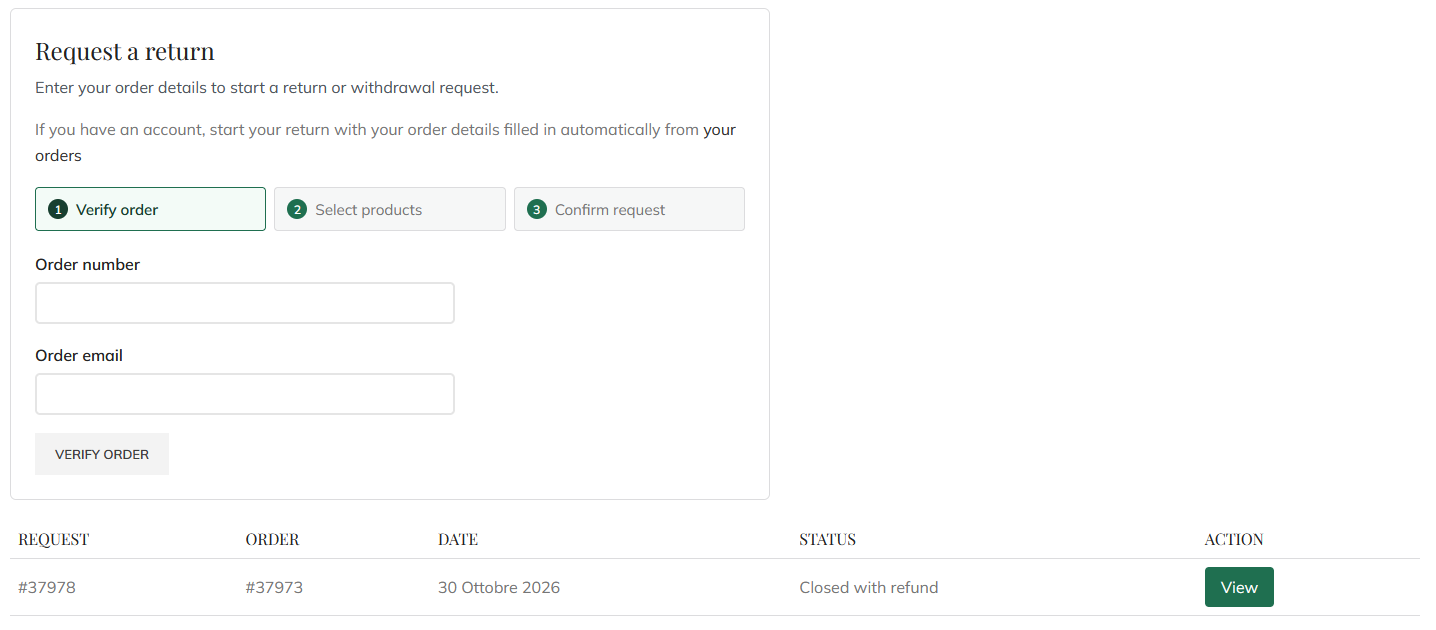
- Verify an order using its number and order email.
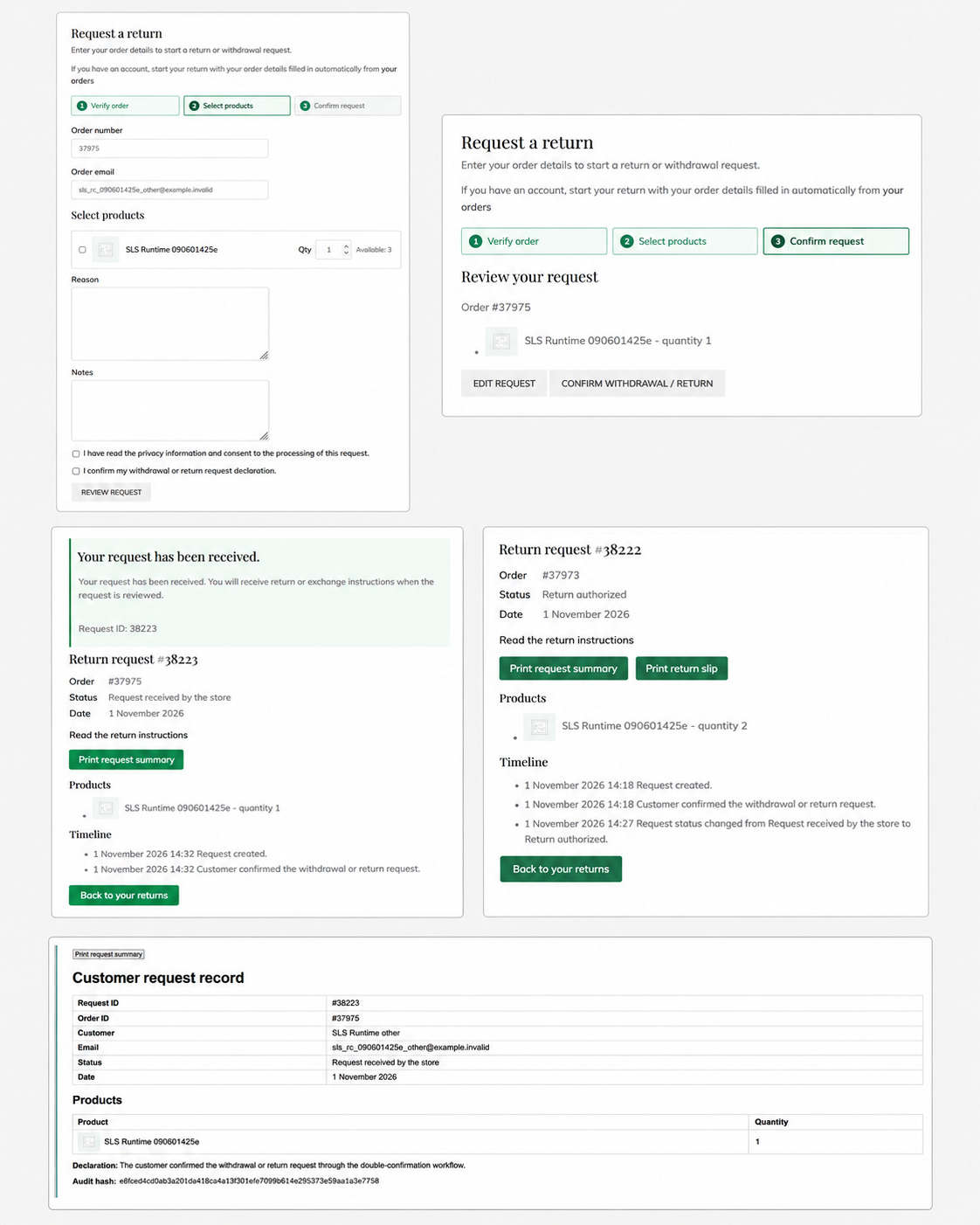
- Request a return for selected products and quantities, including partial returns.
- Add a reason, notes, phone number or attachments when enabled by the store.
- Review the request before sending it and receive a confirmation.
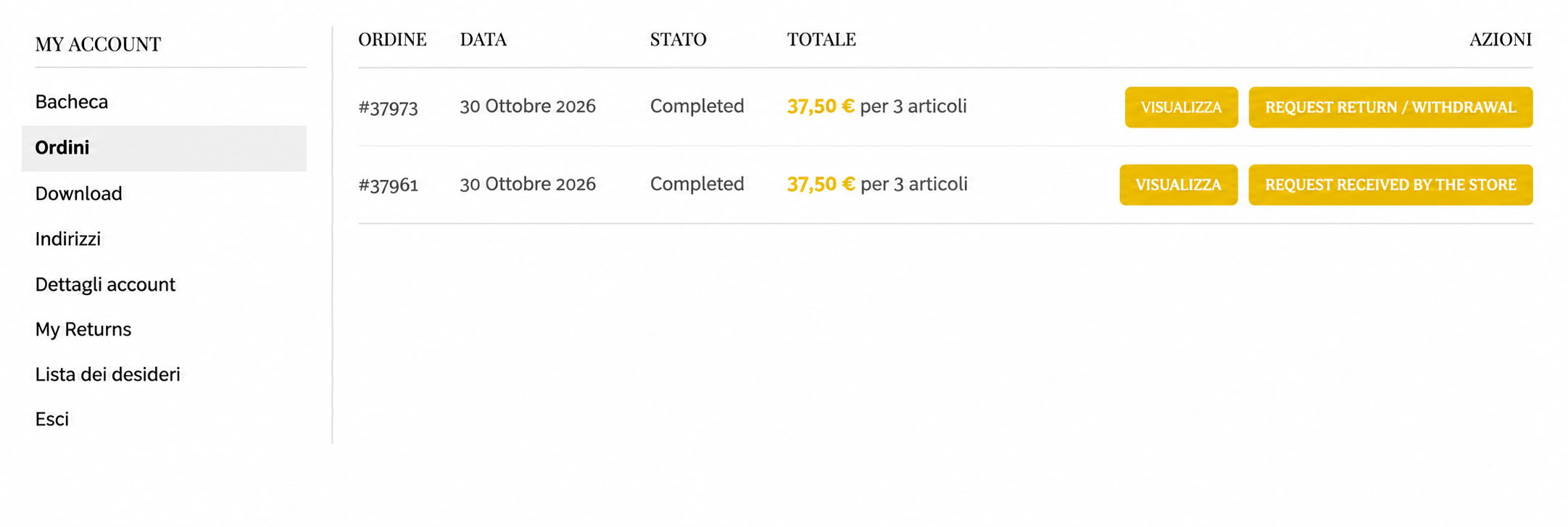
- Start a return from WooCommerce My Account or check a guest return without creating an account.
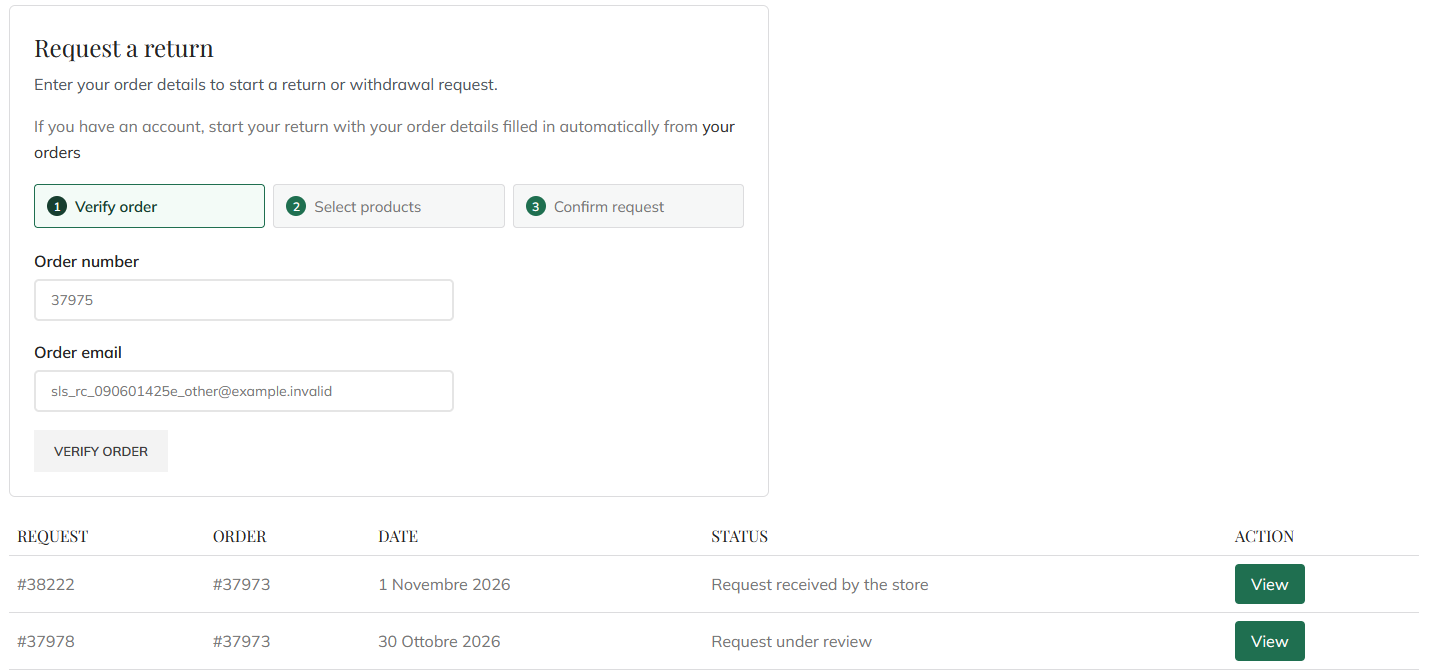
- View the request status, customer messages and printable summaries.
Manage return requests in one place
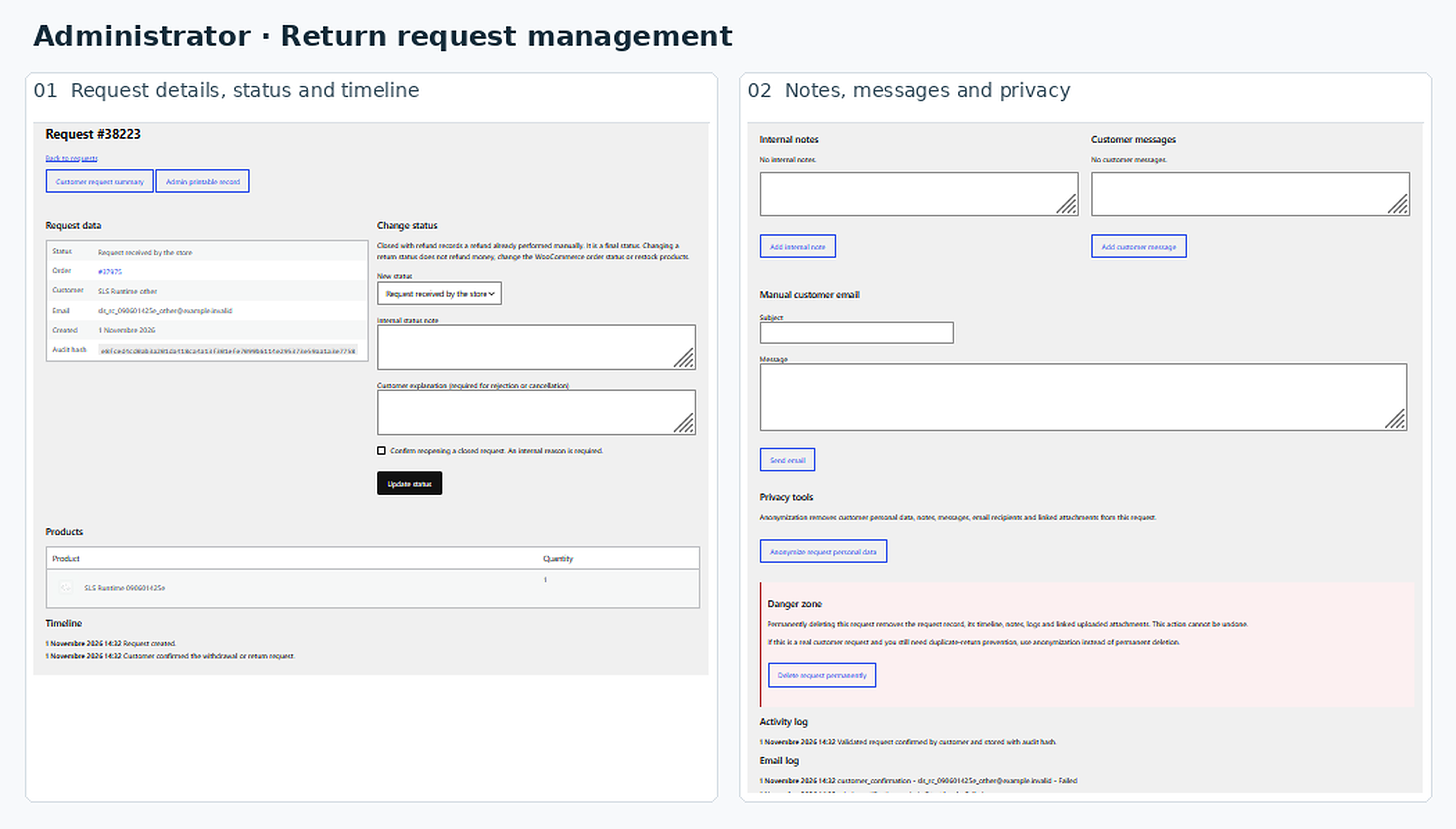
- Review requests and update their status from receipt to closure.
- Keep internal notes separate from messages shown to the customer.
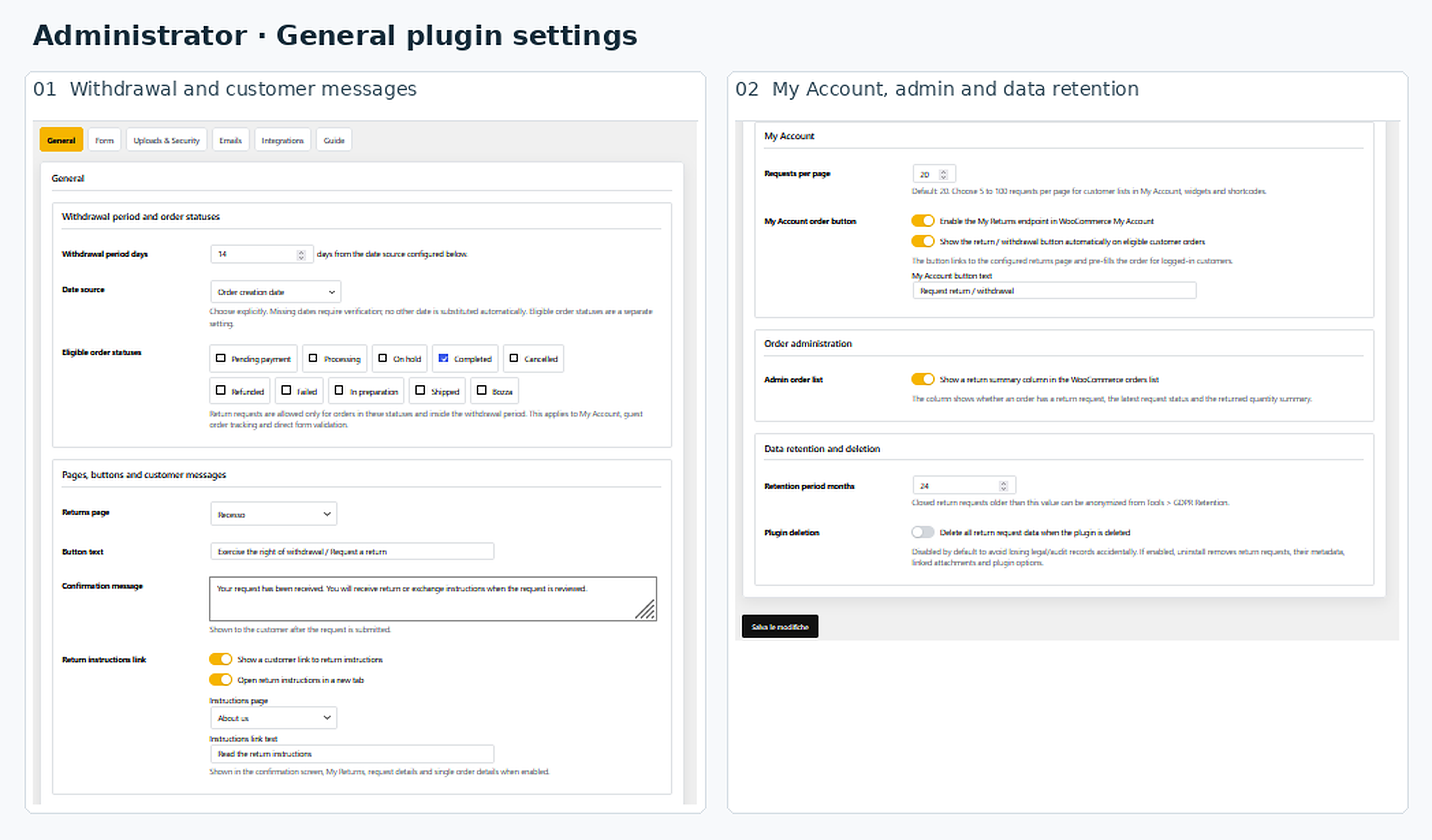
- Set the return period, choose when it starts and select eligible order statuses.
- Use a custom order status, such as Delivered, as the starting point for the return period.
- Exclude selected products, categories, virtual products or downloadable products.
- Check remaining quantities to manage partial returns and avoid duplicate requests.
- Enable customer and store notifications for return requests.
- Export requests to CSV and use personal data export and anonymization tools.
- Connect external software through a documented REST API with separate customer and store-management permissions. Integration development may be required.
Use shortcodes or Elementor
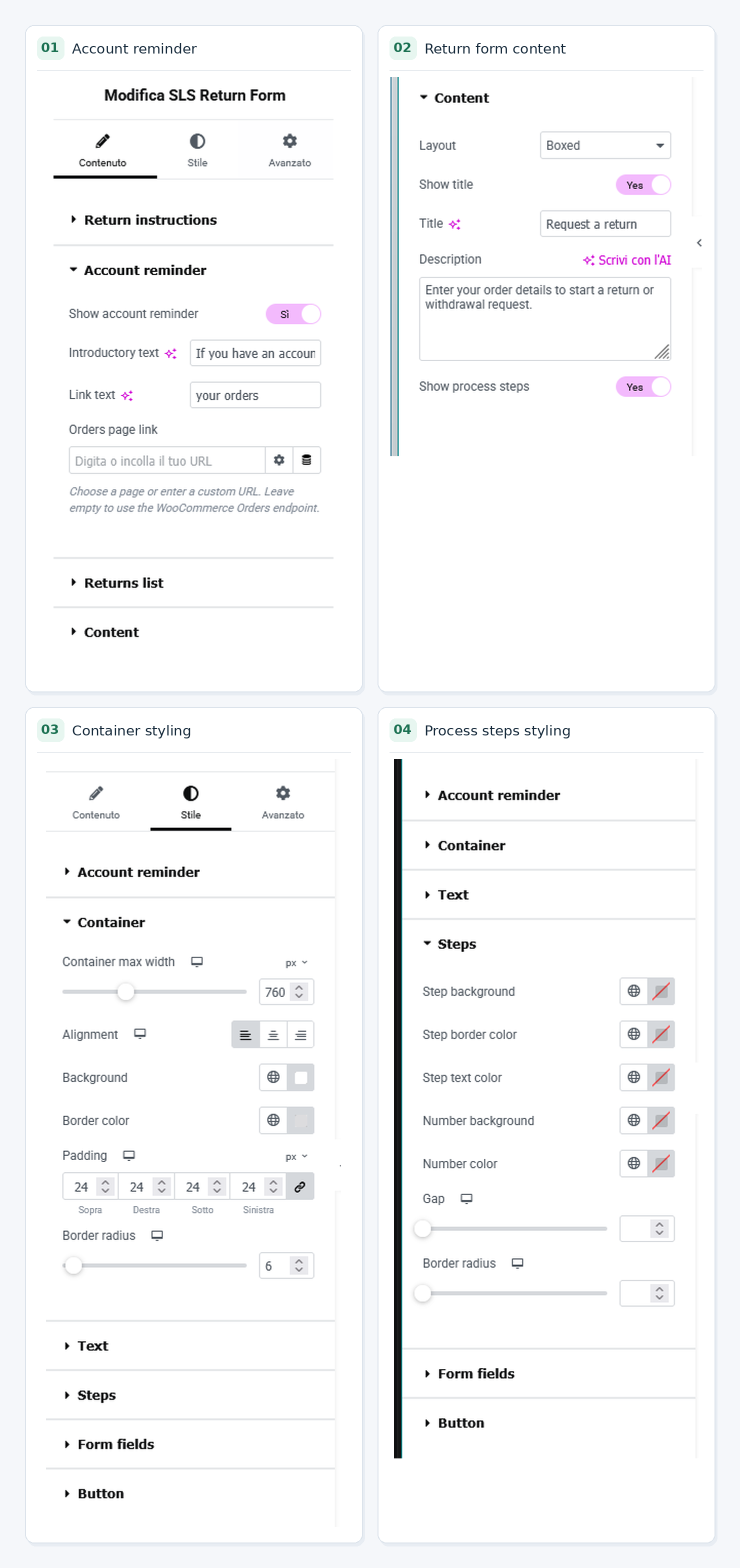
Add the return form and customer returns list to the same page using shortcodes. With Elementor, use the SLS widgets to customize text and styling, or show the returns list directly below the form in a single widget.
Elementor is optional. WooCommerce HPOS is supported.
Refund payments, stock adjustments and return shipping are managed through your existing store processes. The included configuration checklist helps you review your setup; it does not certify legal compliance.
Screenshots

Installation
- Install and activate WooCommerce.
- Install and activate SLS Return Requests for WooCommerce.
- Open SLS Returns > Settings and choose the return period, its starting date source and eligible order statuses.
- Create a public page and add
[sls_rc_returns_form]. Add[sls_rc_my_returns]below it to let customers check their returns on the same page. - Select that page as the returns page in Settings. Alternatively, use the SLS Elementor widgets and enable Show returns list below the form for a single-widget layout.
- Set your customer messages, notifications and privacy page. Follow the included Guide for optional attachments and other settings.
FAQ
-
Can customers return only part of an order?
-
Yes. Customers can choose individual products and quantities. The plugin checks the remaining eligible quantities when another request is submitted.
-
Can guests use the return form?
-
Yes. Guests can submit and look up requests using the order number and order email, without creating an account. The order email is the billing email saved on the order.
-
When does the return period start?
-
You choose the starting point in Settings, including a custom order status such as Delivered. An order must have a valid starting date before a new request can be accepted. Existing requests remain available after the return period ends.
-
Do I need Elementor or separate pages?
-
No. The form and returns list can share one page using shortcodes. If you use Elementor, the form widget can also display the list underneath it.
-
Does the plugin issue refunds or restock products?
-
No. The plugin manages return requests and communication. You handle refund payments and inventory changes through WooCommerce or your existing store processes.
-
Can customers attach photos or documents?
-
Yes, when uploads are enabled. You choose the allowed file types, number and size. Follow the attachment setup instructions in the Guide before enabling this feature.
-
Which languages are included?
-
English and Italian are included, and the plugin is ready for additional translations. Customer messages and Elementor widget text can be customized.
-
What happens when I uninstall the plugin?
-
Return requests are retained by default. You can enable deletion of request data in Settings before uninstalling. Review that setting before removing the plugin.
Reviews
There are no reviews for this plugin.
Contributors & Developers
“SLS Return Requests for WooCommerce” is open source software. The following people have contributed to this plugin.
Contributors
Translate “SLS Return Requests for WooCommerce” into your language.
Interested in development?
Browse the code, check out the SVN repository, or subscribe to the development log by RSS.
Changelog
1.0.0
- Initial public release.
- Customer and guest return requests, administrative review, period configuration, notifications, quantity checks and privacy tools.