

Description
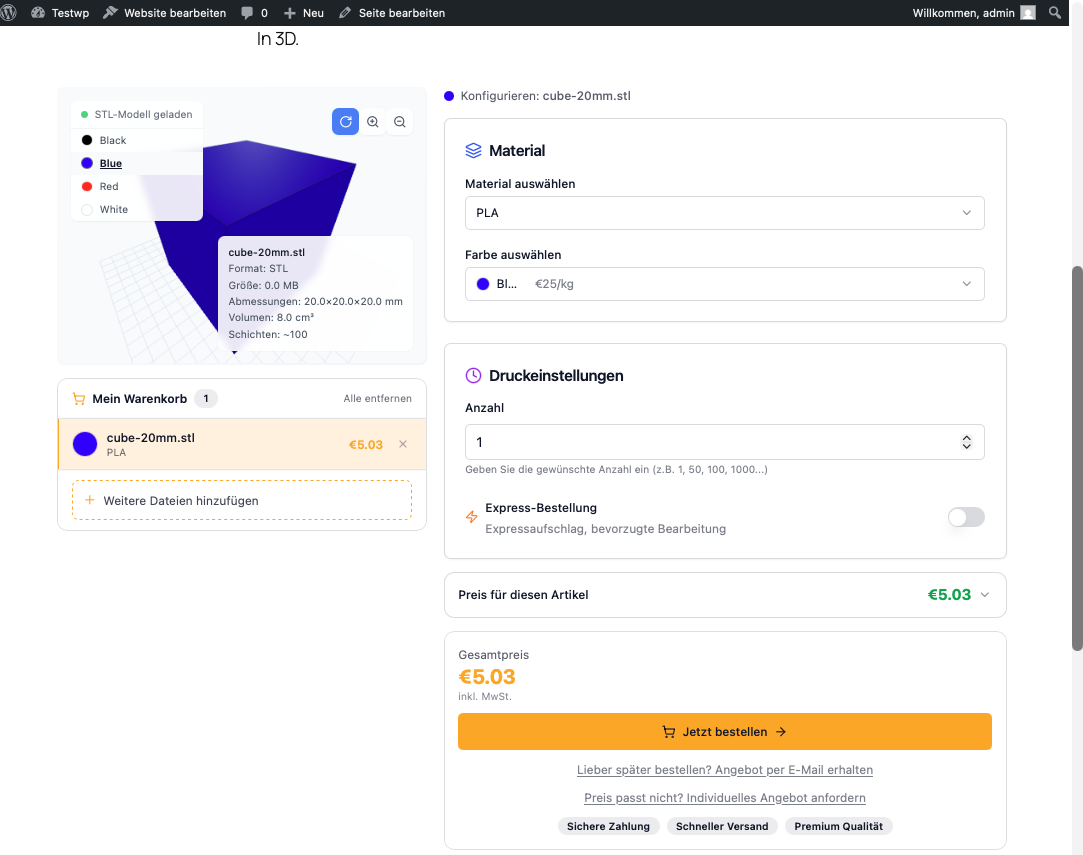
SliceQuote embeds your personal quoting widget from slicequote.de into WordPress. Your customers upload STL, 3MF or OBJ files, pick a material and options, and instantly receive a binding price – including ordering and payment.
Features
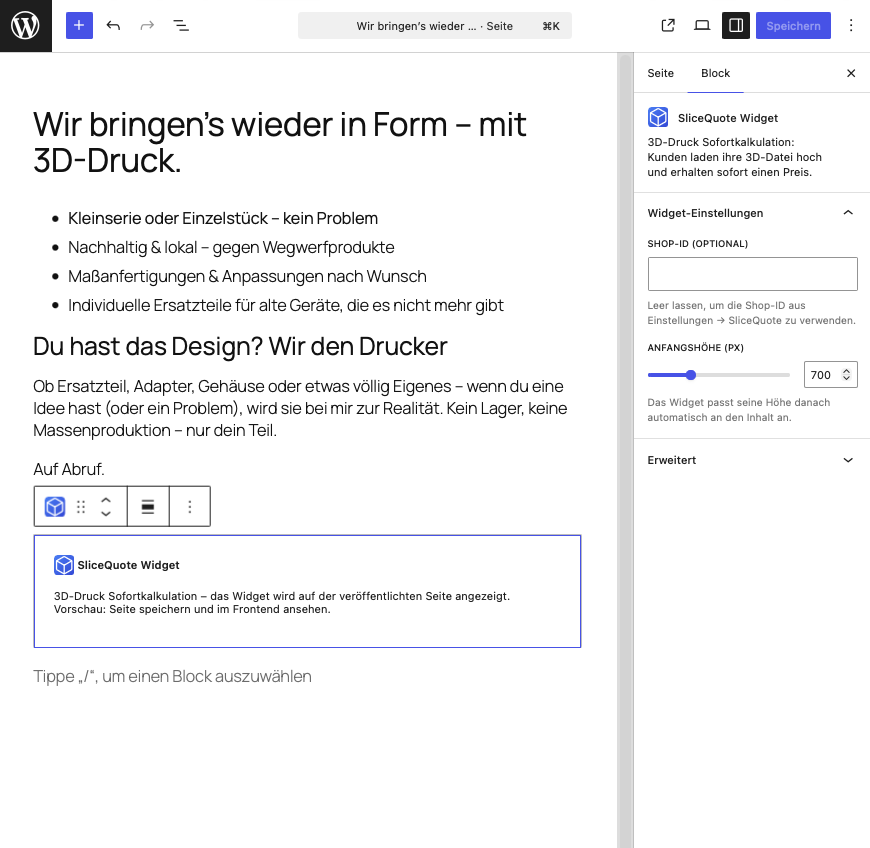
- Gutenberg block “SliceQuote Widget” – add it to any page with one click
- Shortcode
[slicequote]for the Classic Editor, page builders and templates - Automatic widget height adjustment to fit its content
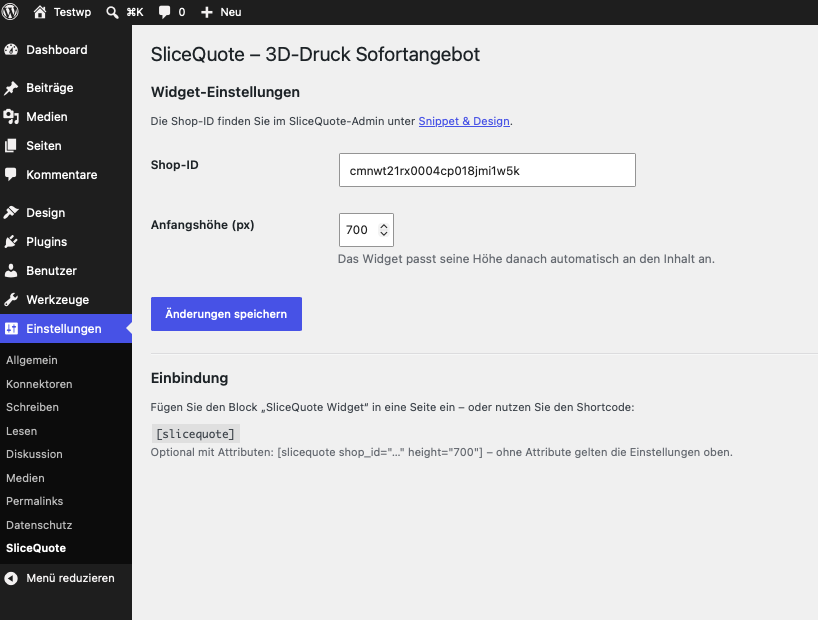
- Store your shop ID once in the settings, optionally override it per block/shortcode
- Guided setup: after activation you are taken straight to the settings page
Requirement: A SliceQuote account (free plan available). You will find your shop ID in the SliceQuote admin under “Snippet & Design”.
The SliceQuote service and the widget are currently available in German and English.
External Services
This plugin embeds the SliceQuote service (slicequote.de) – the plugin has no functionality without it:
- The quoting widget is loaded as an iframe from
https://slicequote.de/widget/<shop-id>whenever a page containing the block or shortcode is visited. - The script
https://slicequote.de/api/widget/embed-api.jsis loaded as well; it adjusts the iframe height and forwards checkout redirects. - For technical reasons the visitor’s IP address and common browser metadata are transmitted to slicequote.de. Files that visitors upload inside the widget are transmitted to slicequote.de to calculate the price.
Provider: SliceQuote, slicequote.de – privacy policy
Screenshots
Blocks
This plugin provides 1 block.
- SliceQuote Widget 3D-Druck Sofortkalkulation: Kunden laden ihre 3D-Datei hoch und erhalten sofort einen Preis.
Installation
- Install and activate the plugin – you will be redirected to the settings page automatically.
- Enter your shop ID under Settings SliceQuote (found in the SliceQuote admin under “Snippet & Design”).
- Add the “SliceQuote Widget” block to a page – or use the
[slicequote]shortcode.
FAQ
-
Where do I find my shop ID?
-
In the SliceQuote admin under “Snippet & Design” – the shop ID is displayed there. No account yet? Sign up at https://slicequote.de.
-
Can I embed multiple widgets for different shops?
-
Yes – use the shortcode with an attribute:
[slicequote shop_id="YOUR_SHOP_ID"]. -
Is personal data transmitted?
-
The plugin itself does not store any personal data. The widget is loaded as an iframe from slicequote.de; see the “External Services” section and the privacy policy of your SliceQuote shop for details.
Reviews
There are no reviews for this plugin.
Contributors & Developers
“SliceQuote – Instant Quotes for 3D Printing” is open source software. The following people have contributed to this plugin.
Contributors
Translate “SliceQuote – Instant Quotes for 3D Printing” into your language.
Interested in development?
Browse the code, check out the SVN repository, or subscribe to the development log by RSS.
Changelog
1.0.6
- iOS Safari: Das Widget wurde auf dem Handy rechts abgeschnitten, wenn ein Kind-Element (3D-Vorschau) breiter als der Rahmen war. iFrame-Breite abgesichert (width:1px + min-width:100%).
1.0.5
- First release distributed via the WordPress.org plugin directory (no functional changes)
1.0.4
- Plugin name in the header now matches the readme title (automated scan warning); no functional changes
1.0.3
- Plugin URI now points to the integration guide (submission requirement: plugin and author URI must differ)
1.0.2
- readme.txt rewritten in English (plugin directory requirement)
- Annotated the bulk-activation check for the plugin-check nonce warning
1.0.1
- Listing preparation for the WordPress plugin directory (external services disclosure, screenshots, tested up to 7.0)
- SliceQuote logo as block icon
- Automatic redirect to the settings page after activation
1.0.0
- Initial release: Gutenberg block, shortcode, settings page.