
Description
SKU Sentinel – Duplicate Product Finder scans your WooCommerce catalog for products and variations that share the same SKU or product name, groups the conflicts for review, and lets you resolve them safely.
Everything runs inside your own WordPress site. No external services, accounts, or license keys are required.
Features:
- Duplicate SKU scan across products and variations
- Duplicate product name scan
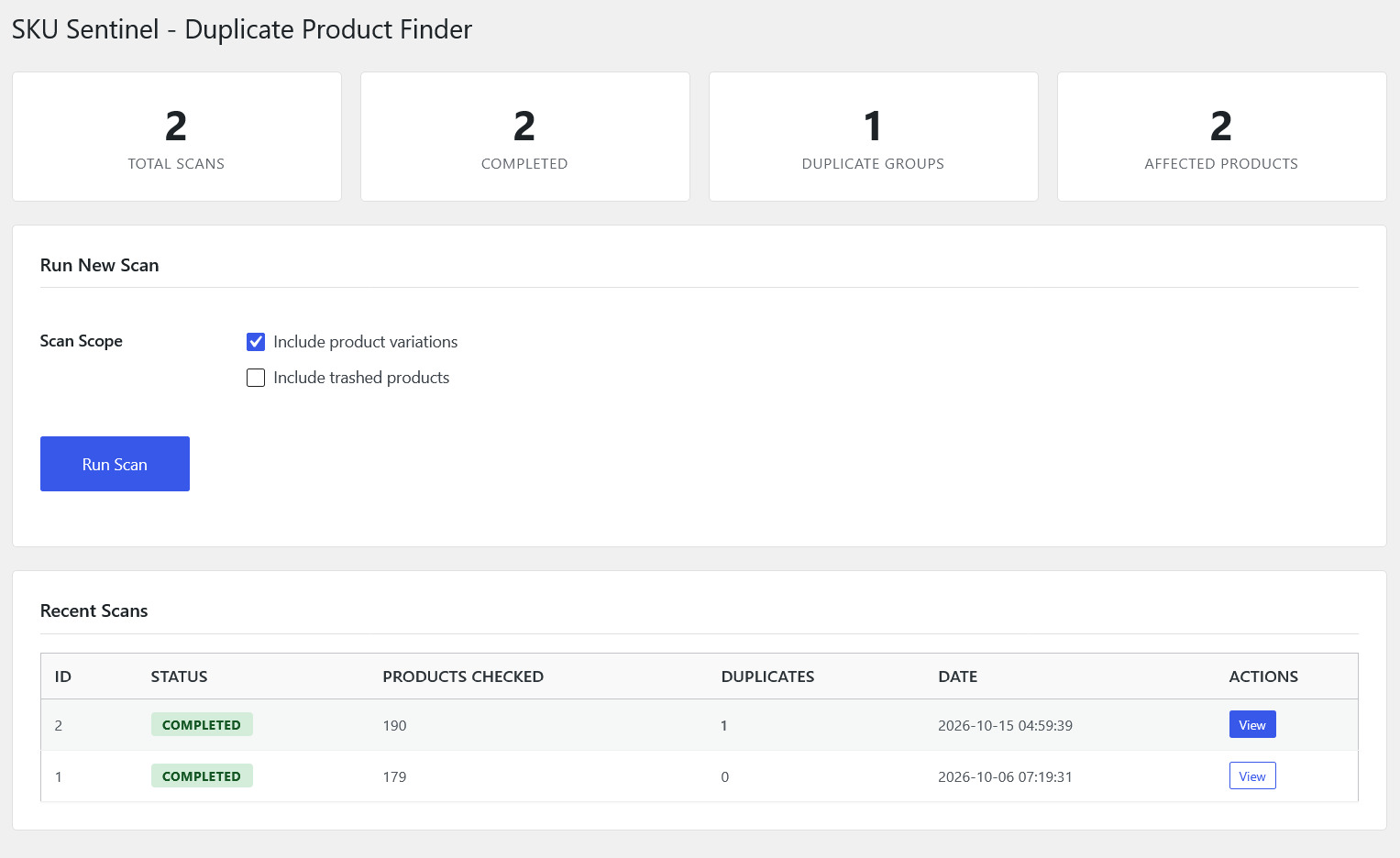
- Scope filters (include variations, include trashed products, excluded categories)
- Normalization options (trim whitespace, case-insensitive comparison)
- Review screen that groups conflicting products side by side
- Safe resolution: move selected products to Trash after confirmation
- CSV export of scan results
- Custom duplicate-resolution capability reserved for administrators
- Uninstall routine that removes all plugin data
Requirements:
- WordPress 6.6 or newer
- WooCommerce 6.0 or newer
- PHP 8.0 or newer
Screenshots


Installation
- Upload the plugin files to the /wp-content/plugins/sku-sentinel-duplicate-product-finder directory, or install the plugin through the WordPress plugins screen.
- Activate the plugin through the ‘Plugins’ screen in WordPress.
- Run your first scan from the SKU Sentinel – Duplicate Product Finder menu in the WordPress admin sidebar.
FAQ
-
Does this plugin automatically delete products?
-
No, the plugin is designed as a safe review tool. Nothing is removed automatically: you review each duplicate group and choose which products to move to Trash after confirming the action. Trashed products can be restored from the WordPress Trash at any time.
-
Does this plugin permanently delete anything?
-
No. The plugin only moves selected products to the WordPress Trash. Permanent deletion is never performed by this plugin; that remains a manual action in WordPress itself.
-
Does this plugin require an external API?
-
No. The plugin runs entirely inside your WordPress site and does not require any external API, account, or license key.
-
Can I scan trashed products?
-
Yes, you can enable inclusion of trashed products in the scan scope settings.
-
What if WooCommerce is not active?
-
The plugin will show an admin notice and disable scan and resolution features until WooCommerce is activated.
-
Where is my data stored?
-
Scan results are stored in dedicated custom tables inside your own WordPress database (
wp_skusn_scans,wp_skusn_groups,wp_skusn_items). No data is sent off your server.
Reviews
There are no reviews for this plugin.
Contributors & Developers
“SKU Sentinel – Duplicate Product Finder” is open source software. The following people have contributed to this plugin.
Contributors
Translate “SKU Sentinel – Duplicate Product Finder” into your language.
Interested in development?
Browse the code, check out the SVN repository, or subscribe to the development log by RSS.
Changelog
1.0.0
- Initial release
- Duplicate SKU scan
- Duplicate product name scan
- Product and variation support
- Scope filters
- Move to Trash
- CSV export
- Settings