

Description
SiteByter Image Optimizer compresses every JPG and PNG in your WordPress media library using the image editor already built into WordPress (GD or Imagick). No images leave your server. No API keys. No account. No per-image charges. No monthly quotas. Just faster pages.
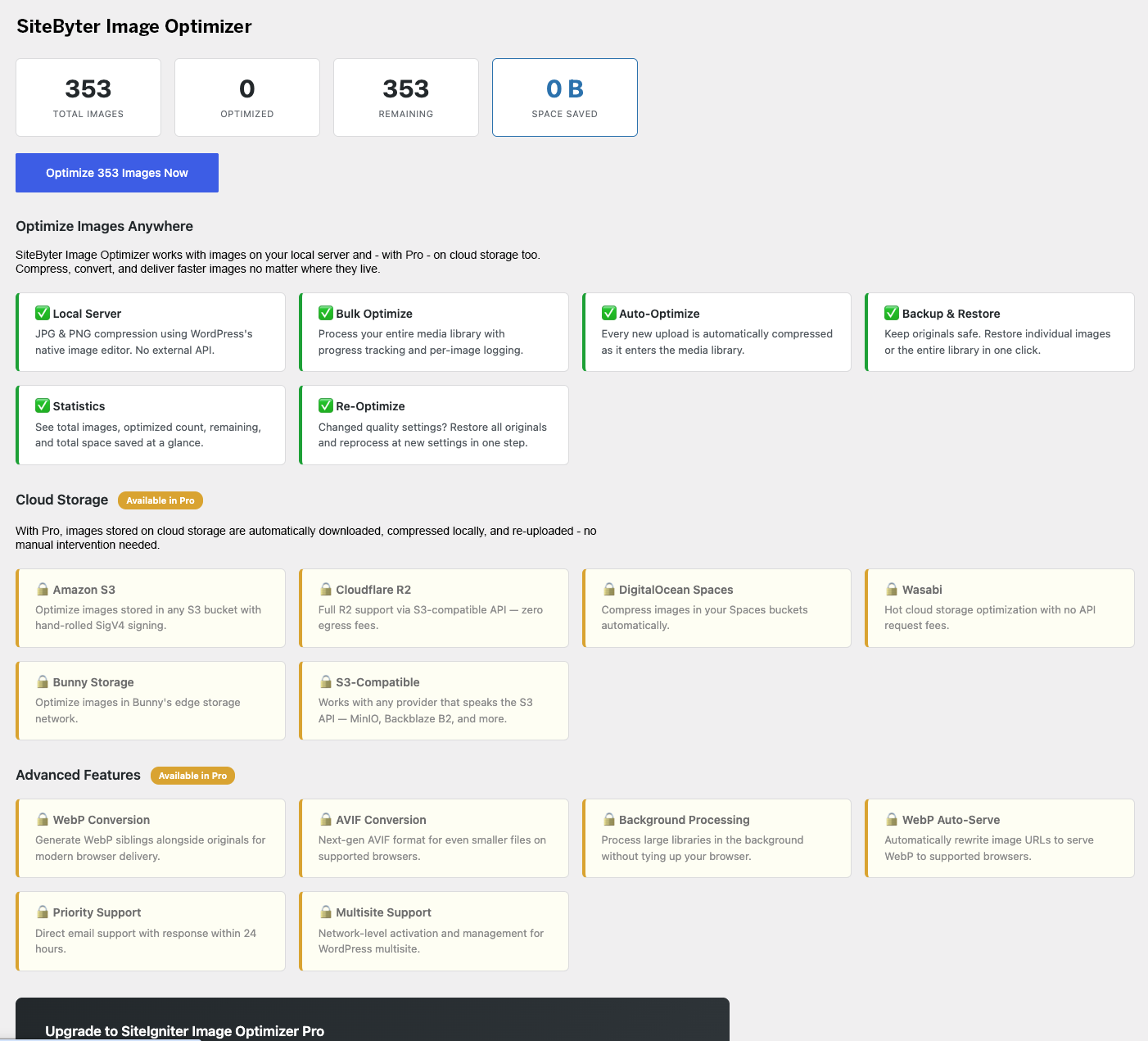
Optimize Images Anywhere
Most image optimization plugins handle files on your local server. SiteByter goes further — with Pro, compress images stored on cloud storage too.
Local Server — Free, Unlimited
✅ JPG & PNG lossy compression at adjustable quality (1–100)
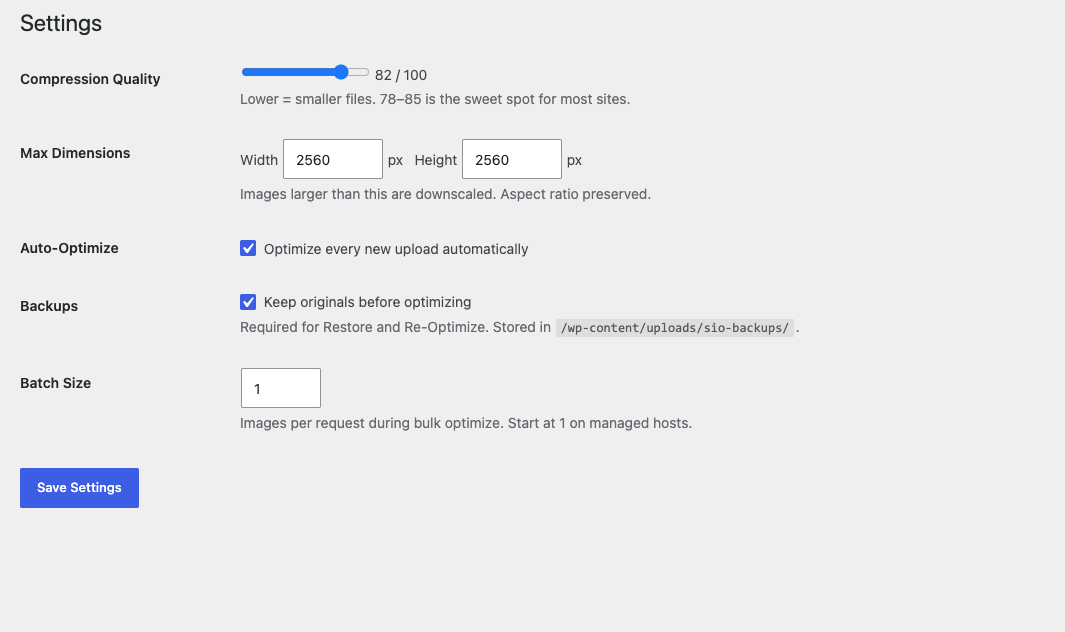
✅ Automatic downsizing of oversized uploads to configurable max dimensions
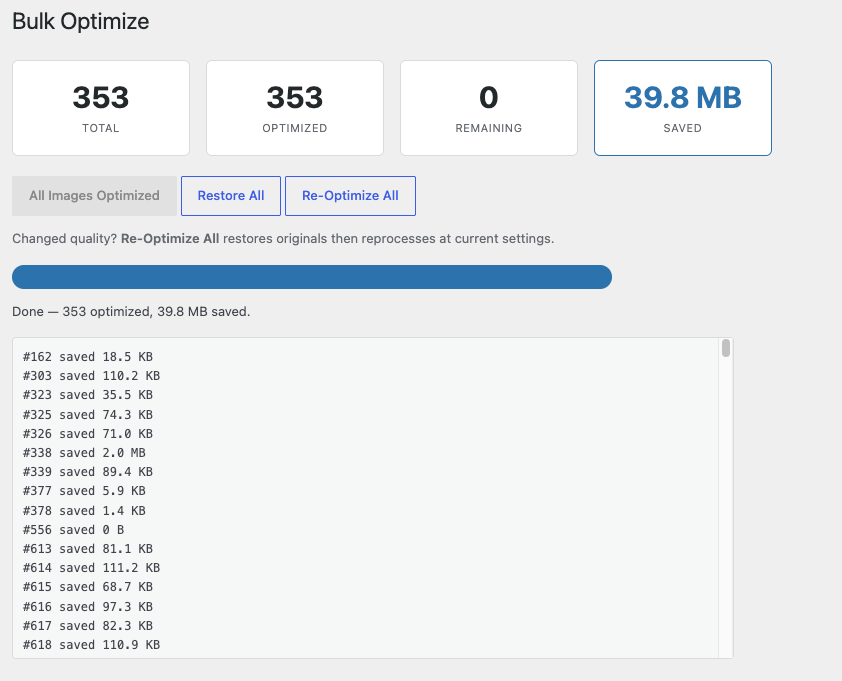
✅ Bulk optimize — process your entire media library with a real-time progress bar
✅ Auto-optimize on upload — every new image compressed the moment it enters WordPress
✅ Full backup system — originals preserved before compression, one-click restore
✅ Re-optimize all — restore originals and reprocess at new quality settings in one step
✅ Statistics dashboard — total images, optimized count, remaining, total space saved
✅ Batch size control — works on managed hosts (WP Engine, Flywheel, Kinsta, Cloudways)
Cloud Storage — Pro
🔒 Amazon S3
🔒 Cloudflare R2
🔒 DigitalOcean Spaces
🔒 Wasabi
🔒 Bunny Storage
🔒 Any S3-compatible provider (MinIO, Backblaze B2, etc.)
Advanced — Pro
🔒 WebP conversion and automatic browser-based serving
🔒 AVIF conversion for next-gen compression
🔒 Background processing for large libraries
🔒 Priority support
Why Local Optimization?
Local optimization means your images are compressed right on your server using WordPress’s built-in image editor. Benefits include:
- Images never leave your server — complete privacy
- No dependency on external services
- No API key or account registration required
- No per-image charges or monthly usage limits
- Works offline and on any hosting environment
Why Cloud Optimization Matters
Modern WordPress sites increasingly store media on cloud storage — Amazon S3, Cloudflare R2, DigitalOcean Spaces — for performance, scalability, and cost. But most image optimization plugins can’t touch those files because they only process local images.
With SiteByter Pro, cloud-stored images are automatically downloaded, compressed on your server using the same high-quality local engine, and re-uploaded. No manual work. No separate tools. One plugin handles everything.
What Makes This Plugin Different?
This plugin processes images entirely on your server using WordPress’s built-in image editor (GD or Imagick). No images are uploaded to an external service, no API key is required, and there are no per-image limits or monthly quotas. With the Pro upgrade, the same local compression engine can also handle images stored on cloud storage providers.
How It Works
- Install and activate — no signup, no API key, no configuration needed to start.
- Set your quality — the slider lets you balance file size vs. visual quality. 78–85 is the sweet spot.
- Click Bulk Optimize — processes your entire library with a progress bar and per-image log.
- New uploads handled automatically — auto-optimize compresses every future upload instantly.
- Changed your mind? — restore originals from backup and re-optimize at different settings.
Pro: Optimize Images on Cloud Storage
If your WordPress media lives on Amazon S3, Cloudflare R2, DigitalOcean Spaces, Wasabi, or Bunny Storage, Pro handles it automatically. Images are downloaded, compressed locally, and re-uploaded — all without manual intervention. Hand-rolled AWS Signature Version 4 signing in pure PHP with zero external dependencies.
Screenshots
Installation
- Upload the plugin folder to
/wp-content/plugins/or install via Plugins Add New. - Activate the plugin.
- Go to Image Optimizer Settings to set your compression quality and max dimensions.
- Go to Image Optimizer Bulk Optimize to process your existing media library.
- That’s it. New uploads are optimized automatically.
FAQ
-
Does this plugin send my images to an external server?
-
No. All compression happens on your server using WordPress’s native GD or Imagick image editor. No images leave your server. No API calls are made. No account is required.
-
Is the free version limited?
-
No artificial limits. The free version includes unlimited JPG/PNG compression, bulk optimize, auto-optimize on upload, backup/restore, re-optimize, and statistics. Pro adds cloud storage support (S3, R2, Spaces, Wasabi, Bunny), WebP, AVIF, background processing, and priority support.
-
Will it work on WP Engine, Flywheel, or managed hosting?
-
Yes. The batch size setting controls how many images are processed per request. Start at 1 on managed hosts (their execution time limits are fixed at the platform level) and increase once confirmed.
-
Can I restore my original images?
-
Yes. With backups enabled (on by default), originals are preserved before compression. Restore individually or restore your entire library with one click from the Bulk Optimize page.
-
What happens if I change the quality setting?
-
Use “Re-Optimize All” on the Bulk Optimize page. It restores every image from backup, then reprocesses everything at your new quality setting — one click.
-
What image formats are supported?
-
The free version compresses JPG and PNG. Pro adds WebP and AVIF conversion.
-
What cloud storage providers does Pro support?
-
Amazon S3, Cloudflare R2, DigitalOcean Spaces, Wasabi, Bunny Storage, and any provider with an S3-compatible API (MinIO, Backblaze B2, Linode Object Storage, etc.).
-
How is this different from other image optimization plugins?
-
Most image optimization plugins send your images to an external server for processing. This plugin compresses images locally using the image editor already built into WordPress. That means no API key, no external service dependency, no per-image charges, and no monthly quotas.
-
Does it work with page builders (Elementor, Enfold, Divi)?
-
Yes. SiteByter optimizes images in the WordPress media library, which is where all page builders pull their images from. Optimized images appear everywhere automatically.
-
Does it conflict with other optimization plugins?
-
The Pro version includes automatic conflict detection and will warn you if another image optimization plugin is active. We recommend deactivating other image optimizers before using SiteByter.
Reviews
There are no reviews for this plugin.
Contributors & Developers
“SiteByter Image Optimizer” is open source software. The following people have contributed to this plugin.
Contributors
Translate “SiteByter Image Optimizer” into your language.
Interested in development?
Browse the code, check out the SVN repository, or subscribe to the development log by RSS.
Changelog
1.0.0
- Initial release.
- JPG and PNG lossy compression using WordPress native image editor.
- Adjustable quality (1–100) with slider control.
- Automatic downsizing to configurable max dimensions.
- Bulk optimize with real-time progress bar and per-image logging.
- Auto-optimize on upload.
- Full backup system with one-click restore.
- Re-optimize all (restore + reprocess at new settings).
- Statistics dashboard (total, optimized, remaining, space saved).
- Configurable batch size for managed hosting compatibility.