
Description
Siftra runs a free accessibility scan of your published pages by reading the HTML they send, and tells you what to change.
Nothing is added to your front end: no overlay, no widget, no script. There is no account to create, and nothing leaves your database.
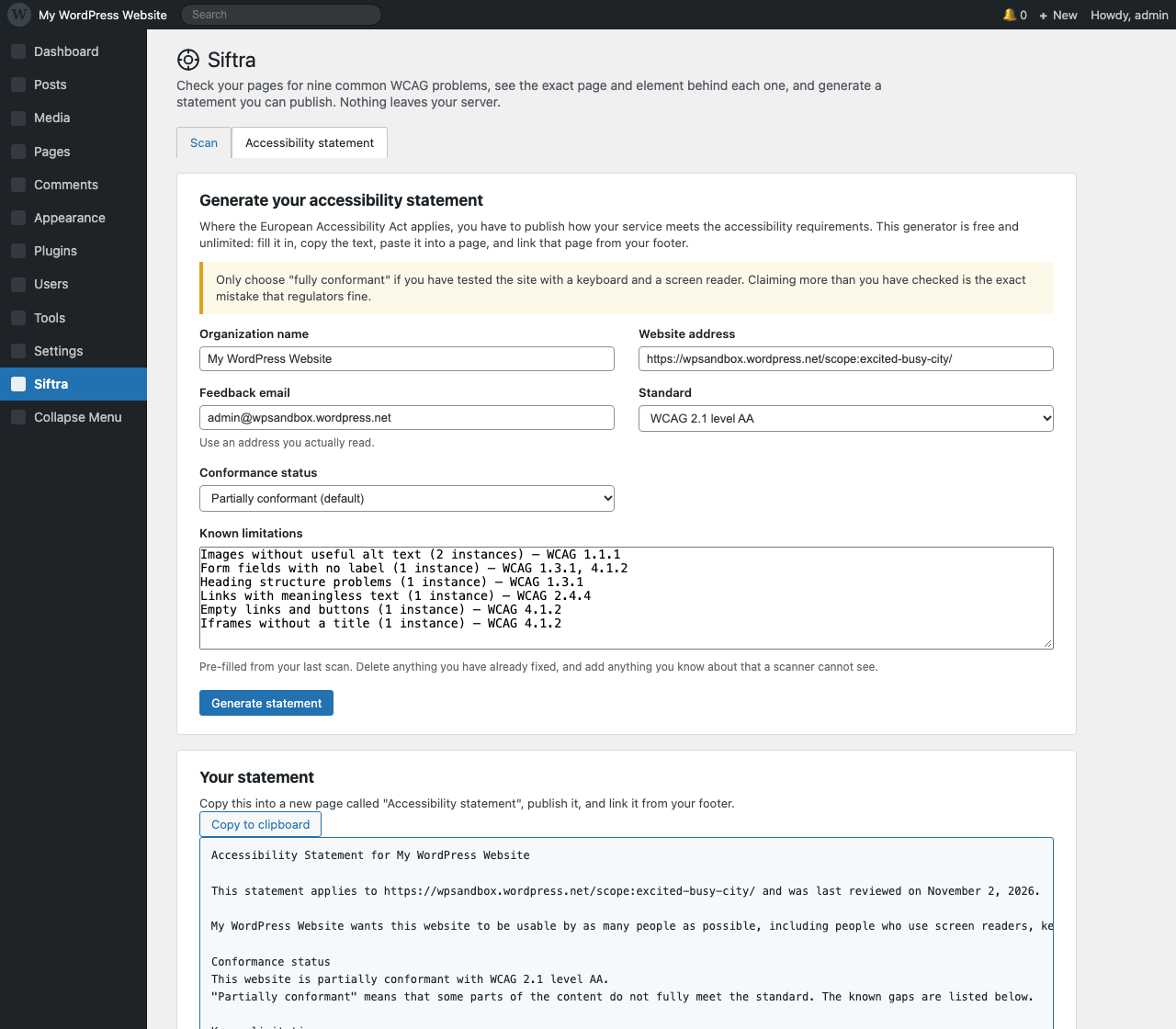
And it ends with something you can use: an accessibility statement, with the known limitations from the last scan already filled in. That is the document you hand to a client.
What it does
- Scans up to 50 of your published pages by default, five at a time, in the background. You can raise the limit to 300 before you start.
- Reports nine kinds of problem that automated testing can actually decide from the markup: missing image descriptions (alt text), unlabeled form fields, broken heading order, “click here” links, missing page language, empty buttons and links, tables without header cells, untitled iframes, and media that plays by itself.
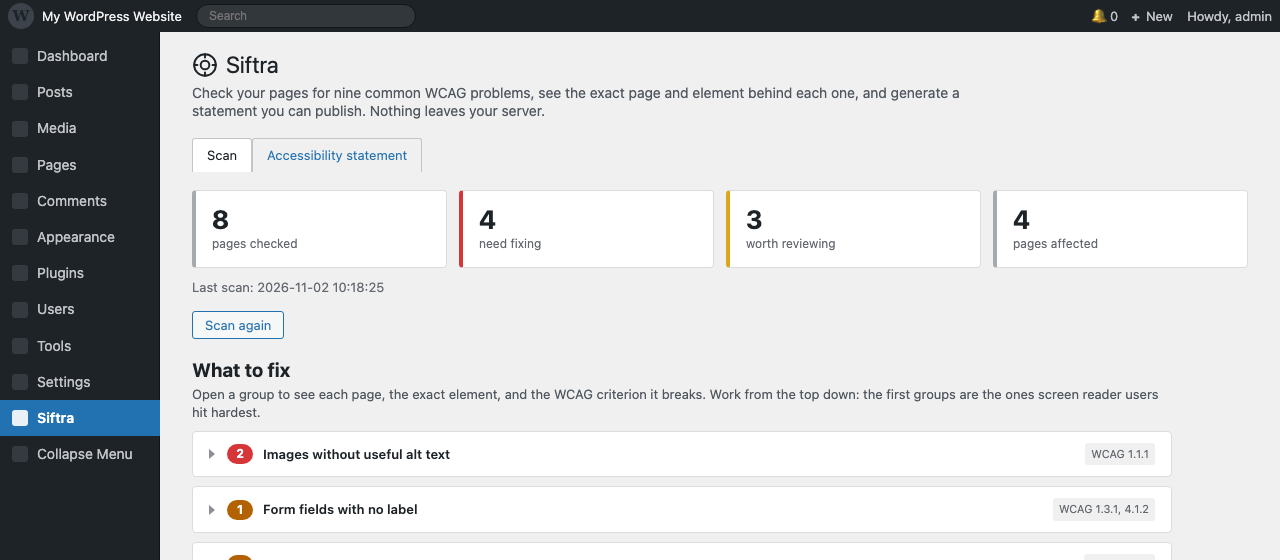
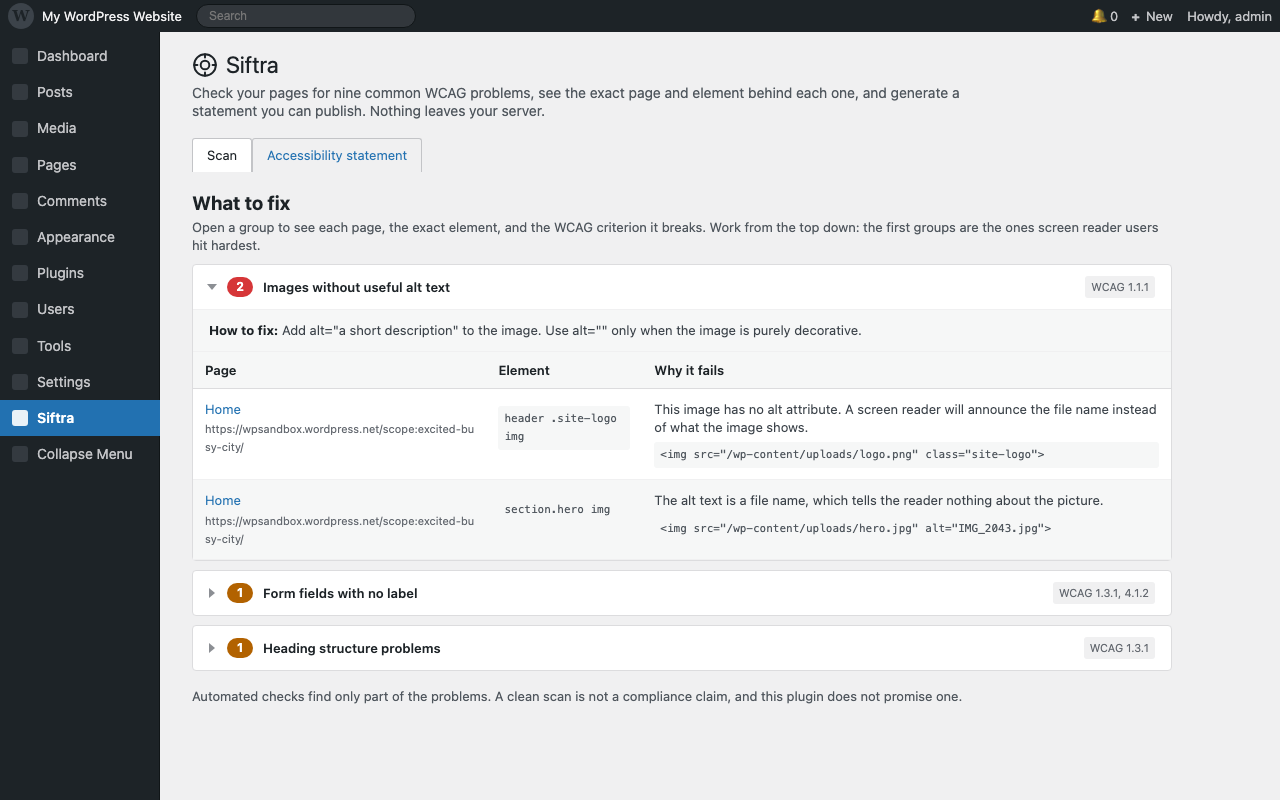
- Shows the page, the element, the WCAG criterion, and the fix for every finding. No vague “12 issues found”.
- Includes a free, unlimited accessibility statement generator. Where the European Accessibility Act (EAA) applies, it asks for a published statement and a feedback channel.
What it does not do
- No overlay widget, and no automatic rewriting of your pages. The plugin reports what it finds on each element; you decide what to change.
- No “one-click fix” and no “AI makes your site compliant”. Automated testing cannot make that promise, and this plugin does not make it.
- No account, no email, no usage data, no third-party requests.
- No claim of compliance. A clean scan means the nine automated checks passed. It does not mean your site is accessible, and the plugin says so in the report and in every generated statement.
Who it is for
Site owners and small agencies who want to know what is wrong before they pay anyone for an audit. The aim is to stop guessing, not to wait for a complaint.
In the EU, the European Accessibility Act has applied since June 2025. In the US, Section 508 covers federal agencies, and Seyfarth Shaw counted 3,117 website accessibility lawsuits in federal court in 2025, up 27% from 2024.
Four of the six problems cited most often in those lawsuits are covered by the nine checks: missing alt text, unlabeled form fields, empty links and buttons, and missing page language.
Screenshots

Installation
- Upload the plugin folder to
/wp-content/plugins/, or install it from Plugins > Add New. - Activate the plugin.
- Go to Siftra in the admin menu and press Scan my site.
- You can close the tab. The scan runs in the background and the results are waiting when you come back.
FAQ
-
How long does a scan take?
-
Five pages per request. On a normal shared host that is a few seconds per batch, so fifty pages usually take under two minutes. A slow or busy host will take longer. Closing the browser does not stop the scan.
-
Why did every page fail to load?
-
Some hosts block requests from the server to its own address (loopback), and so do some security plugins. The plugin detects this and says so. Ask your host to allow loopback requests, or run the scan on a staging copy on the same server.
A scan that read nothing is never reported as a clean site. If no page could be fetched, the plugin says the scan failed instead of showing a green result, and it warns you before generating a statement from that scan.
-
Does this make my site compliant?
-
No. Automated testing only finds a share of accessibility problems. Use the findings as a to-do list, then test your main pages with a keyboard and a screen reader.
-
Will it slow my site down?
-
No scripts or styles are added to your front end, so visitors load exactly what they loaded before. Scanning happens in the admin, in background batches of five pages, so no single request runs long enough to stall your site.
-
Where is my data stored?
-
Two tables in your own database. Nothing is sent anywhere. Deleting the plugin removes both tables.
-
Can I use the statement generator for a client site?
-
Yes, it is free and unlimited. Write your own organization name and contact address in it.
-
What can this plugin not find?
-
Four limits worth knowing:
- Contrast, keyboard order, and how a screen reader actually announces the page. These need a human or a real browser. No server-side scanner can decide them.
- Elements hidden only by an external stylesheet. The plugin reads inline
styleattributes andhidden, but it does not fetch your theme’s CSS files, so something hidden only in a.cssfile may still be reported. - Anything rendered by JavaScript. The plugin reads the HTML your server sends.
- Pages larger than 3 MB, which are skipped and counted separately.
-
Why does my site show almost no problems?
-
Two usual reasons. Either the site really is clean in markup, or its content is built by JavaScript. The plugin only sees the HTML the server returns: a page that sends 40 KB of shell markup and renders itself in the browser has almost nothing for a markup scanner to read. On such a site, treat a low number as “not measured”, not as “clean”.
Reviews
There are no reviews for this plugin.
Contributors & Developers
“Siftra – Free WCAG & ADA Accessibility Checker” is open source software. The following people have contributed to this plugin.
Contributors
Translate “Siftra – Free WCAG & ADA Accessibility Checker” into your language.
Interested in development?
Browse the code, check out the SVN repository, or subscribe to the development log by RSS.
Changelog
0.1.0
- First version. Nine automated checks, background batching, per-element findings, free statement generator.