Description
SHIFT64 Phone Validation for WooCommerce checks the phone numbers customers type at WooCommerce checkout. It rejects numbers that cannot exist in the customer’s country and can rewrite valid numbers into one consistent format before they are saved on the order. All checks run on your own server with the rules of Google’s open-source libphonenumber.
It checks that a number is valid. It does not send SMS messages or one-time codes, and it does not confirm that the customer owns the number.
Features
- Validates the billing and shipping phone numbers when the order is placed. Empty fields are not checked; whether a phone is required stays a WooCommerce setting.
- Works with both the block checkout (Store API) and the classic shortcode checkout.
- Reads numbers in the context of the address country, so
600 123 456with a Polish address is understood as+48 600 123 456. - Cleans up input first: spaces (including non-breaking spaces pasted from documents), hyphens, dots, slashes and parentheses are removed, and a leading
00becomes+. Typographic dashes (–) are still rejected by WooCommerce’s own phone check. - Two validation modes: “Default country + international”, or “International only” (every number must include its country prefix, typed with
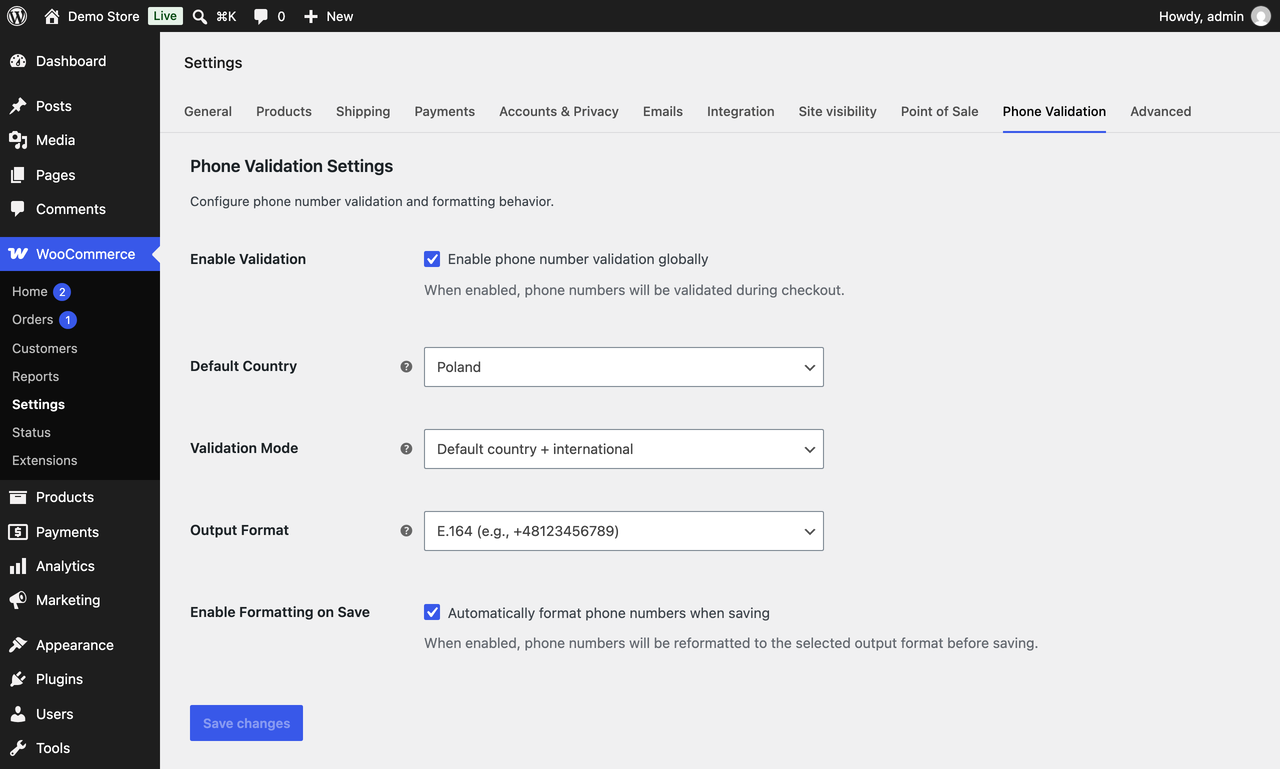
+or00). - Three output formats: E.164 (
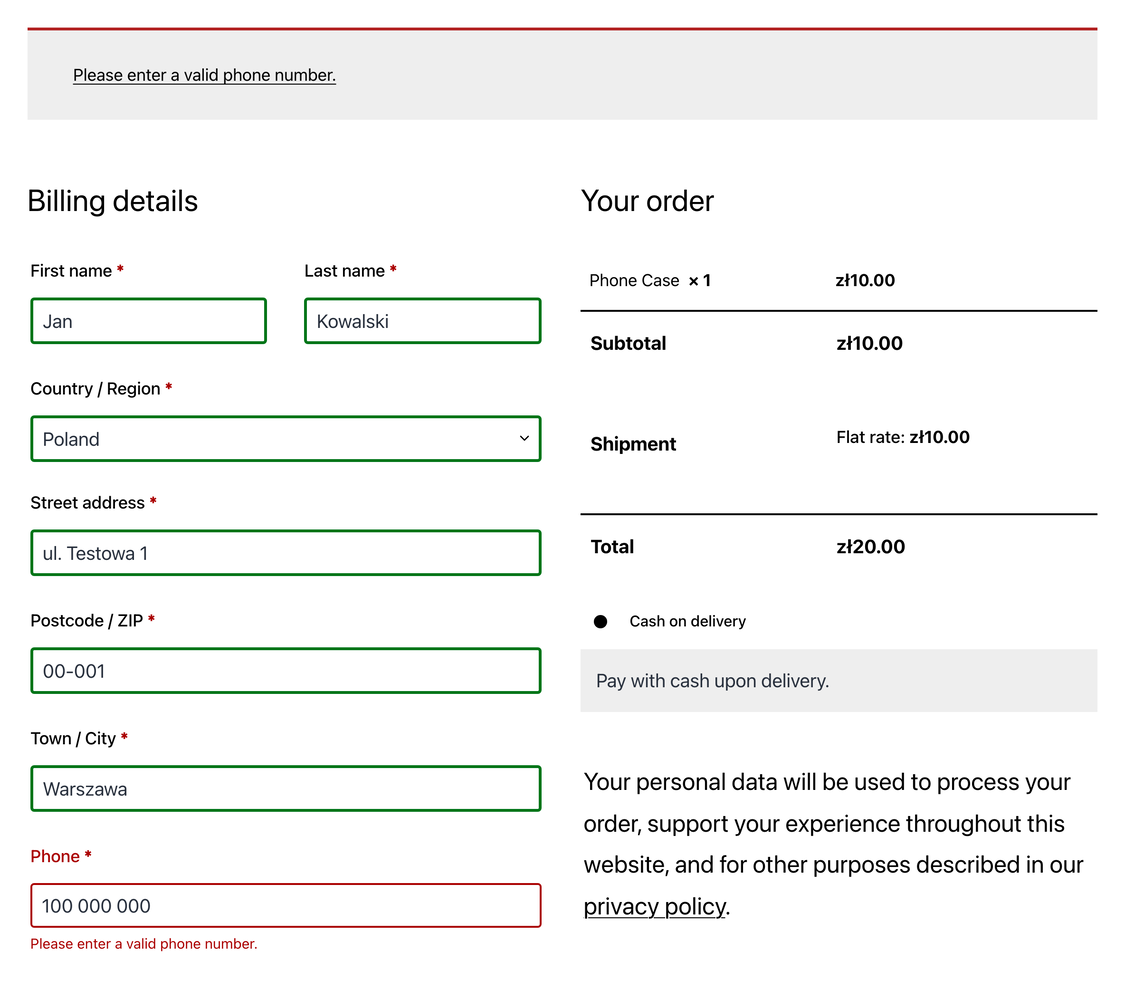
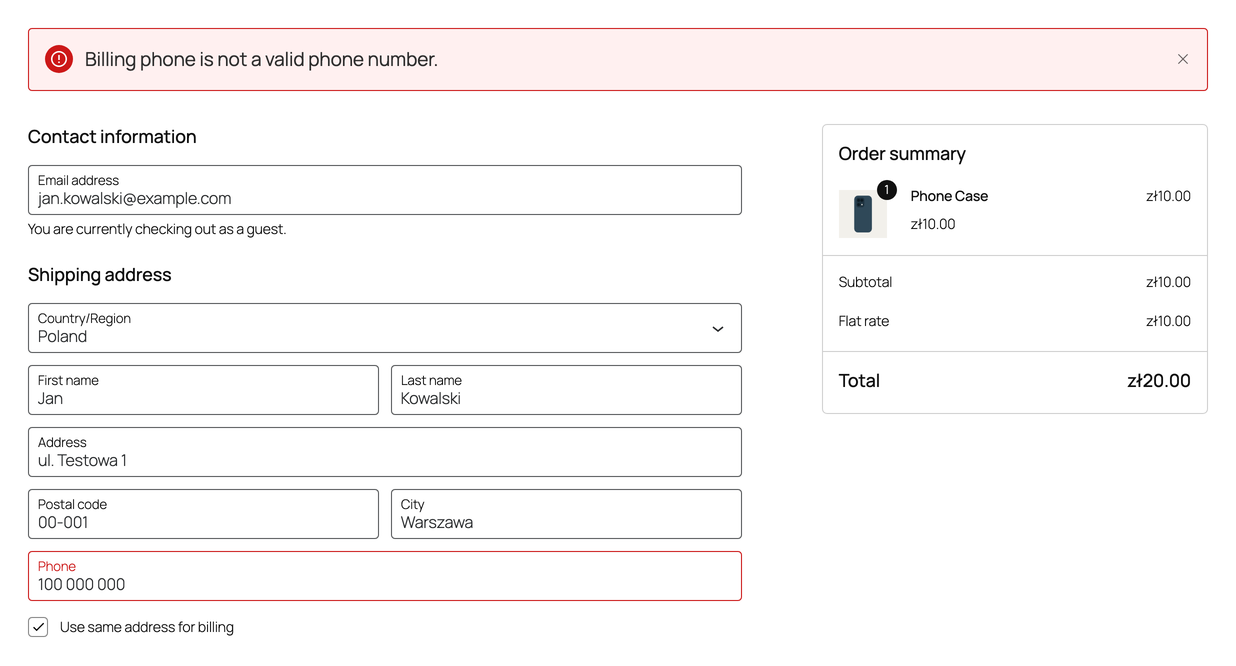
+48600123456), international (+48 600 123 456) and national (600 123 456). Formatting on save can be switched off. - Highlights the phone field that needs correcting.
- Compatible with High-Performance Order Storage (HPOS) and the Cart and Checkout blocks.
- English and Polish error messages.
- Filters for developers.
Requires WordPress 7.1 or later and WooCommerce 7.2 or later.
What it does not do
- It does not send SMS messages, one-time passwords or verification codes.
- It does not call the number or confirm that the customer owns it or can be reached on it.
- It does not look numbers up with carriers or any third-party service.
- It does not add a country flag picker or an input mask to the phone field.
- It does not check phone numbers outside the checkout, such as orders created or edited in the admin, or My Account addresses. Paying for an existing order through the Store API counts as checkout.
Privacy
The plugin makes no external HTTP requests and sends no data anywhere. Validation runs entirely on your server with rules bundled in the plugin. It sets no cookies and stores no personal data of its own, only its settings.
While validation is on, non-breaking and other Unicode spaces in a typed number become plain spaces. With “Enable Formatting on Save” on, the phone numbers of the order being placed are saved in the selected format; on the block checkout WooCommerce also copies them to the customer’s account. Nothing else is changed.
For developers
Filters: shift64_phone_validation_should_validate (skip a field or an order), shift64_phone_validation_formatted_phone (change the stored value), shift64_phone_validation_error_message (reword messages) and shift64_phone_validation_enqueue_assets (turn off the highlighting scripts). The helper Shift64\SmartPhoneValidation\format_phone() formats a number for your own code and returns null when it is not valid. Signatures and examples: developer documentation.
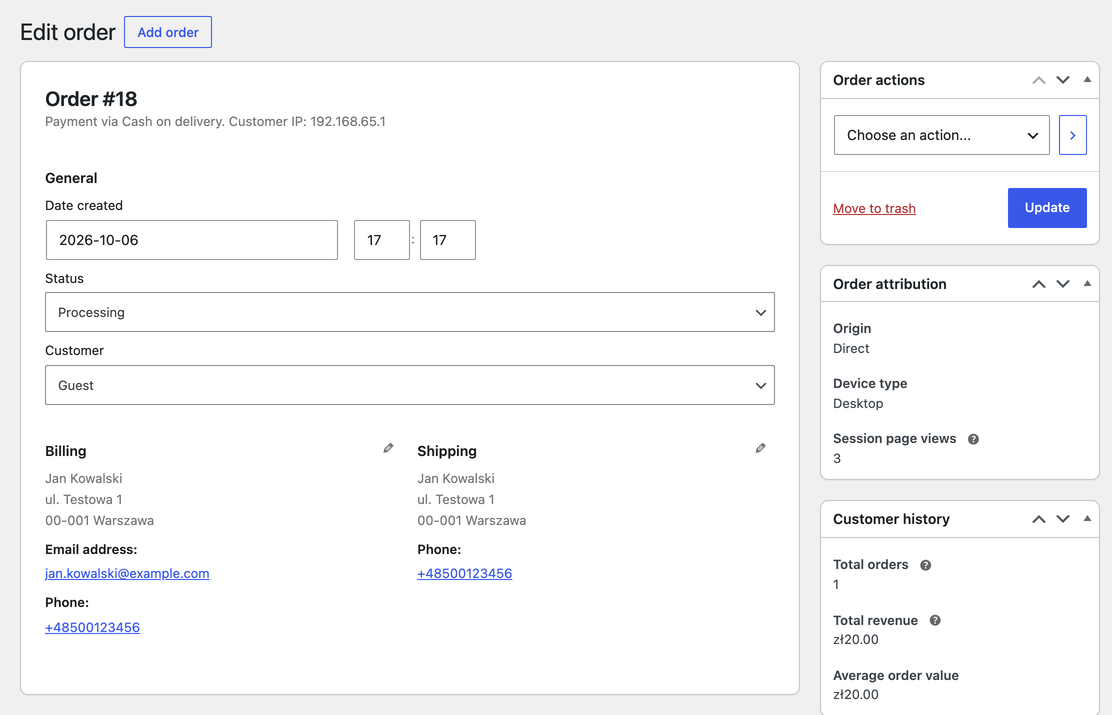
Formatting on save is on by default. Before going live, check every system that reads the order phone (exports, courier labels, SMS gateways): with E.164, 600 100 200 is stored as +48600100200.
Third-party library
Phone number rules come from libphonenumber-for-php-lite by Joshua Gigg, a PHP port of Google’s libphonenumber (Apache License 2.0), bundled with symfony/polyfill-mbstring (MIT). Neither connects to any external service. Apache 2.0 is compatible with GPLv3, so the plugin as a whole is distributed under the GPL through the “or later” clause.
Credits
Created and maintained by Mateusz Zadorożny at SHIFT64.
Sponsored by SHIFT64.
Screenshots
Installation
- Install and activate WooCommerce 7.2 or later.
- In your WordPress admin go to Plugins > Add New Plugin, search for “SHIFT64 Phone Validation for WooCommerce”, then click Install Now and Activate. Or download the ZIP file from this page and upload it under Plugins > Add New Plugin > Upload Plugin.
- Go to WooCommerce > Settings > Phone Validation. Validation and Formatting on Save are on by default, the fallback Default Country is Poland and the Output Format is E.164; adjust them to your store.
- Try to place a test order with an invalid phone number to see the error.
FAQ
-
Does it send SMS codes or verify that the customer owns the number?
-
No. It only checks that the number is valid for the country and optionally reformats it. It sends no SMS or one-time codes and connects to no external service.
-
Does it work with block checkout?
-
Yes. Both the block checkout (Store API) and the classic
[woocommerce_checkout]shortcode checkout are supported: the order is not placed until the phone number is corrected. -
Where are the settings?
-
WooCommerce > Settings > Phone Validation.
-
Which country is used for numbers without a prefix?
-
The country of the billing or shipping address; “Default Country” is only a fallback for addresses without one. Numbers typed with “+” or “00” are always validated internationally. A number without a prefix is checked against the address country only, so
600 100 200is valid next to a Polish or a German address but not a British one. Stores selling abroad should consider “International only”. -
Is the shipping phone required?
-
Not by this plugin. Whether the phone is required is a WooCommerce setting, and WooCommerce applies it to the shipping phone too. The plugin checks the shipping phone only when the customer fills it in, and on the classic checkout only when “Ship to a different address” is selected.
-
Are phone numbers on existing orders changed?
-
No. Only numbers submitted at checkout are checked and formatted. Deactivating or deleting the plugin does not touch saved orders.
-
Can I change the error messages?
-
Yes, with the
shift64_phone_validation_error_messagefilter or by translating theshift64-phone-validationtext domain. -
The plugin says its vendor folder is missing
-
It was installed from a copy of the source code (such as a ZIP of the GitHub repository), which lacks the bundled
vendorfolder. Install it from WordPress.org instead.
Reviews
There are no reviews for this plugin.
Contributors & Developers
“SHIFT64 Phone Validation for WooCommerce” is open source software. The following people have contributed to this plugin.
Contributors
Translate “SHIFT64 Phone Validation for WooCommerce” into your language.
Interested in development?
Browse the code, check out the SVN repository, or subscribe to the development log by RSS.
Changelog
2.0.7
- Fix: Update libphonenumber metadata to 9.0.41.
2.0.6
- Fix: Open a collapsed block-checkout address so the phone error is visible.
2.0.5
- Fix: Highlight the phone field the block-checkout error is about.
2.0.4
- Fix: Keep the block-checkout highlight for every reworded error code.
2.0.3
- Fix: Show dependency notices on Network Admin screens.
2.0.2
- Fix: Load the checkout script for the page being viewed.
2.0.1
- Fix: Rename the plugin to SHIFT64 Phone Validation for WooCommerce.
2.0.0
- Breaking: Requires WordPress 7.1 or later. On an older WordPress the plugin checks no phone numbers and shows administrators a notice.
- Fix: Keep block-checkout messages translated on WordPress 6.7+.
1.5.1
- Fix: Highlight the phone field on block themes in classic checkout.
1.5.0
- New: Remove the GitHub updater and prepare for WordPress.org.
Older releases: full changelog on GitHub.