

Description
Over time, WordPress sites accumulate plugins that are no longer needed — but it’s risky to guess which ones are safe to remove. Scoutwise Usage Audit scans your installed plugins and your site’s actual content to tell you, one by one, whether each plugin still looks like it is being used.
Core Features
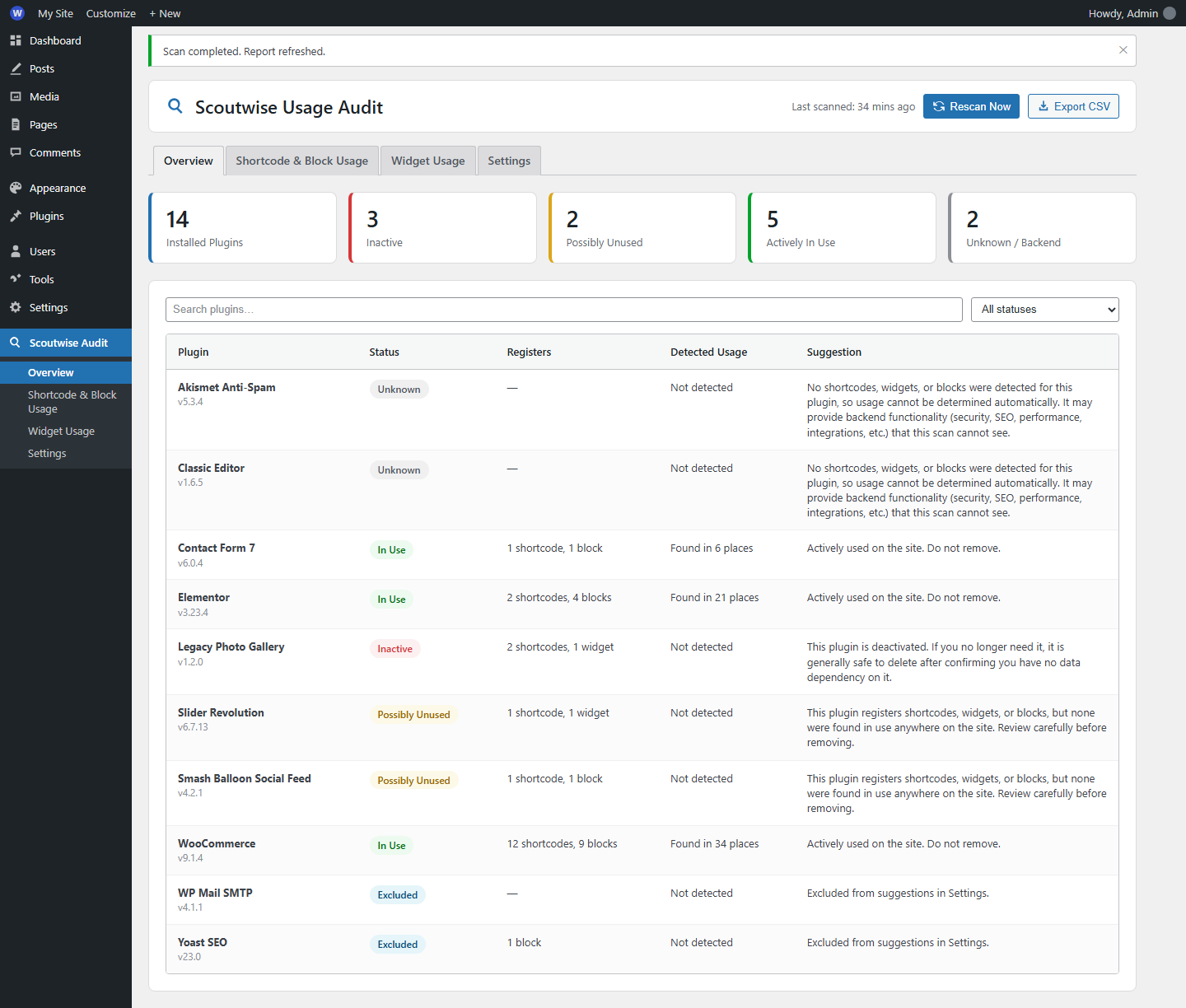
- Detect unused plugins — flags inactive plugins, and active plugins whose shortcodes/widgets/blocks were not found anywhere in your content.
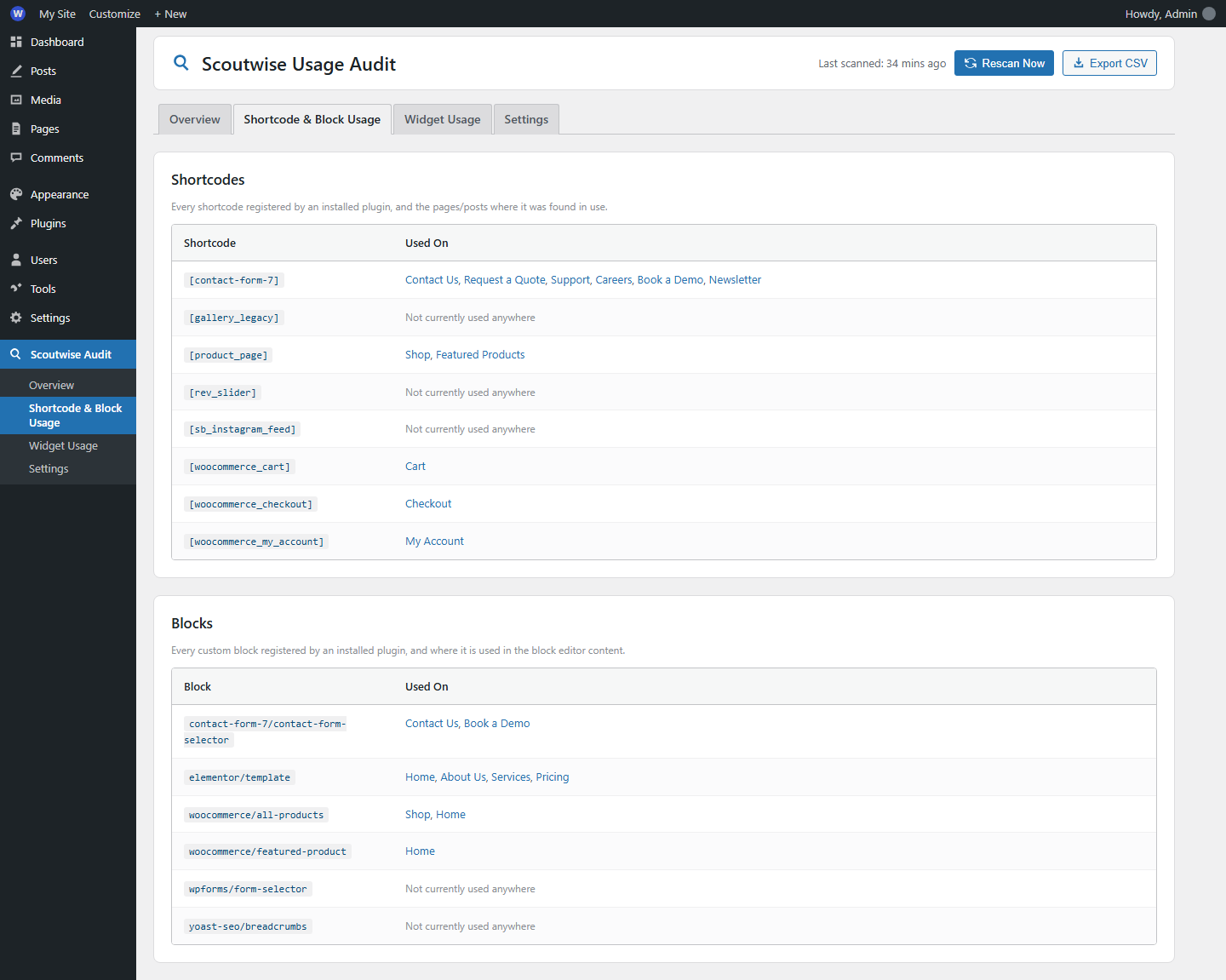
- List pages using shortcodes / widgets / blocks — a full cross-reference table showing exactly which pages and posts use each shortcode or block, with direct edit links.
- Safe-to-remove suggestions — plain-language guidance for every plugin, not just a status label.
Bonus Features Included
- Block usage detection — modern block-based plugins are scanned too, not just legacy shortcodes and widgets.
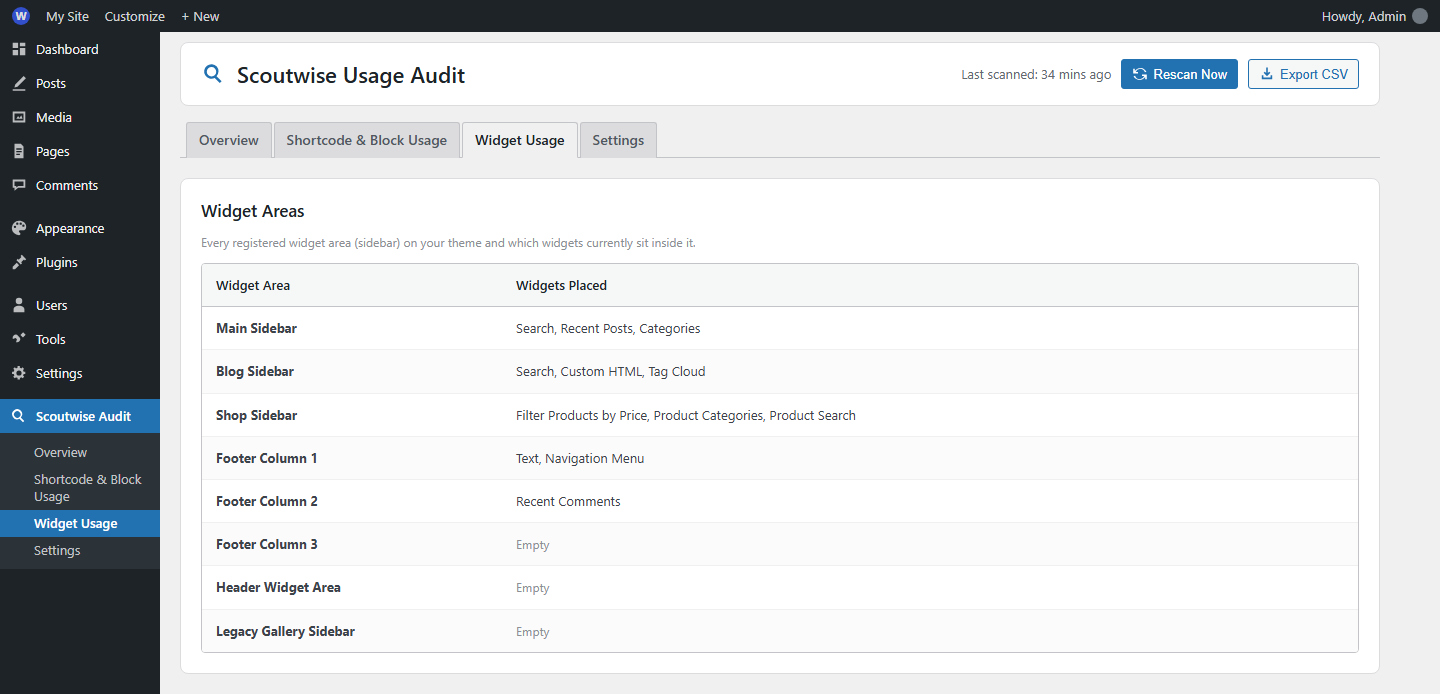
- Widget area report — see every registered sidebar and what’s currently placed in it.
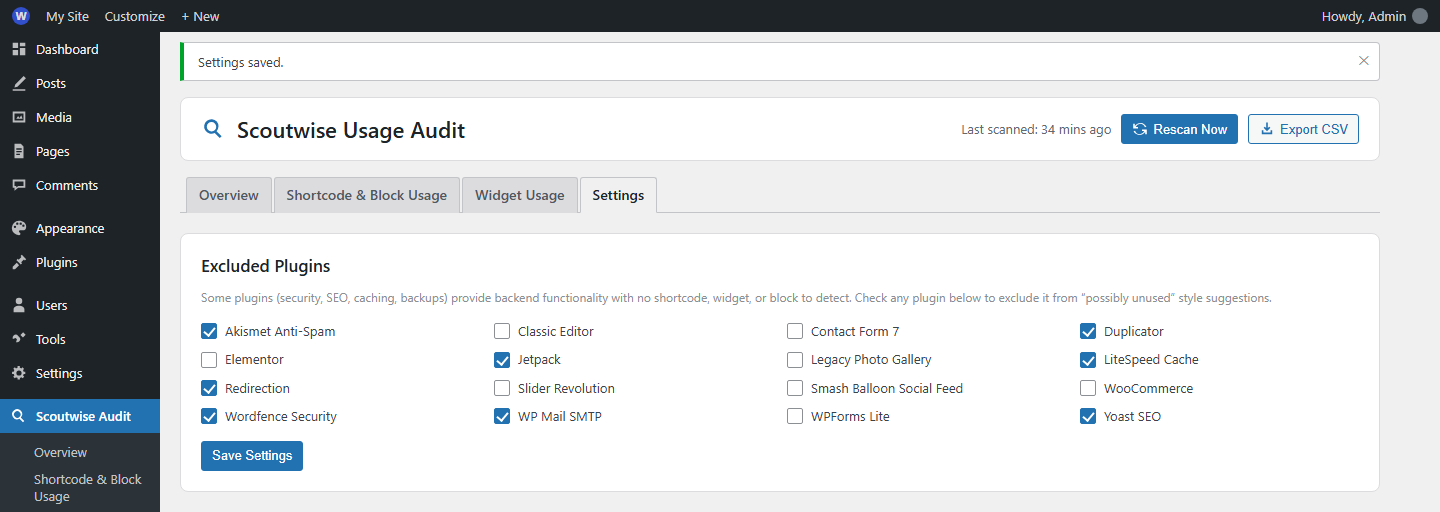
- Exclude list — mark backend-only plugins (security, SEO, caching, backups) so they’re never wrongly flagged as “unused.”
- CSV export — download the full report for offline review or sharing with a client or team.
- Cached, on-demand scanning — results are cached for performance and refreshed automatically when you activate, deactivate, delete, or update a plugin, plus a manual “Rescan Now” button any time.
- Clean, filterable admin UI — searchable, filterable table with color-coded status badges.
This plugin is 100% free and open source (GPLv2 or later). It does not phone home, make external requests, or collect any data.
Screenshots
Installation
- Upload the
scoutwise-usage-auditfolder to the/wp-content/plugins/directory, or install the zip via Plugins Add New Upload Plugin. - Activate the plugin through the ‘Plugins’ screen in WordPress.
- Go to Scoutwise Audit in the admin menu to view your first report.
- (Optional) Visit Scoutwise Audit Settings to exclude backend-only plugins (security, SEO, caching, etc.) from “possibly unused” suggestions.
FAQ
-
Does this modify or remove any plugins automatically?
-
No. This plugin only reports information. All removal decisions and actions remain entirely up to you. Always take a backup before deleting plugins.
-
Why does a plugin show as “Unknown”?
-
Some plugins provide functionality (security, performance, SEO, integrations, backups) with no shortcode, widget, or block for this scanner to detect. These are marked “Unknown” rather than falsely flagged as unused — you can also add them to the exclude list in Settings.
-
Will this slow down my site?
-
No. Scanning only happens in wp-admin when you view the report or click “Rescan Now.” Results are cached (default 12 hours), and nothing runs on your public-facing site.
-
How does the scanner detect usage?
-
It reads the PHP files of each installed plugin to find registered shortcodes (
add_shortcode), widgets (id_base/WP_Widget), and blocks (register_block_type). It then searches your published, private, and draft post content for those shortcodes and block comments, and checks active widget areas for placed widgets. -
Can I use this on multisite?
-
Yes, on a per-site basis. Network activation is not specially handled; run it on individual sites.
-
Is my data safe?
-
Yes. Everything stays on your server. No external API calls, no tracking, no data collection.
Reviews
There are no reviews for this plugin.
Contributors & Developers
“Scoutwise Usage Audit” is open source software. The following people have contributed to this plugin.
Contributors
Translate “Scoutwise Usage Audit” into your language.
Interested in development?
Browse the code, check out the SVN repository, or subscribe to the development log by RSS.
Changelog
1.0.0
- Initial release.
- Detect inactive plugins and possibly unused active plugins.
- Shortcode, widget, and block usage detection.
- Cross-reference tables with edit links.
- Exclude list for backend-only plugins.
- CSV export of the full report.
- Cached scanning with automatic invalidation on plugin changes.
- Clean, responsive admin UI with live search and status filters.