
Description
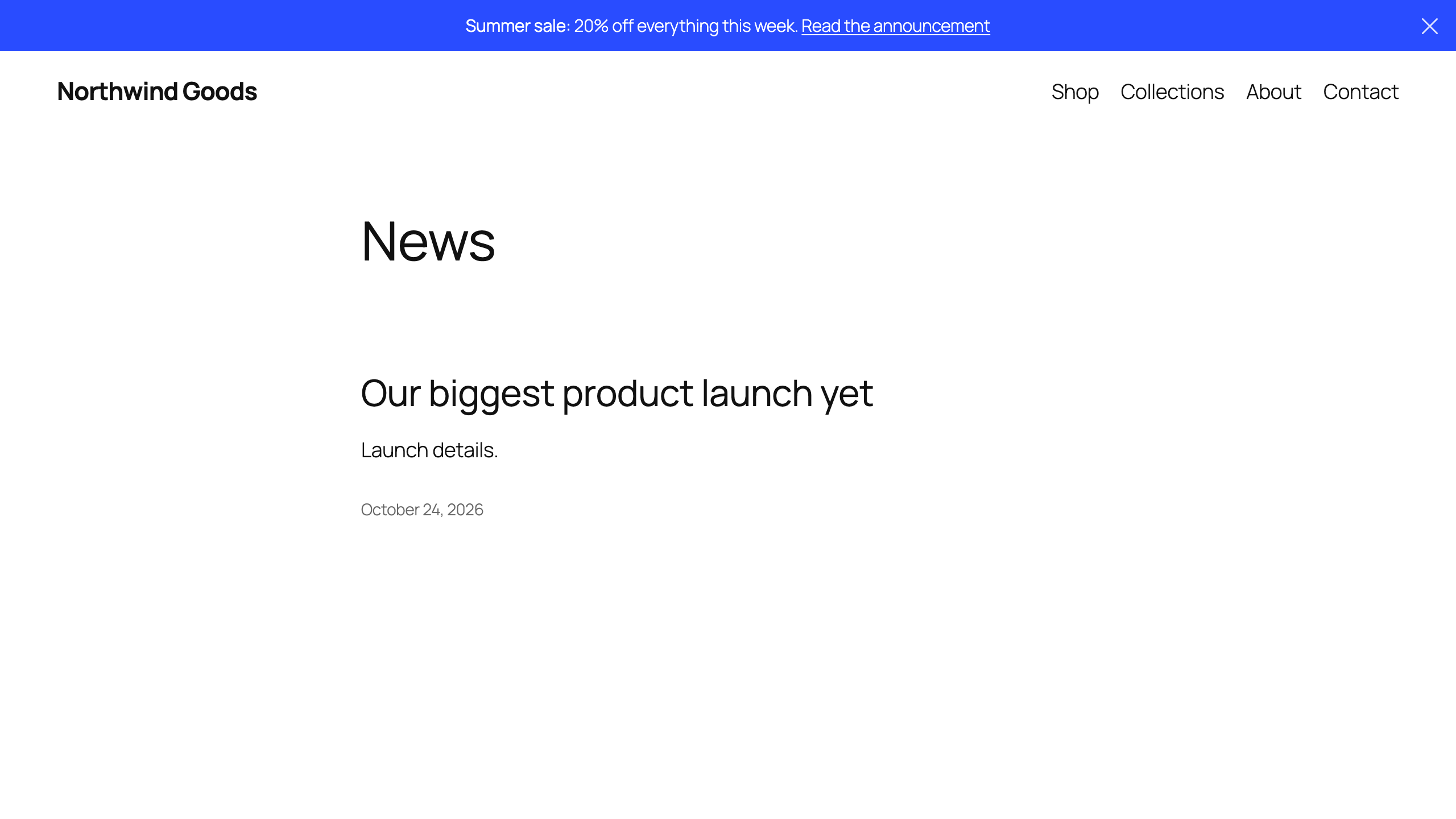
Scope Nine Alert Bar adds a clean, dismissible announcement bar to the top of your site. Use it for sales, launches, shipping notices, maintenance windows, or any message visitors shouldn’t miss.
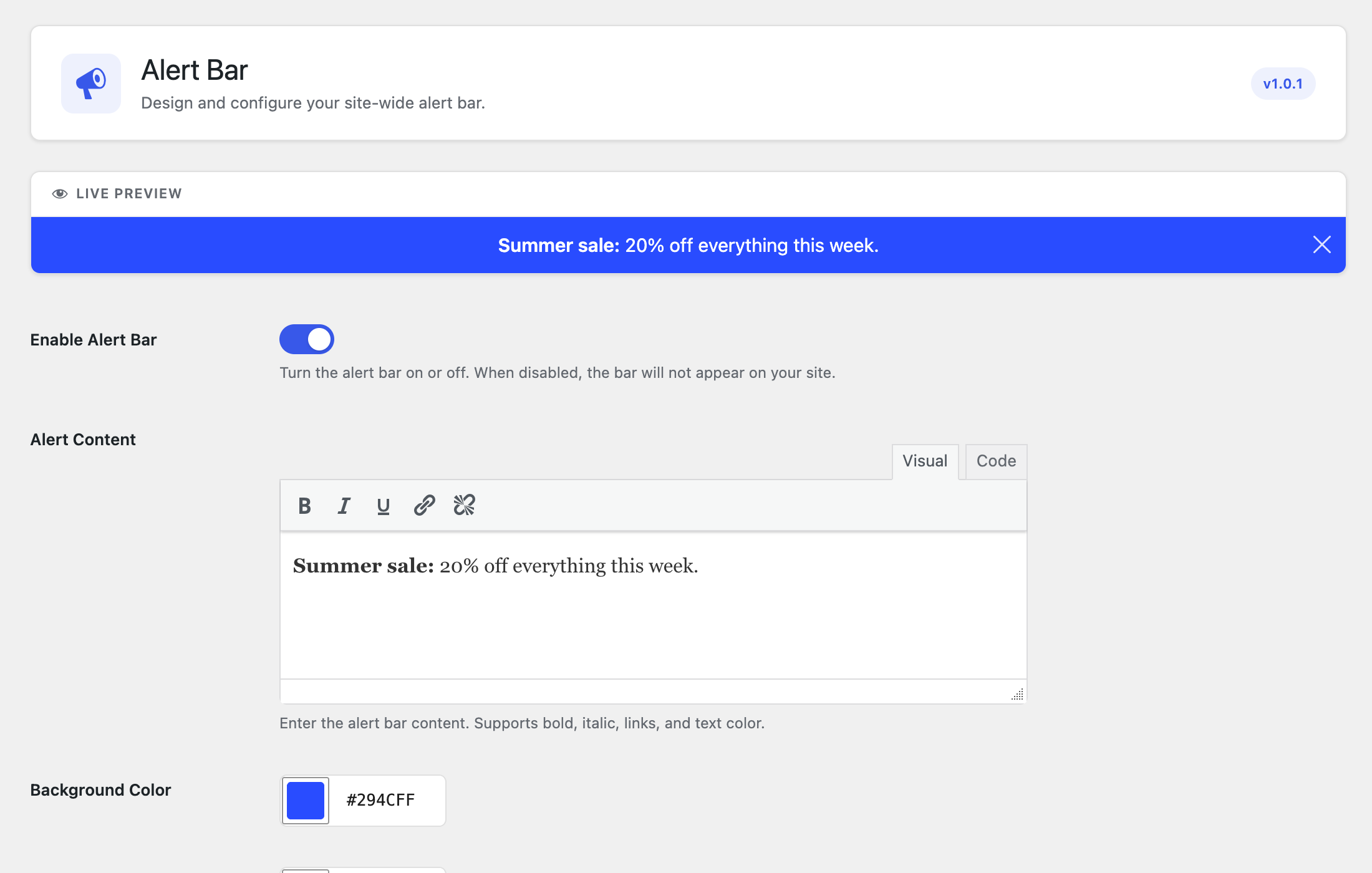
You design the bar on one settings screen and see a live preview as you go. Nothing to code, no page builder, and no extra requests on the frontend beyond one small script.
Features
- Live preview – every change shows up instantly while you edit
- Rich text message – bold, italic, underline, links, and text color
- Your colors – background and text color with a color picker or hex value
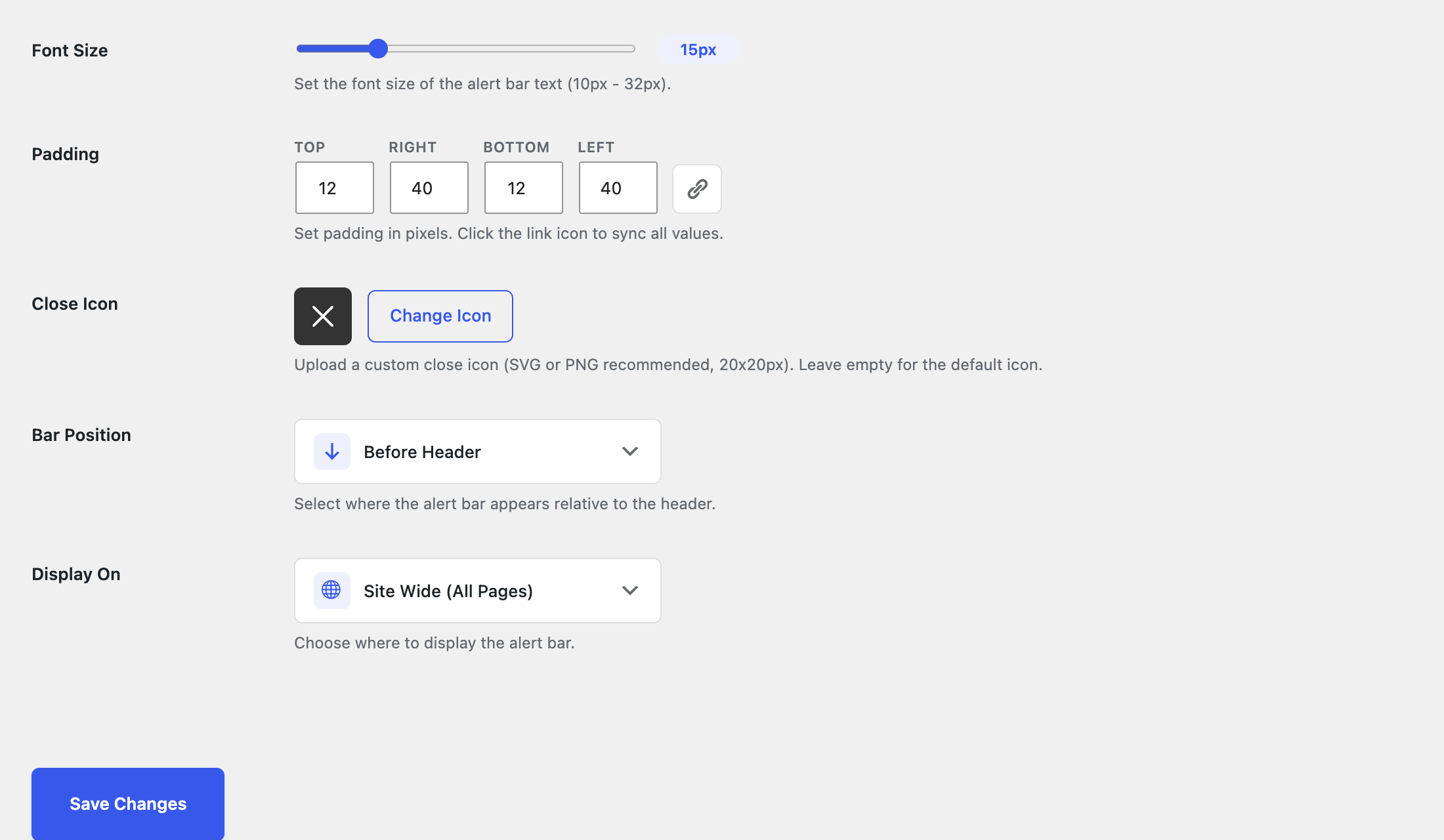
- Font size and padding – fine-tune top, right, bottom, and left spacing
- Dismissible – visitors can close the bar; upload your own close icon if you like
- Placement – show the bar before or after your theme header
- Targeting – show it site-wide, on the homepage only, or on specific pages and posts
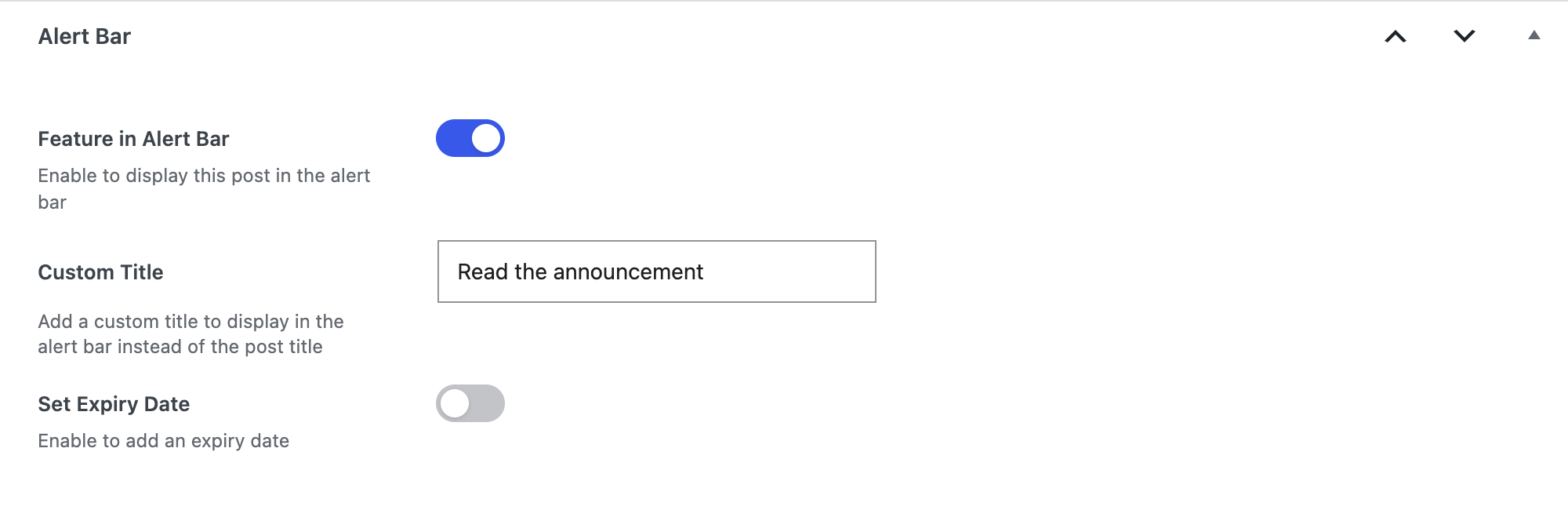
- Feature a post – link the bar to any post, with an optional custom title and expiry date
- On/off switch – turn the bar off without losing your settings
- Responsive – looks right on phones, tablets, and desktops
- Lightweight – no jQuery on the frontend, no tracking, no external requests
How it works
- Go to Alert Bar Design in your WordPress admin.
- Write your message in the editor.
- Pick colors, spacing, placement, and where it should appear.
- Save. The bar appears on your site right away.
Feature a post (optional)
- Edit the post you want to promote.
- In the Alert Bar box, tick Feature in Alert Bar.
- Optionally set a custom link title and an expiry date.
The bar then links to that post until it expires. Only administrators can choose the featured post.
Screenshots
Installation
- Upload the
scope-nine-alert-barfolder to/wp-content/plugins/ - Activate the plugin through the ‘Plugins’ menu in WordPress
- Go to Alert Bar > Design to configure your alert bar
FAQ
-
Can I show the bar only on certain pages?
-
Yes! In the Display On setting, choose “Specific Pages Only” and select which pages and posts should display the alert bar.
-
Can I use HTML in the alert message?
-
Yes, the WYSIWYG editor supports bold, italic, underline, links, and text color formatting.
-
How do I style the bar beyond the built-in options?
-
Use WordPress’s own Additional CSS (Appearance Customize Additional CSS on classic themes, or the Site Editor on block themes). Target
.scopenine-alert-barfor the bar and.scopenine-alert-bar-closefor the close button. -
Who can feature a post in the bar?
-
Only administrators (users with the
manage_optionscapability). Authors and editors don’t see the Alert Bar box, and only published posts are linked. -
Is the alert bar responsive?
-
Yes, the alert bar is fully responsive and adapts to all screen sizes.
Reviews
There are no reviews for this plugin.
Contributors & Developers
“Scope Nine Alert Bar” is open source software. The following people have contributed to this plugin.
Contributors
Translate “Scope Nine Alert Bar” into your language.
Interested in development?
Browse the code, check out the SVN repository, or subscribe to the development log by RSS.
Changelog
1.0.1
- Security: only administrators can set or clear the featured alert bar post
- Fix: saving an unrelated post no longer removes the featured post from the bar
- Fix: drafts and private posts are never linked in the bar
- Updated plugin description
1.0.0
- Initial release
- Live preview in admin
- WYSIWYG content editor
- Custom colors with hex input
- Individual padding controls
- Responsive design
- Display mode options (site-wide, homepage, specific pages)
- Position control (before/after header)
- Custom close icon upload
- Post linking with expiry dates