

Description
Scanoria Accessibility Audit checks your WordPress site against the Web Content Accessibility Guidelines and shows you what to fix, in your own dashboard.
It scans the page your visitors actually get.
The audit opens each published URL, waits for the page to finish rendering, and inspects the result. Whatever your theme, your page builder or your JavaScript puts on the page is part of what gets checked, because the audit reads the finished page in the browser instead of parsing stored post content.
Your decisions survive the next scan.
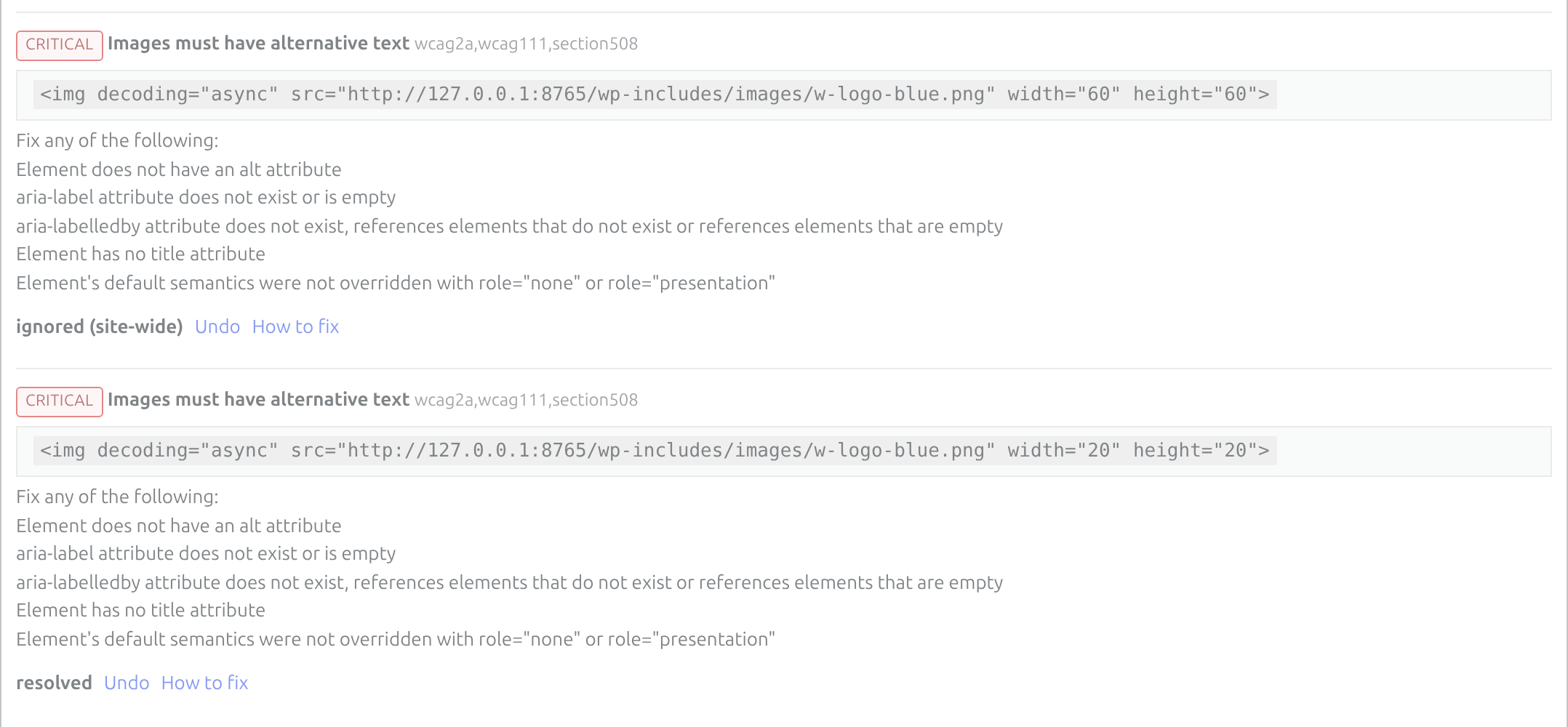
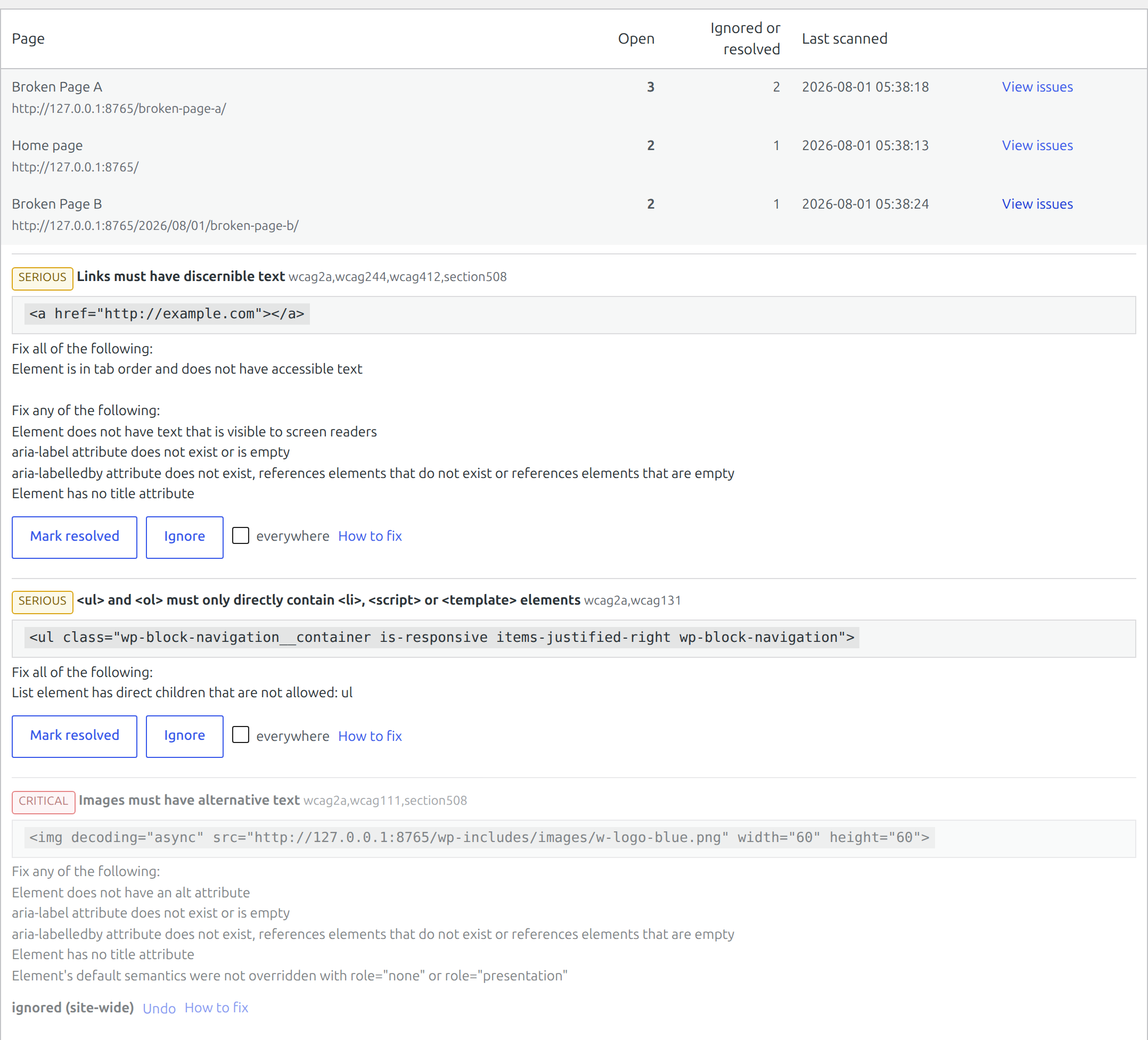
When you mark an issue as resolved, or decide that a particular one does not apply to you, that judgement sticks. Add a paragraph, reorder a section, let your page builder regenerate its element ids — the issue is still recognised as the same issue and your decision is still attached to it. Each finding is identified by several properties of the element itself rather than by its position in the document, which is what lets a decision survive an edit. If the same finding appears in your footer on every page, you can dismiss it once for the whole site.
Nothing leaves your server.
No account. No sign-up. No API key. No external CDN, no fonts loaded from elsewhere, no telemetry, no usage limits, no per-page or per-visit metering. The rules engine is bundled with the plugin, the audit runs in your own browser, and the results are stored in your own database. Install it on as many sites as you like.
What it checks
The audit is powered by axe-core, the open source rules engine used by accessibility professionals. Findings are reported with the WCAG success criterion they relate to, the offending markup, and a link explaining how to fix it.
You choose which conformance level to test against, so a site that has to meet WCAG 2.1 AA is not buried in AAA findings it has no obligation to address.
How to use it
- Open Accessibility in the admin menu.
- Press Scan published content and leave the tab open while it works. Progress is announced as each page is checked.
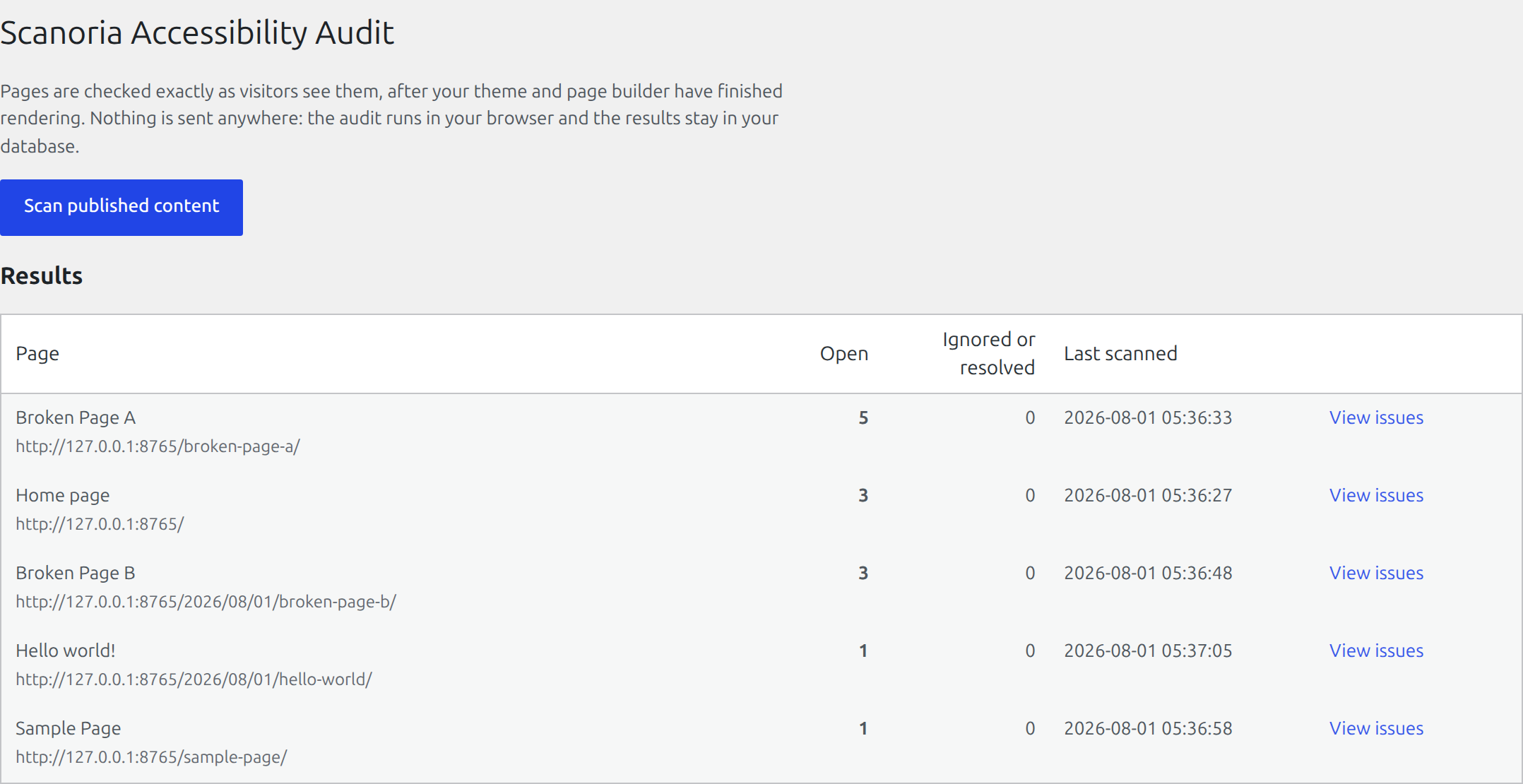
- The results table lists every scanned page with its number of open findings. Press View issues on a page to see them, worst impact first.
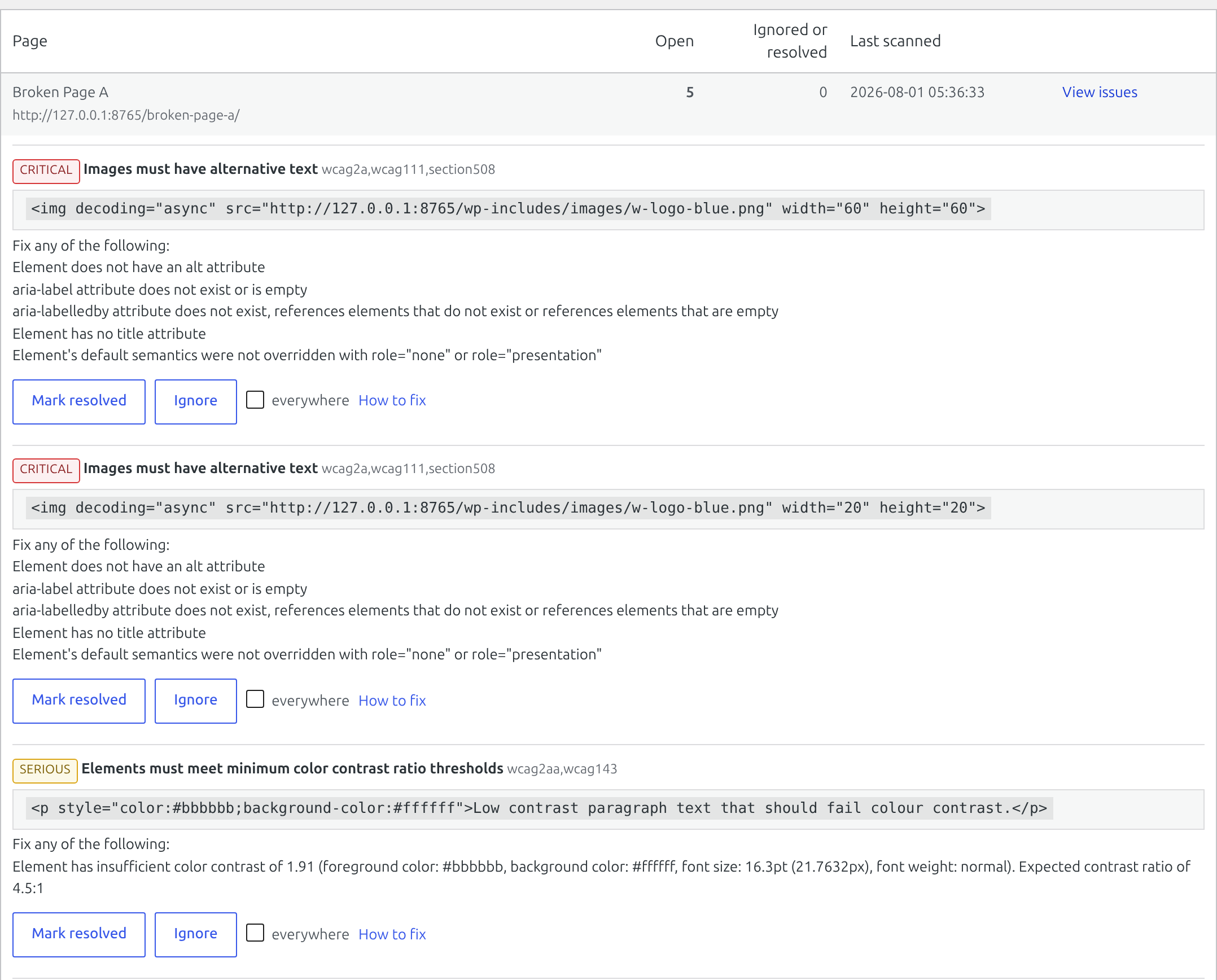
- Each finding shows the WCAG criterion, the markup that failed, and a link explaining the fix. Use Ignore for something that genuinely does not apply, or Resolved once you have fixed it, and add a note if you want to remember why. Tick everywhere to apply that judgement to the same element across the whole site.
- Re-scan whenever you like. Findings are recalculated from scratch and your recorded judgements are re-attached.
Three filters cover configuration, so there is no settings page to fill in: scanoria_capability (who may scan; administrators only by default), scanoria_rule_tags (which conformance level to report) and scanoria_preload_stylesheets (whether to allow reading externally hosted CSS). See the FAQ for details.
What it does not do
It does not add a toolbar, widget, or overlay to the front end of your website. It reports what needs fixing in the markup, and the fixing is done by you or your developer.
It also cannot make your site accessible by itself. Automated checks find a meaningful share of the common failures — missing alternative text, insufficient contrast, unlabelled fields, broken heading order — while judgements like whether your alternative text is actually meaningful still need a person.
Third-party libraries
This plugin bundles axe-core 4.12.1 (https://github.com/dequelabs/axe-core), released under the Mozilla Public License 2.0. A copy of that licence is included in vendor/axe-core-LICENSE.txt. The file shipped here is the library’s own distributed build, unmodified; the readable source for this exact version is at https://github.com/dequelabs/axe-core/releases/tag/v4.12.1. axe-core is used locally and makes no network requests.
Screenshots
Installation
- Install and activate the plugin.
- Open Accessibility in the admin menu.
- Click Scan published content. Keep the tab open while it works.
- Review the findings, fix what you can, and dismiss what genuinely does not apply.
FAQ
-
Does this make my site WCAG compliant?
-
No. Automated testing finds a portion of accessibility problems — missing alternative text, insufficient colour contrast, unlabelled form fields, broken heading structure, links with no accessible name. Keyboard traps, confusing focus order, and whether your alternative text is actually meaningful all still need a person. This plugin is there to find the machine-detectable part quickly and keep track of what you have already dealt with.
-
Do I need an account?
-
No. There is nothing to sign up for and no key to enter.
-
Does it send anything to your servers?
-
No. There is no “our servers”. The rules engine ships inside the plugin, the audit runs in your browser, and results are written to your own database. Nothing about your site or your visitors is transmitted anywhere.
To be precise about the one thing that could look like an exception: the underlying rules engine is able to fetch stylesheets it cannot otherwise read, which in practice means CSS hosted on a third-party domain. That behaviour is switched off by default here, so a scan issues no requests of its own. Same-origin stylesheets — your theme and your plugins — are read directly and are unaffected. If you would rather have colour contrast scored against externally hosted CSS as well, enable it with the
scanoria_preload_stylesheetsfilter.One consequence of testing the real page is worth stating plainly. A scan opens your own published URL in your browser, so whatever that page already loads for a visitor — a Gravatar avatar, a font or a map from another domain, an embedded video — loads during the scan too, from your browser, exactly as it would if you had simply visited the page yourself. The plugin adds nothing to that list and sends nothing of its own.
-
Will it slow down my site?
-
Visitors are never affected. The scanning code is only loaded during a scan you started, on a request that carries a one-time token and comes from a logged-in administrator.
-
Why does scanning need my browser to stay open?
-
Because that is what makes the results trustworthy. Your browser renders the page the same way a visitor’s does, including anything your page builder or JavaScript produces. A server-side scan cannot see any of that.
-
A page was skipped during the scan. Why?
-
The scan loads each page in a hidden frame on your own domain. Some security plugins block that with an
X-Frame-Options: DENYheader. The plugin relaxes it toSAMEORIGINfor verified scan requests only, but a plugin that sets the header later can still win. Check your security plugin’s framing settings. -
Can I limit which conformance level is reported?
-
Yes, with the
scanoria_rule_tagsfilter. -
Can I let editors see the results?
-
By default only administrators can, which keeps it out of the way of people writing content. Widen it with the
scanoria_capabilityfilter. -
What happens to my data if I delete the plugin?
-
Deleting the plugin removes the stored scan results, because a re-scan recreates them in seconds. Your decisions — what you chose to ignore, what you marked as fixed, and the notes you wrote — are kept. Re-scanning cannot recreate those, and deleting and reinstalling a plugin is a common way to try to fix an unrelated problem; nobody should lose months of triage to it. Reinstall, scan again, and your decisions re-attach to the same elements.
If you would rather leave nothing behind at all, add this to
wp-config.phpbefore deleting the plugin:define( 'SCANORIA_DELETE_ALL_DATA', true );Deactivating the plugin, as opposed to deleting it, never removes anything.
Reviews
There are no reviews for this plugin.
Contributors & Developers
“Scanoria Accessibility Audit – WCAG Checker & Accessibility Scanner for ADA and EAA” is open source software. The following people have contributed to this plugin.
Contributors
Interested in development?
Browse the code, check out the SVN repository, or subscribe to the development log by RSS.
Changelog
0.1.1
- Renamed the plugin listing to say which standards it checks against. No functional change.
0.1.0
- First release.