Description
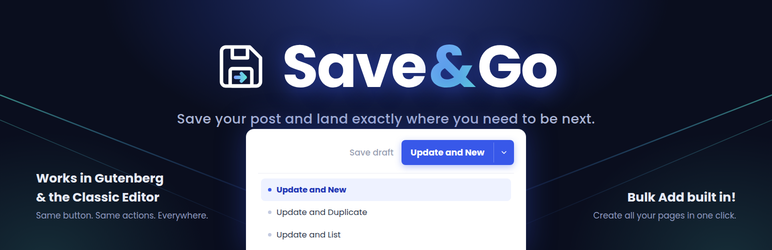
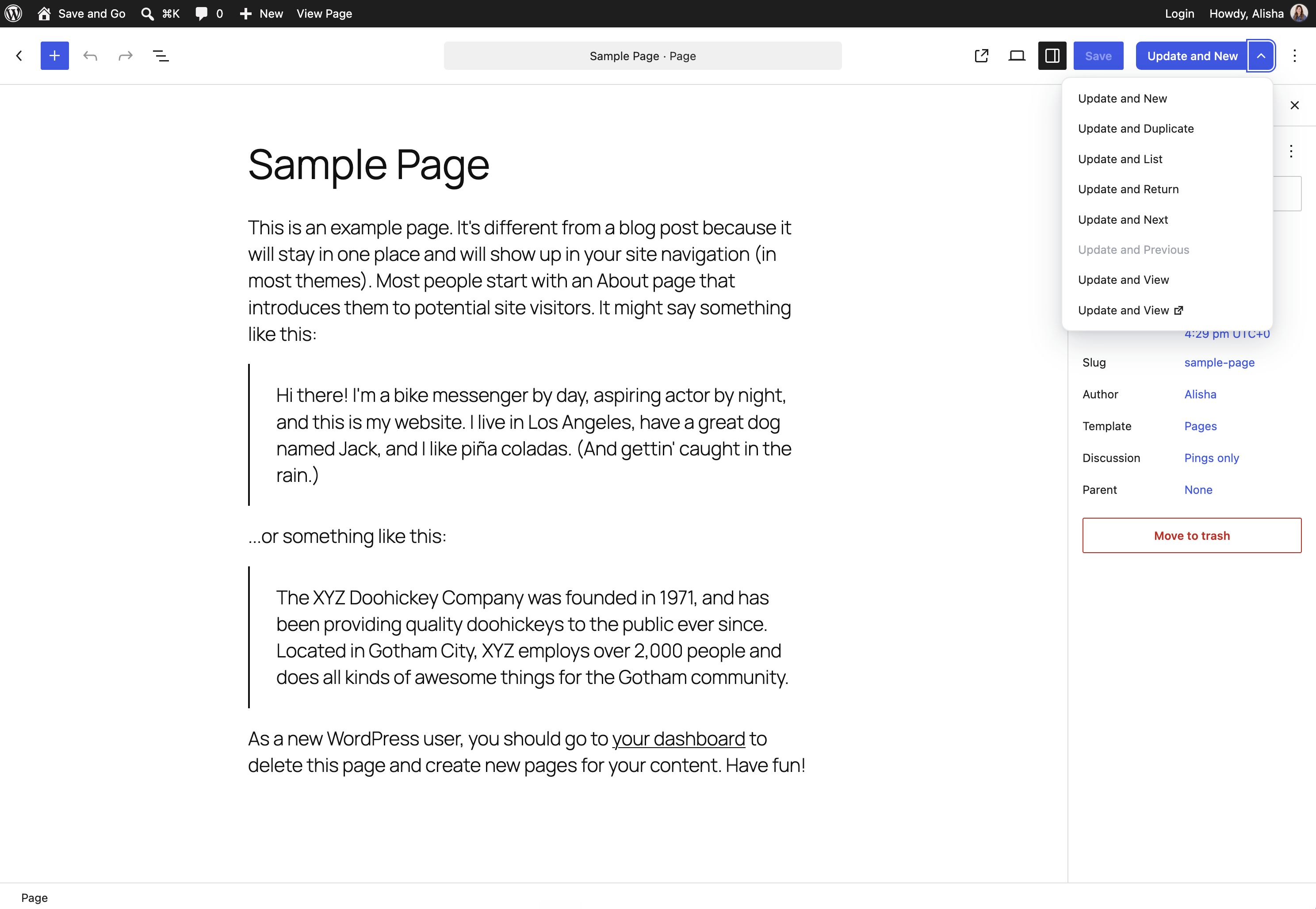
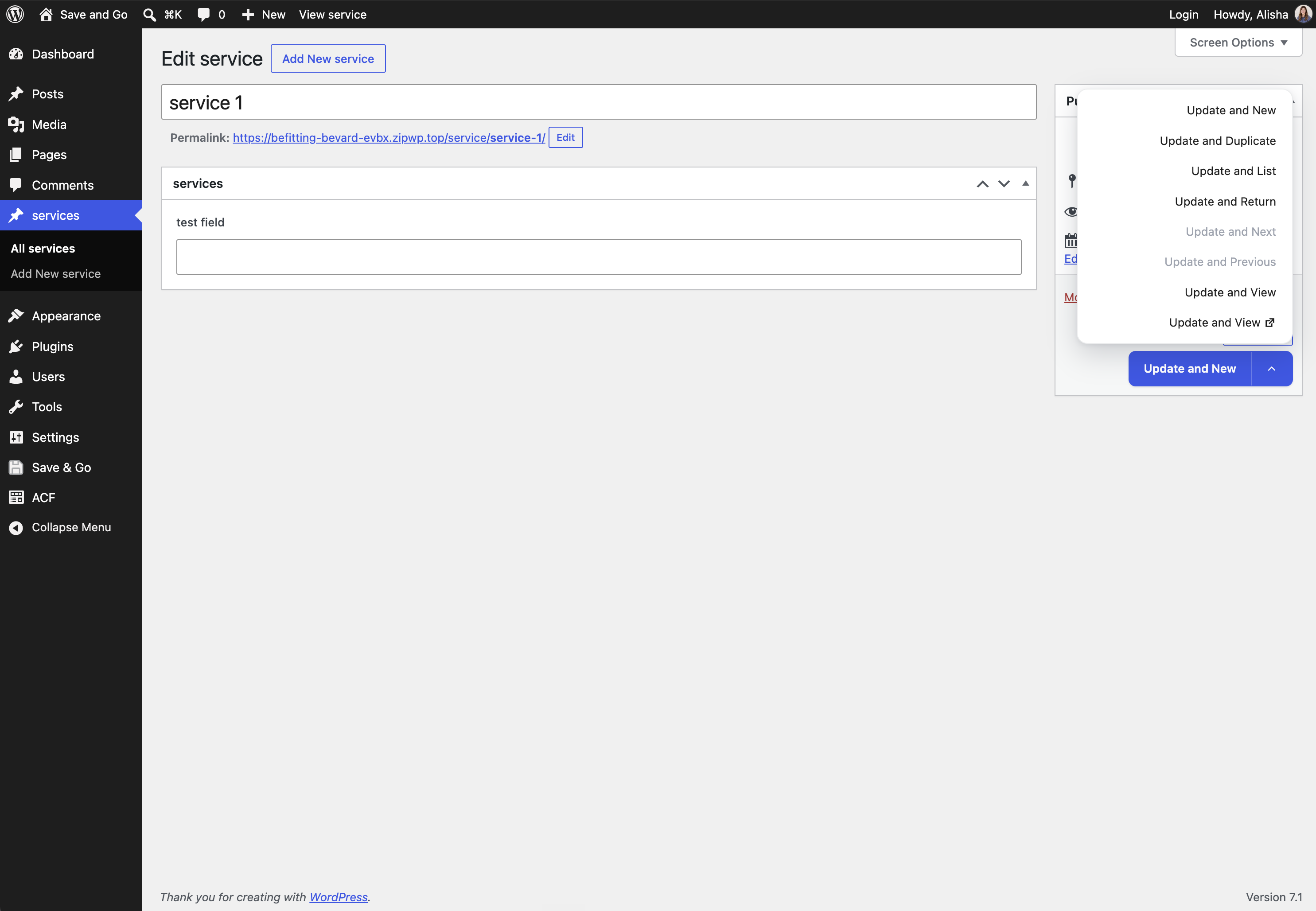
Save & Go (Save and Go) adds a sleek, modern save button to the post editor that, in a single click, saves the current post and immediately takes you where you want to go next. It works in both the block editor (Gutenberg) and the classic editor — same settings, same behavior, everywhere.
The following actions are available:
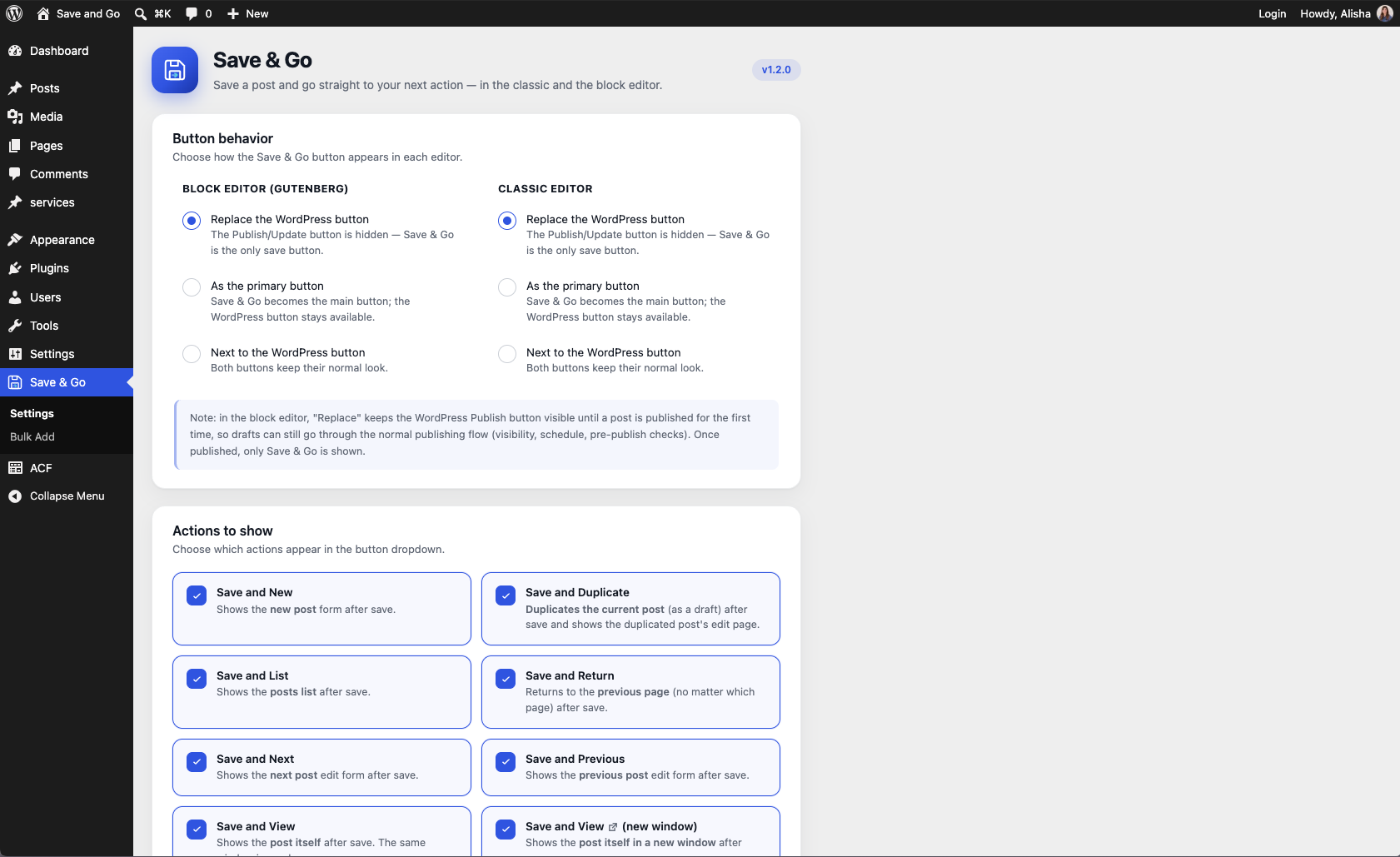
- Save and New: saves the current post and goes to the New Post screen.
- Save and Duplicate: saves the post, duplicates it (as a draft) and opens the duplicate’s edit screen.
- Save and List (a.k.a. Save and Close): saves the post and goes back to the posts list — keeping your filters and pagination.
- Save and Return: saves the post and returns you to the page you were on just before, no matter which page.
- Save and Next: saves the post and opens the next post’s edit screen.
- Save and Previous: saves the post and opens the previous post’s edit screen.
- Save and View (same or new window): saves the post and shows the post’s page on your site.
Save & Go saves you a lot of time when you have multiple posts, pages or custom posts to create or modify. It works with posts, pages and custom post types, on single sites and multisite.
Through the plugin’s modern settings page (its own “Save & Go” menu in the admin sidebar), you can choose which actions to show, which one is the default, and how the button appears in each editor: next to the WordPress button, as the primary button, or completely replacing the WordPress Publish/Update button. Each editor (block and classic) has its own setting.
Bulk Add
Already know all the pages or posts your site needs? The Bulk Add page (Save & Go > Bulk Add in the admin menu) lets you create many posts, pages or custom post type entries at once: one row per post, with its title, an optional slug (auto-formatted as you type — spaces become dashes) and a status (Published, Draft, Pending review or Private). Type them in, click once, and fill in the content later.
For pages (and any hierarchical post type), you can even build the page tree before saving: drag rows to reorder them and drag right — just like the WordPress Menus screen — to nest a row under the one above it, as deep as you need. A “Parent” dropdown also lets you place the whole batch under one of your existing pages. Each row is created with the right parent, so your page hierarchy comes out exactly the way you laid it out.
A “Bulk Add” button also appears right next to “Add New” on every post list screen, and a “Bulk Add” entry is added to each post type’s own admin menu (right after “Add New”) — including all your custom post types, automatically. Both open Bulk Add with that post type already selected.
Prefer a leaner sidebar? A “Menu location” setting lets you keep Save & Go as its own admin menu or tuck it under Settings — the list screen buttons keep Bulk Add one click away either way.
Block editor (Gutenberg) support
Unlike older plugins of this kind, Save & Go is built for the block editor: the button sits right in the editor’s header next to the Publish button, waits for the save to finish, and then takes you to your next action. No page tricks, no disabling Gutenberg.
For developers
Extra actions can be registered from your own plugin or theme through the save_and_go_load_actions filter — add an instance of a class extending Save_And_Go_Action to the array and it will show up in the settings and in the button. The post types offered by Bulk Add can be adjusted through the save_and_go_bulk_add_post_types filter (for example, to add back a non-public content type).
Credits
Save & Go is based on the “Improved Save Button” plugin by Label Blanc (GPLv3), rewritten and extended by Alisha Thomas with block editor support, a modernized interface and hardened code.
Screenshots

Installation
- Download Save & Go.
- Upload the ‘save-and-go’ directory to your ‘/wp-content/plugins/’ directory, or install it directly from the Plugins screen.
- Activate Save & Go from your Plugins page.
- Visit the new ‘Save & Go’ menu in the admin sidebar to adjust the configuration to your needs.
FAQ
-
Does it work with the block editor (Gutenberg)?
-
Yes! That is the main reason Save and Go exists. The button appears in the block editor’s header, and every action works exactly like it does in the classic editor.
-
Does it work with the classic editor?
-
Yes. If a post type uses the classic editor (or you use the Classic Editor plugin), Save & Go adds its button to the publish box like you would expect.
-
Does it work with custom post types?
-
Yes, it works with posts, pages and any custom post type that uses the standard editor.
-
Where are the settings?
-
In the ‘Save & Go’ menu in the admin sidebar, under ‘Settings’. You can choose which actions are shown, the default action, and the button mode (replace the WordPress button, primary, or side by side) — separately for the block editor and the classic editor.
-
Yes. In Save & Go > Settings, set the button mode to “Replace the WordPress button” for either editor (or both). In the classic editor the WordPress button is hidden entirely — Save & Go handles publishing and updating. In the block editor, the WordPress Publish button stays visible until a post is published for the first time (so drafts keep the normal pre-publish flow with visibility, scheduling and checks); once published, only Save & Go is shown.
-
Can I create many posts at once?
-
Yes — open ‘Save & Go > Bulk Add’ in the admin sidebar. Choose a post type, enter one row per post (title, optional slug, status), and create them all in one click.
-
Can I set parent pages in Bulk Add?
-
Yes. For pages and other hierarchical post types, drag a row to the right (or use the indent arrows) to nest it under the row above — children, grandchildren, as deep as you need. You can also pick an existing page in the “Parent” dropdown to create the whole batch under it. The rows are created with those parents assigned.
Reviews


Contributors & Developers
“Save & Go” is open source software. The following people have contributed to this plugin.
Contributors
“Save & Go” has been translated into 2 locales. Thank you to the translators for their contributions.
Translate “Save & Go” into your language.
Interested in development?
Browse the code, check out the SVN repository, or subscribe to the development log by RSS.
Changelog
1.3.2
Release Date: September 18, 2026
- Fix: in the block editor, when a field validation plugin (such as Meta Box) blocked the save because of an invalid field, the Save & Go button stayed stuck on “Saving…” and disabled. The button now hands control back as soon as the save is cancelled, so you can correct the field and save again.
- Hardening: Save & Go now only redirects after verifying the editor actually performed the save — a save cancelled by another plugin can no longer be mistaken for a successful one.
- Fix: on sites whose theme or admin-UI plugin restyles the editor’s buttons, the block editor split button could fall apart into two separately rounded buttons with a gap. Its styling now stands up to those overrides, and the small icon in “Save and View (new window)” is properly sized inside the button.
1.3.1
Release Date: September 11, 2026
- Fix: opening Bulk Add from a post list screen’s “Bulk Add” button or from a post type’s “Bulk Add” submenu entry failed with “Cannot load save-and-go-bulk-add.” — any Bulk Add link carrying a post type now works, in both menu locations.
- Bulk Add is now available to every user who can create content (editors and authors included) — it previously required an administrator. The plugin’s settings remain administrator-only, and each created row is still checked against the post type’s own create/publish permissions.
1.3.0
Release Date: September 5, 2026
- New: page hierarchy in Bulk Add! For pages (and any hierarchical post type), drag rows to reorder them and drag right — like the WordPress Menus screen — to nest a row under the one above it (indent/outdent arrows are there too). Rows are created as children, grandchildren, and so on, matching your layout.
- New: a “Parent” dropdown in Bulk Add places the whole batch under one of your existing pages (drafts and pending pages can be parents too).
- Nesting works for any hierarchical post type automatically. Selecting a custom post type that is not hierarchical now shows a note explaining how to enable nesting — pointing to your specific post type builder (ACF, CPT UI, Meta Box, JetEngine, Pods or Toolset) when it can be detected.
- Bulk Add now returns you to the post type you submitted, instead of always going back to Pages.
- Fix: internal configuration types registered by post type builders (like ACF’s “Field Groups”, “Post Types” and “Taxonomies”) no longer appear in the Bulk Add post type dropdown — only real, public content types do. Developers can adjust the list with the new
save_and_go_bulk_add_post_typesfilter.
1.2.2
Release Date: August 27, 2026
- The plain “Update only” (save and stay) option can now be chosen as the Default action in the settings. The choice appears when at least one editor is set to “Replace the WordPress button”; in an editor that is not in replace mode, the first enabled action is used instead.
1.2.1
Release Date: August 25, 2026
- In “Replace the WordPress button” mode, the dropdown now includes a plain “Update” option that simply saves the post and stays on the page — so nothing is lost by hiding the WordPress button. It only appears in replace mode.
1.2.0
Release Date: August 17, 2026
- New: the button setting is now a per-editor mode with three choices — replace the WordPress Publish/Update button completely (the new default), show as the primary button, or show next to the WordPress button.
- In replace mode, the classic editor hides the WordPress button entirely; the block editor hides it once the post is published (drafts keep the normal pre-publish flow). Existing settings migrate automatically.
- New: a “Bulk Add” button next to “Add New” on every post list screen, and a “Bulk Add” entry in each post type’s own admin menu — posts, pages and all custom post types automatically — opening Bulk Add with that post type pre-selected.
- New: a “Menu location” setting — keep Save & Go as its own sidebar menu, or tuck it under Settings for a cleaner sidebar (Bulk Add stays reachable from the list screen buttons and the Plugins page).
- The admin sidebar icon and page headers now use the full Save & Go brand mark (floppy disk with the “go” arrow).
- Added a “Bulk Add” quick link on the Plugins page, next to “Settings”.
1.1.1
Release Date: August 17, 2026
- Save & Go now has its own item in the admin sidebar (with the floppy disk icon) instead of living under Settings, with two subpages: Settings and Bulk Add.
1.1.0
Release Date: August 17, 2026
- New feature: Bulk Add! Create many posts, pages or custom post type entries at once — one row per post with title, optional slug and status. Slugs are auto-formatted as you type (spaces become dashes; only letters, numbers and dashes) and auto-fill from the title until you edit them.
- Settings: “Display as the default button” is now configurable per editor — one toggle for the block editor (Gutenberg) and one for the classic editor.
- Fix: the block editor dropdown menu could render behind the editor sidebar. The menu now uses the browser’s native top layer (Popover API) with a fixed-position fallback, so it always appears above every panel.
- Code quality: the “Save and Next/Previous” adjacent-post lookup now uses the standard WordPress query API instead of a direct database query.
1.0.0
Release Date: August 17, 2026
- Initial release of Save & Go by Alisha Thomas.
- Full block editor (Gutenberg) support: split button in the editor header, REST-based redirection after save.
- All classic actions included: Save and New, Duplicate, List, Return, Next, Previous, View (same or new window).
- Brand new, modern settings page with action tiles and toggles.
- Security hardening throughout: prepared SQL statements, sanitized input, escaped output, capability checks.
- Based on the “Improved Save Button” plugin by Label Blanc (GPLv3) — thank you!