
Description
Sarala Login Page lets your visitors create an account or log in with one click using the accounts they already have:
- Apple (Sign in with Apple)
- Microsoft (personal, work and school accounts)
Works with WordPress and WooCommerce
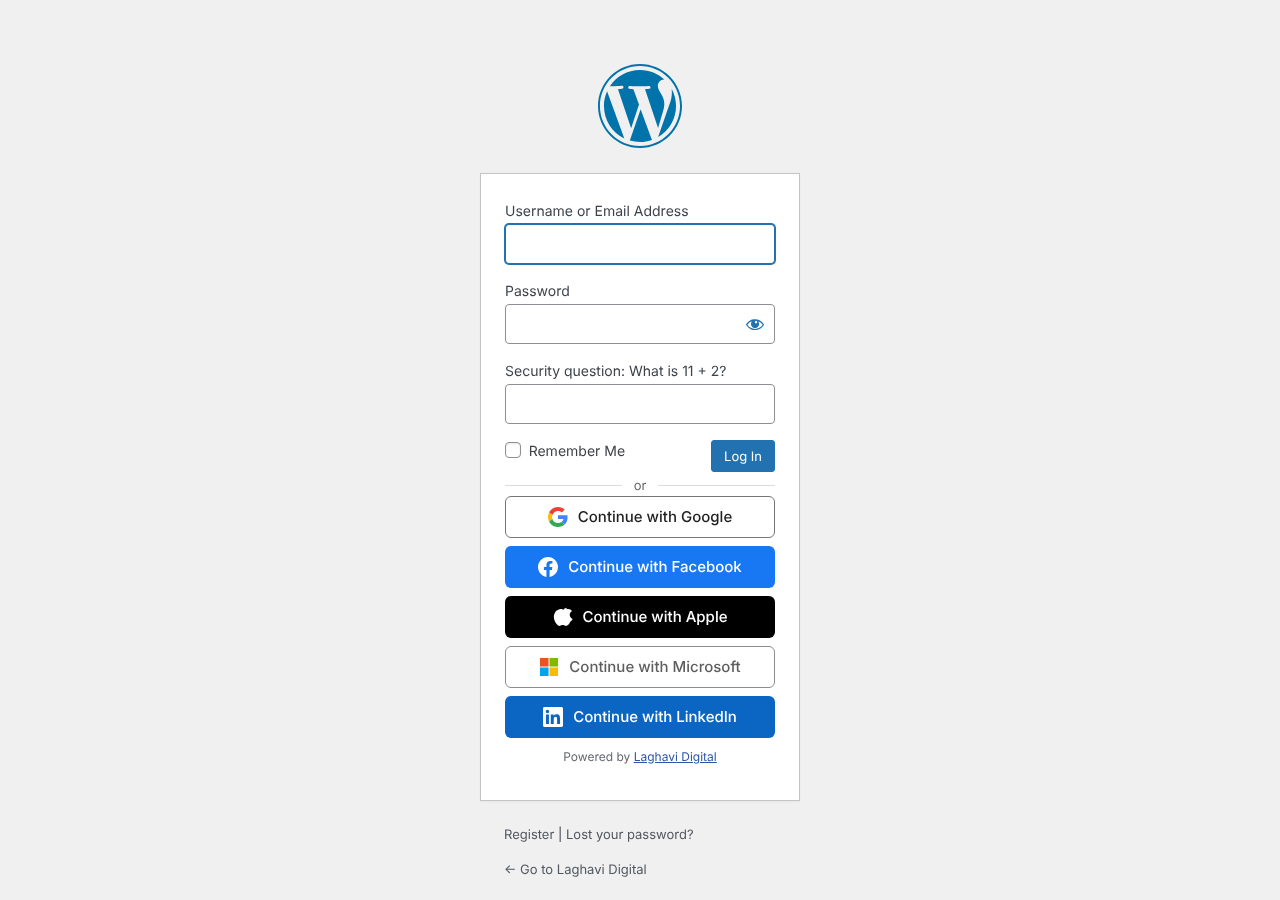
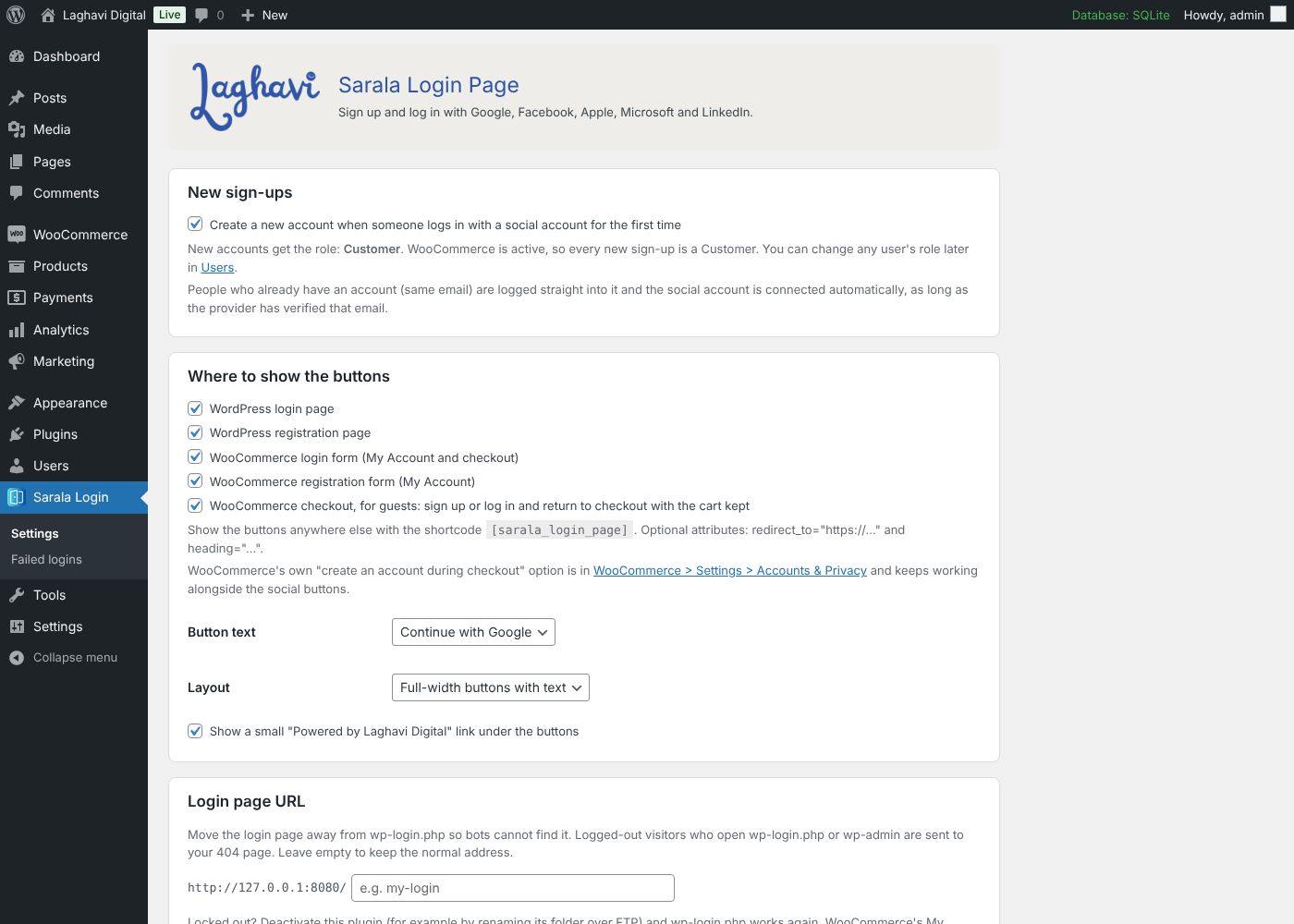
- Buttons on the WordPress login and registration pages.
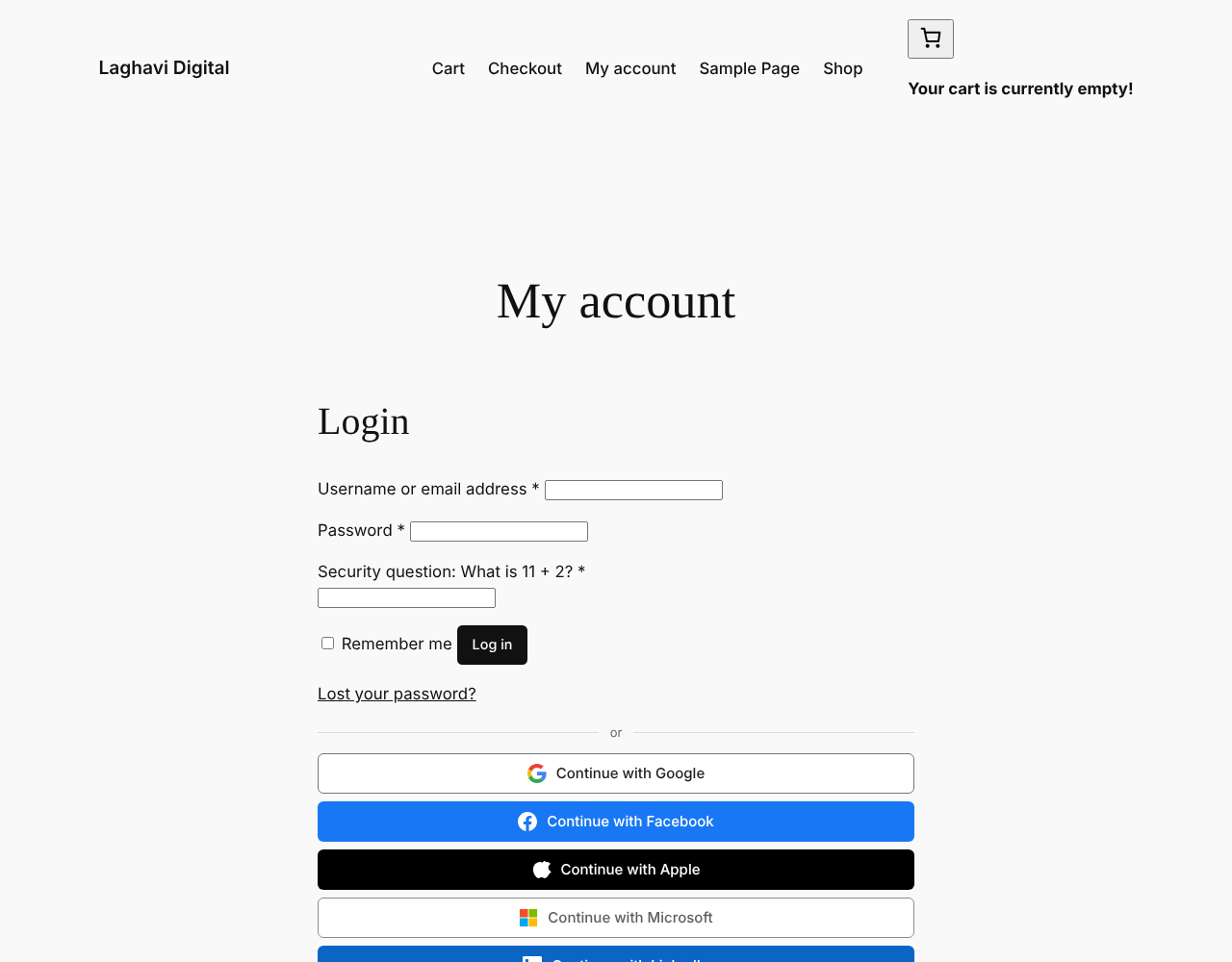
- Buttons on the WooCommerce My Account login and registration forms.
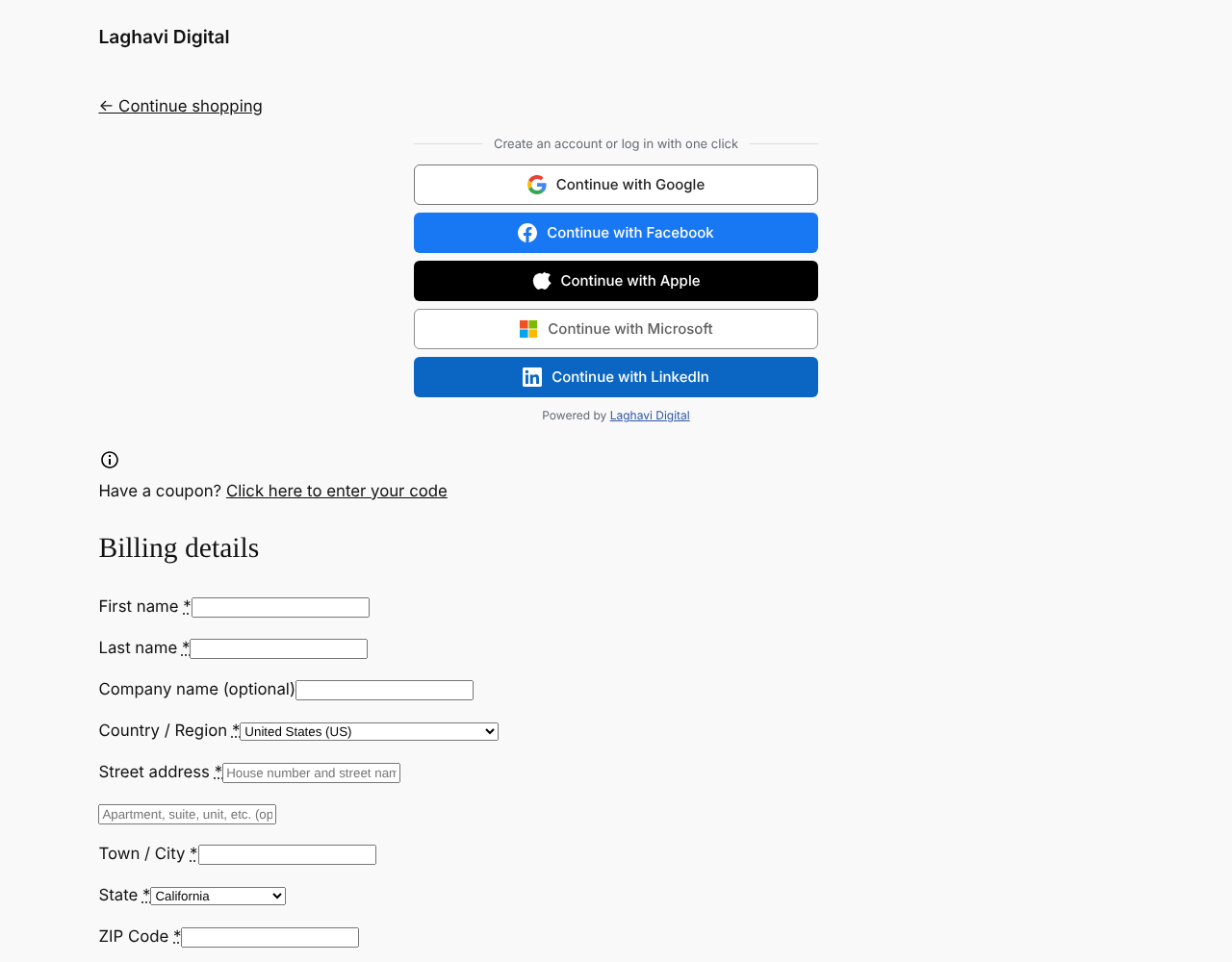
- Buttons at the top of the WooCommerce checkout, so guests can sign up or log in and come straight back to checkout with their cart kept.
- WooCommerce’s own “create an account during checkout” option keeps working.
- A
[sarala_login_page]shortcode to place the buttons anywhere.
The right role for every new account
- If WooCommerce is active, every new sign-up becomes a Customer.
- If not, new sign-ups get the “New User Default Role” from Settings > General (Subscriber by default).
- Admins can change any user’s role at any time from Users, as usual.
Existing users log straight in
If someone already has an account with the same email address, logging in with Google, Facebook or another provider takes them straight into that account and connects it automatically. For safety this only happens when the provider has verified the email address. Users can also connect and disconnect accounts from their profile (or from My Account > Account details with WooCommerce), and admins see which accounts each user has connected in a “Social login” column on the Users screen.
Bot protection with a simple math question
The login and registration forms (WordPress and WooCommerce) ask one random question, for example “What is 7 + 9?”. The answer is checked on the server, so bots that skip the form cannot get past it. The REST API, XML-RPC and application passwords are not affected.
Built to be safe
- Standard OAuth 2.0 / OpenID Connect with a one-time state value tied to the visitor’s browser.
- Secrets are never shown again after saving.
- No tracking and no data sent anywhere except to the login provider the visitor chooses.
Made by Laghavi Digital (Laghavi FZE LLC). Plugin page: laghavi.site/sarala-login-page.
External services
This plugin connects to the login provider a visitor picks, only when they click its button. The site owner must create an app with each provider they enable and agree to that provider’s terms.
When a visitor clicks a button, their browser is sent to the provider’s login page. After they agree, the provider sends back a one-time code, and the site exchanges it (server to server) for the visitor’s basic profile: their account ID, name and email address. Nothing else is sent or requested.
- Google – accounts.google.com, oauth2.googleapis.com, openidconnect.googleapis.com. Terms, Privacy
- Facebook (Meta) – www.facebook.com, graph.facebook.com. Terms, Privacy
- Apple – appleid.apple.com. Terms, Privacy
- Microsoft – login.microsoftonline.com, graph.microsoft.com. Terms, Privacy
- LinkedIn – www.linkedin.com, api.linkedin.com. Terms, Privacy
The plugin stores the visitor’s provider account ID and email on their WordPress user so they can log in again. This data is deleted when the plugin is deleted.
IPinfo (ipinfo.io) – optional, off by default. Only when you tick “Look up city and country for each IP” in Sarala Login Page > Settings, the plugin sends the IP address of each failed login attempt (and your IPinfo token, if you entered one) to ipinfo.io, when an administrator opens the Failed logins screen, to show the approximate city, region and country. Each result is kept for a week, so an address is looked up at most once a week. Terms, Privacy
Screenshots

Installation
- Upload the
sarala-login-pagefolder to/wp-content/plugins/, or install the plugin from Plugins > Add New. - Activate the plugin.
- Go to Sarala Login in the admin menu.
- Open each provider you want, copy its Redirect URI into the provider’s developer console, paste the keys back, and tick “Enable”.
- Save. The buttons appear on the login, registration, My Account and checkout pages.
Each provider has step-by-step instructions on the settings page. Your site should use HTTPS; Apple requires it.
FAQ
-
Do I need WooCommerce?
-
No. Without WooCommerce, the buttons appear on the WordPress login and registration pages, and anywhere you use the shortcode.
-
What role do new users get?
-
Customer when WooCommerce is active, otherwise the default role in Settings > General. You can change a user’s role any time. Developers can use the
saralopa_new_user_rolefilter. -
Can I stop new accounts being created?
-
Yes. Untick “Create a new account…” in the settings. Existing users can still log in with connected accounts.
-
Someone already has an account. What happens when they use Google?
-
If Google (or the other provider) confirms the same email address, they are logged into their existing account and Google is connected to it. If the provider has not verified the email, they are asked to log in with their password first and connect the account from their profile, which stops anyone from taking over an account with an unverified email.
-
Can guests sign up at checkout?
-
Yes. Guests see the buttons at the top of the checkout page. After signing up or logging in they return to checkout with their cart, and their name and email are filled in.
-
Where do people go after logging in?
-
Back to the page they came from when it is known (for example checkout), otherwise My Account for WooCommerce customers, the dashboard for editors and admins, or the home page. Developers can change this with the
saralopa_login_redirectfilter. -
Can I change the security questions?
-
The four questions are 11 + 2, 7 + 9, 2 + 6 and 4 + 13; one is picked at random. You can turn the question off for login or registration in the settings.
-
Can I show a “Powered by Laghavi Digital” link?
-
Yes, it is off by default. Tick “Show a small Powered by Laghavi Digital link” in the settings if you would like to support us.
Reviews
There are no reviews for this plugin.
Contributors & Developers
“Sarala Login Page” is open source software. The following people have contributed to this plugin.
Contributors
Translate “Sarala Login Page” into your language.
Interested in development?
Browse the code, check out the SVN repository, or subscribe to the development log by RSS.
Changelog
1.0.1
- Code names now use the prefix “saralopa”. Settings, connected accounts and the login log are moved over automatically.
1.0.0
- First release: Google, Facebook, Apple, Microsoft and LinkedIn login and sign-up, WooCommerce My Account and checkout support, connected accounts, and a math question on login and registration forms.