Description
Links break all the time: other sites move pages, shops discontinue products, and you rename your own posts. Visitors land on “Page not found”, and search engines notice too. Saral Link Checker finds those links in your content, tells you which missing pages visitors are actually hitting, and lets you fix both from one place.
Everything runs on your site
There is no account to create and no cloud service in between. Your site checks the links itself, in small batches in the background, so even large sites aren’t slowed down. Each address is checked once, however many posts use it, and the plugin’s tables stay small.
Fewer false alarms
A link is only called broken when there’s no doubt: the page is gone (404 or 410), the domain no longer exists, or the site failed three checks in a row. A site that is just slow or briefly down isn’t reported after one bad check.
Many big sites (LinkedIn, Amazon, sites behind Cloudflare and others) refuse automated visits even when the page works. Instead of listing those as broken, Saral Link Checker puts them under “Couldn’t check” with an explanation, so you can open the link and confirm it yourself.
Fix links without opening each post
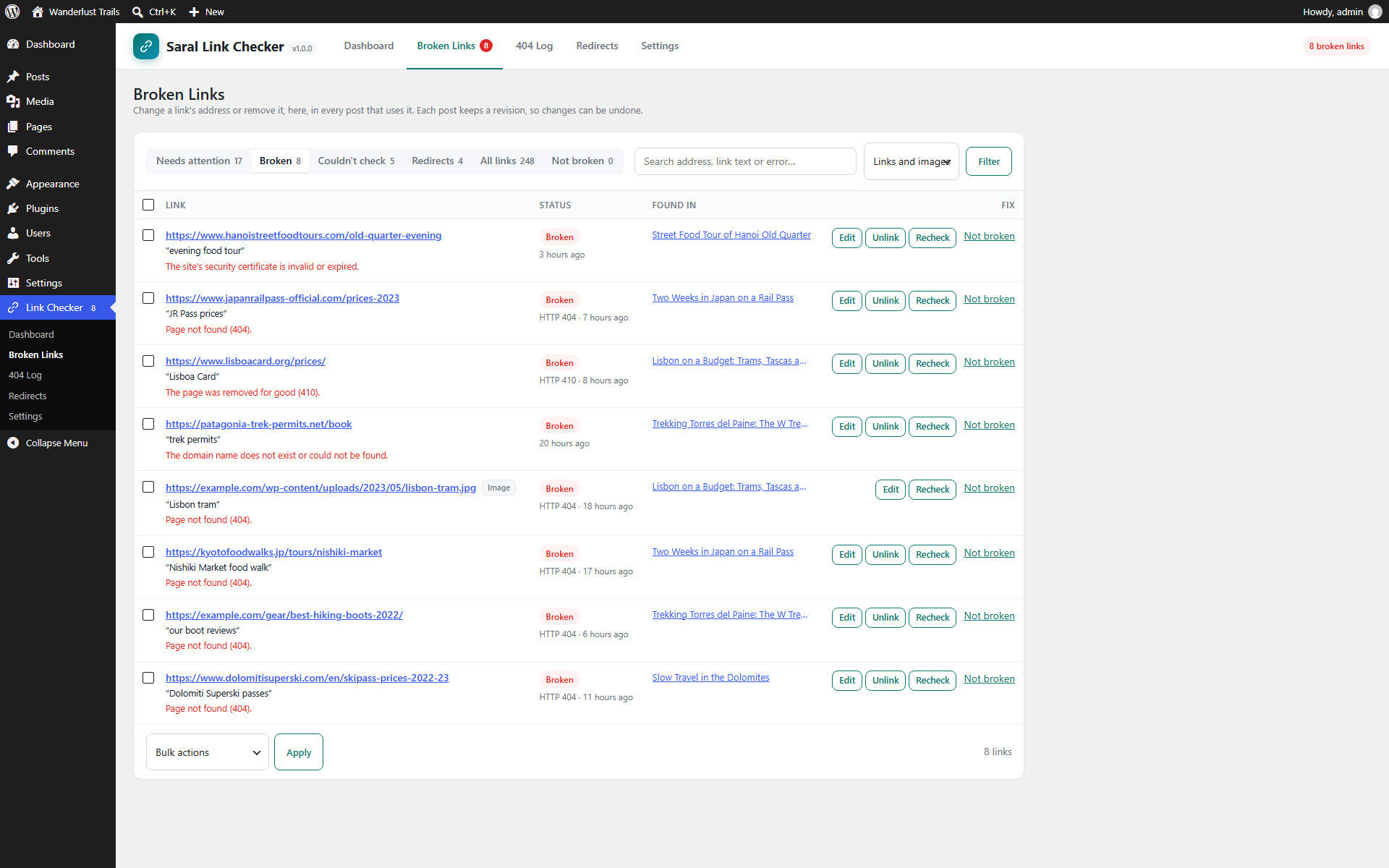
- Edit: change a link’s address in every post that uses it, in one go.
- Use new address: for a link that redirects, point it straight at the page it ends up on.
- Unlink: remove a dead link and keep its text.
- Not broken: hide a link you’ve checked yourself.
Each change is saved as a normal post revision, so you can undo it from the post editor.
A 404 log that leads to a fix
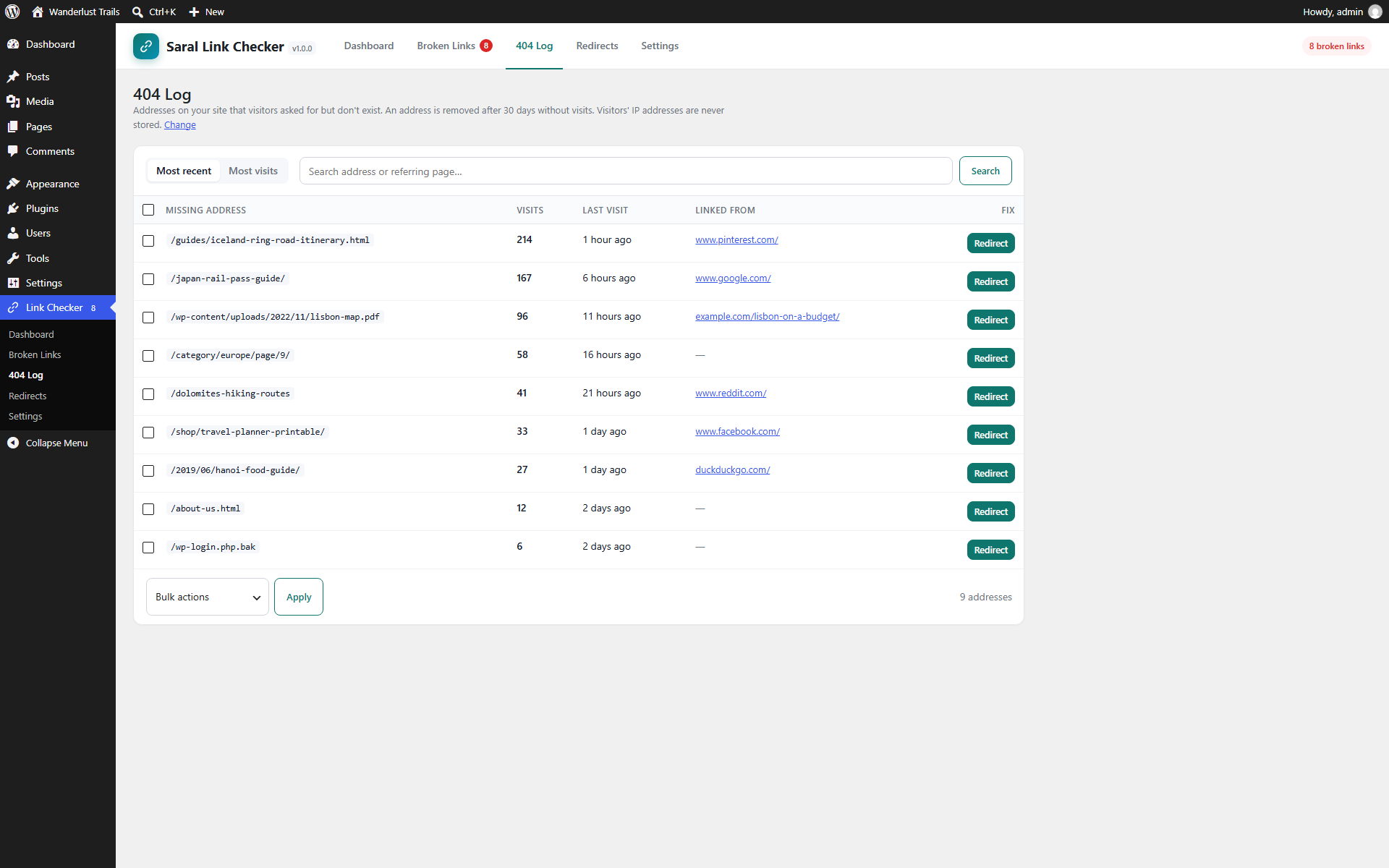
When a visitor or search engine asks for an address on your site that doesn’t exist, it’s logged with how often it happened and which page linked to it. One click starts a redirect, and Saral Link Checker suggests the published page whose address looks most like the missing one. Visitors’ IP addresses are never stored.
Redirects
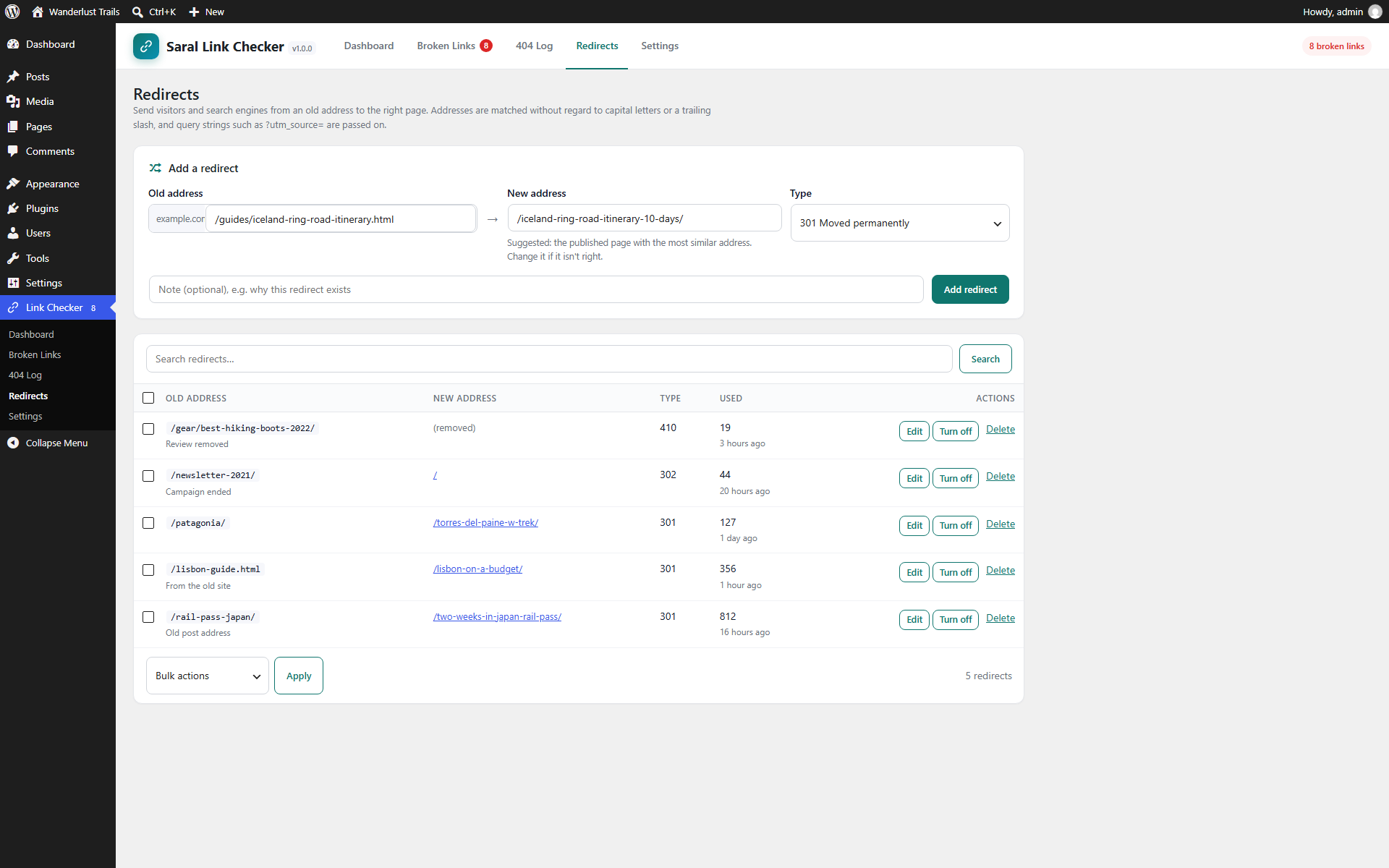
Send old addresses to the right page with 301, 302, 307 or 308 redirects, or answer 410 to tell search engines a page was removed for good. Addresses are matched without regard to capital letters or a trailing slash, and query strings such as ?utm_source= are passed on to the new page. Each redirect counts its visits, so you can see which ones still matter. Sites without redirects don’t run a database lookup at all.
Features
- Checks links and images in posts, pages and any public custom post type.
- Links to other sites and to your own pages, which are checked without a web request when they point to published content.
- New and changed links are checked within minutes of publishing.
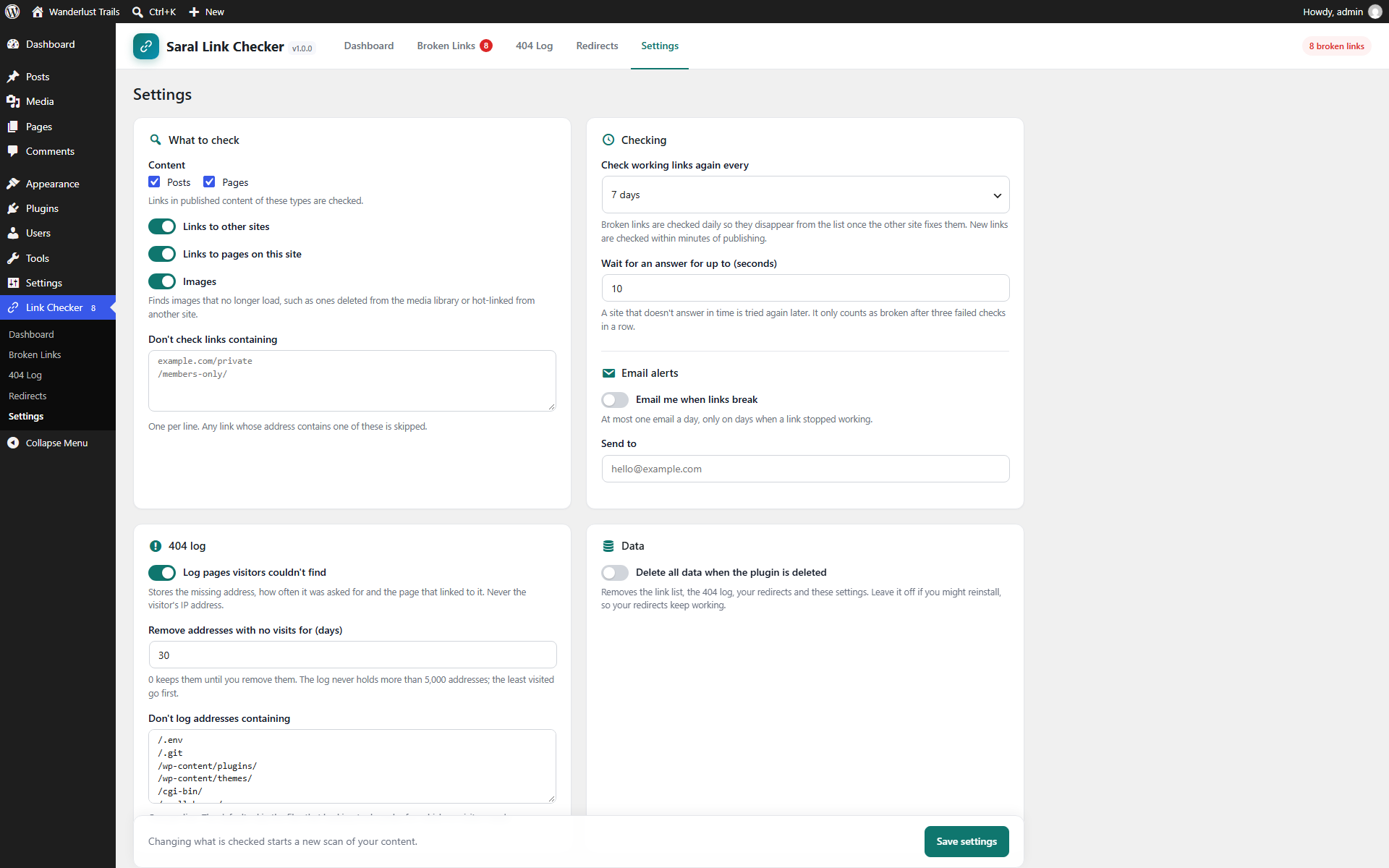
- Working links are checked again every 1 to 30 days (your choice), broken ones daily so they drop off the list once the other site fixes them.
- Finds links that redirect, and spots “soft 404s”: deep links that now redirect to a site’s home page.
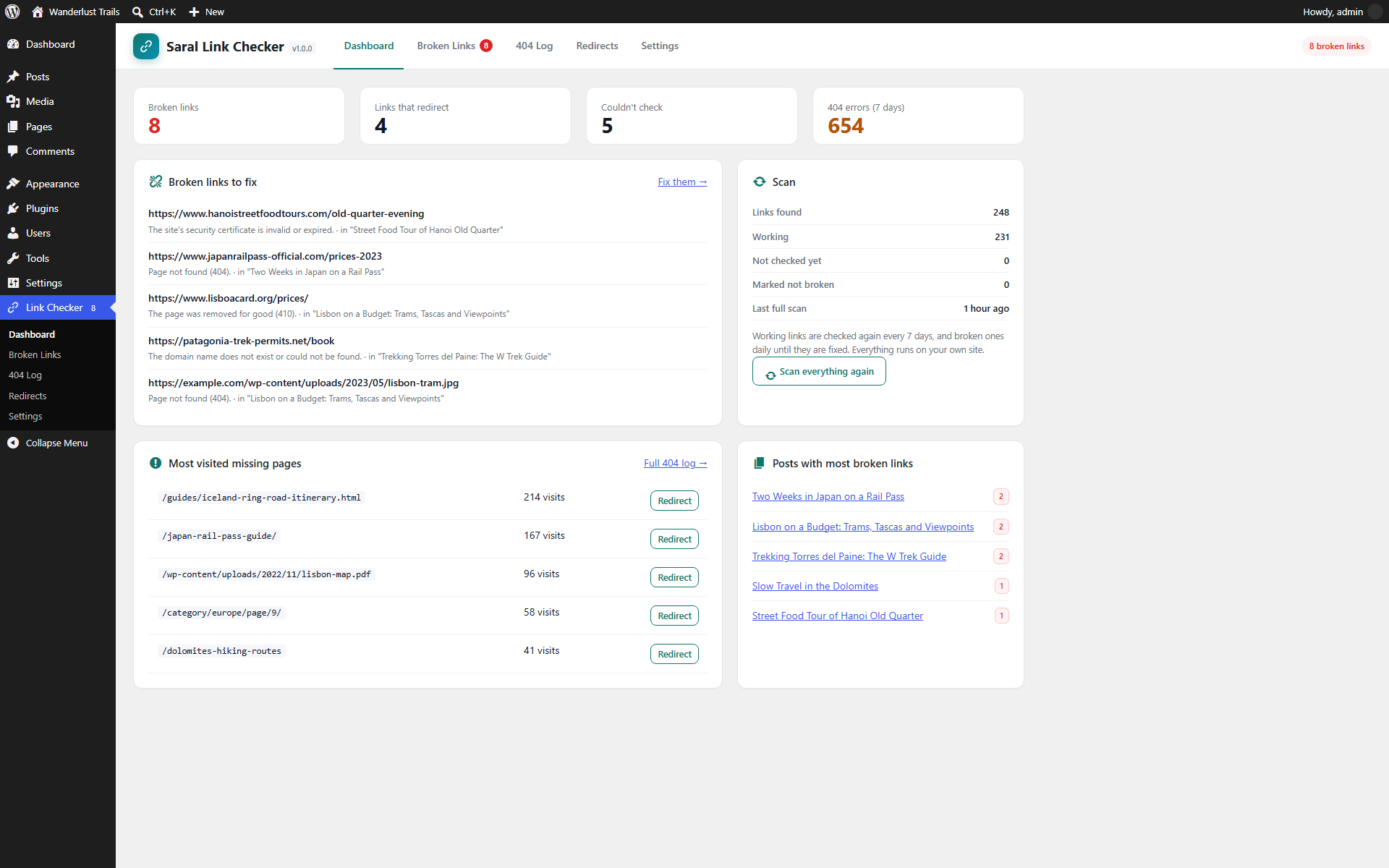
- Plain-language explanation for every result, such as “The site’s security certificate is invalid or expired.”
- Exclude list for links you never want checked.
- Daily email when links break (optional), only on days when something broke.
- Dashboard with broken links, the most visited missing pages and the posts with the most broken links.
- Dashboard widget and a count of broken links in the admin menu.
- Works with WP-Cron turned off: while you have the plugin open, the first scan runs from your browser.
- WP-CLI:
wp saral-link-checker status,scanandlist.
Developer hooks
sarallinks_extracted: add links found elsewhere, such as custom fields or page builder data.sarallinks_excluded: skip URLs from checking.sarallinks_post_statuses: check links in other post statuses besides published.sarallinks_request_args: change the request used to check a link.sarallinks_link_checked: runs after each check, with the old and new result.sarallinks_log_404: skip logging a 404.sarallinks_redirect_saved: runs after a redirect is added or changed.sarallinks_nav_pages: add pages to the Saral Link Checker menu.
External services
To find out whether a link works, Saral Link Checker visits it: your site sends a request to each web address that appears in your published content (links and images), and to the address it redirects to, if any. This is the same request a browser makes when someone clicks the link. It includes your site’s address in the user agent, so site owners can see who is checking; no other data about your site or your visitors is sent.
Requests go only to the addresses in your own content. Links you exclude in Settings, links to other sites (if you turn that off) and links to your own admin and login pages are never requested. The plugin never contacts Saral Techies or any other service.
Screenshots
Installation
- Install the plugin from Plugins Add New, or upload the
saral-link-checkerfolder to/wp-content/plugins/. - Activate it. The first scan starts straight away.
- Open Link Checker in the admin menu to see broken links as they are found.
FAQ
-
Will checking links slow down my site?
-
No. Links are checked in the background in small batches, one at a time and at most three to the same site per batch, and only when they’re due. Visitors’ page loads never wait for a check.
-
Why is a link listed under “Couldn’t check”?
-
The other site refused the check (usually with HTTP 403, 429 or LinkedIn’s 999). Many large sites block automated visits even when the page works fine. Open the link; if it works, choose “Not broken” and it won’t be listed again.
-
A link works in my browser but is listed as broken.
-
Click Recheck. If it’s still broken, the site may only work for signed-in users or from certain countries. Choose “Not broken” to hide it.
-
Can I undo a change to a link?
-
Yes. Every change is saved as a post revision. Open the post, go to Revisions and restore the earlier version.
-
It checks the content of posts, pages and custom post types, which includes the block editor and the classic editor. Links stored elsewhere (menus, widgets, custom fields, page builder data) can be added by other plugins through the
sarallinks_extractedfilter. -
What is logged for a 404?
-
The missing address, how many times it was asked for, when, and the page that linked to it (without its query string). Never the visitor’s IP address or browser. Addresses without visits are removed after 30 days (you can change this), and the log holds at most 5,000 addresses.
-
I use another redirect plugin.
-
Both will work, but keep each redirect in one plugin only, so they don’t disagree. Saral Link Checker shows a notice when Redirection, Simple 301 Redirects, 301 Redirects or Safe Redirect Manager is active.
-
What happens to my data when I delete the plugin?
-
By default the link list, the 404 log, your redirects and the settings are kept, so reinstalling restores everything. Turn on “Delete all data when the plugin is deleted” in Settings to remove it all.
-
Does it work with multisite?
-
Yes. Each site has its own links, 404 log, redirects and settings.
Reviews
There are no reviews for this plugin.
Contributors & Developers
“Saral Link Checker” is open source software. The following people have contributed to this plugin.
Contributors
Translate “Saral Link Checker” into your language.
Interested in development?
Browse the code, check out the SVN repository, or subscribe to the development log by RSS.
Changelog
1.0.0
- First release: link and image checking, fixing links in place, 404 log, redirects, email alerts and WP-CLI commands.