
Description
Samtyk CMP connects a WordPress website to the hosted Samtyk consent management service.
The plugin can:
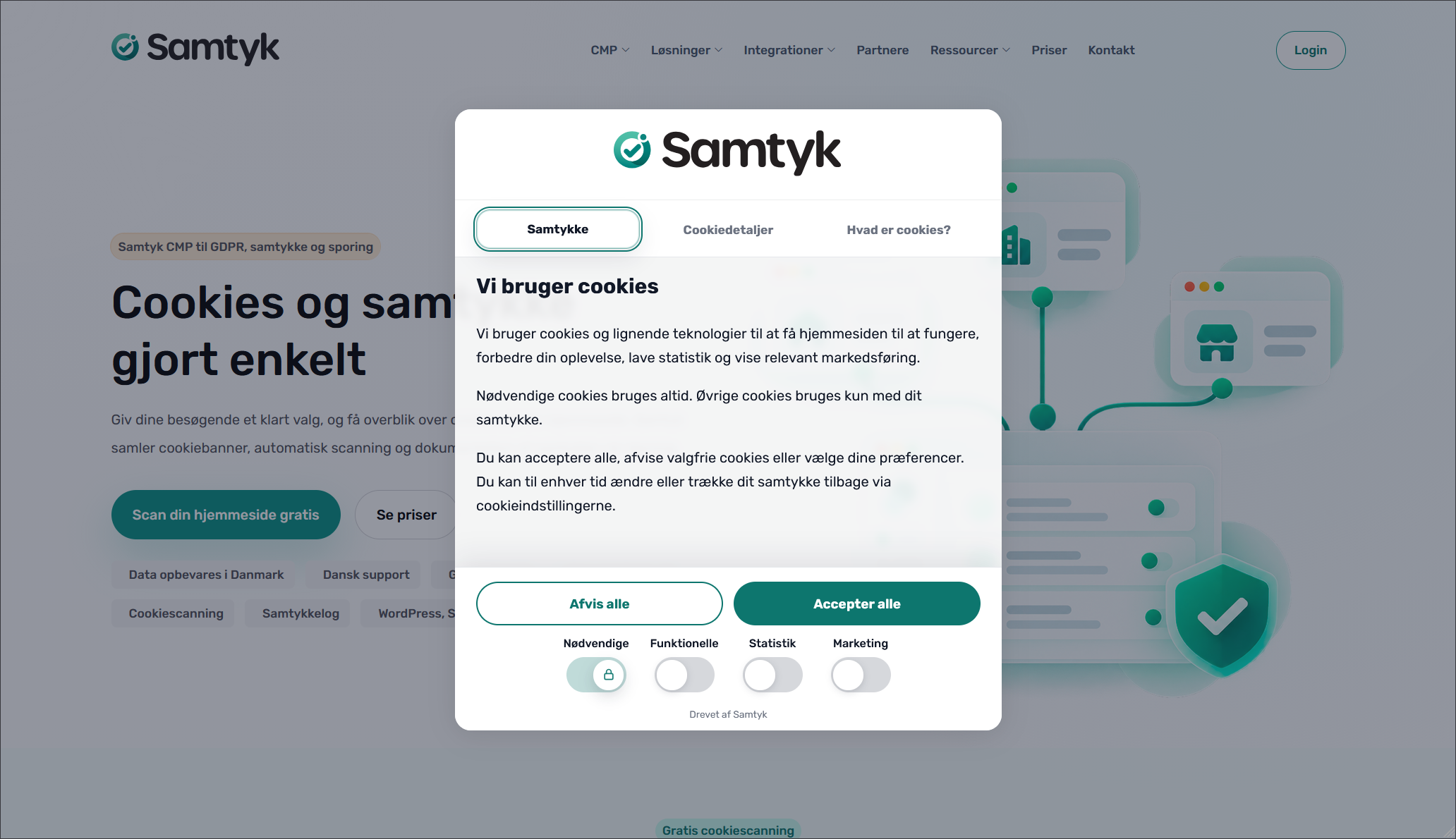
- Load the Samtyk consent banner on the public website.
- Use the WordPress site language automatically or use a selected language.
- Add Google Consent Mode v2 defaults before Google Tag Manager loads.
- Load an optional Google Tag Manager container.
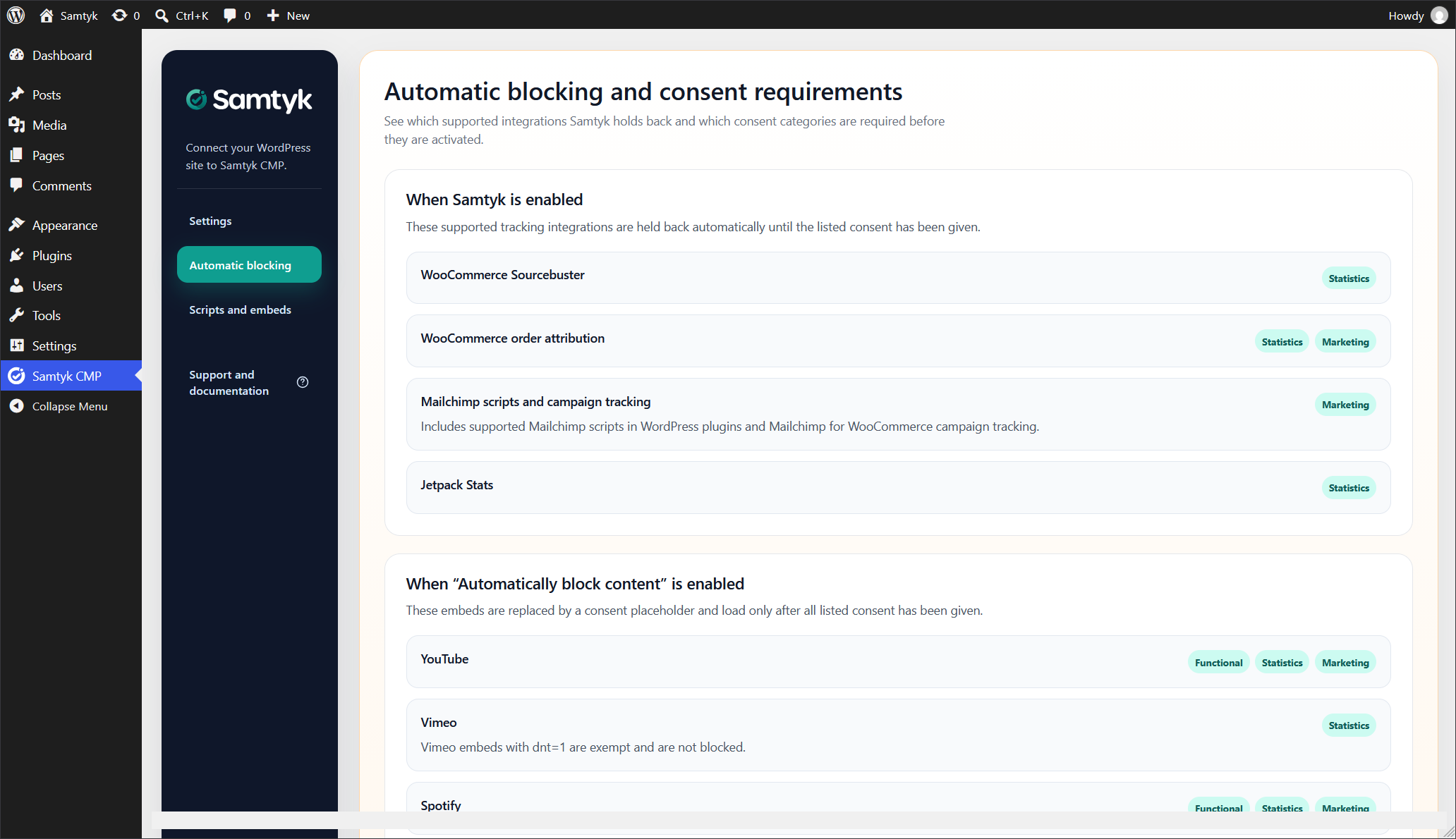
- Hold back supported WooCommerce, Jetpack, Mailchimp, and Instagram scripts until the required consent is available.
- Replace supported YouTube, Vimeo, Spotify, Issuu, and Instagram embeds with consent placeholders.
- Convert and manage custom scripts and embeds with consent categories, placement, and page targeting.
An active Samtyk account with the website domain added is required. Service plans and prices are available at https://samtyk.com/priser.
This plugin provides technical consent-management tools. Website owners remain responsible for configuring the service and their website according to the laws and requirements that apply to them.
More information and setup documentation:
- WordPress integration: https://samtyk.com/loesninger/wordpress
- Integration guide: https://samtyk.com/integrationer#wordpresssetupguide
- Samtyk administration: https://admin.samtyk.com/
External services
This plugin relies on the hosted Samtyk service to provide the consent banner, domain configuration, language-specific content, and consent logging. The service is operated by CTWeb / Samtyk.
The connection is disabled by default. When a website administrator enables Samtyk, the public website loads JavaScript from https://consent.samtyk.com/. That script contacts https://consentapi.samtyk.com/ to resolve the configuration for the current domain and to register consent choices.
Depending on the request and enabled Samtyk features, transmitted information can include the website hostname and URL, site identifier, selected language, browser user agent, consent identifier, consent categories, consent selection type, policy and configuration versions, and technical runtime or bundle identifiers. The visitor’s IP address is also visible to the service as part of the network request.
The service is subject to the following documents:
- Terms: https://samtyk.com/betingelser
- Privacy policy: https://samtyk.com/privatlivspolitik
- Subprocessors: https://samtyk.com/underdatabehandlere
If the website administrator enables Google Tag Manager and enters a valid container ID, the plugin loads that container from https://www.googletagmanager.com/ on public pages. The request can disclose the visitor’s IP address, browser user agent, referring page, requested page URL, and the configured Google Tag Manager container ID to Google. Google Tag Manager then executes the tags configured by the website administrator. Those tags may transmit additional data to Google or other third parties, depending entirely on the container configuration.
Google Tag Manager is provided by Google LLC:
- Terms of service: https://www.google.com/analytics/terms/tag-manager/
- Privacy policy: https://policies.google.com/privacy
Supported third-party embeds are loaded from their respective providers only after the visitor gives the consent required by the configured integration.
Privacy
The plugin stores its configuration in the WordPress options table and managed scripts or embeds as private WordPress content records. Visitor consent is stored in the visitor’s browser and, when Samtyk is enabled, consent information can be sent to the hosted Samtyk service as described in the External services section.
The plugin does not contact Samtyk while the integration is disabled. Administrators should describe their specific Samtyk configuration and any enabled third-party services in the website’s own privacy and cookie information.
Screenshots

Installation
- Install and activate the plugin through the WordPress Plugins screen.
- Add the website domain to your Samtyk account.
- Open Samtyk in the WordPress administration menu.
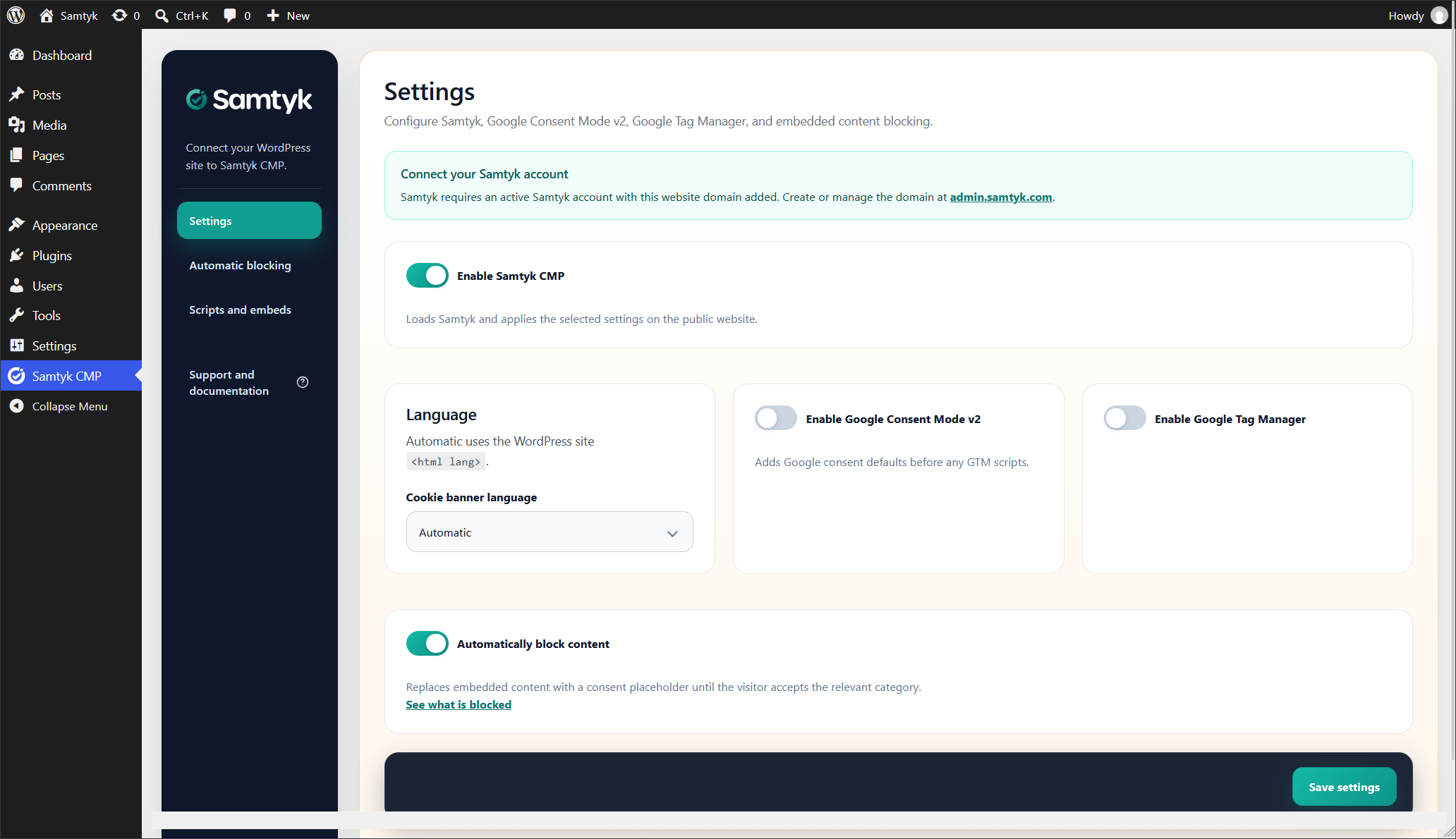
- Enable Samtyk CMP and configure the language, Consent Mode, Google Tag Manager, and automatic content blocking options as needed.
- Save the settings and test the public website in a private browser window.
FAQ
-
Is a Samtyk account required?
-
Yes. The plugin connects the website to the hosted Samtyk CMP service, and the website domain must be added to an active account.
-
What does the Automatic language option do?
-
It uses the language declared by the WordPress website. Samtyk first looks for an exact language match, then a base-language match, and otherwise uses the domain’s default Samtyk language.
-
Does the plugin guarantee legal compliance?
-
No. The plugin provides technical consent-management and blocking features. The website owner is responsible for configuration, content, legal notices, and compliance with applicable requirements.
-
Which embedded services can be blocked automatically?
-
The optional content-blocking feature supports YouTube, Vimeo, Spotify, Issuu, and Instagram embeds. The plugin settings include an overview of the consent categories required for each supported integration.
-
Does the plugin support Google Consent Mode v2?
-
Yes. When enabled, the plugin adds denied consent defaults before loading the optional Google Tag Manager container. Samtyk updates the consent state after the visitor makes a choice.
Reviews
There are no reviews for this plugin.
Contributors & Developers
“Samtyk CMP” is open source software. The following people have contributed to this plugin.
Contributors

Translate “Samtyk CMP” into your language.
Interested in development?
Browse the code, check out the SVN repository, or subscribe to the development log by RSS.
Changelog
3.2.1
- Encode script and embed source during preview and save requests to improve compatibility with firewalls such as Wordfence. Existing validation and database storage remain unchanged.
3.2
- Added a guided helper for scripts, iframes, and complete embed snippets.
- Added consent categories, head/body/footer and shortcode placement, activation status, and public-content targeting.
- Added an overview for editing, activating, deactivating, and deleting managed snippets.
- Added optional shortcode placeholders with custom text, category-based defaults, and icon selection.
- Updated Samtyk branding, service URLs, and administration interface.
- Improved WordPress script and style enqueue handling.
- Improved external service documentation and frontend output handling.
- Added separate packages for local distribution and the WordPress Plugin Directory.
3.1
- Added WordPress gettext translation support.
- Added automatic blocking documentation and consent requirements.
- Added support for consent-aware embedded content placeholders.
- Improved the administration interface and compatibility handling.