
Description
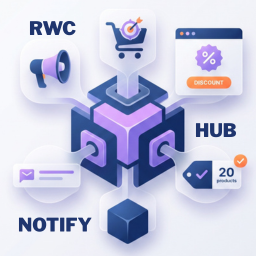
RWC Notify Hub gives you three marketing tools in a single plugin. You get a promo popup, an announcement bar, and live sales proof. We built this so you can capture leads and show recent sales without writing code or slowing down your pages.
The frontend runs on pure vanilla JavaScript. It loads fast and stays out of the way of your theme and server resources. You control everything from a straightforward dashboard.
Promo Popup
- Delay the popup appearance by seconds.
- Choose between an image-only banner or a rich text layout.
- Adjust image padding, background colors, text colors, and maximum width.
- Add a primary call-to-action button with hover color controls.
- Select Fade In or Zoom In animations.
- Set a cookie expiration in days to stop bothering returning visitors.
Announcement Bar
- Place a sticky bar at the top or bottom of your screen so it stays visible while visitors scroll.
- Write sales messages using the standard WordPress rich text editor.
- Control the bar height and match the background and text colors to your brand.
- Add a custom CTA button and choose whether it opens in a new tab.
Sales Proof Notifications
- Connect directly to WooCommerce or Easy Digital Downloads to show recent purchases.
- Filter which notifications display based on order status.
- Insert one-click placeholders for first name, city, state, country, product name, and time ago.
- Toggle the product image on or off.
- Pin the notification to the bottom left or bottom right of the screen.
- Customize the border radius.
- Control the initial delay, display duration, and time between popups.
- Loop notifications and hide them on mobile devices.
- Give visitors an icon to close the notification.
Display Rules & Settings
- Target specific pages or posts to show your campaigns exactly where you want them.
- Restrict campaign editing access to specific user roles.
- Purge cache automatically for WP Rocket, LiteSpeed, W3 Total Cache, and WP Super Cache when saving.
- Wipe all plugin data from your database upon uninstallation.
Screenshots


Installation
- Log in to your WordPress dashboard.
- Go to Plugins and click Add New Plugin.
- Search for RWC Notify Hub by Realwebcare.
- Click Install Now, then click Activate.
- Look for the RWC Notify Hub menu in your sidebar to build your first campaign.
FAQ
-
Will RWC Notify Hub slow down my website?
-
No. The plugin uses vanilla JavaScript and avoids heavy frontend frameworks. It keeps your site fast.
-
Can I run a popup, announcement bar and sales proof at the same time?
-
Yes. You can run all three from a single campaign or split them across different pages.
-
When someone closes your popup, the plugin saves a browser cookie. You set how many days pass before that visitor sees the popup again.
-
Can I target specific blog posts?
-
Yes. The Display Rules let you pick exact pages and posts for your campaign.
-
Does it work with page builders?
-
Yes. It uses standard WordPress hooks and works perfectly with Elementor, Divi, Bricks, Gutenberg, and compliant themes.
Reviews
There are no reviews for this plugin.
Contributors & Developers
“RWC Notify Hub – Popup, Announcement Bar, Proof Notification” is open source software. The following people have contributed to this plugin.
Contributors
Translate “RWC Notify Hub – Popup, Announcement Bar, Proof Notification” into your language.
Interested in development?
Browse the code, check out the SVN repository, or subscribe to the development log by RSS.
Changelog
0.1 (20 August, 2026)
- Initial public release.
- Added a Promo Popup with a time delay trigger.
- Added a sticky top and bottom Announcement Bar.
- Added Sales Proof notifications with WooCommerce and EDD support.
- Added display rules for specific posts and pages.
- Built the frontend with vanilla JS for speed.
- Included smart cache purging and user role management.
- Added a clean database uninstall option.