

Description
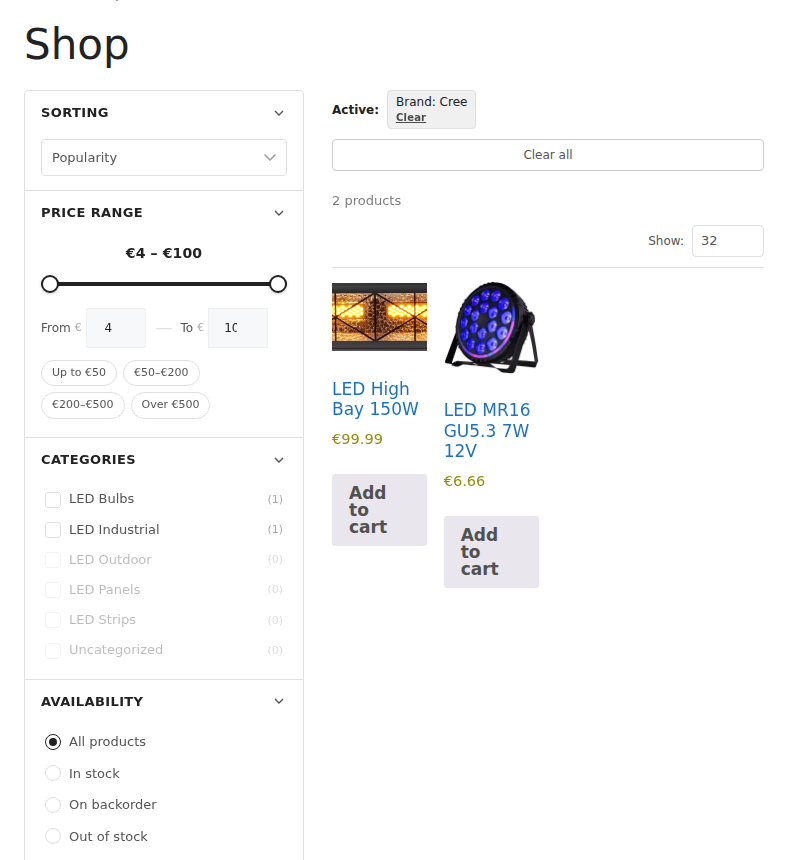
Rotozoom Product Filter adds a fast, modern filtering sidebar to your WooCommerce shop, category and search pages. Customers narrow down products instantly — without full page reloads — using attributes, price ranges, stock status, ratings, on-sale and more.
The plugin renders results through your active theme’s own product loop, so filtered results look identical to your normal shop pages on classic themes, third-party themes and block (FSE) themes alike.
Features
- AJAX filtering with no page reload
- Filter by product attributes (color, size, socket, wattage — any WooCommerce attribute)
- Price range slider
- Stock status, on-sale, new, rating and review filters
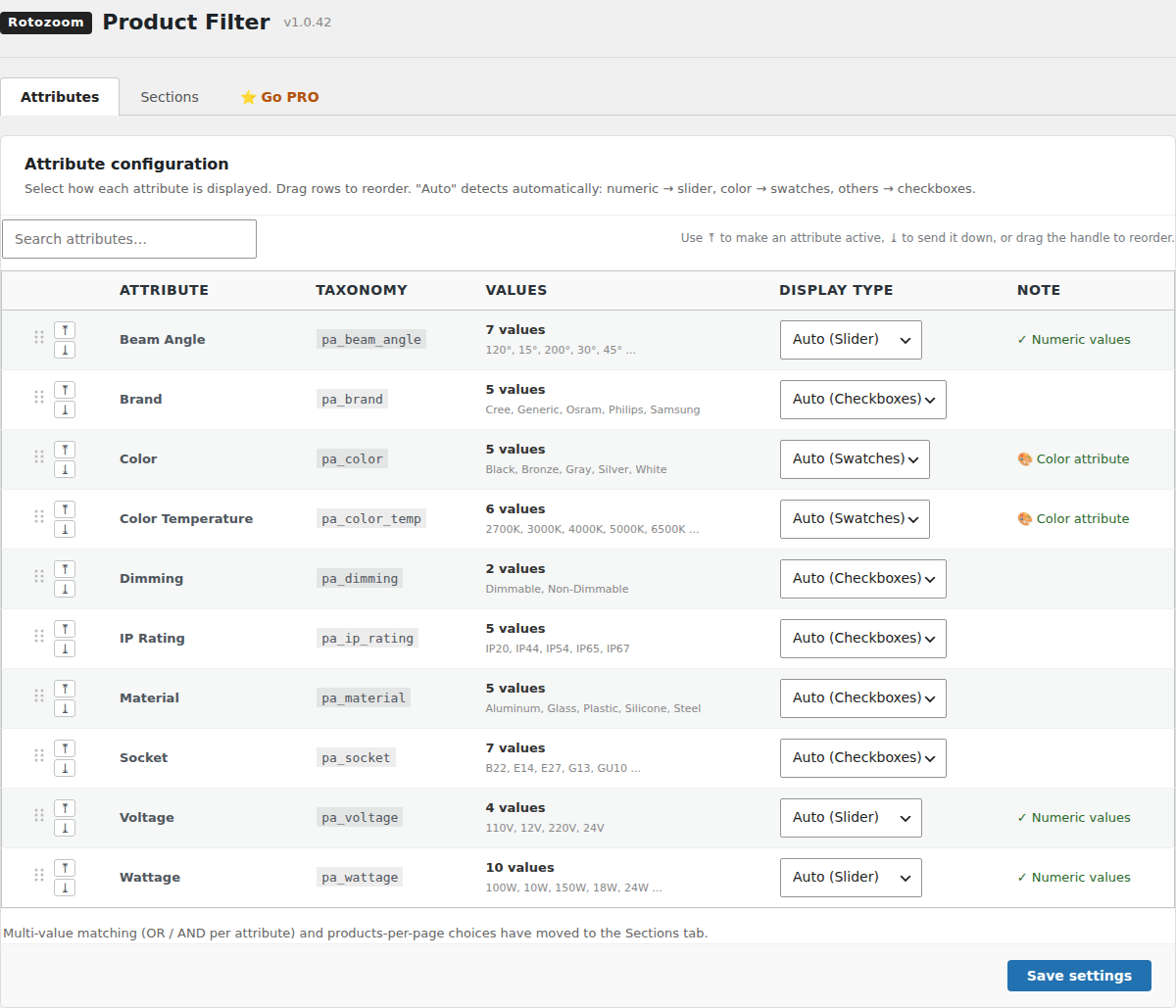
- Per-attribute display types: checkboxes, radio, color swatches, or numeric slider
- Drag & drop to order attributes in the admin
- Sortable sections and collapsible groups
- Mobile filter drawer
- Works with classic, third-party and block (FSE) themes
- Translation-ready
Shortcodes
[rotozoom_filter]— renders the filter sidebar and a filterable product grid on any page or post-
[rotozoom_filter_bar]— renders the per-page selector on its own, for authors who want it somewhere other than above the grid (use together with[rotozoom_filter bar="0"])[rotozoom_filter] accepts:
-
category— limit the grid to one product category slug, e.g.[rotozoom_filter category="led-panels"] per_page— products per page (default: your shop’s WooCommerce products per page)columns— grid columns (default: your theme’s WooCommerce setting)orderby—menu_order,popularity,rating,date,priceorprice-descsidebar—0to render the grid without the filter sidebarbar—0to hide the built-in toolbar
External services
This plugin does not connect to, send data to, or load any code from external services. It runs entirely on your own site.
Screenshots
Installation
- Upload the
rotozoom-product-filterfolder to/wp-content/plugins/, or install it through the WordPress Plugins screen. - Activate the plugin through the Plugins screen in WordPress.
- Make sure WooCommerce is installed and active.
- Open Product Filter in the admin menu to choose which attributes and sections to show.
- The filter appears automatically on shop, category and search pages, or place the
[rotozoom_filter]shortcode on any page.
FAQ
-
Does it require WooCommerce?
-
Yes. Rotozoom Product Filter extends WooCommerce, and WordPress asks you to install and activate WooCommerce first.
-
Does it work with block / Full Site Editing themes?
-
Yes. Results are rendered through your theme’s native product loop, so block themes (for example Twenty Twenty-Four) display filtered products with their normal styling.
-
Does it send any data to external servers?
-
No. The plugin is fully self-contained and makes no external network requests.
Reviews
There are no reviews for this plugin.
Contributors & Developers
“Rotozoom Product Filter” is open source software. The following people have contributed to this plugin.
Contributors
Translate “Rotozoom Product Filter” into your language.
Interested in development?
Browse the code, check out the SVN repository, or subscribe to the development log by RSS.
Changelog
1.0.43
- First release on WordPress.org.
- Several values of one attribute can be ticked together (any of them matches), and every value shows how many products it would add.
- The price presets follow the shop’s own prices.
- Filtering and pagination work on shop addresses that live in the query string (
?post_type=product, a product search, plain permalinks). - A filter request that drops at the network level is retried once; counts that cannot be refreshed are dimmed and every option stays clickable.
- The AJAX request timeout can be changed with the
rotozoom_filter_ajax_timeoutfilter (20 seconds by default, 1 to 600 seconds).