

Description
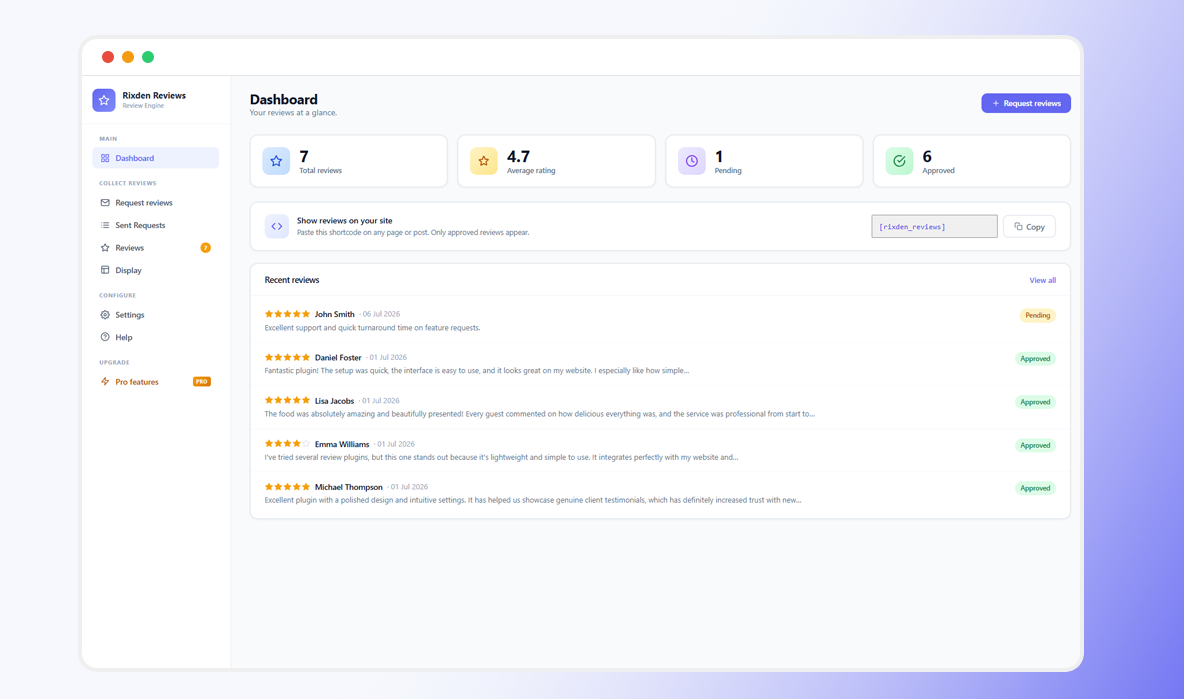
Rixden Reviews is a complete review request system that helps businesses actively collect customer reviews, moderate them, and display them on their site.
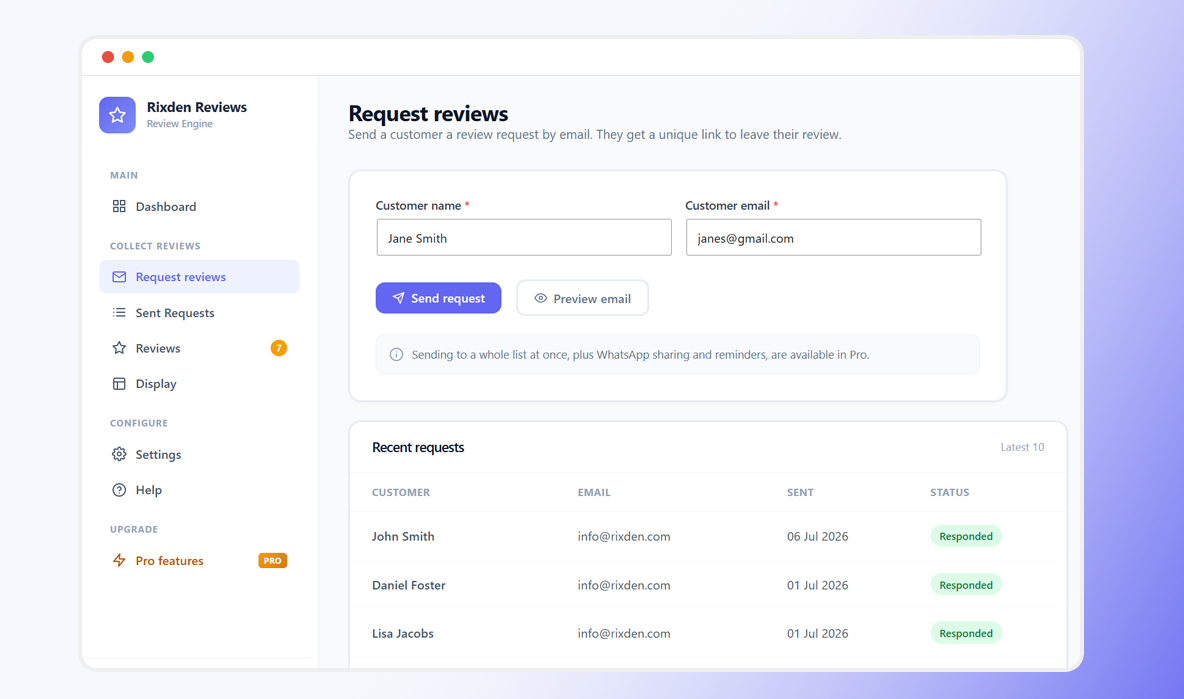
Send a customer a review request by email from the dashboard, customers leave a rating and review in under a minute, you approve it, and it appears on your site. After submitting, every customer is invited to also post their review on Google, so you grow your public reputation where it matters most.
No Google API. No third-party service. No monthly platform fee. Everything runs on your own WordPress site.
Why you’ll like it
- Actively get reviews — stop waiting and hoping. Send a request and a unique review link straight to your customer’s inbox.
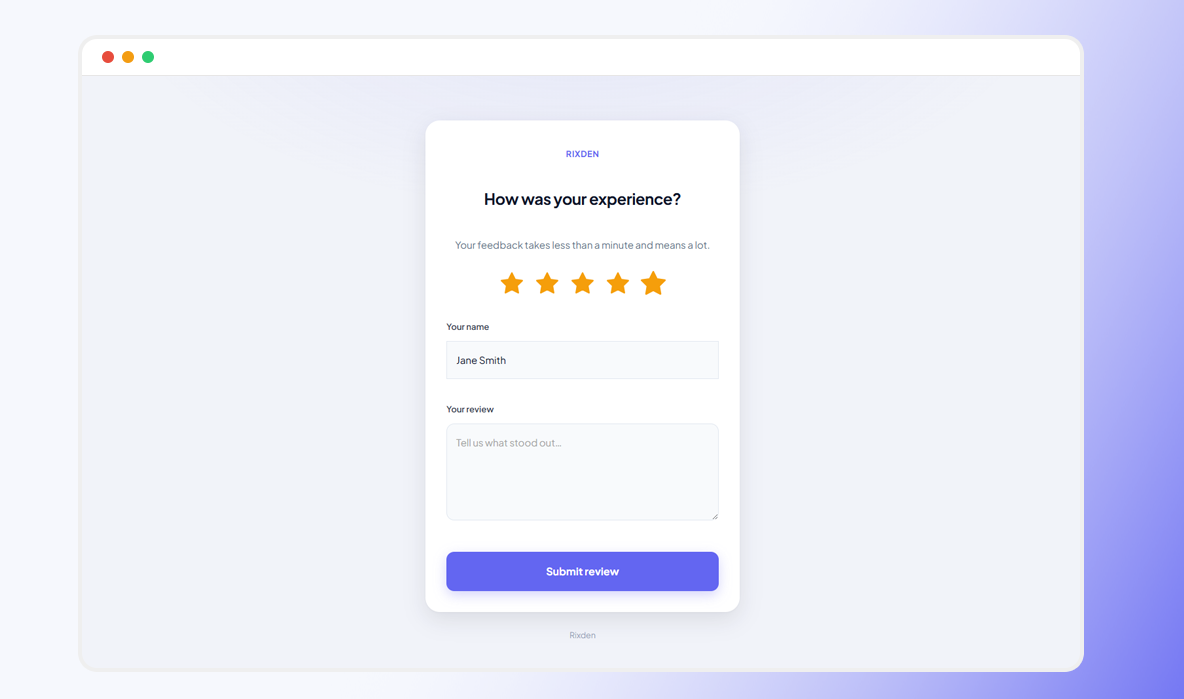
- A review form that converts — clean, mobile-first, and finished in under 30 seconds. Less friction means more reviews.
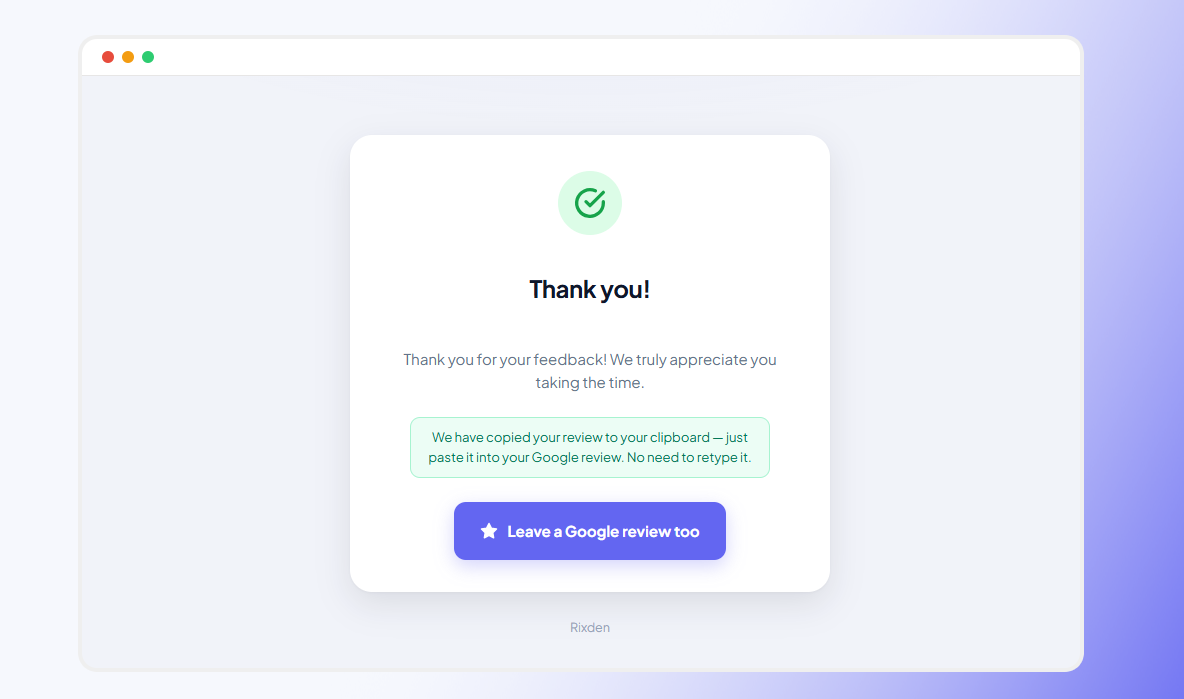
- Turn reviews into Google reviews — after leaving a review, customers are invited to post the same on Google (shown for every rating, so you stay compliant with Google’s policies).
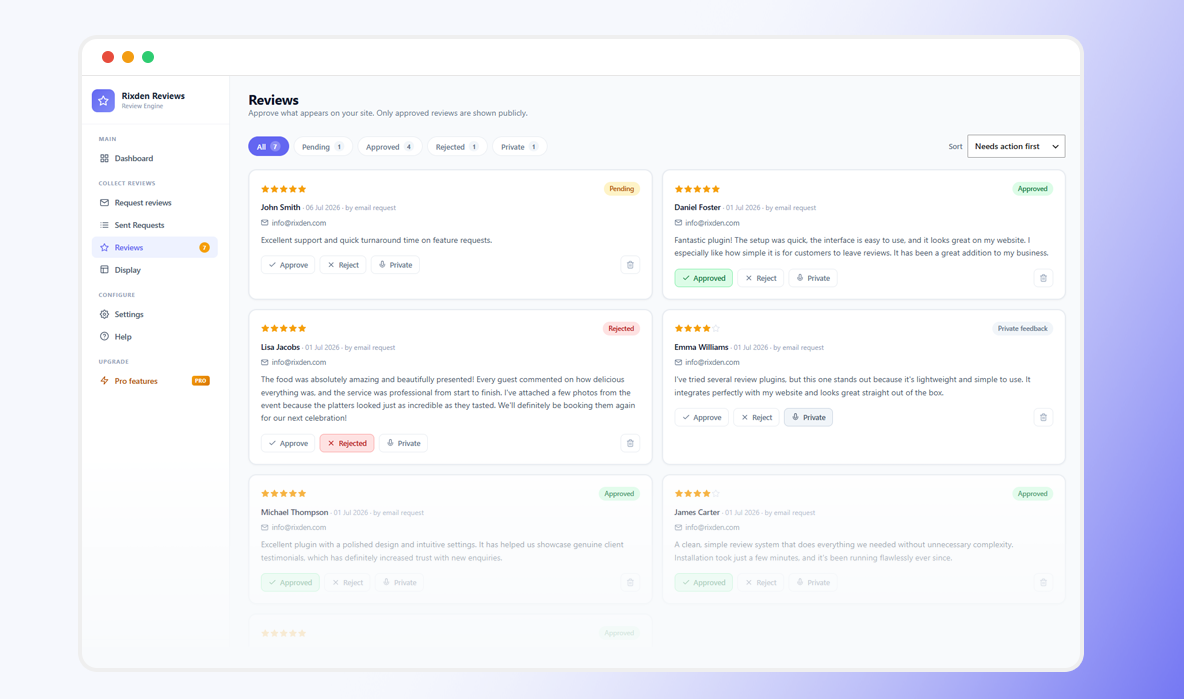
- You stay in control — every review is held for your approval. Only the reviews you approve are ever shown.
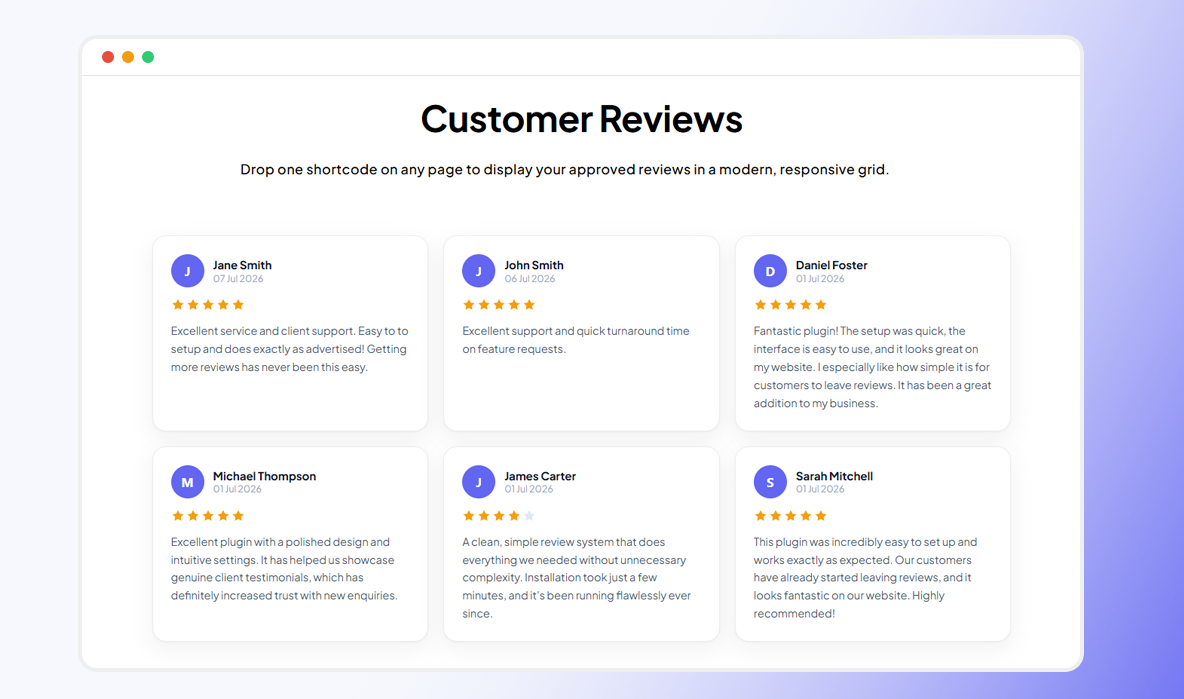
- Look professional everywhere — display approved reviews in a modern, responsive grid on any page with one shortcode.
- Get found in Google — built-in review schema makes your pages eligible for star ratings in search results.
- Beautifully simple admin — a clean, app-style dashboard that works on your phone as well as your desktop. No clutter, no learning curve.
How it works
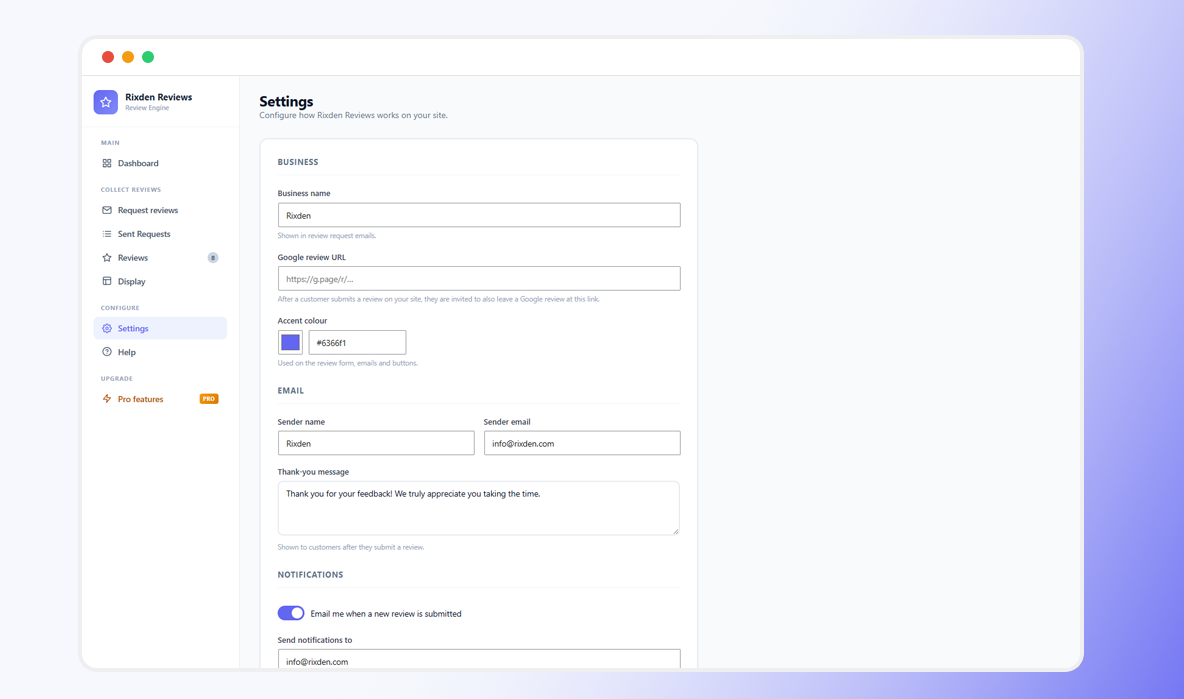
- Add your business name, sender email and Google review link in Settings.
- Go to Request reviews, enter a customer’s name and email, and send.
- Your customer opens their unique link and leaves a star rating and review.
- The review lands in Reviews as pending — approve, reject or keep it private.
- Add
[rixden_reviews]to any page to show your approved reviews.
What you get, free
- Send review requests by email — unlimited, one customer at a time
- A unique, single-use review link for every customer
- Mobile-first review form (rating, name, review)
- Built-in spam protection on the form — no CAPTCHA, no friction
- “Leave a Google review too” invitation after submitting
- Get notified by email the moment a new review comes in
- Approve, reject or privately keep each review
- Display approved reviews in a responsive grid with
[rixden_reviews] - Review schema (JSON-LD) for star rich snippets in search
- A modern, mobile-friendly admin dashboard
- Sent-request history so you can see who you’ve asked
- Fully translatable — every screen, form and email string, ready for Loco Translate (includes a translation template)
- No tracking, no external services, no ads
Going further with Pro
Rixden Reviews Pro is a separate plugin that adds the tools for businesses collecting reviews at scale:
- Send to your whole customer list at once, plus CSV import
- One-tap WhatsApp sharing with a pre-filled message and link
- Automated follow-up reminders, and resend a request any time
- Custom email templates — edit the subject and wording of your request and notification emails
- Response-rate and Google-conversion analytics
- Slider and masonry display layouts
- A customisable Google review call to action
- Branded, printable QR codes (with an A4 poster) to collect reviews in person
- Allow customers to add photos to their reviews
- Reply to reviews – Have the last word — publicly.
Your reviews and settings carry over automatically when you upgrade.
External Services
This plugin does not connect to or rely on any third-party or external services. All data is stored locally in your WordPress database, and nothing is transmitted to external servers.
Screenshots
Installation
- In your WordPress admin, go to Plugins Add New and search for “Rixden Reviews”, or upload the plugin ZIP under Plugins Add New Upload Plugin.
- Click Activate.
- Open Rixden Reviews in the admin menu.
- Under Settings, add your business name, sender email and Google review URL.
- Go to Request reviews and send your first request.
- To display reviews, add the shortcode
[rixden_reviews]to any page or post.
FAQ
-
Do my customers need an account to leave a review?
-
No. They simply open the link you send and leave a rating and review. No login, no app.
-
Will reviews appear on my site automatically?
-
No. Every review is held as pending until you approve it. Only approved reviews are ever shown publicly.
-
Does this connect to the Google API?
-
No. Rixden Reviews does not connect to Google or any external service. You paste your own Google review link in Settings, and customers are invited to use it after leaving a review on your site.
-
Can the same customer leave multiple reviews?
-
No. Each request link can be used once. If a customer opens it again after submitting, they see a thank-you message instead of a new form.
-
How do I display reviews on a page?
-
Add the shortcode
[rixden_reviews]to any page or post. You can set the number of columns and how many reviews to show, for example[rixden_reviews columns="2" count="6"]. -
Will this show star ratings in Google search results?
-
The display shortcode adds review schema to the page, which makes it eligible for star rich snippets. Google decides whether and when to show them, so it isn’t guaranteed or instant.
-
My request emails aren’t arriving. What can I do?
-
Email delivery depends on your hosting. If messages land in spam or don’t arrive, install a free SMTP plugin to send through a proper mail service. You can also copy the review link from the confirmation screen and share it yourself.
Reviews
There are no reviews for this plugin.
Contributors & Developers
“Rixden Reviews” is open source software. The following people have contributed to this plugin.
Contributors
Translate “Rixden Reviews” into your language.
Interested in development?
Browse the code, check out the SVN repository, or subscribe to the development log by RSS.
Changelog
1.0.0
- Initial release.