
Description
Rignor BodYig is a theme-agnostic WordPress plugin with two capabilities:
- A Tibetan typography engine using bundled font files from the plugin fonts folder.
- A manual multilingual CMS for English and Tibetan. Administrators type each translation. Nothing is auto-translated.
Works with any theme. Theme files are not edited.
What you can translate
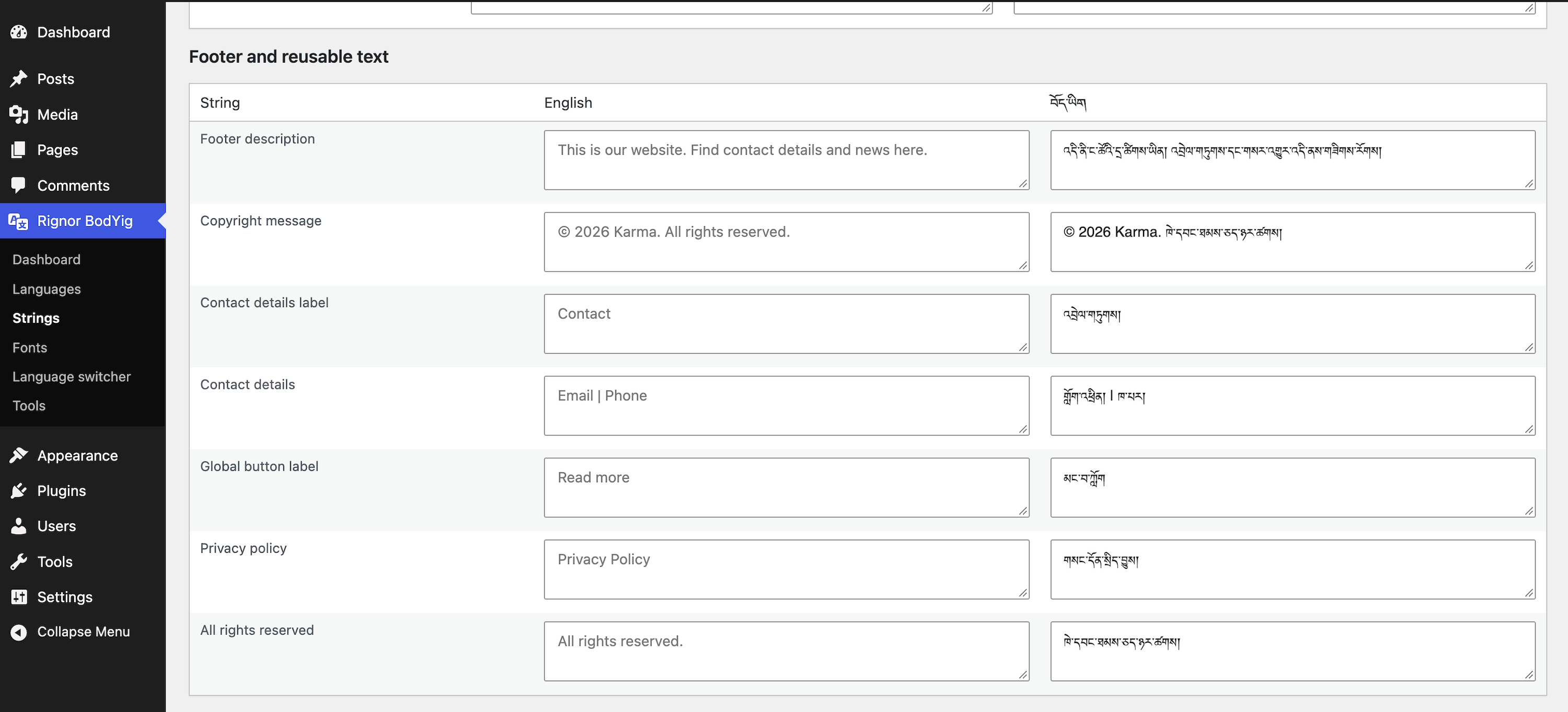
Website name, tagline, menus, pages, posts, excerpts, categories, tags, footer text, widgets, form labels, search, breadcrumbs, pagination, error messages, login labels, SEO titles and descriptions.
Tibetan string defaults replace matching English already printed by the theme, in the same place. Unmatched strings are not added to the layout. Pages and posts are never auto-filled.
How translations are stored
Each language is an independent WordPress post (or term) linked by a stable translation group ID. English content is never overwritten when you edit Tibetan. Publish status and revisions are independent.
Front-end language switcher
Enable or disable it. Styles: dropdown, inline links, globe icon, text labels, custom icons. Place it in the header menu, a widget, a block, or:
[rignor_bodyig_language_switcher]
URLs
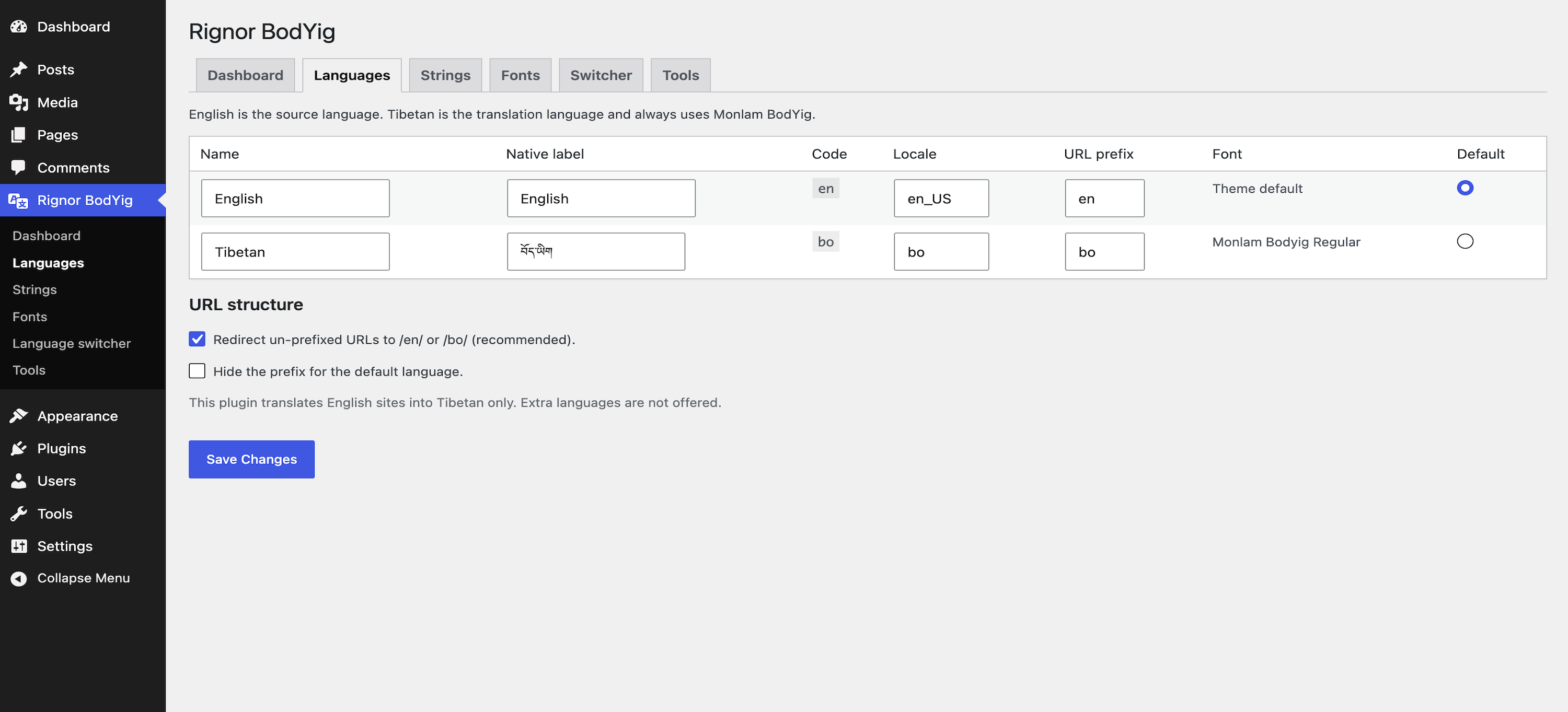
Configurable prefixes such as /en/ and /bo/. Language-specific slugs, canonical URLs, hreflang, and sitemap-compatible permalinks. Flush permalinks once after changing prefixes (Rignor BodYig Tools, or Settings Permalinks Save).
Privacy
Rignor BodYig does not send data to Rignor Labs or any third party. A first-party cookie (rignor_bodyig_lang) stores the visitor’s language choice on their site so navigation stays in that language. No analytics, ads, or remote scripts are loaded.
Screenshots

Blocks
This plugin provides 2 blocks.
- Switcher
- Translated text
Installation
- Upload the
rignor-bodyigfolder to/wp-content/plugins/. - Activate Rignor BodYig through the Plugins screen.
- Open Rignor BodYig Languages. Set the default language and URL prefixes.
- Open Rignor BodYig Tools and flush permalinks.
- Edit a page. Use the language panel to create the Tibetan version and write it independently.
- Translate Strings (only labels the theme already prints) and menu labels.
- Enable the language switcher.
FAQ
-
How do I translate a post or page?
-
Open the English post or page. In Language & translations, click Add this language next to Tibetan. Write the Tibetan title and body on that new item, then Publish it. The language switcher then opens the matching version. Do not change the language dropdown on the English item — that would relabel the same content instead of creating a second version.
-
Does this auto-translate?
-
No. Administrators enter every translation. Built-in Tibetan defaults are used only where matching English already appears in the theme.
-
Will it change my existing posts?
-
On activation it only adds language and translation-group metadata. IDs, titles and content stay as they are. Deactivation flushes rewrite rules and leaves content in place.
-
Which languages are supported?
-
English and Tibetan only.
-
Does this plugin collect or send data?
-
No. It does not phone home, load remote scripts, or track visitors. Language choice is stored in a cookie on the visitor’s site only.
-
Are the bundled fonts free to redistribute?
-
Yes. Bundled Monlam-bodyig faces are SIL Open Font License 1.1 (GPL-compatible). See
fonts/OFL.txt. Other faces, such as Monlam Uni OuChan2, can be added from the Fonts screen if you have the right to use them.
Reviews
There are no reviews for this plugin.
Contributors & Developers
“Rignor BodYig” is open source software. The following people have contributed to this plugin.
Contributors
Translate “Rignor BodYig” into your language.
Interested in development?
Browse the code, check out the SVN repository, or subscribe to the development log by RSS.
Changelog
1.0.18
- Verify metabox nonce when assigning language on new posts.
1.0.17
- Harden remaining input sanitization, term capability checks, and term meta REST callbacks.
1.0.16
- Sanitize request URI and language cookie; escape shortcode and translated HTML output.
- Set Contributors to the submitting WordPress.org username.
1.0.15
- Ship only SIL OFL Monlam-bodyig faces. Uni faces such as OuChan2 are not bundled.
1.0.14
- Restore bundled Monlam Uni faces, including OuChan2, ChoukMatik, Dutsa1, and Dutsa2.
1.0.13
- Remove macOS hidden files and disallowed suppress_filters query flags.
1.0.12
- Plugin Check: escape widget output and satisfy nonce, cookie, and uninstall prefix checks.
1.0.11
- Plugin header uses the author site only; Plugin URI is omitted until a dedicated plugin page exists.
1.0.10
- Page translations are linked correctly so the language switcher opens the matching page.
1.0.9
- Language switcher button size, padding, corners and border are adjustable in settings.
1.0.8
- Language switcher is a labelled button. Background and text colours are set under Language switcher.
1.0.7
- Align the language switcher with header menu items and keep it visible while scrolling.
1.0.6
- Replace existing English theme strings in place only.
- Scan the active theme for translatable labels.
- Language switcher follows the theme menu styles.
- WordPress.org plugin header, readme, and license files aligned.
1.0.0
- First public release: font engine and manual multilingual CMS.