

Description
Resovu is an online booking system for service businesses (salons, studios, clinics, tutors, shops with in-store appointments) and small accommodation hosts. This plugin puts your Resovu booking page on your WordPress site.
It works for both product lines of Resovu:
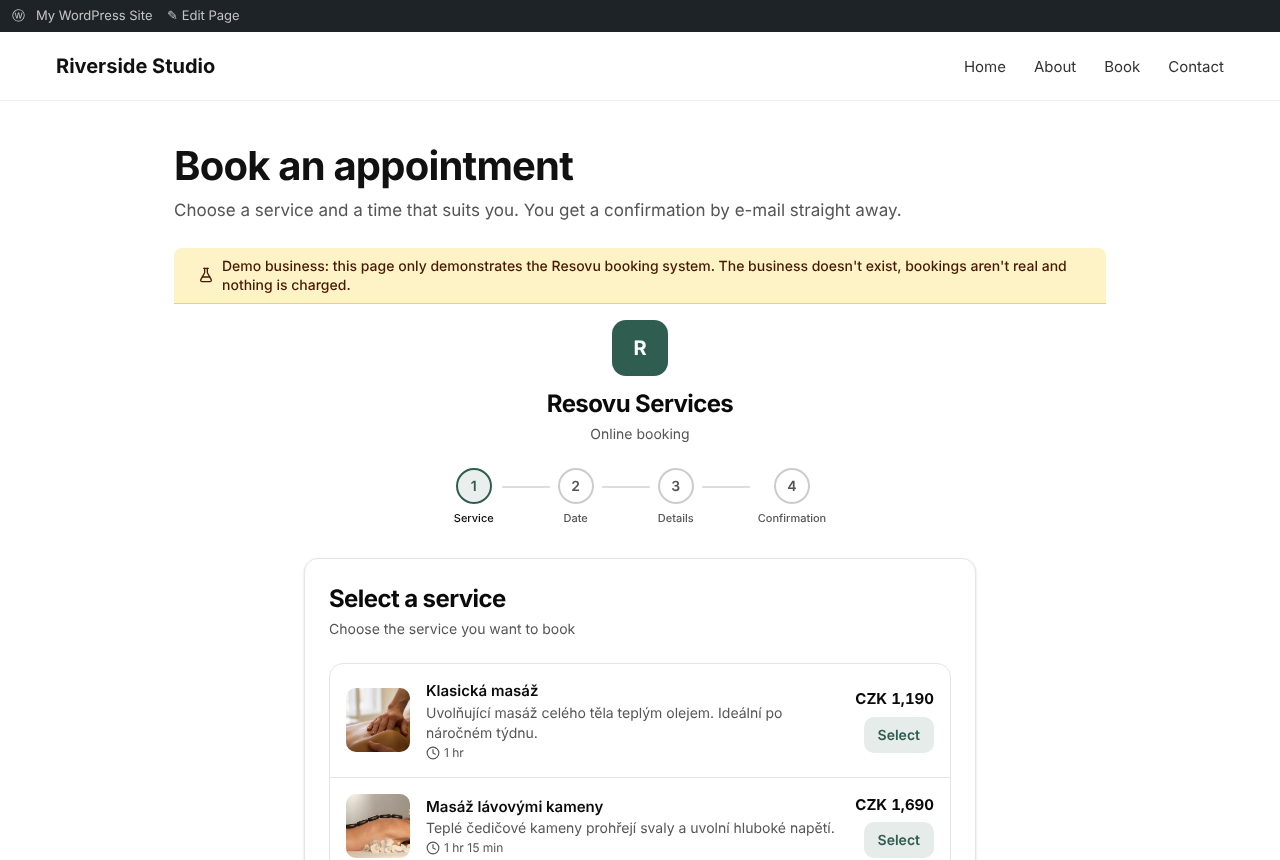
- Appointments – services, classes and events: the visitor picks a service, a time and optionally a staff member
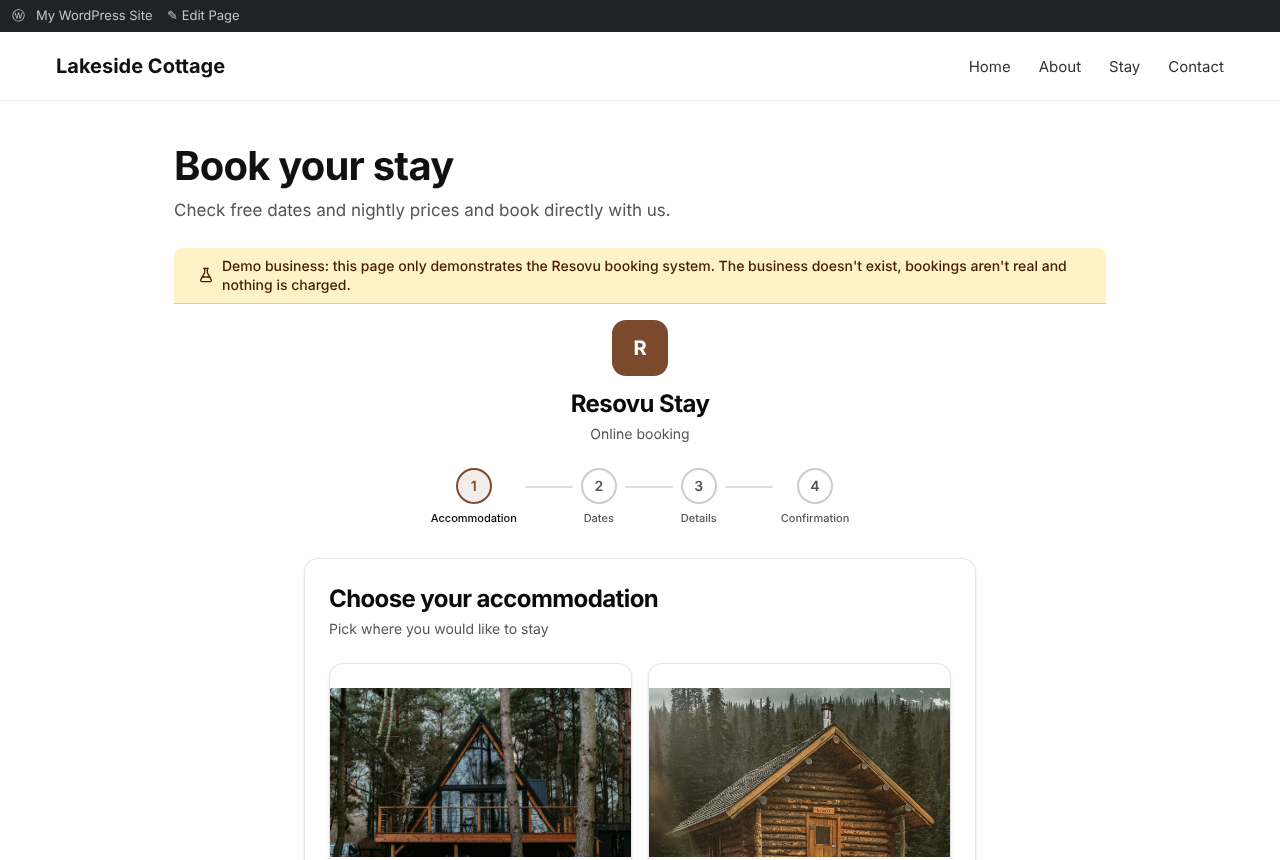
- Accommodation (stays) – holiday homes, apartments and guesthouses: the visitor picks a unit and dates in a calendar with nightly prices and sees the total price
The plugin shows the right booking form automatically, based on how the business is set up in Resovu.
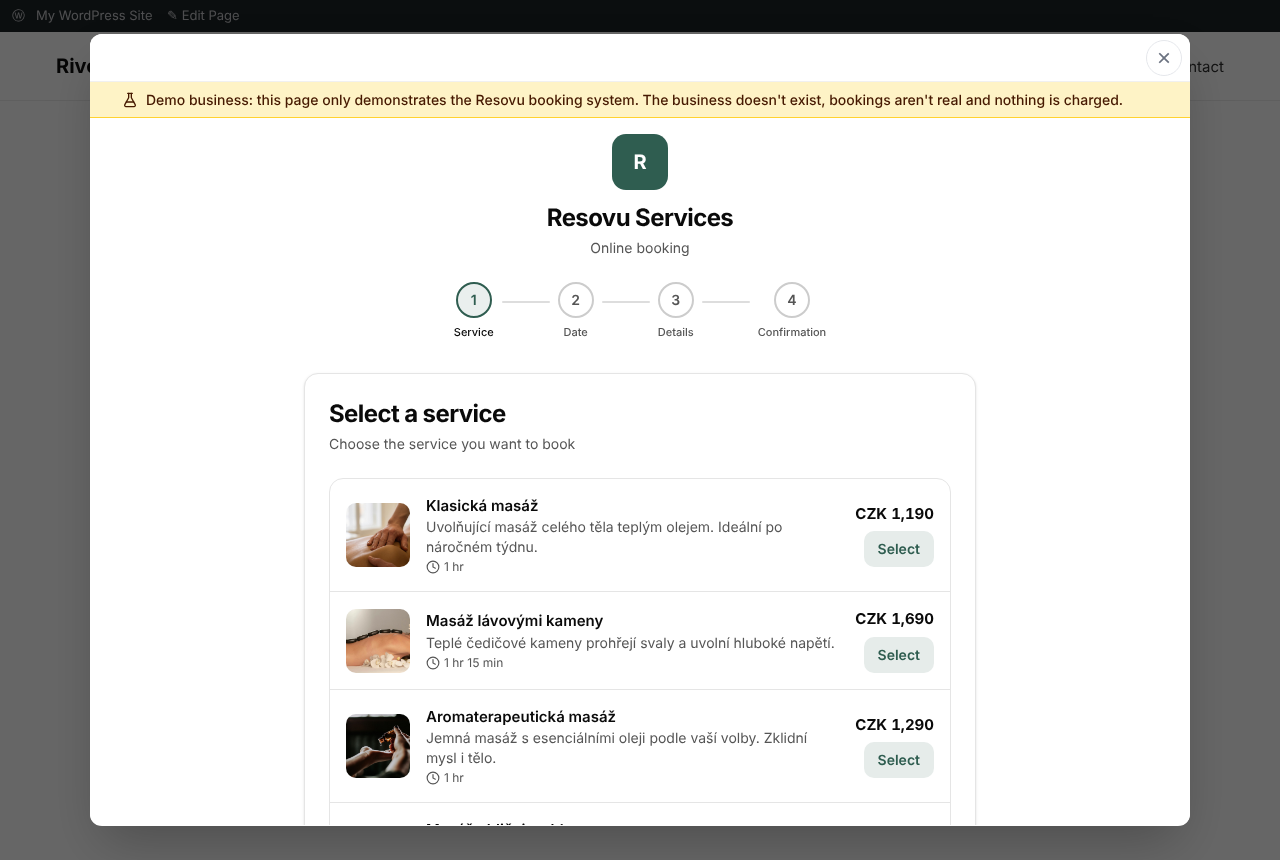
[resovu_booking]– the booking form inside the page[resovu_button]– a button that opens the booking in a window; the visitor stays on your site- Booking in Czech, Slovak, English, German, Polish, Hungarian, Spanish, Norwegian and French, or automatically in your site’s language
- Optional: preselect a service (
service="…") or send the current page (for example a product) with the booking (context="auto")
You need a Resovu account (a free plan is available): https://www.resovu.com
External services
This plugin connects to Resovu, the booking service it embeds.
- What is loaded: the script https://www.resovu.com/widget.js and, inside it, your booking page from https://www.resovu.com.
- When: only on pages that contain the
[resovu_booking]or[resovu_button]shortcode. - What is sent: the visitor’s browser requests these files from Resovu, as with any embedded content. With
context="auto"the page title and address are sent with the booking. The data a visitor enters into the booking form goes to Resovu and to the business that runs the booking page. - Service provider: Resovu – Terms: https://www.resovu.com/en/terms – Privacy: https://www.resovu.com/en/privacy
Screenshots

Installation
- In WordPress go to Plugins Add New and search for “Resovu Booking” (or upload the zip file under Plugins Add New Upload Plugin).
- Activate the plugin.
- Go to Settings Resovu Booking and enter your business address in Resovu (the part after resovu.com/).
- Put
[resovu_booking]or[resovu_button]on any page.
FAQ
-
Do I need a Resovu account?
-
Yes. You can start on the free plan at https://www.resovu.com.
-
Can I use it on more pages?
-
Yes. Use
[resovu_booking]once per page;[resovu_button]can be used as many times as you like. -
Yes:
[resovu_button text="Book a visit"]. Without text the button says “Book now” in the booking language.
Reviews
There are no reviews for this plugin.
Contributors & Developers
“Resovu Booking” is open source software. The following people have contributed to this plugin.
Contributors
Translate “Resovu Booking” into your language.
Interested in development?
Browse the code, check out the SVN repository, or subscribe to the development log by RSS.
Changelog
1.1.0
- Packaged as a zip file for Plugins Upload Plugin.
- All 9 Resovu languages and “same as the website”.
- Default button text in the booking language.
- Optional service, page context and product code attributes.
- Settings are sanitised; the setup note is shown to editors only.
- Settings are removed when the plugin is deleted.
1.0.0
- First version.