Description
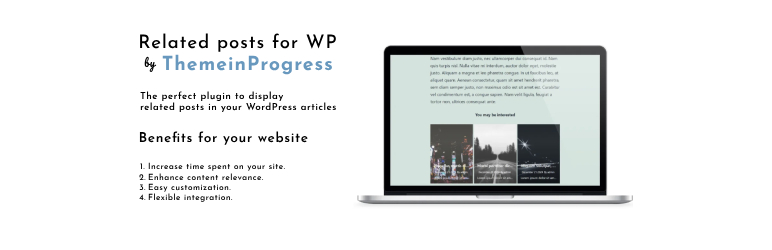
Related Posts by ThemeinProgress is the perfect plugin to easily display related posts in your WordPress articles.
Customize the appearance with 3 predefined layouts, hiding elements such as images, titles, dates, or authors. Use a dedicated shortcode to display them anywhere in your content.
Benefits:
Increase time spent on your site: Displaying related posts engages visitors and encourages further navigation.
Enhance posts relevance: Related posts are fetched intelligently, improving the user experience.
Easy customization: Adapt the style of related posts to match your site’s design effortlessly.
Flexible integration: Add related posts anywhere with shortcode.
Free features.
3 predefined layouts
Choose from 3 different layouts for displaying related posts.Flexible columns
Display related posts in 1, 2, or 3 columns.Custom styling
Customize the alignment, border color, link hover color, and spacing of the related posts section.Custom section title
Enable or disable the section title and customize its text.Post elements
Choose which post elements to display, including titles, dates, authors, author labels, and summaries.Typography settings
Customize font sizes for the section title, post titles, metadata, summaries, and responsive layouts.Custom number of posts
Choose how many related posts to display.Related posts by category or tag
Display related posts based on the category or tags of the current post.Link attributes
Customize the target and rel attributes of related post links.Content position
Control the position of the related posts section using the the_content hook priority.Featured image options
Hide posts without a featured image and set a placeholder image for posts without one.Shortcode support
Display related posts anywhere in your content using the shortcode and prevent automatic related posts from appearing when the shortcode is used.
Premium features.
AI Engine
AI Engine can identify more relevant related posts by analyzing the meaning and context of your content.Click statistics
Monitor how visitors interact with your related posts, with filters, hourly charts, device data, and detailed click events.Carousel
Display a carousel of related posts (available only with the Classic, Hero and Hero Minimal layouts).Option to manage the border radius
Customize the border radius of related posts.Multiple matching criteria
Besides the options available in the free version, you can choose how related posts are matched: by category, post tags, post titles, or custom keywords.Options to manage the featured image
Set the thumbnail size and choose how to resize the image: maintain the aspect ratio or crop the image to the specified dimensions.Additional options to manage the post elements
Additional options to manage the post elements, such as linking the title to the content, the author to their page, customizing the “Author” label, and truncating long content with ellipsis.Option to exclude specific categories
You can select one or more categories to exclude from the related posts.Option to exclude specific tags
You can select one or more post tags to exclude from the related posts.Option to exclude specific posts
You can select one or more posts to exclude from the related posts.Custom keywords
You can use custom keywords as Engine Search but you will need to set the keywords for each post to generate the list of related posts.Device selection
You can select the device where you want to display the related posts.Order by option
You can select how to order the related posts.Sort order option
You can select the ordering of related posts.Shortcode generator
Use a dynamic shortcode generator to add a specific related posts inside the WordPress article.AMP support
Display rightly the related posts in AMP pages.Custom post types support
You can enable the related posts for specific custom post types.WordPress Pages Support
You can enable related content for WordPress pages as well. Related pages will be automatically determined based on keywords or the parent-child relationship between pages.Backup section
You can create a backup of plugin settings, import an existing backup or restore the default settings.
Live demo:
https://demo.themeinprogress.eu/tip-related-posts-pro/
You can get the premium version, from the following link:
https://www.themeinprogress.com/related-posts-pro-wordpress-plugin-by-themeinprogress/
Installation
Once you have installed the plugin, you just need to activate the plugin in order to enable it.
Configuration
Install Related Posts by ThemeinProgress will add a new admin page, where you can manage all tracking codes and scripts.
Translators
Available Languages
- English (Default)
- Italiano
Screenshots


Installation
- Upload the plugin files to the ‘/wp-content/plugins/tip-related-posts’ directory, or install the plugin through the WordPress plugins screen directly.
- Activate the plugin through the ‘Plugins’ screen in WordPress
- Go to ‘Related Posts by ThemeinProgress’ page to configure the plugin.
Reviews
There are no reviews for this plugin.
Contributors & Developers
“Related Posts by ThemeinProgress” is open source software. The following people have contributed to this plugin.
Contributors
“Related Posts by ThemeinProgress” has been translated into 1 locale. Thank you to the translators for their contributions.
Translate “Related Posts by ThemeinProgress” into your language.
Interested in development?
Browse the code, check out the SVN repository, or subscribe to the development log by RSS.
Changelog
1.0.6
Release date – October, 06 – 2026
- Added: Option to hide the upsell notice in the plugin settings
- Improved : Code optimization
1.0.5
Release date – August, 31 – 2026
- Improved : Code optimization
- Tested with WordPress 7.1
1.0.4
Release date – July, 25 – 2026
- Removed: Leftover upsell files no longer used by the plugin
1.0.3
Release date – July, 23 – 2026
- Removed : Upsell link from the plugin settings tabs
- Removed : Upsell notice from the WordPress admin
- Added : Upsell section directly within plugin settings
- Improved : Code optimization
1.0.2
Release date – June, 07 – 2026
- Edit : Code optimized
- Tested with WordPress 7.0
1.0.1
Release date – May, 14 – 2025
- Edit : Code optimized
- Tested with WordPress 6.8
1.0.0
Release date – January, 16 – 2025
- Initial release