

Description
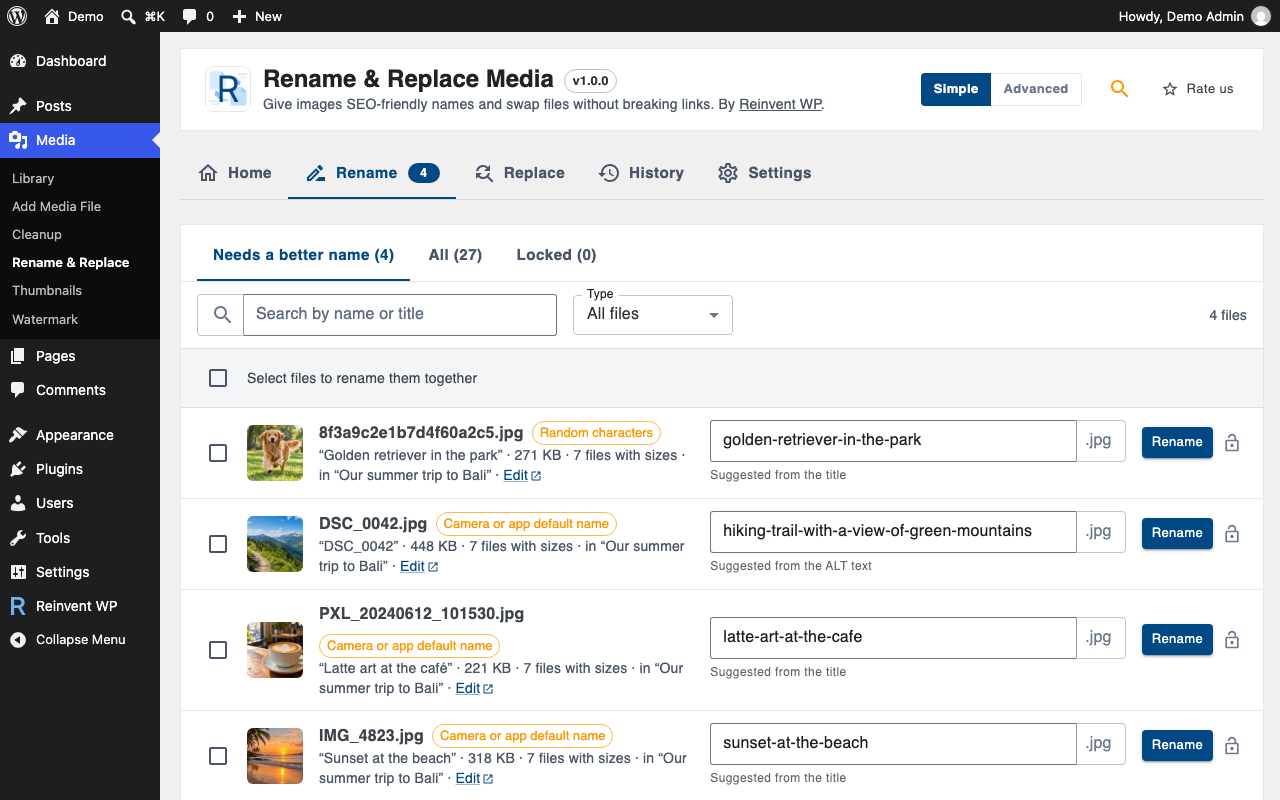
Your Media Library is full of names like IMG_4521.jpg, DSC_0042.jpg and Screenshot-2024-…png. Search engines read file names, and so do people. Reinvent Rename & Replace Media finds those names, suggests better ones and renames them safely.
Rename images for SEO. We spot camera, phone and screenshot names, random characters and number-only names, and suggest a better name from the image title, ALT text or the post it belongs to. Rename one at a time, or many at once with a pattern like {post_title}-{counter} and a preview before anything changes.
Nothing breaks. Renaming changes every file of the image: the original, every size, the “-scaled” copy, edited versions and WebP/AVIF copies. Then every link is updated: posts and pages, page builders (Elementor, Divi, Beaver Builder, Bricks, WPBakery…), custom fields (ACF, Meta Box…), widgets, theme settings and comments. If any file can’t be renamed, everything is put back.
Old links keep working. Someone with an old link, Google Images or an email you sent last year still gets the image: old file names redirect to the new ones automatically, for every size.
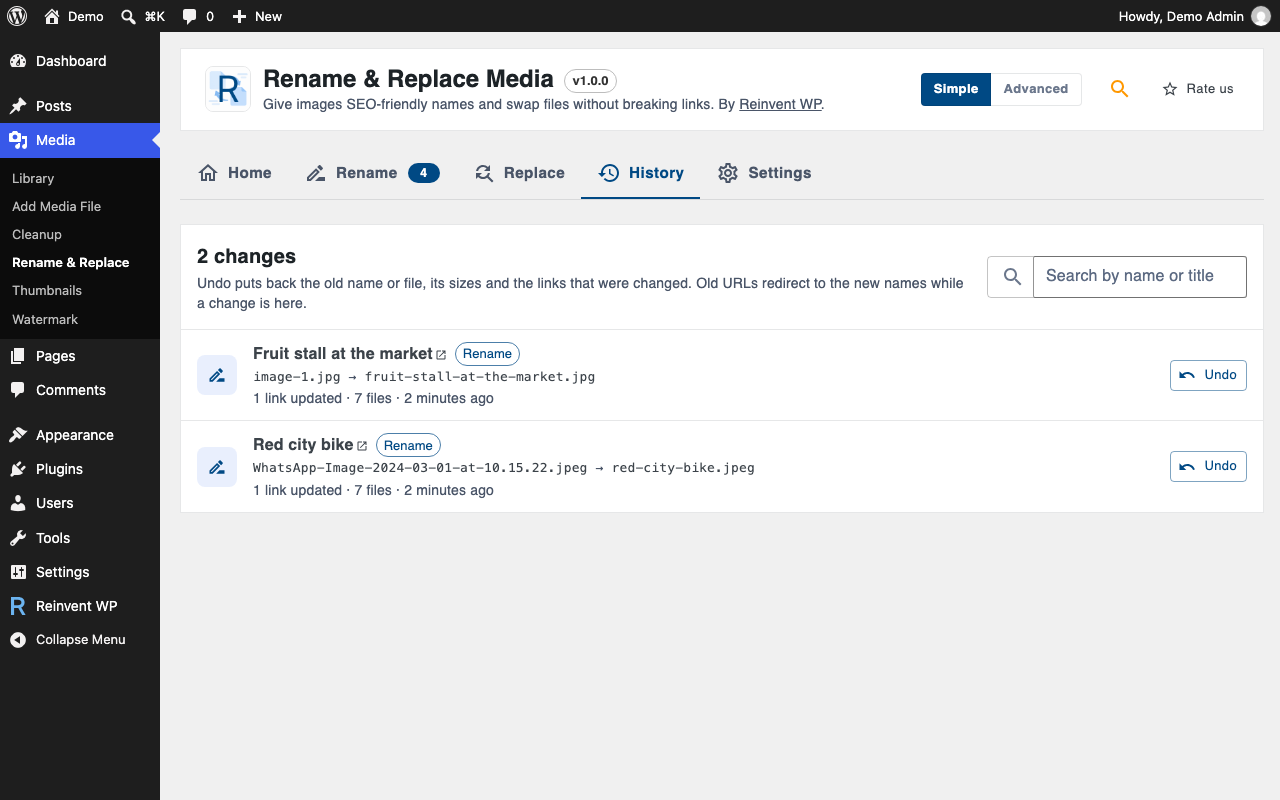
Undo anything. Every rename and replace is in the History, with one-click undo for the files, the data and the links.
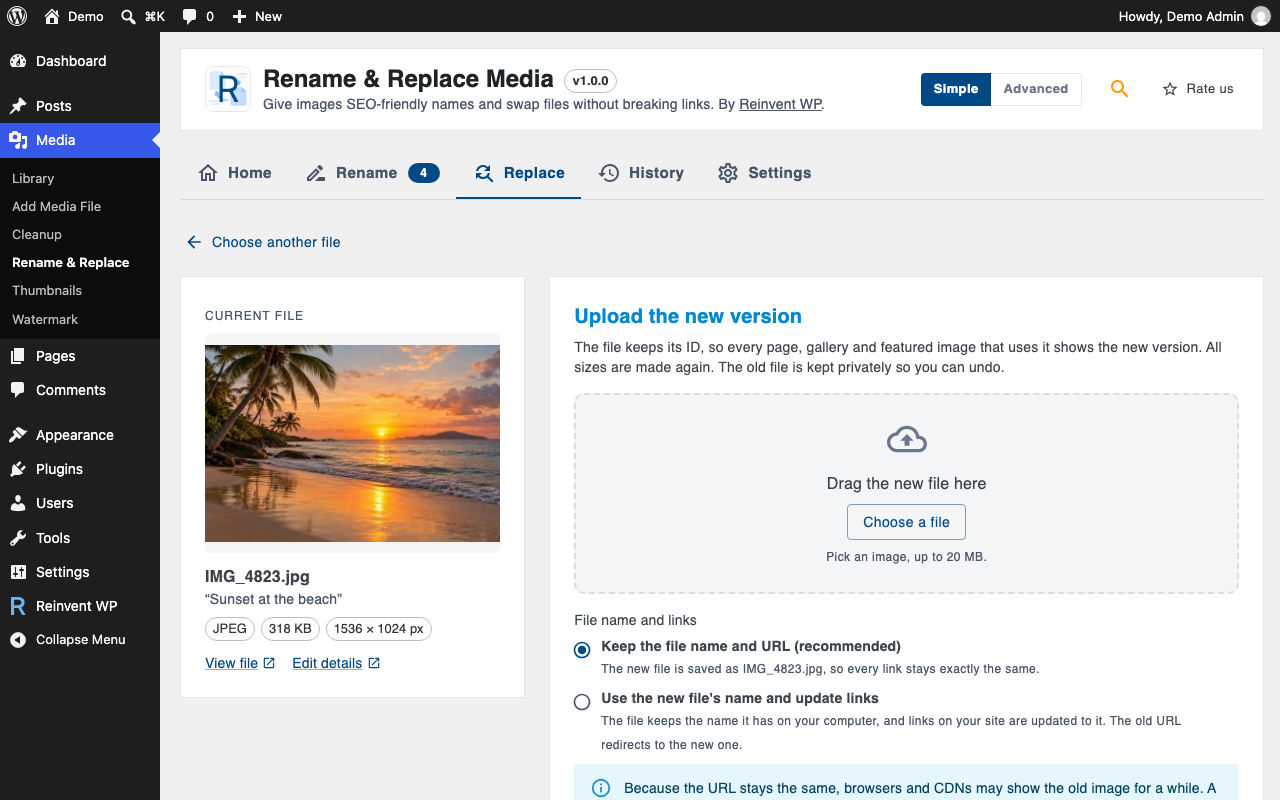
Replace a file, keep the URL. Upload a new version of an image or PDF and keep its URL, ID and everywhere it’s used. Or use the new file’s name and update the links. The old file is kept aside so you can undo.
Good names from the start. New uploads get clean names automatically: lowercase, no accents, hyphens instead of spaces. Or name them after the post you upload them to.
Everything is free
- Find bad file names and get suggestions
- Rename one file, or many with patterns and a preview
- Updates links in posts, page builders, custom fields, options, widgets and comments
- 301 redirects from old file names, for every size
- History with undo
- Replace files: keep the URL, or use the new name
- Clean names on upload
- Lock files you never want renamed
- “Rename” and “Replace file” in the Media Library
- Simple and Advanced modes, plus a settings search that understands plain words
- WP-CLI:
wp rename-media find,rename,bulk,undo
Safe by design
- Plans the whole rename first and never overwrites another file.
- All or nothing: if one file can’t be renamed, the others are put back.
- Serialized and JSON data (used by page builders) is decoded, updated and saved correctly. Anything that can’t be updated safely is left as is and reported.
- Replaced files are moved to a private folder, never deleted, so undo always works.
Tip: keep a recent backup, like with any tool that changes files.
External services
Rename & Replace Media works on your server. Your files are never uploaded anywhere. The plugin connects to one external service, operated by us:
Reinvent WP Services (services.reinventwp.com), used for four things:
- Settings search. When you type in the settings search box on the plugin’s admin page, it sends the text you typed, the plugin name and the plugin version to find matching settings. Nothing is sent until you type a search.
- Error reports. They are sent only after you click “I Agree” on the privacy notice in the plugin’s admin page. When the admin page hits an error, it sends the error message, the admin page URL (which includes your site address), your browser’s user agent and the plugin version, so we can fix the problem. Before you agree, errors are only saved in the plugin’s own error log on your site.
- The list of Reinvent WP apps on the Reinvent WP Dashboard page. When an administrator opens that page, your site downloads the current list at most once a day and keeps a copy. Nothing about your site or you is sent.
- The assistant (the Describe a problem with your site field) on the Reinvent WP Dashboard page and on this plugin’s page. When you send a question, it is sent with any screenshots or text files you attach to it (of a file, only its newest part, with emails, IP addresses, passwords and keys hidden by your browser first), the last few messages of the conversation and the list of Reinvent WP plugins on your site (whether each is active, inactive or not installed, and its version), so the answer can point to the right plugin and setting. Nothing is stored; the conversation stays in your browser tab. If you send feedback from the assistant’s form, your email, site address and message go to the Reinvent WP team, like the feedback form.
Reinvent WP Services: Terms of use, Privacy policy.
Source Code
The admin screen is built with React and TypeScript. The compiled files in public/js are generated with webpack from the human-readable source code included in the plugin at source/admin. The Reinvent WP Dashboard page and the assistant (public/hub) are built from https://github.com/reinventwp/reinventwp-apps.
Screenshots

Installation
- Install the plugin from Plugins Add New, or upload the zip.
- Activate it. You land on Media Rename & Replace.
- Review the suggested names and rename.
FAQ
-
Will renaming break my pages?
-
No. Every link to the file and all its sizes is updated, including inside page builders and custom fields. Old URLs also redirect to the new names, so links from other sites and search engines keep working.
-
Can I undo a rename?
-
Yes. Open History and click Undo. The files, the image data and the links go back to how they were. Undo the newest change of an image first.
-
What’s the difference between the two replace options?
-
“Keep the file name and URL” puts the new file under the old name, so nothing else changes. Use it for an updated version of the same image or PDF. “Use the new file’s name” gives the item the new file’s name and updates the links, which is useful when the type changes (for example PNG to JPG).
-
Why do I still see the old image after replacing it?
-
Your browser or a CDN may have the old file cached under the same URL. Reload with Shift held down, or clear your CDN cache. We clear the caches of common caching plugins automatically.
-
Does it change the attachment’s URL in the database (GUID)?
-
No. WordPress uses the GUID as a permanent ID, so it stays as it is.
Reviews
There are no reviews for this plugin.
Contributors & Developers
“Reinvent Rename & Replace Media” is open source software. The following people have contributed to this plugin.
Contributors
Translate “Reinvent Rename & Replace Media” into your language.
Interested in development?
Browse the code, check out the SVN repository, or subscribe to the development log by RSS.
Changelog
1.0.2
- New: describe a problem with your site on the Reinvent WP Dashboard page or on this plugin’s page, and the assistant suggests the Reinvent WP app that fixes it.
- New: the Reinvent WP Dashboard page shows your Reinvent WP apps first, then the others you can install, from an up-to-date list (read once a day, with a built-in list as fallback).
1.0.1
- The Reinvent WP Apps page loads its styles with wp_add_inline_style() instead of an inline style tag.
- A case-only rename (Beach.jpg to beach.jpg) never overwrites another file with that name on case-sensitive servers, and undoing a replace never overwrites a file that took the old name.
1.0.0
- First release.