

Description
Reignat is a simpler, privacy-friendly alternative to Google Analytics with realtime insights, performance metrics, funnels and shareable public stats.
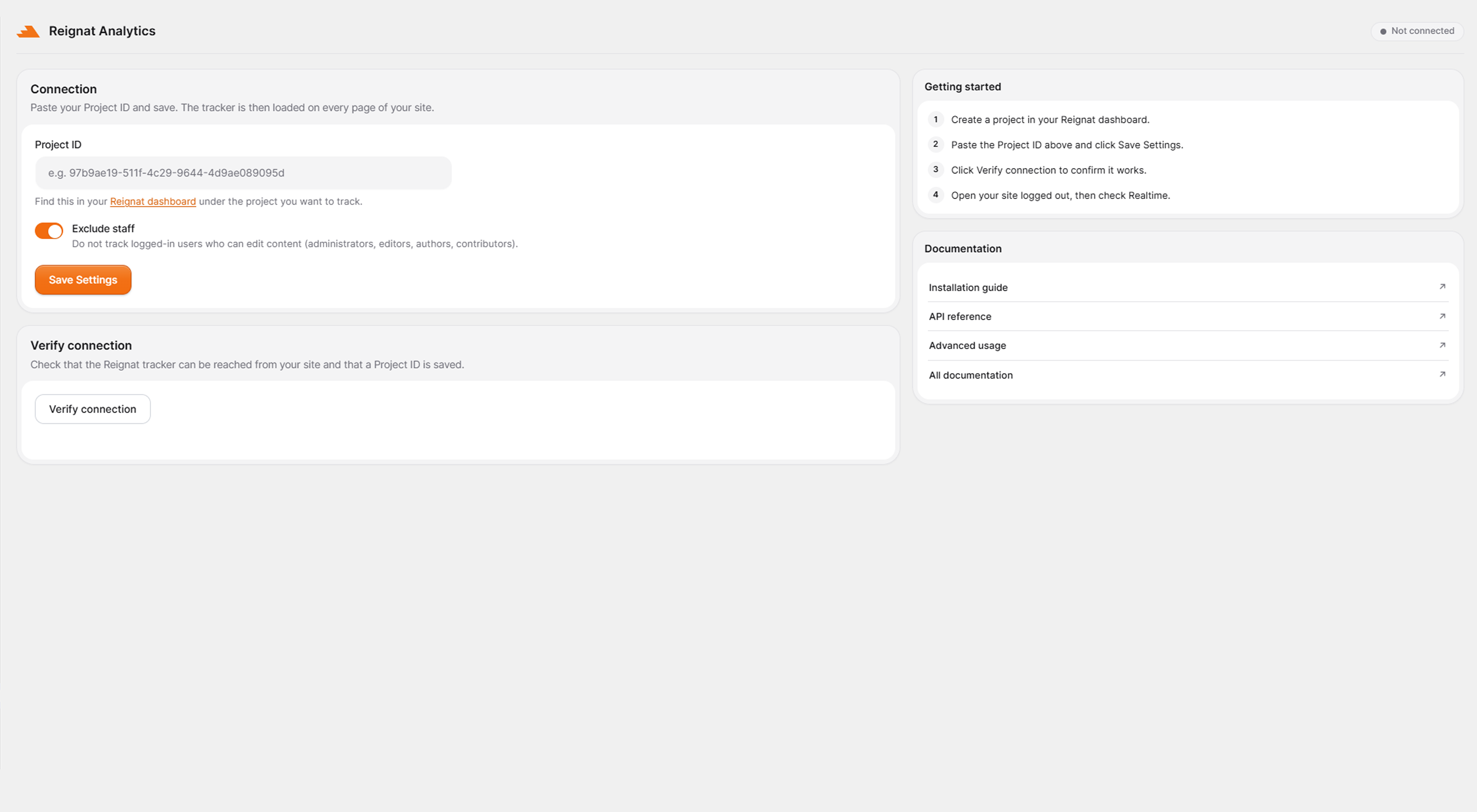
This plugin connects your WordPress site to your Reignat account. Enter the Project ID from your Reignat dashboard, save, and the lightweight tracking script is automatically added to every page — no theme editing required.
Features
- One-field setup — just paste your Project ID and save.
- Lightweight, deferred tracking script that does not slow your site down.
- Optionally exclude logged-in staff (administrators, editors, authors, contributors) so your own visits do not inflate your stats.
- “Verify connection” button to confirm the tracker can be reached from your site.
- Clean, privacy-focused analytics without the bloat of traditional tools.
You will need a Reignat account and a project. Create one for free at https://reignat.com.
External services
This plugin relies on Reignat, a third-party analytics service, to collect and display your site’s analytics. Your site will not send any data to Reignat until you enter a Project ID and save the settings.
1. Loading the tracker script (front end)
Once a Project ID is saved, the plugin loads the Reignat tracking script (https://reignat.com/tracker.js) on your site’s public pages. When a visitor loads a page, the script sends analytics data to https://reignat.com/api/track, including: page URL and referrer, browser, operating system, device type, approximate country/region/city (derived from IP at the time of the request and not stored as a raw IP), an anonymous visitor/session identifier, time on page, and basic performance (web vitals) metrics. To recognise returning visitors, the script stores a randomly generated identifier in the visitor’s browser (using local storage, with a first-party cookie as a fallback). Depending on your jurisdiction you may need to inform visitors or obtain consent.
2. Verifying the connection (admin only)
When you click the “Verify connection” button on the plugin settings page, your site makes a single server-side request to https://reignat.com/tracker.js to confirm the tracker is reachable. No personal data is sent in this request.
By using this plugin you are sending data to Reignat. Please review:
- Reignat website: https://reignat.com
- Privacy policy: https://reignat.com/privacy
- Terms of service: https://reignat.com/terms
Screenshots

Installation
- Upload the
reignat-analyticsfolder to the/wp-content/plugins/directory, or install the plugin through the WordPress plugins screen directly. - Activate the plugin through the “Plugins” screen in WordPress.
- Click Reignat Analytics in the left-hand admin menu.
- Paste your Project ID from your Reignat dashboard (https://reignat.com/dashboard) and click Save Settings.
- (Optional) Click Verify connection to confirm the tracker is reachable.
- Visit your site in a logged-out browser, then open Realtime in your Reignat dashboard to see traffic.
FAQ
-
Do I need a Reignat account?
-
Yes. This plugin connects an existing Reignat project to your WordPress site. You can create an account and a project at https://reignat.com.
-
Where do I find my Project ID?
-
Open your Reignat dashboard, select the project you want to track, and copy its Project ID (the same value used in the
data-siteattribute of the tracking snippet). -
My own visits are showing up in the stats.
-
Enable the “Exclude staff” option on the settings page (on by default). It stops the tracker from loading for logged-in users who can edit content.
-
Does this work with caching plugins?
-
Yes. The tracker is a standard deferred script tag added to the page, so it is compatible with full-page caching.
-
Can I point the tracker at a custom/self-hosted domain?
-
Yes, developers can change the script URL with the
reignat_analytics_script_srcfilter.
Reviews
There are no reviews for this plugin.
Contributors & Developers
“Reignat Analytics” is open source software. The following people have contributed to this plugin.
Contributors
Translate “Reignat Analytics” into your language.
Interested in development?
Browse the code, check out the SVN repository, or subscribe to the development log by RSS.
Changelog
1.0.2
- Tweak: the tracker’s defer and data-site attributes are now added through the WordPress script API instead of printing a script tag.
1.0.1
- New: top-level admin menu with the Reignat icon and a live connection-status badge.
- New: redesigned settings screen with a two-column layout, Getting started, and Documentation cards.
- New: subtle interface animations that respect reduced-motion preferences.
1.0.0
- Initial release: paste Project ID, exclude staff option, and Verify connection button.