

Description
RedKirin Calendar Flex for Google Calendar turns one or more public Google Calendar ICS feeds into a calendar that is rendered with your own HTML, CSS and JavaScript on your WordPress site. Google’s embed iframe is not used, so the calendar inherits your theme and can be styled freely.
Features
- Register up to five public Google Calendar ICS URLs per calendar, each with its own display name and color.
- Month, week and day views with previous / today / next navigation, optionally switchable by visitors.
- Limit navigation to the present and future, or to a number of months ahead.
- Optional Japanese public holidays (fetched from Google’s public holiday calendar, observances excluded).
- Event details in an accessible modal (keyboard, ESC, focus management).
- Recurring events (RRULE, RDATE, EXDATE, RECURRENCE-ID, cancelled instances) and time zones are handled server side.
- Server-side caching (default 60 minutes) with stale fallback when Google is unreachable.
- Base stylesheet built on CSS custom properties, five color themes, and a switch to disable the base CSS entirely.
- Theme template overrides: copy
month.php,week.php,day.phpor the parts intoyour-theme/redkirin-calendar-flex-for-google-calendar/. - Shortcode:
[redkirin_calendar id="123"]. - Live preview in the editor that follows unsaved changes.
Not included (by design)
- Private calendars, Google API keys or OAuth. Only the public ICS address of a calendar is supported.
- Real-time synchronization. Google updates public ICS feeds with a delay of up to several hours, and the plugin caches the data.
This plugin is not affiliated with, endorsed by, or sponsored by Google LLC. Google Calendar is a trademark of Google LLC.
External services
This plugin retrieves calendar data from Google’s public ICS feeds.
- Service: Google Calendar public ICS feeds (
calendar.google.com). - What is sent: Your WordPress server requests the ICS URL(s) that an administrator entered in the plugin settings, and, when the “Show Japanese public holidays” option is enabled, Google’s public Japanese holiday calendar URL. Requests include the server’s user agent string and, for conditional requests, the ETag / Last-Modified values of the previous response. No visitor data is sent; visitors’ browsers never contact Google.
- When: When a calendar is displayed and the cache (default 60 minutes) has expired, when an administrator presses “Refresh now” or “Test connection”, and when the live preview in the editor is updated.
- Terms and privacy: Google Terms of Service, Google Privacy Policy.
Screenshots
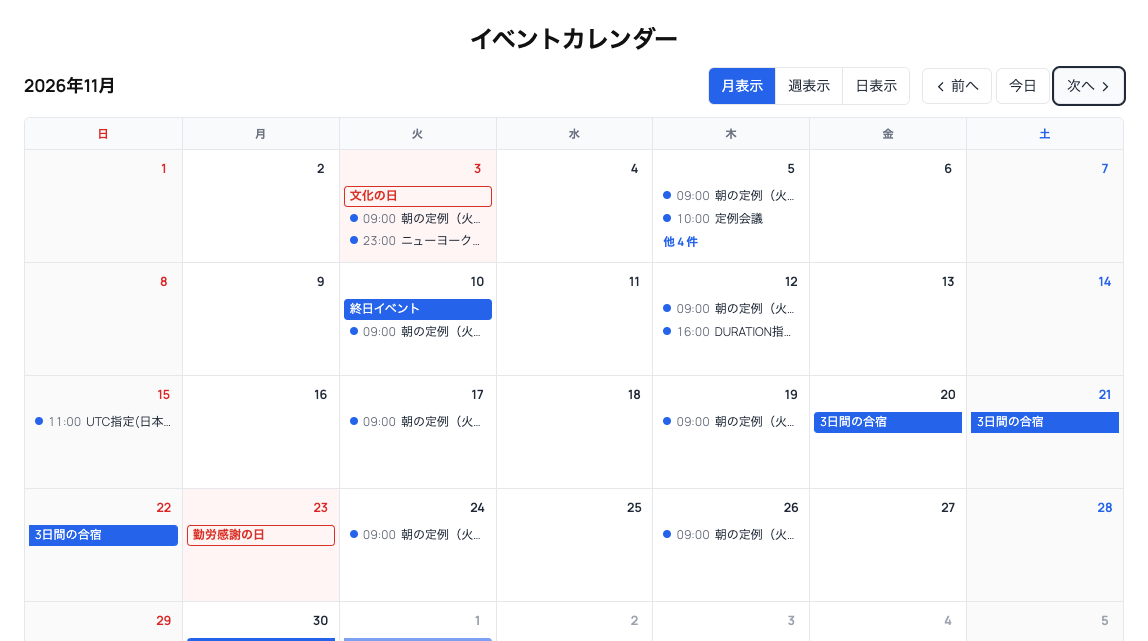

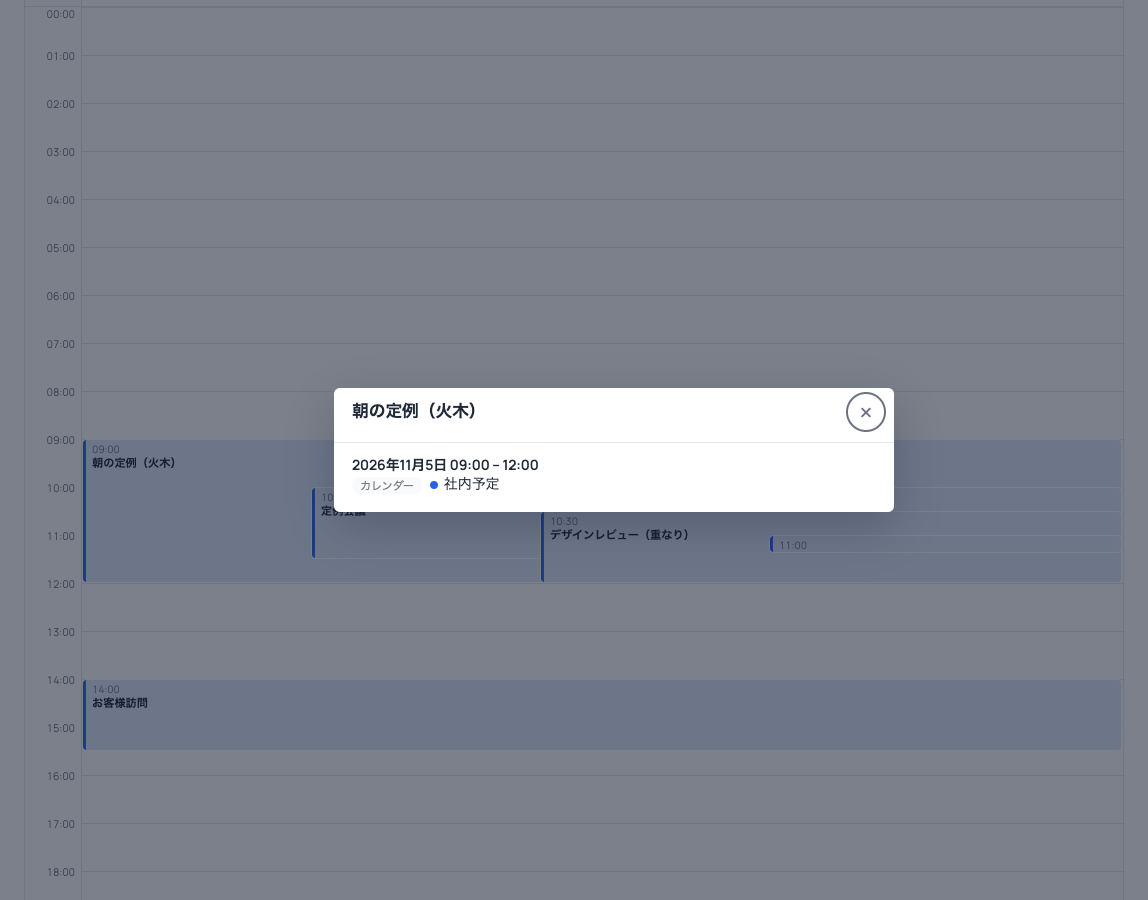

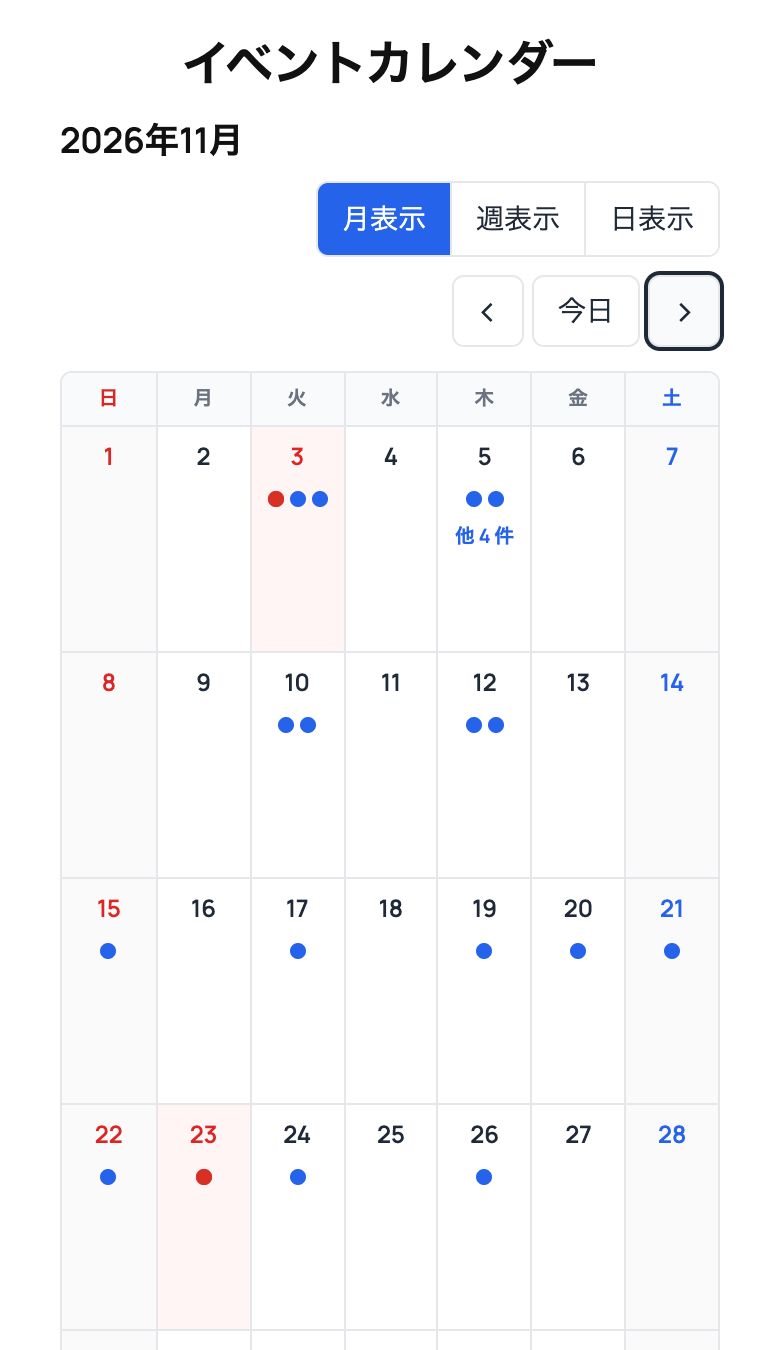
Installation
- Upload the plugin ZIP via Plugins Add New Upload Plugin, or copy the
redkirin-calendar-flex-for-google-calendarfolder into/wp-content/plugins/. - Activate the plugin.
- In Google Calendar, open the calendar’s settings, enable Make available to public and copy the Public address in iCal format.
- Go to RedKirin Calendar Flex for Google Calendar Add New, paste the ICS URL, press Test connection, adjust the display options and save.
- Paste the shortcode shown on the edit screen into a post, page or shortcode widget.
FAQ
-
Why do new events not appear immediately?
-
Two caches are involved: Google regenerates public ICS feeds with a delay (often several hours), and this plugin caches the downloaded data for 60 minutes by default. Use Refresh now on the calendar edit screen to clear the plugin cache.
-
Can I show a private calendar?
-
No. Only public ICS addresses are supported. Making a calendar public in Google Calendar is required.
-
Can I use ICS feeds from services other than Google?
-
By default only
calendar.google.comandwww.google.comare allowed for security reasons. Developers can extend the list with therkgcf_allowed_ics_hostsfilter. -
How do I change the design?
-
Override the CSS custom properties on
.rk-calendar(for example--rk-calendar-primary,--rk-calendar-border,--rk-calendar-radius), target a single calendar with.rk-calendar-123, choose a color theme, or turn off the base CSS and style the stablerk-calendar__*classes yourself. A download button for the base stylesheet is available on the edit screen. -
Can I change the HTML?
-
Yes. Copy any file from the plugin’s
templates/folder intoyour-theme/redkirin-calendar-flex-for-google-calendar/keeping the same relative path (for exampleparts/event.php) and edit it there. -
What happens when the plugin is uninstalled?
-
Cached data is always removed. Calendars and settings are removed only if Delete all data on uninstall is enabled in the plugin settings.
Reviews
There are no reviews for this plugin.
Contributors & Developers
“RedKirin Calendar Flex for Google Calendar” is open source software. The following people have contributed to this plugin.
Contributors
“RedKirin Calendar Flex for Google Calendar” has been translated into 1 locale. Thank you to the translators for their contributions.
Translate “RedKirin Calendar Flex for Google Calendar” into your language.
Interested in development?
Browse the code, check out the SVN repository, or subscribe to the development log by RSS.
Changelog
1.0.0
- Initial release.