

Description
Photos carry data you cannot see: GPS coordinates, the serial number of the phone or camera, the owner’s name, the date and time, the edit history, sometimes a small copy of the uncropped photo or the video of a “motion photo”. Anyone who downloads an image from your site can read it.
Built for newsrooms that protect their sources. Red Jaguar Newsroom Privacy & Optimizer removes that data from every image you upload, and helps you find and clean the images already in your media library. It is useful for any site that publishes photos.
Everything happens on your own server. No image is ever sent to an external service. There is no account, no API key, no tracking. It is free, forever, updates included.
What it protects
- Hidden data in every new image. EXIF (with its thumbnail), XMP, IPTC, comments and anything appended after the picture are removed from JPEG, PNG and WebP files before WordPress makes its sizes. Removing them does not recompress the picture.
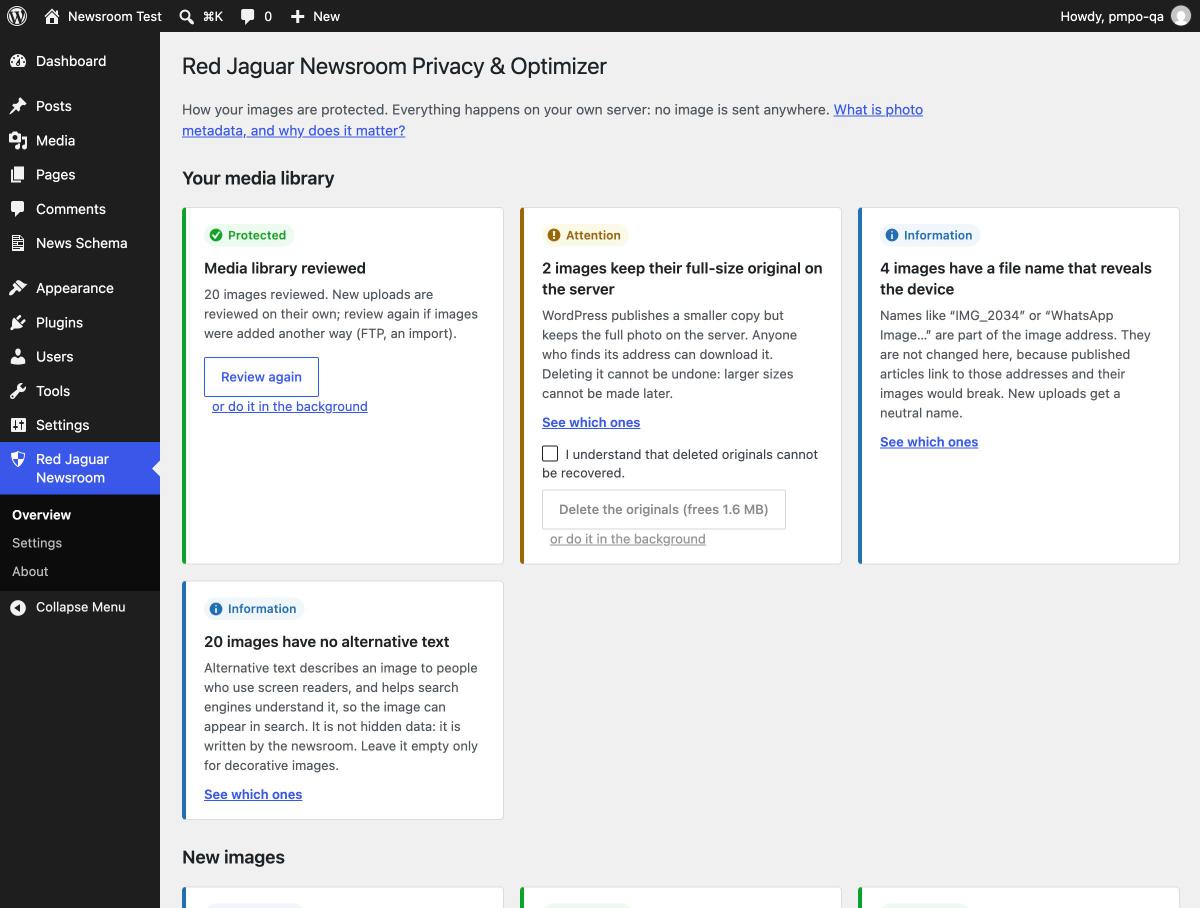
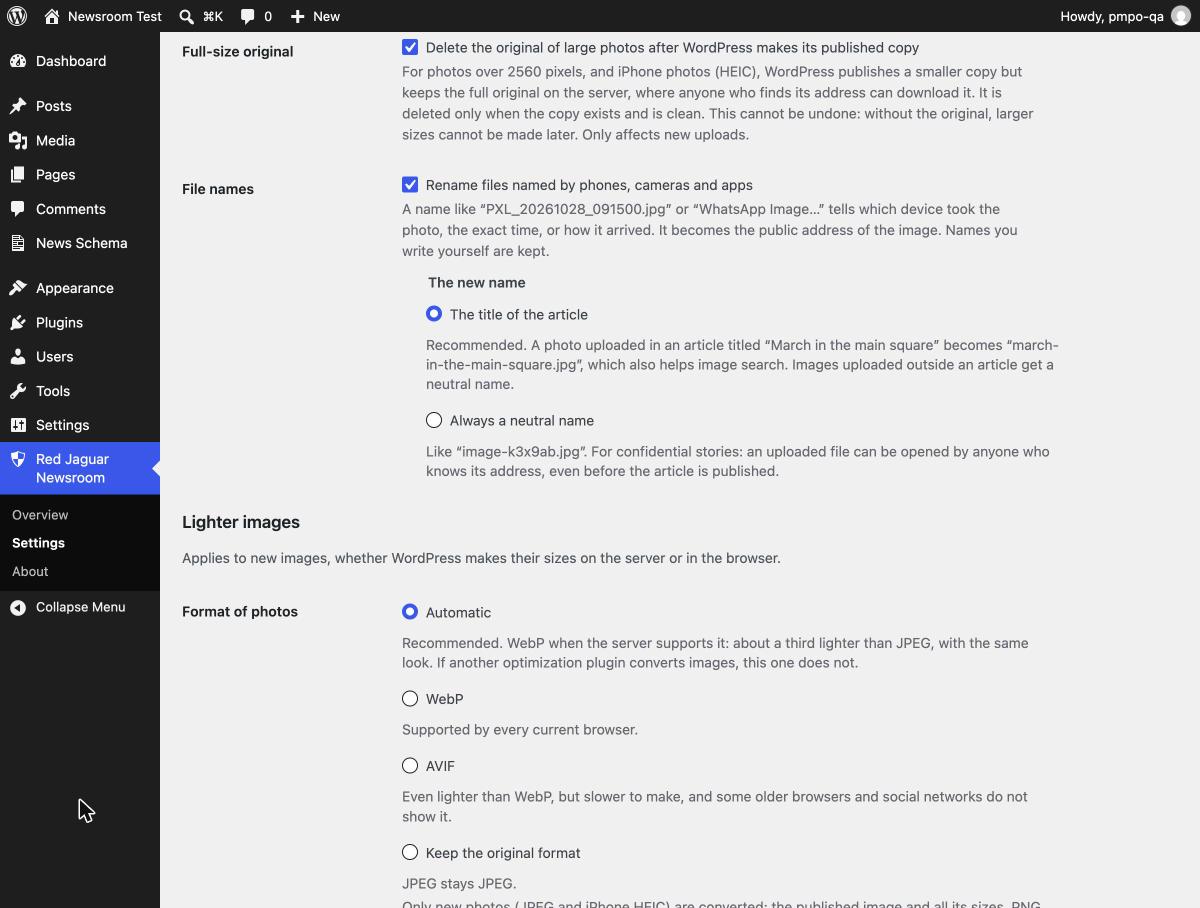
- The full-size original. For photos larger than 2560 pixels, iPhone (HEIC) photos and photos published as WebP, WordPress keeps the original file on the server next to the copy it publishes. The plugin deletes it once the published copy exists and is clean.
- File names that give you away. Names like
PXL_20261028_091500.jpgorWhatsApp Image…reveal the device, the exact time or how the photo arrived. They are replaced, in the file, the title and the address of the attachment page, by the title of the article the photo is uploaded to (march-in-the-main-square.jpg, better for image search), or by a neutral name for confidential stories. - What WordPress copies into the database. Camera, date and other fields WordPress reads from the photo are emptied too.
- Photos rotated by the phone are straightened before their orientation tag is removed, so they never show sideways.
Your media library
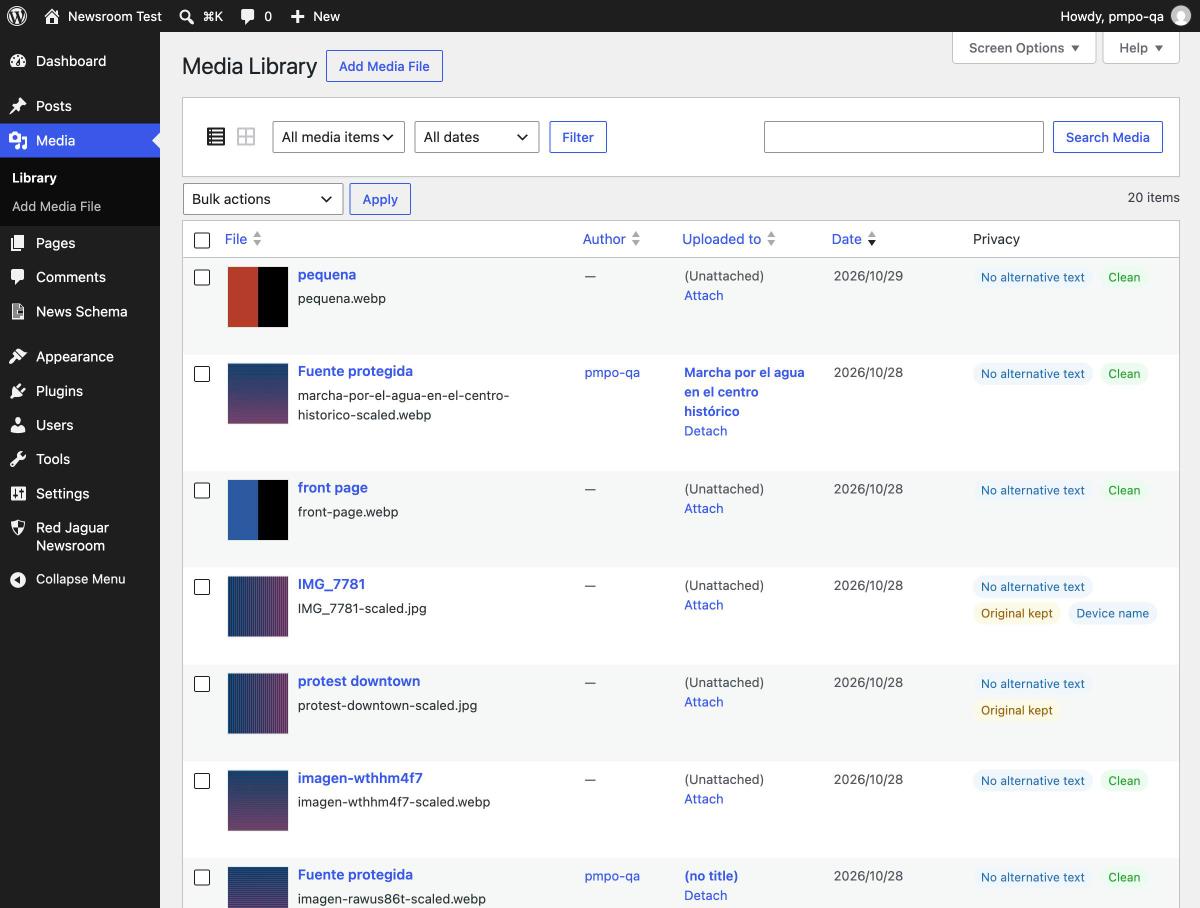
A review reads every image already uploaded (the published copy, the original, each size and the backups WordPress keeps when an image is edited) and shows, in plain language, what it found: images that reveal where they were taken, serial numbers, owners’ names, hidden thumbnails, kept originals. One button cleans them; another, with an explicit confirmation, deletes the originals. On large libraries, any of these tasks can run in the background with WordPress’s scheduled tasks, so you can close the screen and come back later. A “Privacy” column in the media library shows the state of each image.
Made for newsrooms
- Keep the photographer’s credit and copyright (IPTC) if you need them, and remove everything else.
- Titles, captions and alternative text written in a photo by an agency go into the WordPress fields, where editors can see and edit them, and are removed from the file.
- Photos signed with Content Credentials (C2PA) are cleaned by default, or can be left untouched.
- If an image cannot be cleaned (a damaged or unusual file), it is not uploaded, and the reason is shown.
- A short guide inside the plugin explains, in plain language, what photo metadata is, why it matters for newsrooms, what the plugin does not do, and good practices for reporters and editors.
A side benefit: lighter images
The plugin is about privacy first. Optimization is optional and runs on the same images.
- WebP or AVIF. New photos are published in a modern format, the image and all its sizes, about a third lighter than JPEG with the same look. PNG graphics and screenshots keep their format, so text stays sharp. Images already in the media library are not converted.
- The right size. Choose the largest size WordPress publishes and the compression quality.
- Better for SEO. Lighter images make pages load faster, especially on phones, and loading speed is part of how Google ranks pages (Core Web Vitals). The plugin does not write alternative text or titles for you; those still matter for search and accessibility.
- Alternative text. The overview counts the images without it and lists them, because it matters for people who use screen readers and for image search.
- No double work. If another optimization plugin already converts your images, the automatic mode steps aside.
- It works both when WordPress makes the image sizes on the server and when it makes them in the browser (WordPress 7.1).
Works with
- The block editor, the media library, the REST API, images added from a URL and WP-CLI.
- WordPress 7.1 browser-side image processing.
- News Sitemap & Schema, also by Red Jaguar.
- Plugins that move media to cloud storage: originals are then kept, because the plugin cannot check the copies stored elsewhere.
WP-CLI
wp pmpo auditreviews every image and lists what it found. It changes nothing.wp pmpo cleanremoves the hidden data of every image that has it.wp pmpo delete-originalsdeletes the full-size originals. This cannot be undone.
Screenshots

FAQ
Does it send my images anywhere?
No. Every image is processed on your own server, with PHP. The plugin makes no request to any external service.
Will my images lose quality?
Removing hidden data does not recompress the picture. Publishing photos as WebP or AVIF does, like every size WordPress makes: at the default quality (82) the difference is not visible in news photos, and you can raise it in Settings or keep the original format. A photo stored rotated by the phone is straightened and saved again at high quality.
Are images I uploaded before cleaned?
Not automatically. Open Red Jaguar Newsroom Overview, review the media library, and clean the images it lists.
Can I undo deleting the originals?
No. Without the original, WordPress cannot make sizes larger than the published copy later. That is why originals of images already uploaded are only deleted when you confirm it.
Which formats are cleaned?
JPEG, PNG and WebP. HEIC, AVIF and GIF are not cleaned yet; the review lists them.
Does it need HTTPS?
It works without it, but the overview warns you: without HTTPS, the photo travels unencrypted from the reporter’s computer to your server, with all its hidden data, before the plugin can clean it.
Reviews
There are no reviews for this plugin.
Contributors & Developers
“Red Jaguar Newsroom Privacy & Optimizer” is open source software. The following people have contributed to this plugin.
Contributors
Translate “Red Jaguar Newsroom Privacy & Optimizer” into your language.
Interested in development?
Browse the code, check out the SVN repository, or subscribe to the development log by RSS.
Changelog
0.1.0
- First version.