

Description
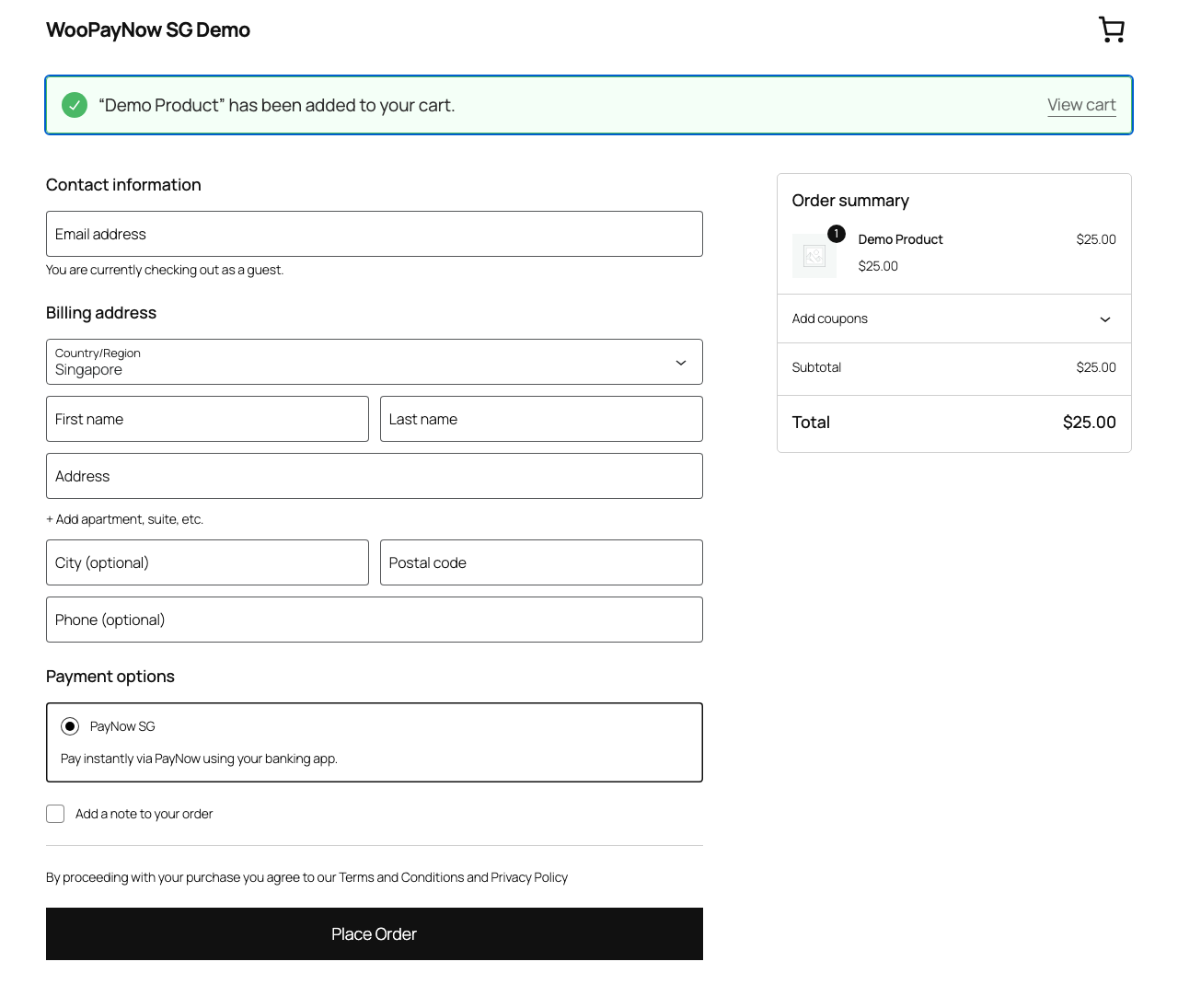
This plugin adds PayNow (Singapore) as a payment method on your WooCommerce checkout. Customers pay instantly by scanning a QR code or approving the payment in their banking app; the order is confirmed automatically once Stripe reports the payment as complete.
Requires a Stripe account. This plugin sends payment requests to Stripe’s Checkout API to process PayNow payments, so you’ll need a Stripe account and API keys before it can accept live payments. Test mode lets you try it out with Stripe’s sandbox keys first.
Features
- Adds “PayNow SG” as a checkout payment option, compatible with both the classic checkout and the WooCommerce Checkout block
- Payments are processed through Stripe’s Checkout API — no PayNow-specific merchant integration required
- Test mode with a separate API key, so you can verify the full flow before going live
- Automatic order status updates once Stripe confirms payment
External services
This plugin uses the Stripe API (provided by Stripe, Inc.) to create Checkout Sessions and process PayNow payments. It is not usable without a Stripe account.
When a customer places an order, the plugin sends the order’s line items (product names, quantities, prices), the store currency, the order ID, and your site’s return URLs to Stripe’s servers to create a Checkout Session. Stripe then handles collecting and confirming the PayNow payment; no card or bank credentials pass through this site.
This happens on every checkout that uses the “PayNow SG” payment method — there is no separate opt-in, as it’s required for the gateway to function.
Stripe: Terms of Service | Privacy Policy
Source Code
The uncompiled source code, including the WooCommerce Blocks integration source in src/ and the build tooling used to produce the compiled build/ assets, is publicly available at: https://bitbucket.org/redooor/redeupay-checkout-extension-with-paynow-for-woocommerce
Screenshots
Installation
- In your Stripe Dashboard, enable PayNow as a payment method. PayNow requires a Stripe account based in Singapore (SG) and only processes SGD charges — see the FAQ below for details.
- Upload the plugin files to the
/wp-content/plugins/redeupay-checkout-extension-with-paynow-for-woocommercedirectory, or install the plugin through the WordPress plugins screen directly. - Activate the plugin through the ‘Plugins’ screen in WordPress.
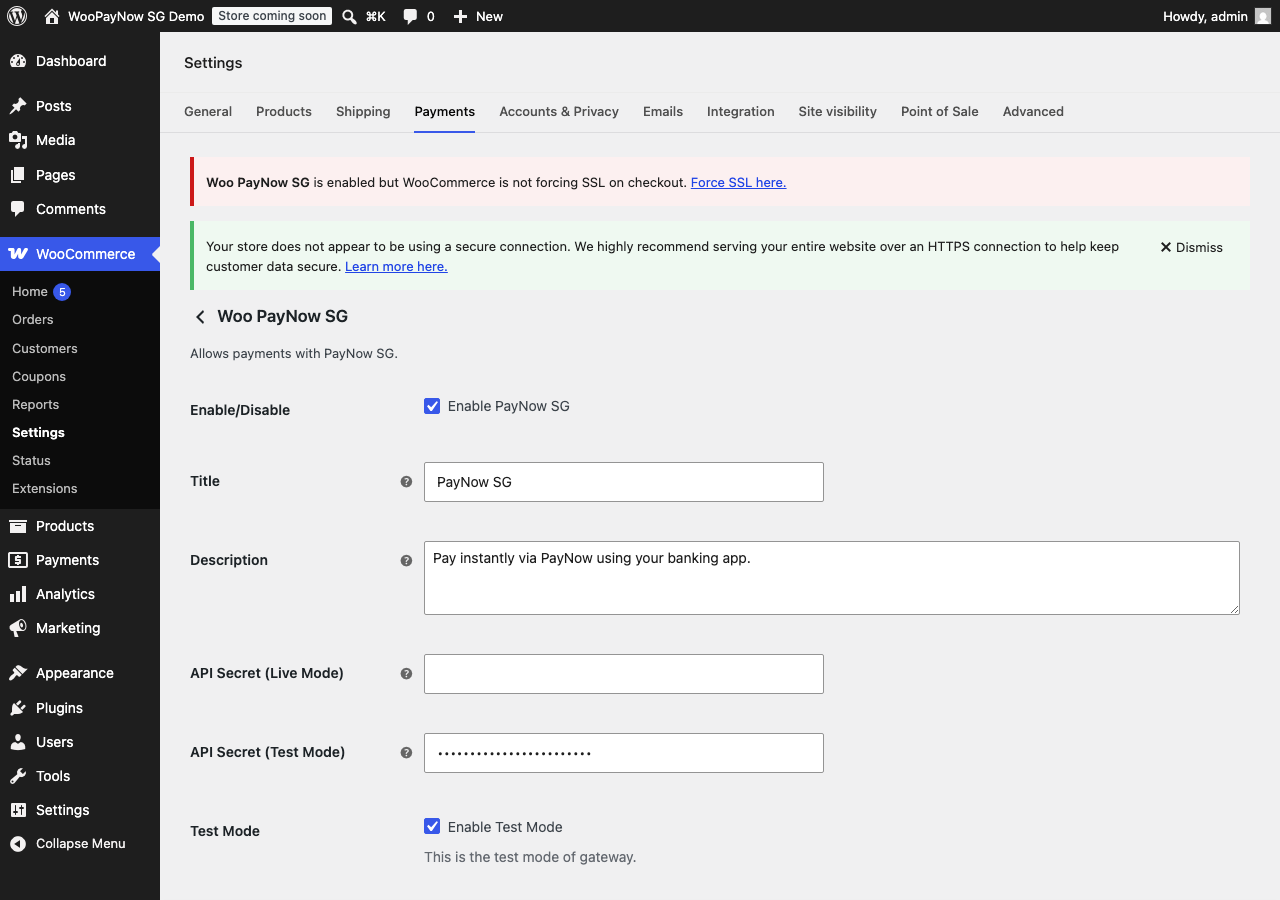
- Go to WooCommerce > Settings > Payments, and enable “PayNow SG”.
- Enter your Stripe secret key (test or live) in the gateway settings.
FAQ
-
Do I need a Stripe account?
-
Yes. This plugin uses Stripe’s Checkout API to process PayNow payments, so a Stripe account and API secret key are required.
-
Do I need to turn anything on in Stripe first?
-
Yes. PayNow must be enabled as a payment method in your Stripe Dashboard before this plugin can create PayNow checkout sessions — it isn’t on by default. Two requirements from Stripe:
- Your Stripe account’s country must be Singapore (SG).
- Your store’s currency must be SGD; PayNow does not support other currencies.
If PayNow isn’t enabled in Stripe, checkout attempts will fail with an error from Stripe’s API.
If you enable “PayNow SG” while your store currency (WooCommerce > Settings > General) isn’t set to SGD, you’ll see an admin notice warning that checkout will fail until you switch the store currency to SGD.
-
Does this work with the WooCommerce Checkout block?
-
Yes, PayNow SG is registered with both the classic (shortcode) checkout and the block-based Checkout.
-
Can I test this before going live?
-
Yes. Enable “Test Mode” in the gateway settings and use a Stripe test secret key (
sk_test_...). No real charges occur in test mode.
Reviews
There are no reviews for this plugin.
Contributors & Developers
“RedeuPay Checkout Extension with PayNow for WooCommerce” is open source software. The following people have contributed to this plugin.
Contributors
Translate “RedeuPay Checkout Extension with PayNow for WooCommerce” into your language.
Interested in development?
Browse the code, check out the SVN repository, or subscribe to the development log by RSS.
Changelog
0.4.0
- Renamed to “RedeuPay Checkout Extension with PayNow for WooCommerce” (slug redeupay-checkout-extension-with-paynow-for-woocommerce) so the name no longer implies PayNow affiliation. Saved gateway settings and API keys carry over — the internal gateway ID and option key are unchanged. Note: because this changes the plugin’s slug, it is a new listing rather than an in-place update to the previous “RedeuPay – PayNow for WooCommerce” submission.
- Payment result pages now use wp_enqueue_style() instead of inline tags.
- Documented the plugin’s public source code location.
- Scoped the SSL/currency configuration warnings to the WooCommerce settings screen instead of showing them on every wp-admin page.
- Added a setup warning on the Plugins page and RedeuPay settings screen when the active Stripe API key is missing.
- Updated stripe/stripe-php from v17.6.0 to v21.1.1.
0.3.0
- Rebranded from “PayNow SG for WooCommerce” (slug rdr-wc-paynow-gateway) to “RedeuPay – PayNow for WooCommerce” (slug redeupay-paynow-for-woocommerce). Existing installs keep their saved gateway settings via an automatic one-time migration.
0.2.0
- Verified compatibility up to WordPress 7.0.1
0.1.0
- Release