
Description
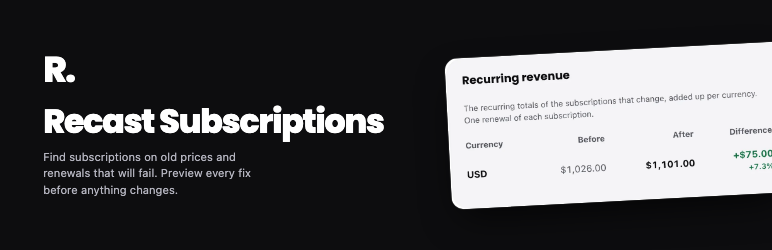
Recast bulk edits existing WooCommerce Subscriptions. Raise prices for existing subscribers, move subscribers off a product you retire, change next payment dates, move subscriptions off a payment method, and put a group on hold. Recast previews every change for each subscription before anything is written.
When you change a subscription product, only new customers get the new terms. Existing subscribers keep their old price, dates and settings. Recast closes that gap.
Free features
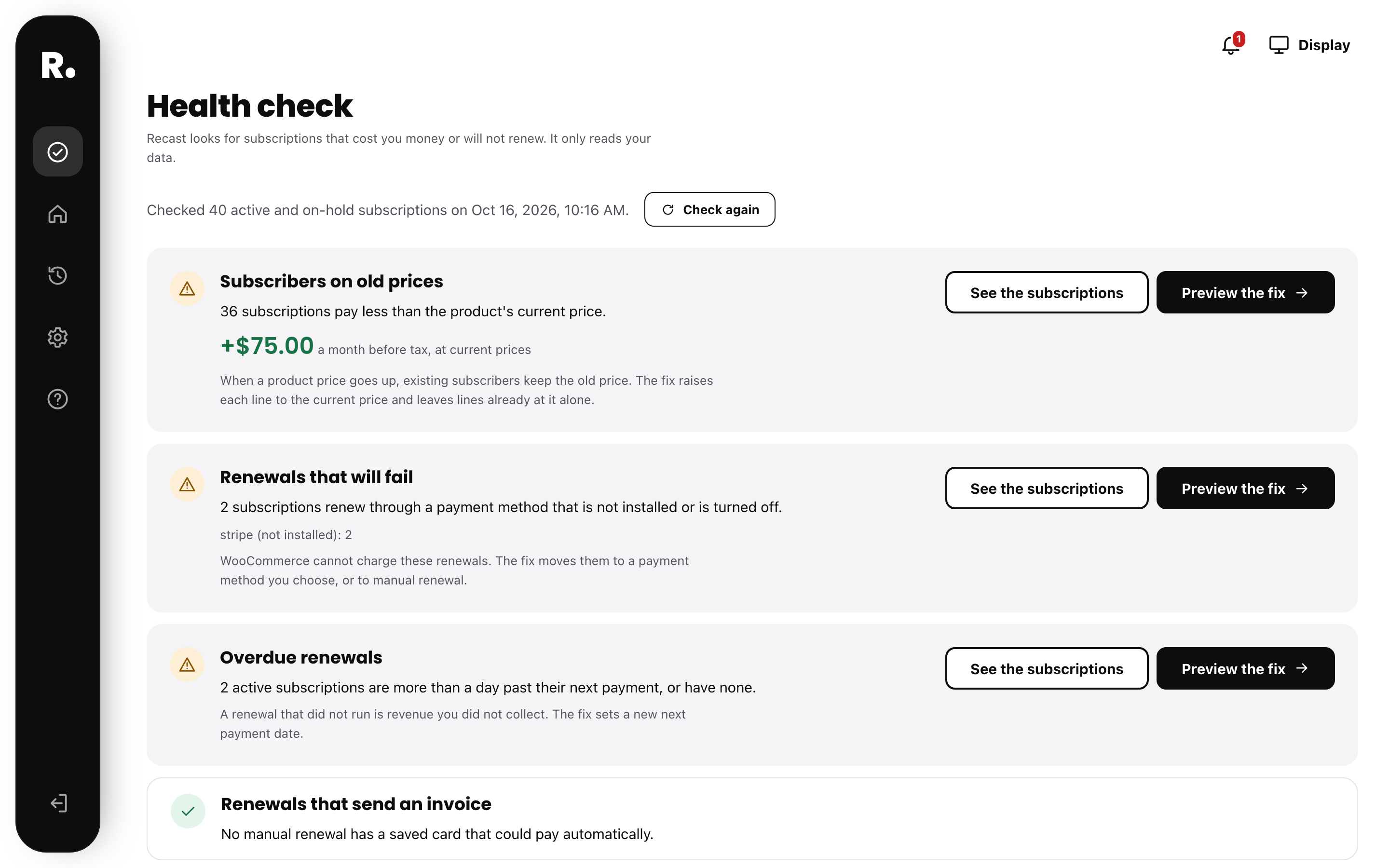
- Health check: find subscribers on old prices and the revenue per month you would add, renewals that will fail, overdue renewals, and manual renewals with a saved card. Each finding opens a preview of its fix.
- 30-day renewal forecast: renewals and amounts due each day, per currency.
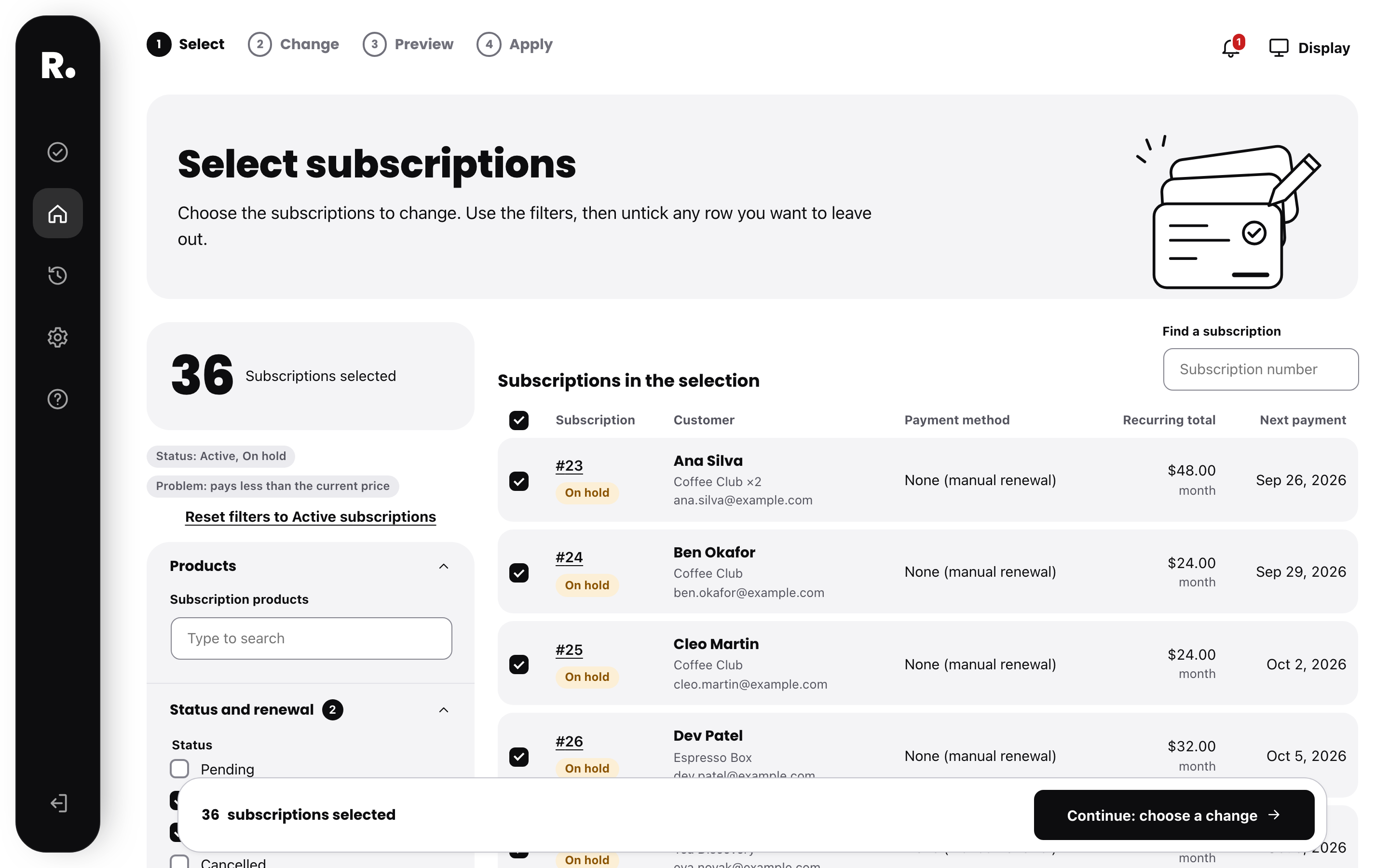
- Bulk select: filter subscriptions by product, variation, status, payment method, next payment date, billing period, currency, tax class and customer, with a live count.
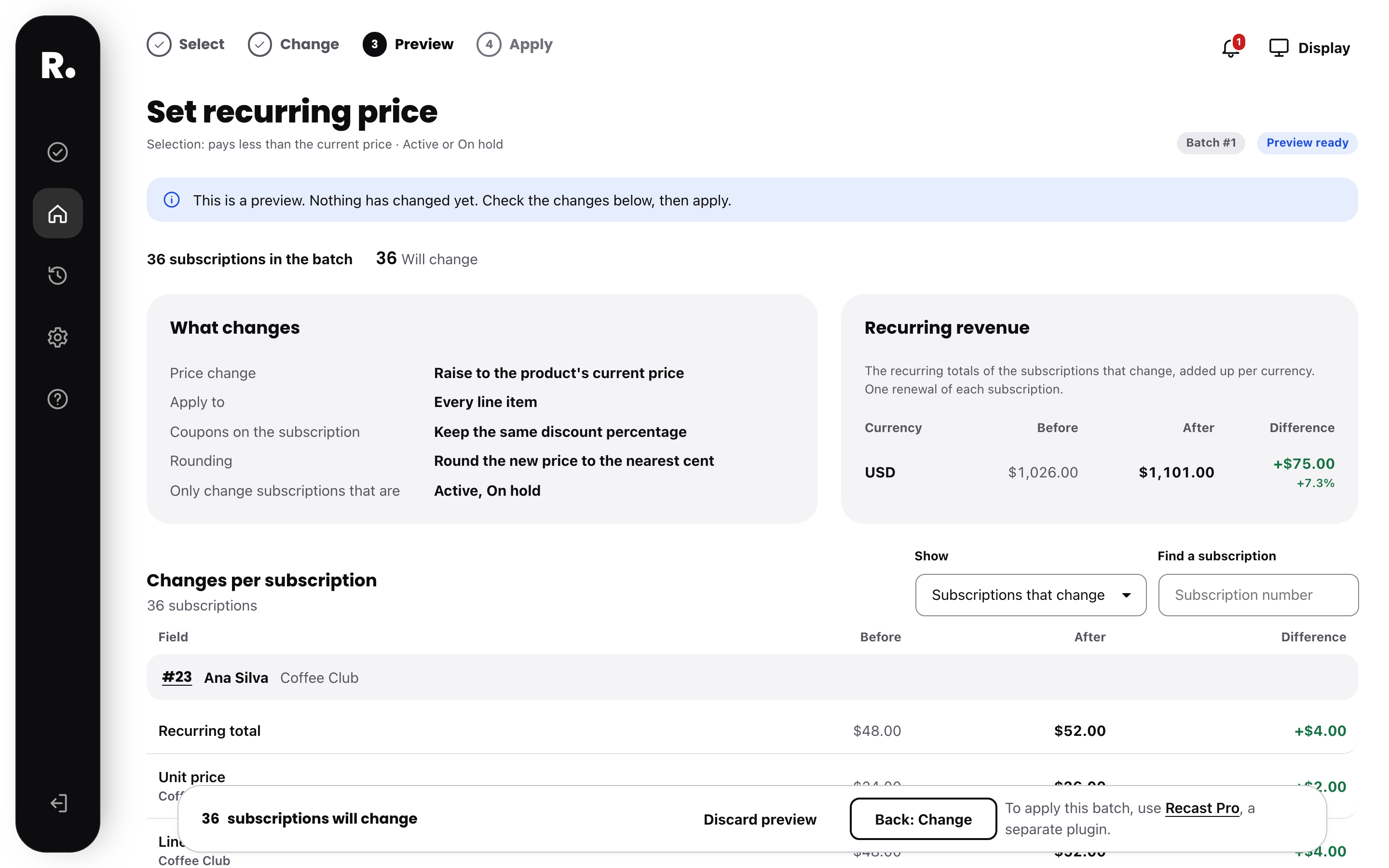
- Preview every change: each subscription and each field, before and after, with the effect on recurring revenue.
- Retire a product: move its subscribers to another product with the same billing schedule. Keep each price or use the new product’s price.
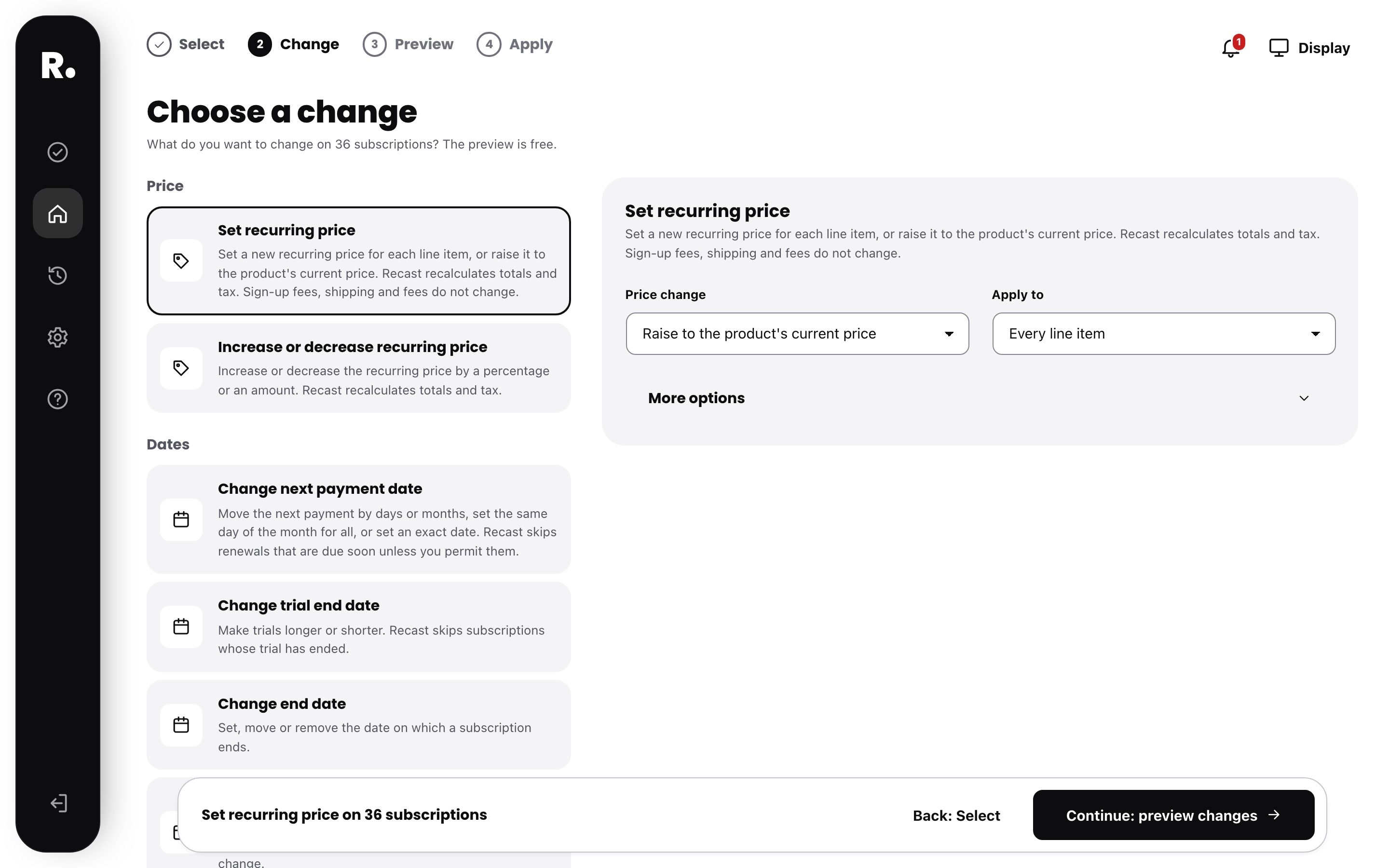
- Every change type: recurring price (set, increase, decrease or current price), product, next payment date, trial end, end date, billing period, status, renewal type, payment method, tax class and custom fields.
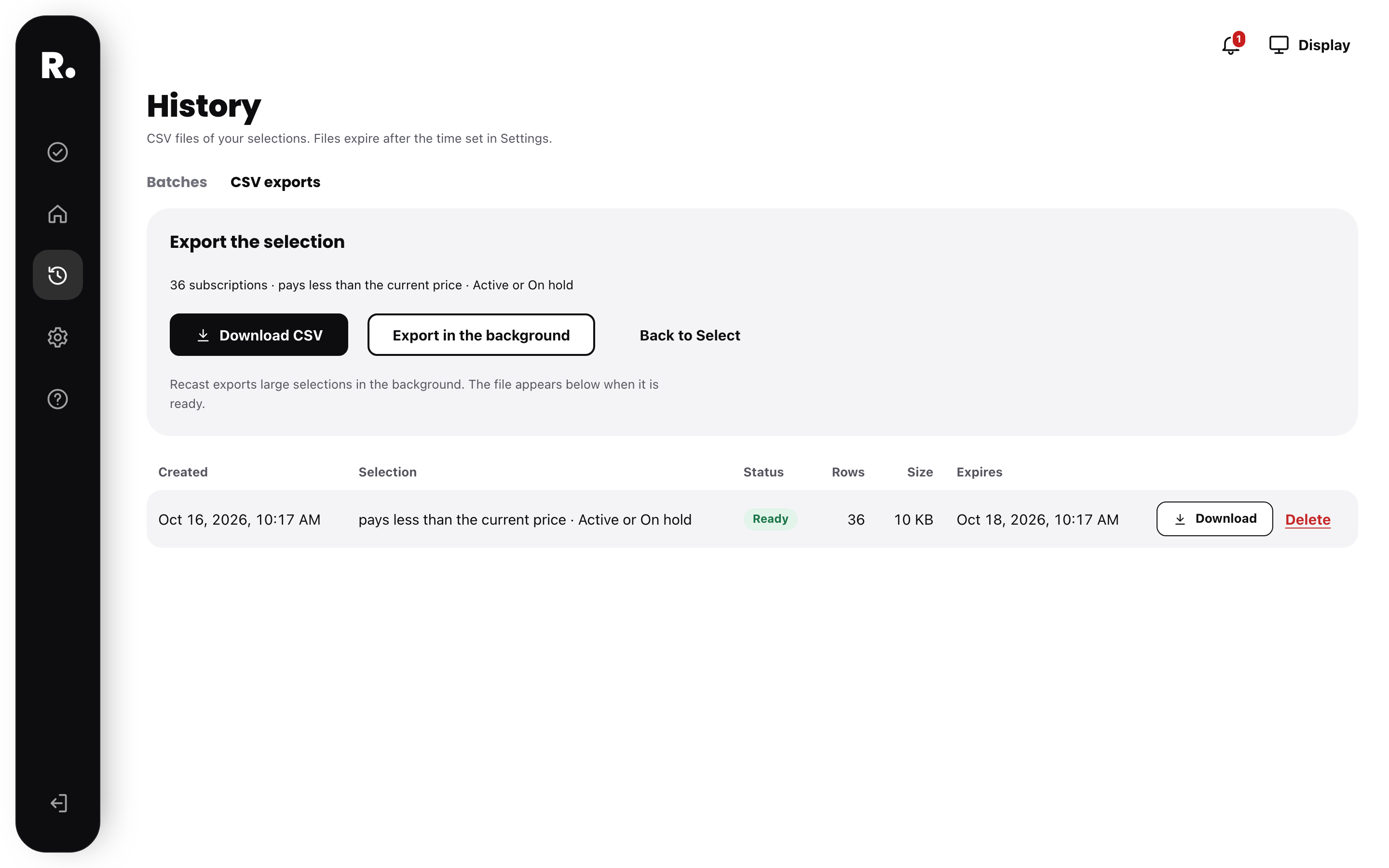
- CSV export of any selection.
Recast Pro features
Recast Pro is a separate plugin, available at recastsubscriptions.com. It applies the changes you preview:
- Apply in bulk: in the background and in small steps, with pause and stop.
- Undo a whole batch: Recast records every value before and after.
- Skip after change: a subscription that changed after the preview is skipped and reported, never overwritten.
- Price rule: when a regular price goes up, Recast emails each subscriber who pays less, then applies the new price after 30 days or more.
- Monthly revenue report: what your batches changed in recurring revenue, as CSV or a page to print for a client.
- Undo after the license ends: History and undo keep working.
How it works
- Select subscriptions with filters.
- Choose a change. Example: set a new recurring price, or move the next payment date.
- Preview. Recast shows each subscription with its values before and after. Nothing changes yet.
- Apply, with Recast Pro. The change runs in the background, and you can undo the whole batch.
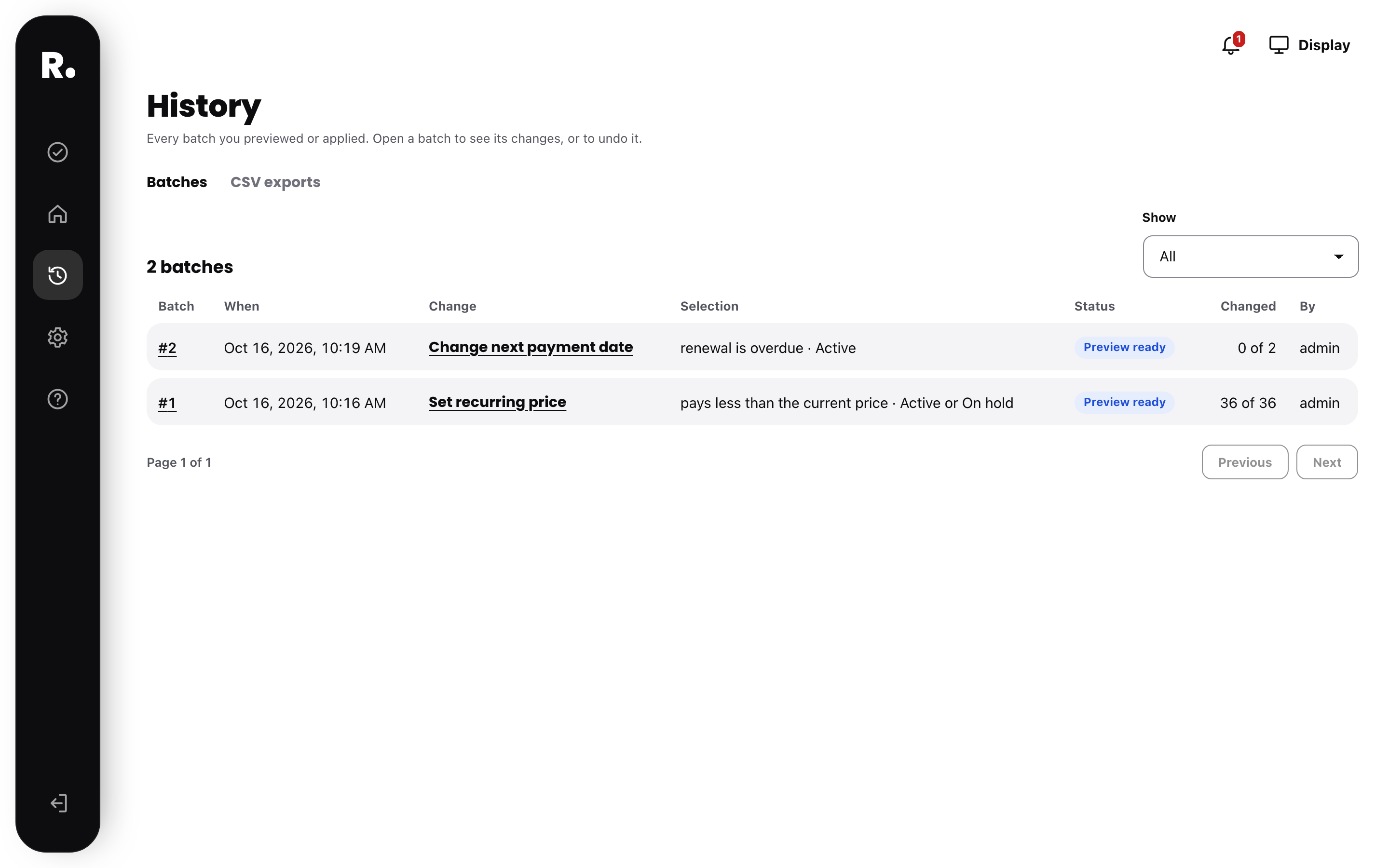
A batch is one change on one selection. Recast records every batch in History.
What Recast does not do
- It does not write to the database directly. Every read and write goes through WooCommerce and WooCommerce Subscriptions. High-Performance Order Storage (HPOS) works.
- It does not edit your products or past orders. It can move a subscription to another product, but the products do not change.
- It does not send emails to your customers when you apply a batch. You decide how to tell them. Recast Pro has one rule that sends email, Keep subscribers on the current price, and it is off until you turn it on.
- It does not move saved cards between payment methods.
Requirements
WooCommerce 8.0 or newer and WooCommerce Subscriptions 5.0 or newer. WooCommerce Subscriptions is sold separately.
External services
Recast can use Freemius for optional usage data. Recast sends nothing unless you opt in on the welcome screen. You can skip it, and every feature of this plugin keeps working. When you opt in, Recast sends the site URL, the WordPress and plugin versions and, if you choose, your admin email to Freemius. Freemius uses them for usage data and to deliver updates. Freemius also sells Recast Pro. See the Freemius privacy policy and terms.
Trademark note
WooCommerce is a trademark of its owner. This plugin is an independent product and is not affiliated with or endorsed by the owner of that trademark.
Third-party resources
- Poppins font by the Poppins Project Authors, licensed under the SIL Open Font License 1.1. Files and licence are in assets/fonts/poppins/.
Screenshots
Installation
- Upload the plugin folder to /wp-content/plugins/, or install it from the Plugins screen.
- Activate it. WooCommerce and WooCommerce Subscriptions must be active.
- Go to WooCommerce > Recast.
FAQ
-
How do I update the price of existing WooCommerce subscriptions?
-
When you change a product’s price, WooCommerce Subscriptions keeps existing subscribers on their old price. The Recast health check finds the subscriptions that pay less than the current price. Select them, choose “Increase or decrease recurring price” and preview the new price for each subscription. To apply the change, use Recast Pro, a separate plugin.
-
How do I find subscriptions whose renewals will fail?
-
Open the health check. “Renewals that will fail” lists the automatic renewals that use a payment method that is not installed or is turned off. “Overdue renewals” lists the active subscriptions that are more than a day past their next payment.
-
Can I change the next payment date of many subscriptions at once?
-
Recast selects the subscriptions with filters and previews the new next payment date for each one. You can also preview changes to the trial end, end date, billing period, status, payment method and tax class. Recast Pro, a separate plugin, applies the change.
-
How do I export WooCommerce subscriptions to CSV?
-
Select subscriptions with filters, then choose Export CSV. Recast exports large selections in the background.
-
Which payment methods does it work with?
-
Any payment method that WooCommerce Subscriptions supports, for example Stripe, PayPal and WooPayments. Recast reads the payment method of each subscription. It does not connect to the payment provider.
-
Does it support High-Performance Order Storage (HPOS)?
-
Yes. Every read and write goes through the WooCommerce Subscriptions API. Both storage modes work.
-
Does a price change affect new customers?
-
No. Recast changes only existing subscriptions. Product prices do not change.
-
Can I move subscribers off a product I retire?
-
Yes. Choose “Move to another product”. The new product must bill on the same schedule as each subscription. Each subscription keeps its price, or gets the new product’s price, and the quantity stays the same. To apply the change, use Recast Pro, a separate plugin.
-
Does Recast charge customers at once?
-
A price change applies on the next renewal. If a date change puts the next payment less than 24 hours away, Recast skips that subscription. You can permit immediate charges. Recast asks you to confirm first.
-
Can I undo a batch?
-
Yes, with Recast Pro, a separate plugin. It can undo every applied batch. Recast skips subscriptions that changed after the batch, so it does not overwrite newer changes. You can choose to restore them anyway.
-
Is the free version limited by the size of the selection?
-
No. Count, preview and export work on a selection of any size.
-
What are the column names in the CSV file?
-
The column names are fixed English keys, for example subscription_id and recurring_total. Scripts can rely on them. They do not change with the site language.
-
Can Recast use the whole screen?
-
Yes. Recast opens inside the WordPress admin, with the WordPress menu on the side. To give the steps more room, open the menu under your avatar and choose Full screen. The WordPress menu and toolbar then hide, like in the block editor. The exit button in the side rail takes you back to WordPress, and messages from WordPress and other plugins stay available under the bell icon. Choose Exit full screen in the same menu to go back. Without JavaScript the page keeps the normal WordPress admin.
-
My exports folder is public on nginx
-
On Apache an .htaccess file protects the folder. On nginx, add a rule that denies access to /wp-content/uploads/recast/.
Reviews
There are no reviews for this plugin.
Contributors & Developers
“Recast Subscriptions: Find Old Prices and Failed Renewals, Preview Bulk Changes” is open source software. The following people have contributed to this plugin.
Contributors
Interested in development?
Browse the code, check out the SVN repository, or subscribe to the development log by RSS.
Changelog
0.3.0
- New change: Move to another product. Move the subscriptions on one product or variation to another product with the same billing schedule. Keep each price or use the new product’s price. Every subscription is previewed, and the batch can be undone.
0.2.0
- Health check: the old prices finding says that Recast Pro can keep subscribers on the current price by itself.
- Recast Pro: a price rule. When the regular price of a product goes up, Recast sends a notice email to each subscriber who pays less, then applies the new price after 30 days or more, as a batch you can undo.
- Recast Pro: a monthly report of the recurring revenue your batches changed, with a CSV download and a print view.
- Recast Pro: undo keeps working after a license ends.
0.1.9
- History: a batch that was only previewed shows “None” in the Changed column.
- History: the page text no longer mentions undo, which only Recast Pro can do.
0.1.8
- First release on WordPress.org.