
Description
RateUp connects your WooCommerce store to WhatsApp. Once connected, RateUp:
- sends WhatsApp messages when an order’s status changes: confirmed, shipped, delivered, refunded;
- awards loyalty points on completed orders and takes them back on refunds;
- turns rewards your customers redeem into WooCommerce coupons;
- keeps your WhatsApp catalog in sync with your products.
This plugin adds three things to your store:
- A RateUp page under WooCommerce, from which you connect the store to your RateUp account.
- A WhatsApp chat button on your store’s pages, set up in RateUp: its text, colour, side, the pages it shows on and the message it starts. On product pages the message names the product. It never shows on checkout.
- A WhatsApp opt-in box at checkout, on both the block checkout and the classic one. It is never ticked for the shopper; customers who tick it agree to get offers on WhatsApp. You switch it on and word it in RateUp.
The order updates, loyalty points and coupons work without this plugin too; the plugin is what puts the chat button and the opt-in on your store.
You need a RateUp account: https://rateup.app
External services
This plugin works with RateUp (https://rateup.app), operated by RateUp.
- “Connect to RateUp” opens RateUp’s website with your store’s address. Connecting uses WooCommerce’s own key approval: you approve RateUp in your WordPress admin, and WooCommerce sends RateUp a REST API key.
- Once connected, RateUp reads orders, customers and products and creates coupons through the WooCommerce REST API, and receives WooCommerce webhooks for orders, new customers and product changes.
- RateUp writes the connection’s status and the settings of the WhatsApp button and the checkout opt-in to this plugin through the WooCommerce REST API.
- When a shopper taps the WhatsApp button, the shopper’s browser tells RateUp (api.rateup.app) that the button was opened or tapped, with the kind of page it was on (home, product, cart…) and a random key naming the store. No personal data is sent. The tap then opens WhatsApp (wa.me), operated by Meta.
- When the checkout opt-in is on, the shopper’s answer is saved on the order (as
rateup_whatsapp_optin) and reaches RateUp with the order webhook, where it sets whether RateUp may send that customer offers on WhatsApp. Order updates are sent either way.
RateUp terms of service: https://rateup.app/terms-of-service — privacy policy: https://rateup.app/privacy-policy
Screenshots
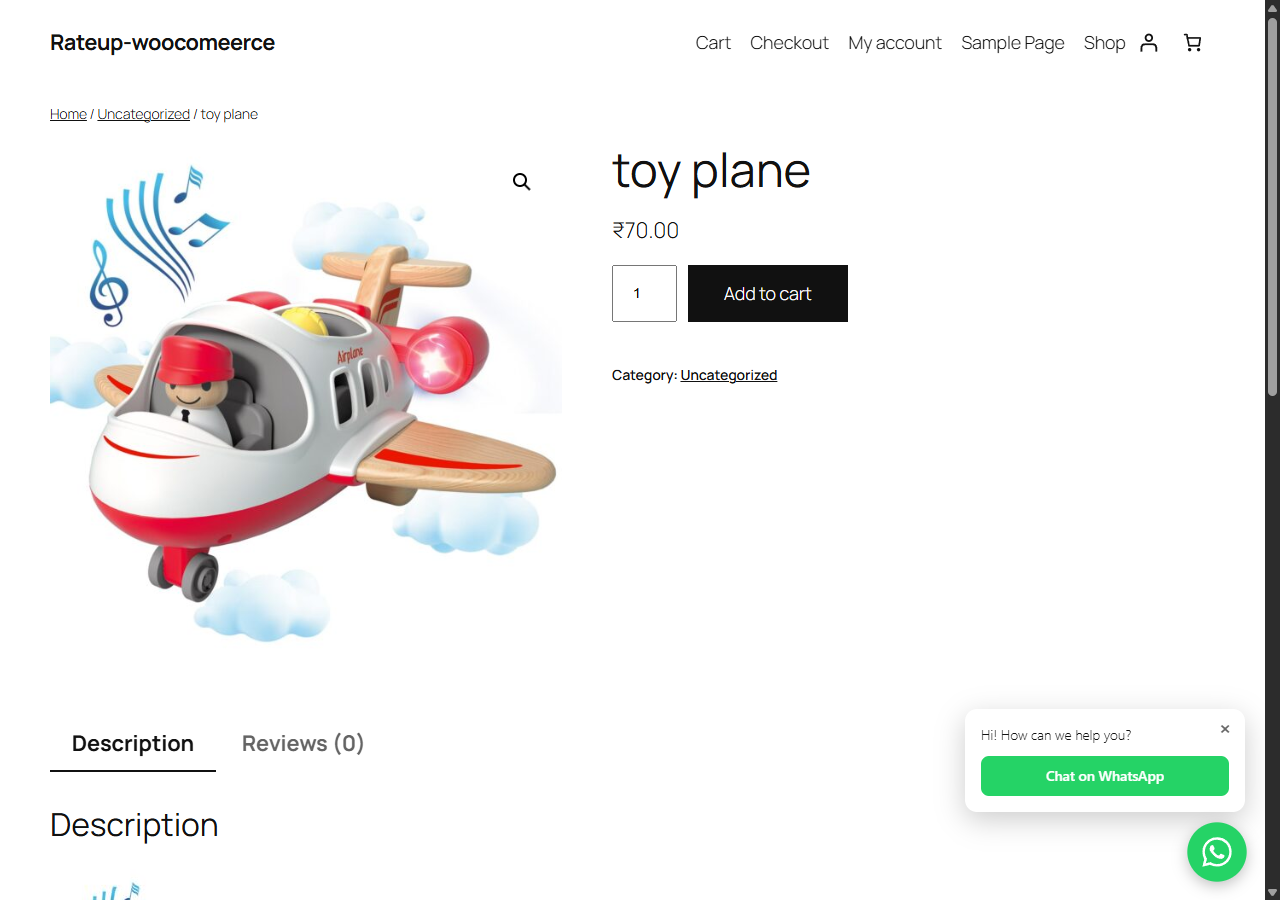
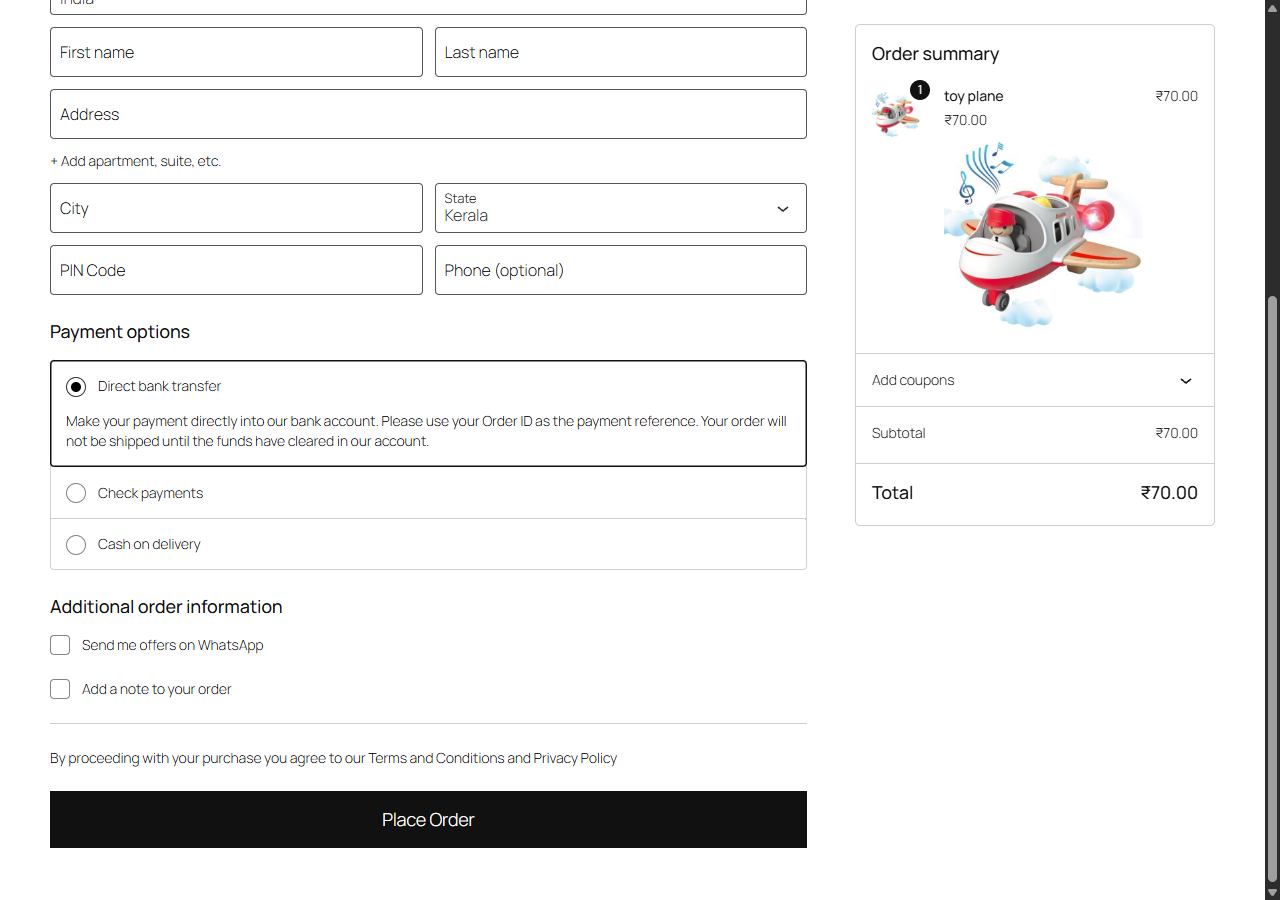
Installation
- Install the plugin and activate it (WooCommerce must be active).
- Go to WooCommerce › RateUp and click “Connect to RateUp”.
- Sign in to RateUp, click Connect, and approve RateUp when WooCommerce asks.
- In RateUp, set up the WhatsApp button (WooCommerce › WhatsApp widget) and the checkout opt-in (WooCommerce › Connection).
FAQ
-
Do I need a RateUp account?
-
Yes. The plugin connects your store to RateUp, where the messages, loyalty and button are set up. Sign up at https://rateup.app.
-
Does it slow my store down?
-
No. The chat button is one small script and stylesheet with no dependencies, loaded only on pages where the button shows. The plugin never calls RateUp while drawing a page: RateUp sends it the button’s settings ahead of time.
-
Does it work with the block checkout?
-
Yes. The opt-in box works on both the block checkout and the classic
[woocommerce_checkout]one. The plugin is also compatible with WooCommerce’s order tables (HPOS). -
Why does the opt-in need a phone number?
-
RateUp reaches customers on WhatsApp by their number, so an order without one has nobody to opt in. WooCommerce makes the checkout’s phone field optional by default; to collect it from everyone, make it required under Appearance › Customize › WooCommerce › Checkout, or in the checkout block’s settings.
-
Does an unticked box stop order updates?
-
No. The box is consent to offers only. Order confirmations and shipping updates are sent whether it is ticked or not.
-
What happens if I disconnect?
-
Disconnecting in RateUp removes RateUp’s webhooks from your store and tells the plugin, which then hides the button and the opt-in box and offers “Connect to RateUp” again. To also revoke RateUp’s key, delete it under WooCommerce › Settings › Advanced › REST API.
-
What does the plugin store?
-
One option,
rateup_data, holding what RateUp sent: the connection’s status and the button’s and opt-in’s settings. Deleting the plugin deletes it. The opt-in answer is saved on each order asrateup_whatsapp_optin, and stays with your orders.
Reviews
There are no reviews for this plugin.
Contributors & Developers
“RateUp for WooCommerce” is open source software. The following people have contributed to this plugin.
Contributors
Translate “RateUp for WooCommerce” into your language.
Interested in development?
Browse the code, check out the SVN repository, or subscribe to the development log by RSS.
Changelog
1.0.0
- First release: connect the store to RateUp from WordPress admin.
- WhatsApp chat button on the storefront, set up in RateUp.
- WhatsApp opt-in box at checkout, set up in RateUp.