
Description
RankyFy AI SEO brings AI search optimization to WordPress. See exactly which AI crawlers — GPTBot, ClaudeBot, OAI-SearchBot, PerplexityBot, Google-Extended and 30+ more — read your site, track the visitors that ChatGPT, Perplexity, Gemini, Claude and Copilot send you, publish a clean llms.txt, control AI bot access through robots.txt, and fix the issues that keep your content out of AI answers.
AI SEO is to assistants what classic SEO is to search engines: being readable, verifiable and worth quoting when ChatGPT or Perplexity answers a question in your niche. This plugin gives you the measurement and the controls for it.
Install, activate, done — monitoring starts immediately and runs entirely on your own site. No account is needed, and nothing is sent anywhere unless you explicitly enable it.
AI crawler analytics, verified
Anyone can claim to be GPTBot. Every request that claims a known AI crawler is verified against the operator’s published IP ranges, by forward-confirmed reverse DNS, or by cryptographic signature (Web Bot Auth) — and impersonations are counted separately, never as crawls.
- Every AI crawler request logged: bot, page, response, timing.
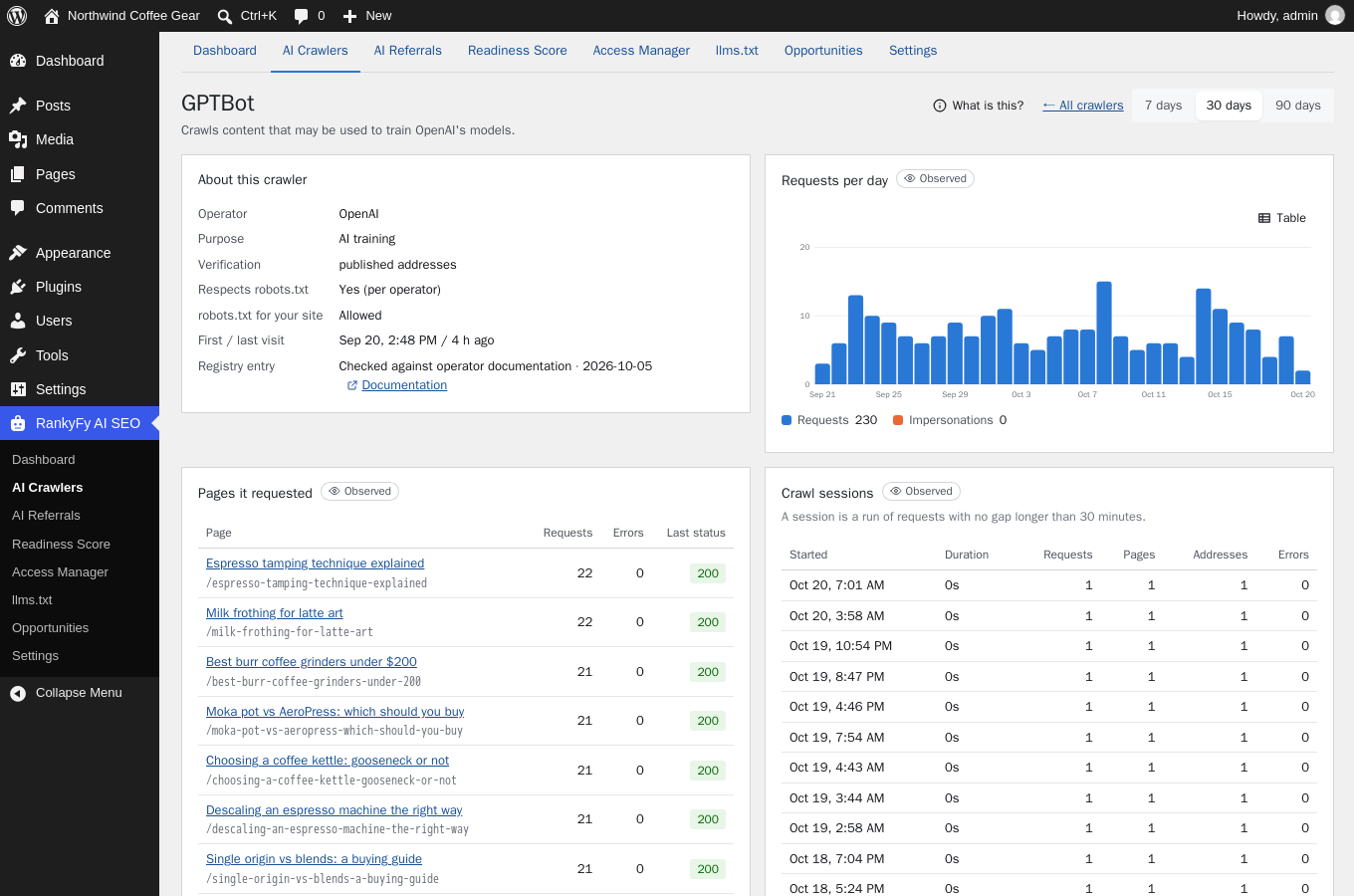
- Per-crawler detail: purpose (model training, AI search, or fetching a page for a real user), daily trends, crawl sessions, the pages it reads.
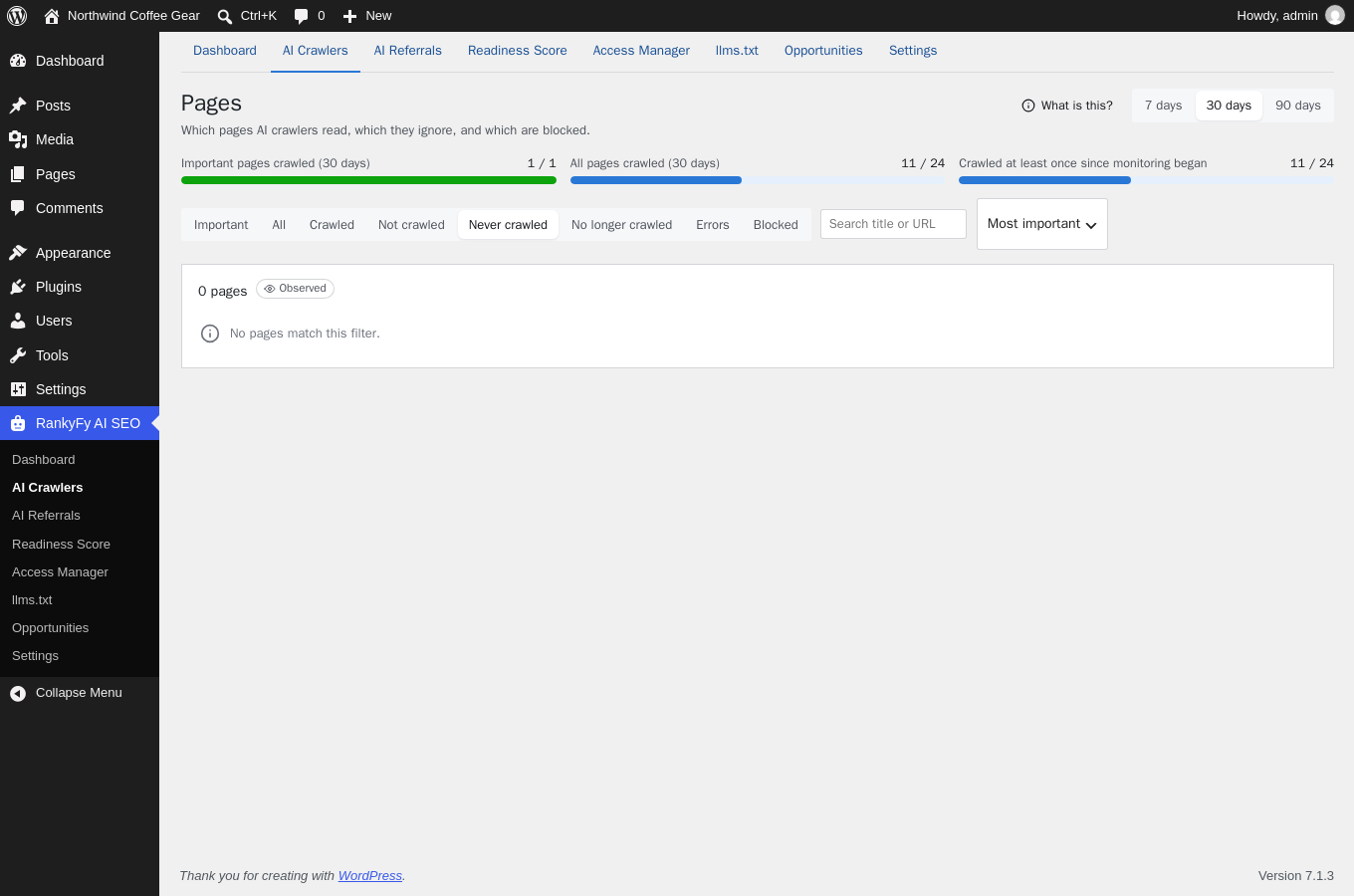
- The dashboard answers the first question — are AI crawlers reading my site at all, and which pages have they never seen?
Track AI traffic: visits from ChatGPT, Perplexity and more
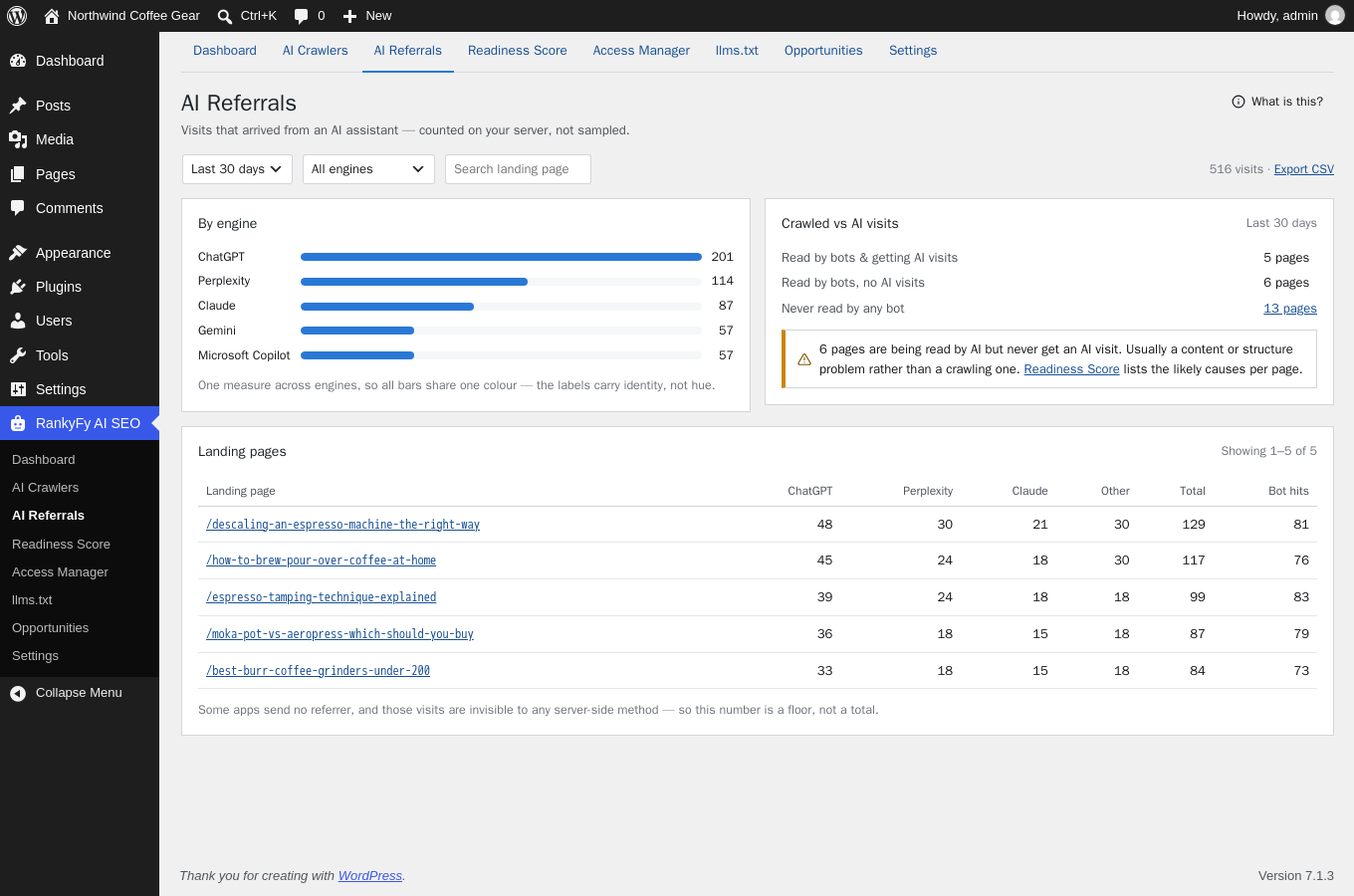
AI referral tracking shows every AI referral — the visits that arrive from ChatGPT, Perplexity, Gemini, Claude, Copilot and other assistants — by engine and by landing page, right beside the crawl data for the same page. Crawled vs. AI visits highlights pages AI reads but never sends anyone to: usually a content problem, not a crawling one.
llms.txt generator — plus llms-full.txt and ai.txt
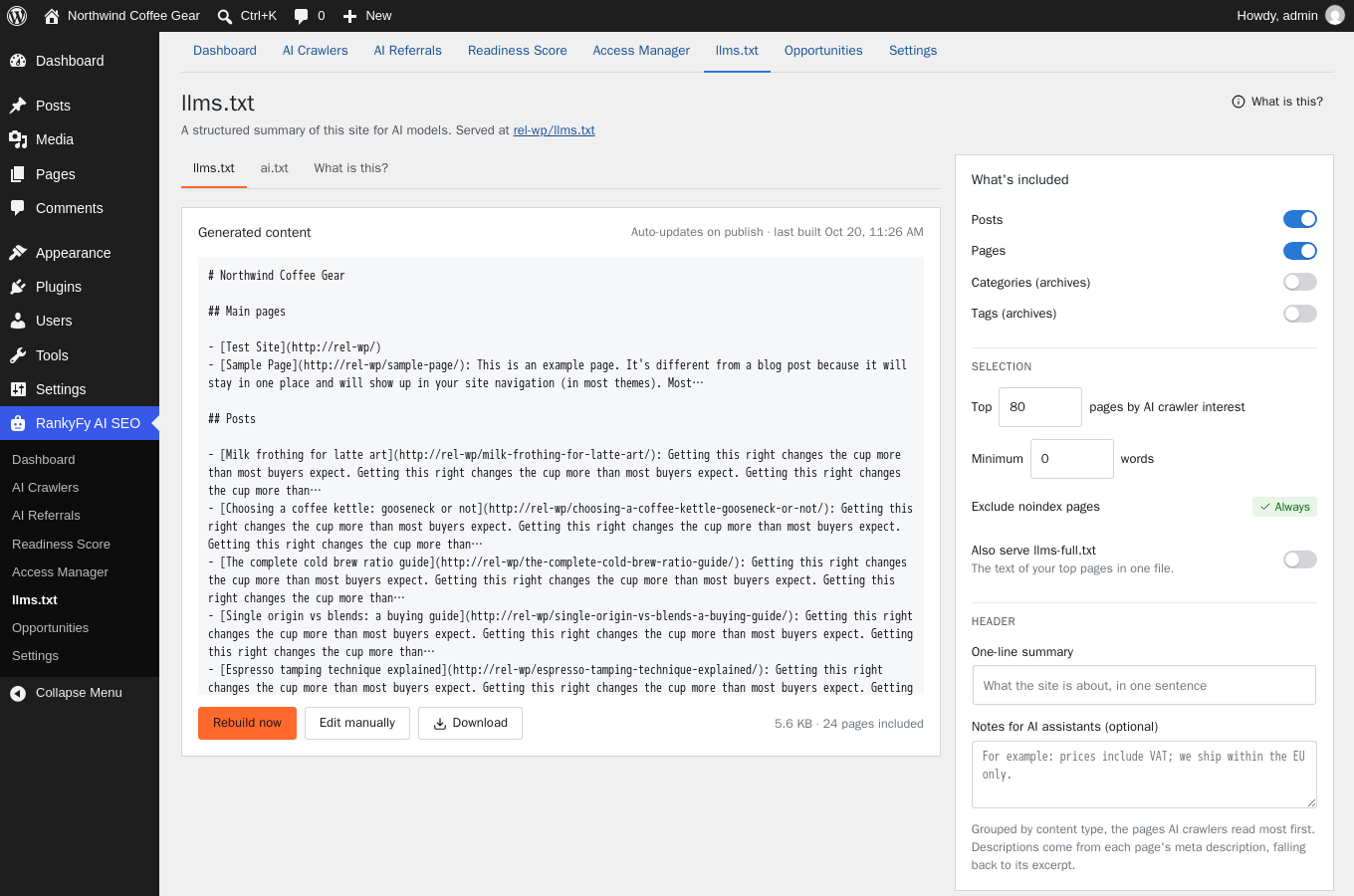
llms.txt is a proposed standard file that gives AI systems a curated map of your most important content. RankyFy AI SEO generates it from what AI crawlers actually read on your site, keeps it updated as content changes, and leaves out pages that are noindex, erroring or blocked. llms-full.txt (full text) and ai.txt (training policy) are included. Your manual edits survive rebuilds, and nothing is served until you switch it on.
Control AI bots: allow or block each crawler, eyes open
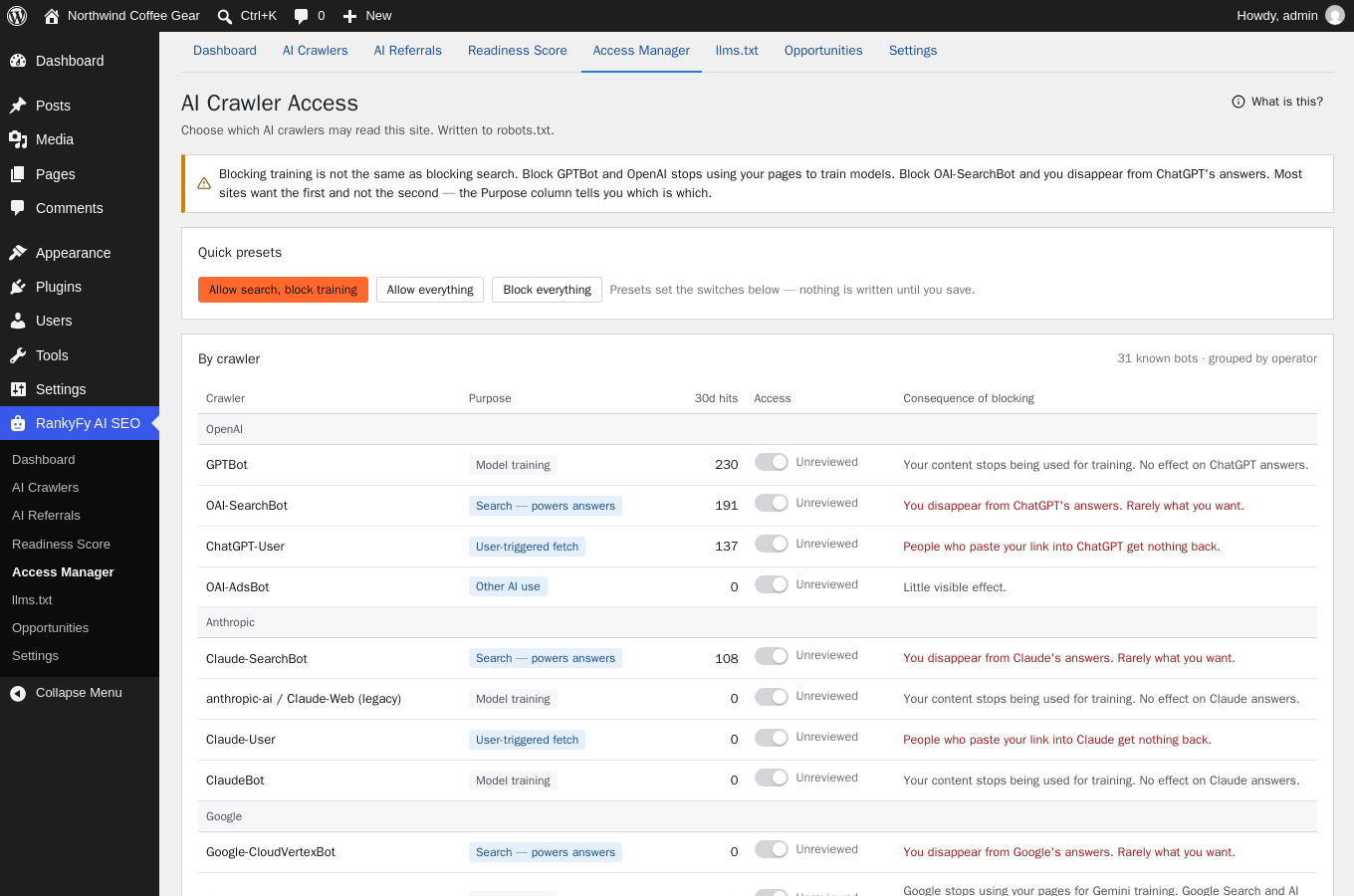
The Access Manager lets you block AI bots selectively — allow or block every AI crawler individually, grouped by operator, with the consequence of each choice spelled out — so you can block AI model training (GPTBot, ClaudeBot, Google-Extended) without disappearing from ChatGPT or Perplexity answers. Presets, a preview of the exact robots.txt lines, and nothing written until you save.
AI readiness score: optimize for AI search (GEO / AEO)
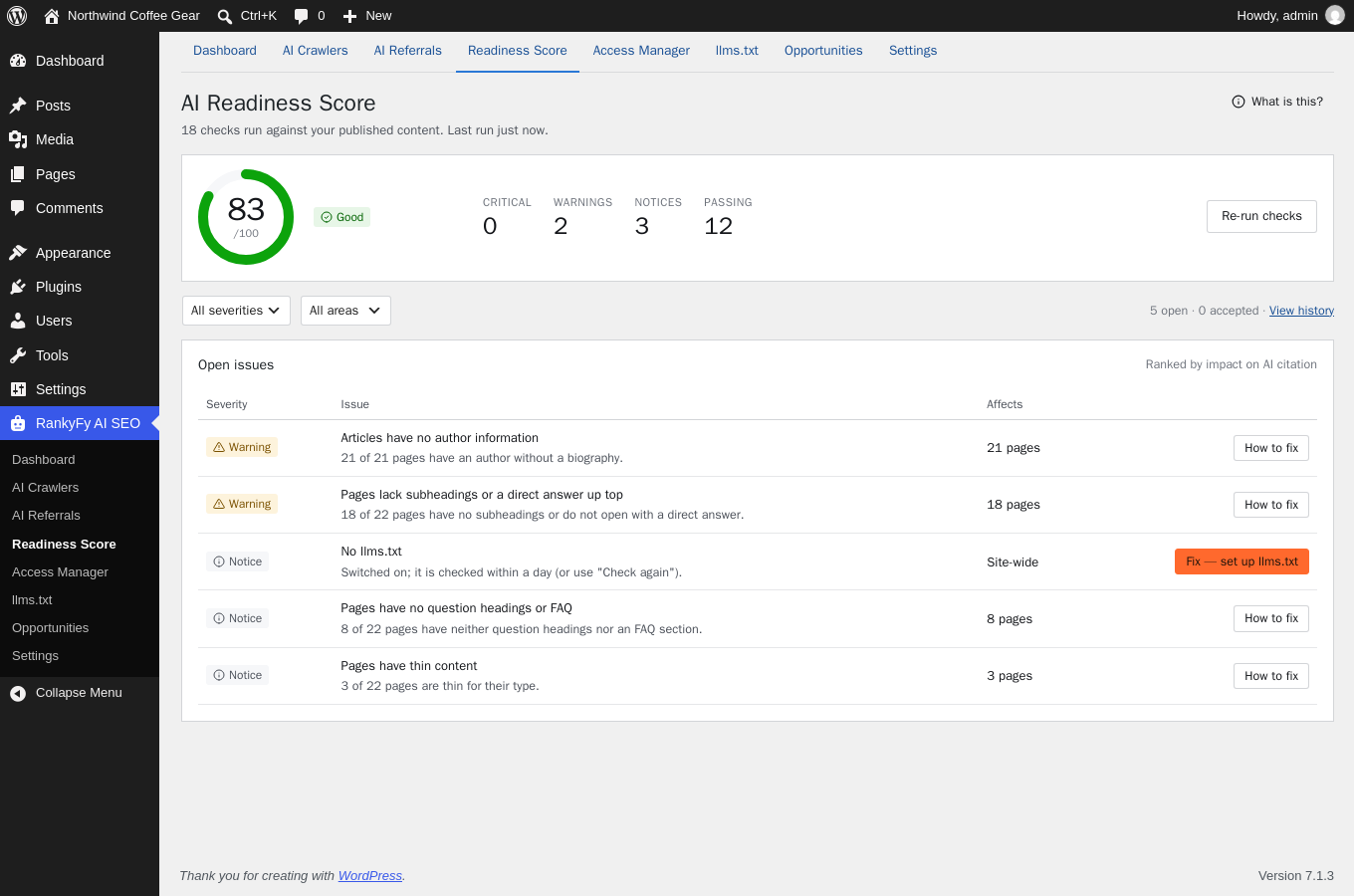
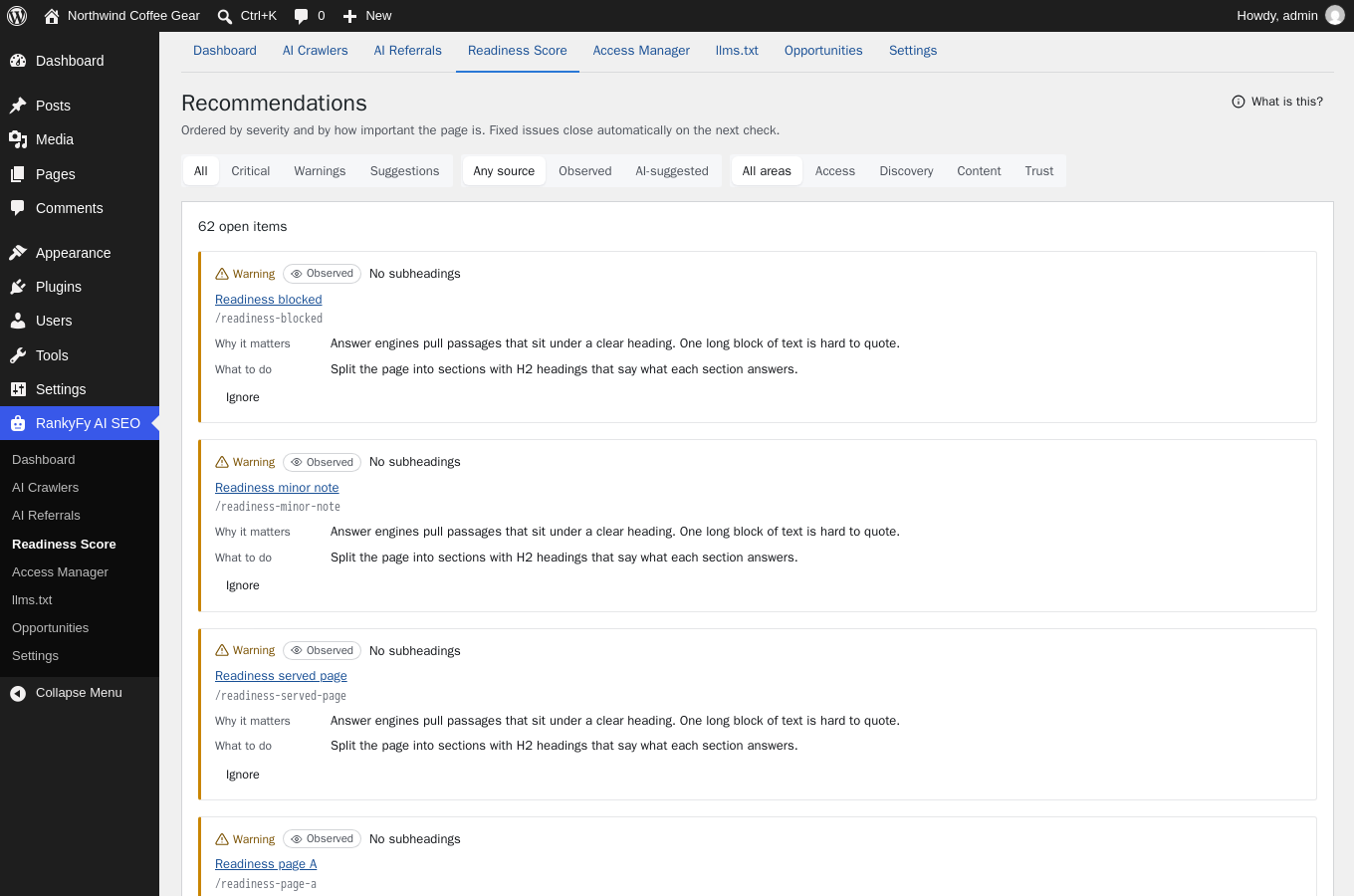
Generative engine optimization starts with what AI systems can actually use. The AI SEO readiness score runs 18 checks — access, discovery, structure, depth, trust and internal linking — and ranks the open issues by impact, each with a plain-language fix and the pages to start with.
Opportunities from your own crawl data
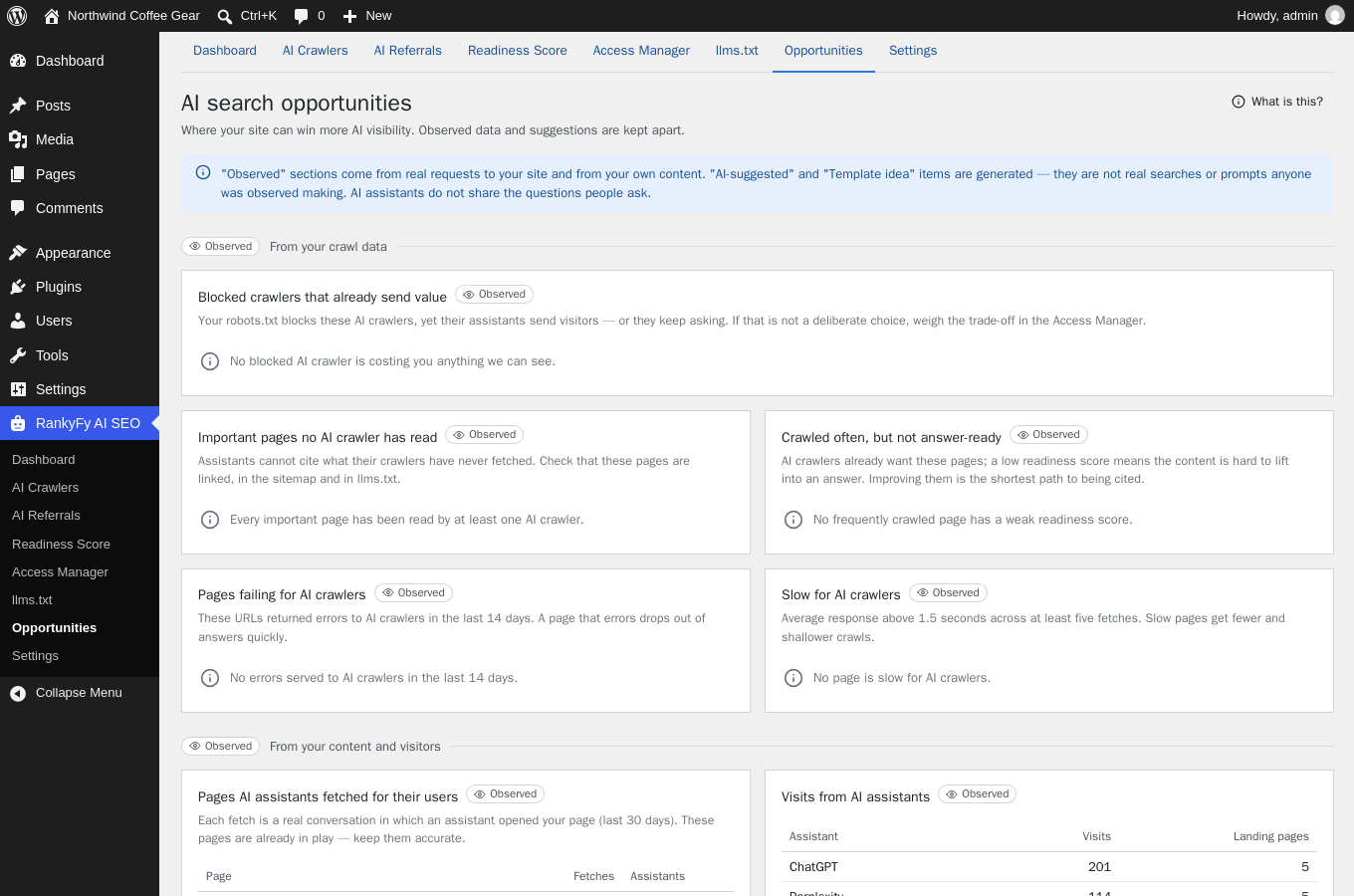
What should you do next? The Opportunities screen answers from observed data: crawlers you block whose assistants already send you visitors, important pages no AI crawler has read, pages crawled often but not answer-ready, and pages that error or respond slowly to crawlers.
Publish check, alerts, and the posts list
The editor warns before you publish a page that is noindex, blocked by robots.txt, canonicalised elsewhere or too thin for AI search. Alerts (email or webhook — Slack, Teams, Google Chat) fire when something changes: a new AI crawler, robots.txt suddenly blocking AI search, impersonation attempts, a drop in your readiness score. The posts list gains a sortable AI column.
Honest data: observed vs. suggested
Everything is labelled with where it comes from. Real requests, real server responses and your own content are marked Observed. AI assistants do not tell websites what people asked them, and this plugin never presents a generated suggestion as a real query.
Private and local by default
The plugin ships with a bundled crawler registry and works completely offline. Visitors are never tracked; crawler addresses are stored truncated. Optional remote updates and the optional RankyFy account are both opt-in — see External Services below.
Works beside your SEO plugin
RankyFy AI SEO complements Yoast SEO, Rank Math, SEOPress and All in One SEO rather than replacing them: classic SEO plugins optimize for search engine rankings, this plugin covers the AI SEO side — crawler access, AI traffic, llms.txt and answer-readiness. The publish check even reads your SEO plugin’s noindex settings to warn you before a page silently drops out of AI search.
Development
The plugin is developed in the open at https://github.com/shivang-dev/rankyfy-wordpress-aibotdetection — issues and pull requests are welcome there.
Everything in this package ships exactly as written: the PHP, the JavaScript (assets/js/admin.js, guard.js, log-worker.js) and the CSS are the hand-written source files themselves. There is no build step, no bundler, no transpiler and no minification, so no separate “source” version exists — what you read is what runs.
External Services
The plugin contacts no external service by default. Each service below is used only after the administrator enables it, and each can be switched off again at any time.
1. RankyFy crawler registry (optional, off by default)
- Service:
https://dashboard.rankyfy.com/— operated by RankyFy (https://rankyfy.com/) - Purpose: fetches an updated registry of AI crawler identities and a consolidated copy of the operators’ published network ranges, so new crawlers are recognised without a plugin update.
- When: only when “Keep crawler data updated from the internet” is enabled in Settings Capture, or when the administrator clicks “Update now” on the registry screen. Checked at most twice a day.
- Data sent: a standard HTTP request whose user-agent contains the plugin version and the site’s address. No visitor data, no content.
- Privacy policy: https://rankyfy.com/privacy-policy/ — Terms: https://rankyfy.com/terms/
2. Crawler operators’ published files (optional, off by default; same switch as above)
- Purpose: verifying that a request claiming to be a known crawler really came from that crawler, by comparing it against the address lists and signing keys the operators themselves publish.
- Data sent: a plain, anonymous HTTP GET to a fixed public file; the user-agent names the plugin. No site content, no visitor data, nothing about your WordPress installation.
- When: at most once a day per file, in the background, and only while the opt-in is enabled.
- The published IP-range files fetched, and each operator’s privacy policy:
- OpenAI —
openai.com(https://openai.com/policies/privacy-policy/) - Anthropic —
claude.com(https://www.anthropic.com/legal/privacy) - Perplexity —
www.perplexity.com(https://www.perplexity.ai/hub/legal/privacy-policy) - Google —
developers.google.com(https://policies.google.com/privacy) - Microsoft Bing —
www.bing.com(https://www.microsoft.com/privacy/privacystatement) - Apple —
search.developer.apple.com(https://www.apple.com/legal/privacy/) - Common Crawl —
index.commoncrawl.org(https://commoncrawl.org/privacy-policy) - DuckDuckGo —
duckduckgo.com(https://duckduckgo.com/privacy)
- OpenAI —
- Web Bot Auth key directories: when a crawler signs its requests (RFC 9421), its public keys are fetched from the
/.well-known/http-message-signatures-directorypath of the host the crawler itself names in its Signature-Agent header — always over HTTPS, never to private addresses, capped per hour. - Cloudflare’s public edge list —
www.cloudflare.com/ips-v4and/ips-v6(https://www.cloudflare.com/privacypolicy/, terms: https://www.cloudflare.com/website-terms/): fetched weekly so that sites behind Cloudflare can trust its visitor-address header without manual setup. The request carries no data about your site.
3. RankyFy account services (optional, requires the separate RankyFy SEO plugin and a connected account)
- Service:
https://dashboard.rankyfy.com/— operated by RankyFy (https://rankyfy.com/) - Purpose and data sent: (a) if “Help identify new AI crawlers” is enabled, the user-agent text of unrecognised bots — nothing else; (b) when the administrator explicitly requests AI analysis of a page, that page’s content, title and address.
- When: never without a connected account, and (b) only on an explicit per-page request or when automatic analysis is switched on.
- Privacy policy: https://rankyfy.com/privacy-policy/ — Terms: https://rankyfy.com/terms/
4. Webhooks (optional)
Alert notifications can be sent to one HTTPS endpoint the administrator configures (for example Slack or Microsoft Teams). Only the alert title and text are sent.
The plugin also makes one daily request to the site’s own address to test how the server answers crawlers; that request never leaves the site’s host.
Data Storage
Stored locally, in the plugin’s own database tables: for each crawler request the time, path, response code, response time, user agent and the network the request came from (the address with its last part removed, for example 203.0.113.0/24). Full addresses are kept only for a few minutes while a crawler’s identity is verified, then discarded. Ordinary visitors are never recorded; a visit arriving from an AI assistant is kept only as a daily count per page, with no information about the visitor. Retention periods are configurable in Settings (raw requests default to 30 days) and everything is removed on uninstall.
The plugin adds suggested text for your site’s privacy policy under Settings Privacy.
Screenshots
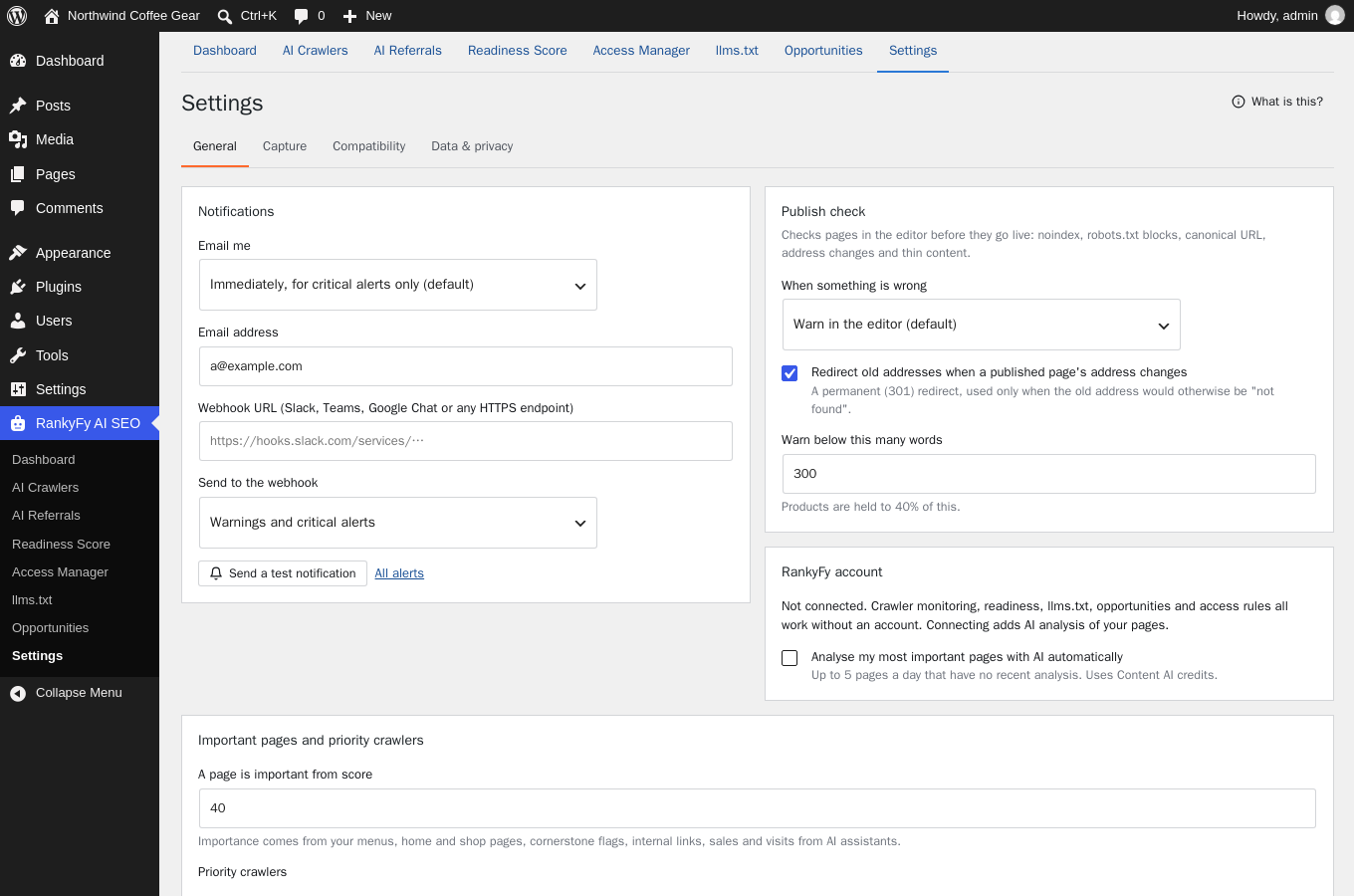
Installation
- Install and activate the plugin.
- Open RankyFy AI SEO in the admin menu (just below Settings). Monitoring is already running, fully locally.
- Optional: enable remote crawler-data updates in Settings Capture, switch on
llms.txt, and review crawler access under Access Manager.
Requires WP-Cron running (the WordPress default), or a server cron calling wp-cron.php.
FAQ
-
What does the Dashboard give me?
-
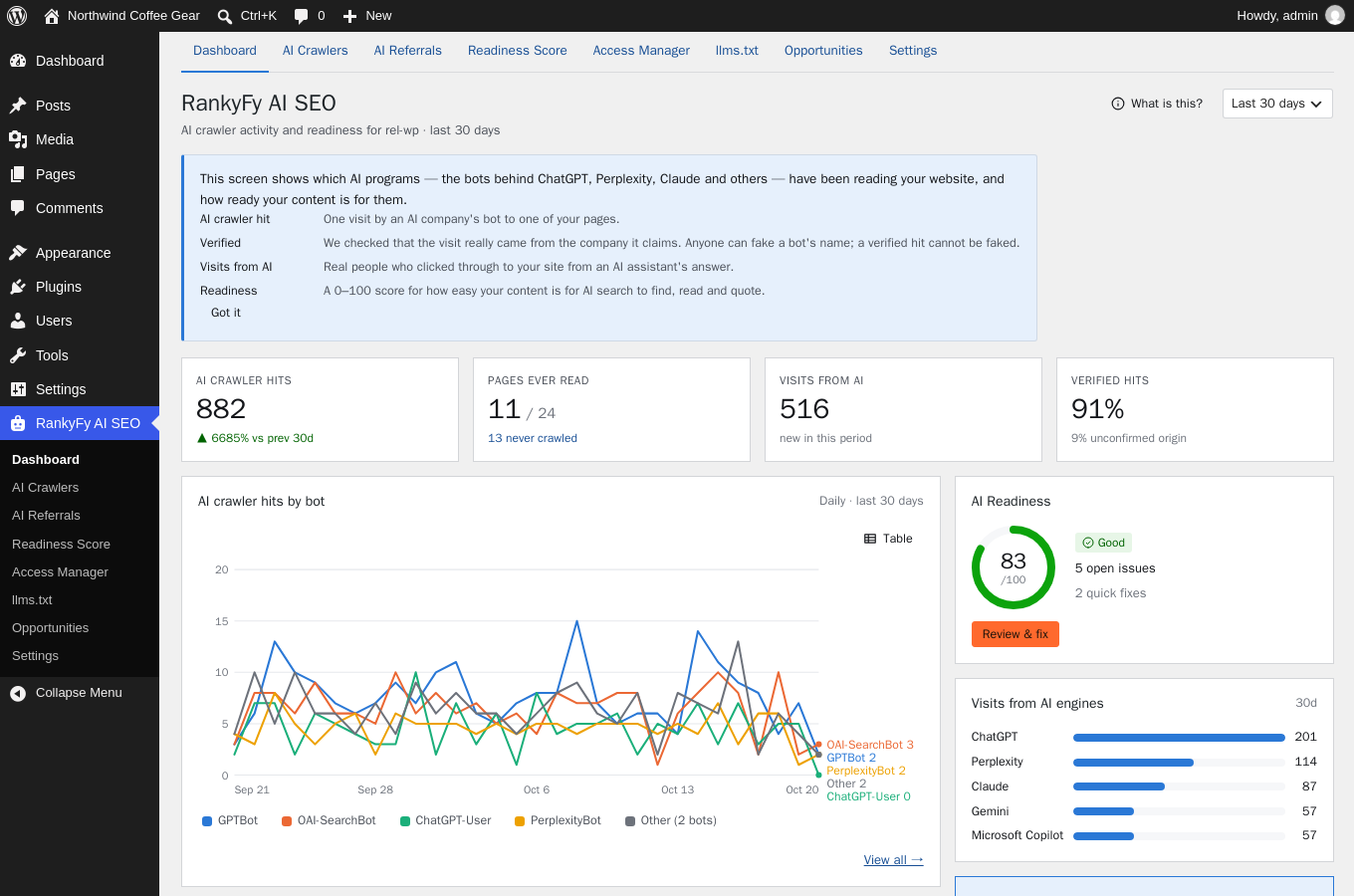
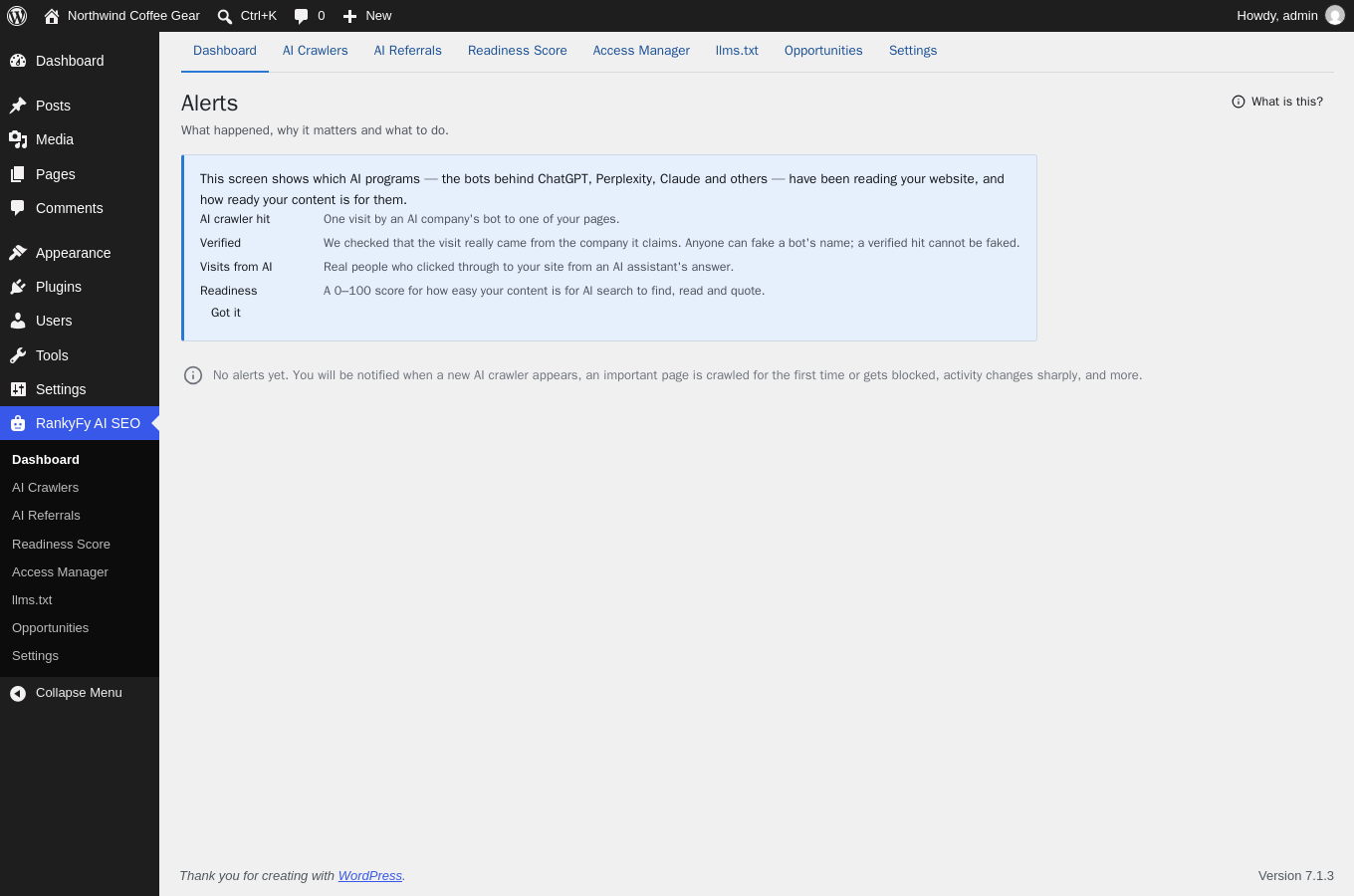
One screen that answers “is AI reading my site, and is it worth anything?”: total AI crawler hits with a per-bot daily chart, how many of your pages AI has ever read (and how many never), real visits arriving from AI assistants, the share of verified hits, and your readiness score. The benefit: you spot problems — a bot gone quiet, pages never read, a score drop — in seconds, without assembling data from logs and analytics yourself.
-
What does the AI Crawlers screen do that my server log can’t?
-
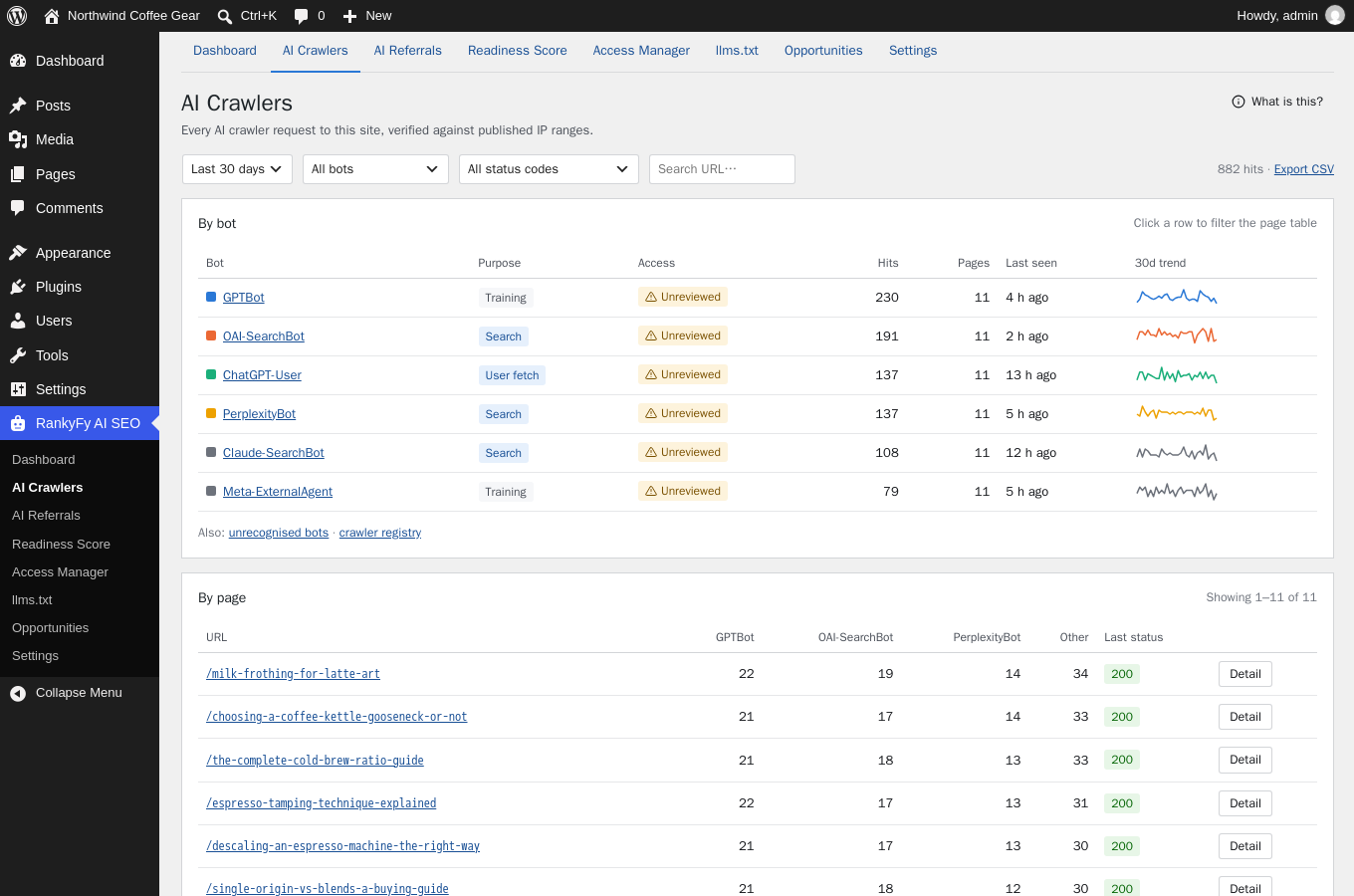
It turns raw requests into answers: every AI crawler listed with its purpose (training vs. search vs. user fetch), hits, pages, trend and verification state — and the same data pivoted by page, so you see exactly which content each bot reads and what response it got. Add redirect buttons appear on URLs answering “not found”. The benefit: you know which company reads what, catch fakes, and fix dead URLs that AI keeps requesting.
-
How does crawler verification benefit me?
-
Anyone can send a request claiming to be GPTBot. The plugin checks every claimed crawler against the operator’s published IP ranges, forward-confirmed reverse DNS or a cryptographic signature (Web Bot Auth), and counts failures separately as impersonations. The benefit: your numbers are real — decisions like “allow GPTBot, it sends value” rest on verified traffic, and the impersonation list gives you evidence to block abusive networks at your firewall.
-
What does the AI Referrals screen show that Google Analytics doesn’t?
-
Analytics suites lump assistant click-throughs into generic referrals, and some AI visits carry no referrer at all. This screen recognises the referrer and UTM patterns of ChatGPT, Perplexity, Gemini, Claude, Copilot and others and reports those human visits by engine and landing page — next to the crawl data for the same pages. The crawled vs. AI visits view shows pages AI reads but never sends anyone to, which is usually a content problem you can fix, not a crawling one.
-
What does the Readiness Score tool actually check, and why should I care?
-
18 concrete checks against your published content — direct answers under question headings, depth, author information, working pages, crawler access, llms.txt and more — rolled into one 0–100 score, with open issues ranked by impact and a “How to fix” for each, starting with the exact pages to edit. The benefit: instead of guessing what “optimize for AI” means, you get a prioritized to-do list measured from your own site, and the score history shows whether your edits worked.
-
What does the Access Manager do that editing robots.txt by hand doesn’t?
-
Three things. It shows each crawler’s real traffic on your site next to the switch, it spells out the consequence of every block before you save (“You disappear from ChatGPT’s answers. Rarely what you want.”), and it writes only its own clearly-fenced section of robots.txt, leaving the rest untouched. Presets handle the common intents in one click — including “Allow search, block training”, which stops your content training models while ChatGPT can still cite and open your pages. And because every request is still monitored, it tells you which bots keep requesting despite a block, so you can escalate with evidence.
-
What does the llms.txt tool generate, and what’s the benefit over writing one myself?
-
A hand-written llms.txt goes stale the week you publish something new. This tool builds yours from what AI crawlers actually read on your site — your most-read, most important pages with descriptions — keeps it current as content changes, excludes pages that are noindex, broken or blocked, and preserves your manual edits across rebuilds. llms-full.txt (full text) and ai.txt (training policy) are included. Nothing is served until you switch it on, and the screen shows whether each file answers and which bots fetch it.
-
What does the Opportunities screen give me that a generic SEO audit doesn’t?
-
Actions derived from your own crawl data, not a checklist: crawlers you block whose assistants already send you visitors (with the numbers), important pages no AI crawler has ever read, pages AI fetches often that score too low to be quoted, and pages that error or respond slowly to crawlers. Each item says why it matters and links to the fix. Content suggestions appear too, always labelled AI-suggested — never dressed up as measured data.
-
What is the publish check in the editor, and what does it save me from?
-
Every time you publish or update, the editor runs an AI crawler check: noindex set by your SEO plugin, robots.txt rules blocking your priority crawlers from this page, a canonical pointing elsewhere, a changed URL that AI still requests, or content too thin to be quoted. The benefit: pages stop silently dropping out of AI search — you learn about the problem before the publish, not weeks later on a chart. Changed URLs get automatic 301 redirects so crawlers never hit dead links.
-
What do Alerts do for me?
-
They watch so you don’t have to: a new AI crawler on your site, an important page crawled for the first time or no longer crawled, robots.txt suddenly blocking AI search, your server or CDN refusing crawlers, impersonation spikes, readiness score drops, and pages assistants keep opening for their users. Delivered by email (critical-only, everything, or a daily digest) or webhook to Slack, Teams or Google Chat. The benefit: a misconfigured robots.txt or a broken page costs you hours of AI visibility, not months.
-
What does the log import do, and when do I need it?
-
If a cache or CDN answers a page before WordPress runs, that crawler request never reaches the plugin’s hook. The import reads your server’s access log (parsed in your browser, uploaded in batches) and fills those gaps, with the same verification applied. The benefit: complete numbers on heavily-cached sites. The plugin detects common caches and tells you when this applies; Cloudflare’s visitor-address header is recognised automatically.
-
Which AI crawlers does it detect?
-
Over 30 out of the box: OpenAI (GPTBot, OAI-SearchBot, ChatGPT-User), Anthropic (ClaudeBot, Claude-SearchBot, Claude-User), Perplexity (PerplexityBot, Perplexity-User), Google (Googlebot, Google-Extended, Google-CloudVertexBot), Microsoft Bingbot, Meta, Amazonbot, Applebot-Extended, ByteDance Bytespider, Common Crawl CCBot, DuckAssistBot, Mistral, Cohere, You.com and more — plus unrecognised-bot detection and your own custom entries. The registry can update without a plugin release (opt-in).
-
Does it work with WooCommerce and custom post types?
-
Yes. Every public post type is monitored, scored and eligible for llms.txt — products, docs, courses, anything. Importance signals include your shop and cornerstone pages, so the readiness checks focus where revenue is.
-
Does this replace my SEO plugin?
-
No, it runs beside it. Yoast SEO, Rank Math, SEOPress and All in One SEO handle classic search engine optimization; this plugin handles the AI side — crawler verification, AI referral tracking, llms.txt, crawler access and answer-readiness. It also reads your SEO plugin’s noindex settings so the publish check can warn you before a page drops out of AI search.
-
Does it slow my site down or phone home?
-
No and no. Classification costs well under a millisecond for ordinary visitors, only bot requests are recorded, and dashboard reads come from pre-aggregated tables. By default everything runs on your own site with the bundled crawler registry; remote registry updates and the RankyFy account are separate opt-ins, documented under External Services. Visitors are never tracked, and crawler addresses are stored truncated.
-
Do I need a RankyFy account?
-
No. Every tool above — monitoring, verification, referrals, readiness, access manager, llms.txt, opportunities, publish check, alerts, log import — is local and free. An account adds one thing: AI content analysis of your pages (keyword, question and gap suggestions).
Reviews
There are no reviews for this plugin.
Contributors & Developers
“RankyFy AI SEO” is open source software. The following people have contributed to this plugin.
Contributors
Translate “RankyFy AI SEO” into your language.
Interested in development?
Browse the code, check out the SVN repository, or subscribe to the development log by RSS.
Changelog
1.2.1
- Fixed: the one-time remote-updates question (“keep local / enable updates”) is now answered once for the whole site — stored as a setting instead of per browser, and deciding in Settings Capture counts as answering it.
- Changed: the FAQ now explains each tool and its concrete benefit.
1.2.0
- New: a section bar across the top of every plugin screen, mirroring the admin menu, so switching sections never needs the sidebar.
- New: a plain-language “What is this?” explainer on every screen — open on a section’s first visit, with a short glossary of that screen’s terms, dismissible once read.
1.1.1
- Accessibility: the view transition now honors the prefers-reduced-motion setting.
- New screenshots captured from the released interface, with updated captions.
- Documentation: rewritten description and a much larger FAQ (what AI SEO is, whether to block GPTBot, how to keep ChatGPT traffic while blocking training, what llms.txt is).
1.1.0
- Changed: all remote fetching (live crawler registry, operators’ published address lists and signature keys, Cloudflare’s edge list) is now off by default and enabled by a single explicit opt-in in Settings Capture. The bundled registry is used until then.
- Changed: sharing unrecognised bot user agents with RankyFy is now off by default.
- New: Opportunities section computed from your own crawl data — blocked crawlers whose assistants send visitors, important pages never read by AI, pages crawled often but not answer-ready, pages erroring or slow for crawlers.
- Changed: Opportunities is now a top-level section of the RankyFy AI SEO menu.
- Changed: plugin renamed to RankyFy AI SEO.
1.0.0
- First release: crawler monitoring and verification, AI referrals, readiness score, access manager, llms.txt, publish check, alerts.