
Description
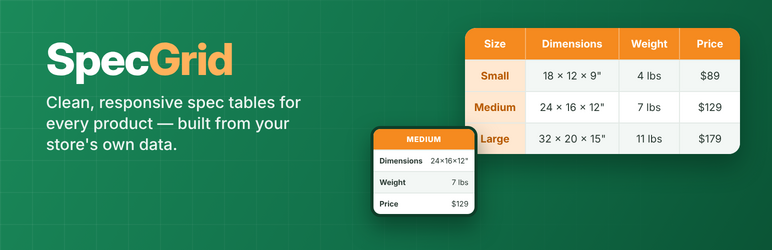
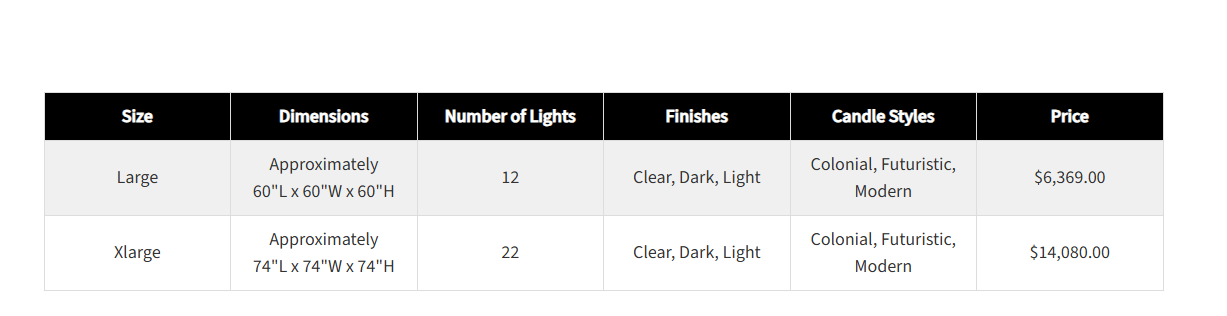
SpecGrid builds a specification table for every product in the categories you choose, straight from your WooCommerce data. Set up the table once, and each product shows one row per size (or any attribute you choose), with dimensions, weight, price, stock, and attributes filled in automatically.
Features
- One spec table, shown on every product in the categories you check
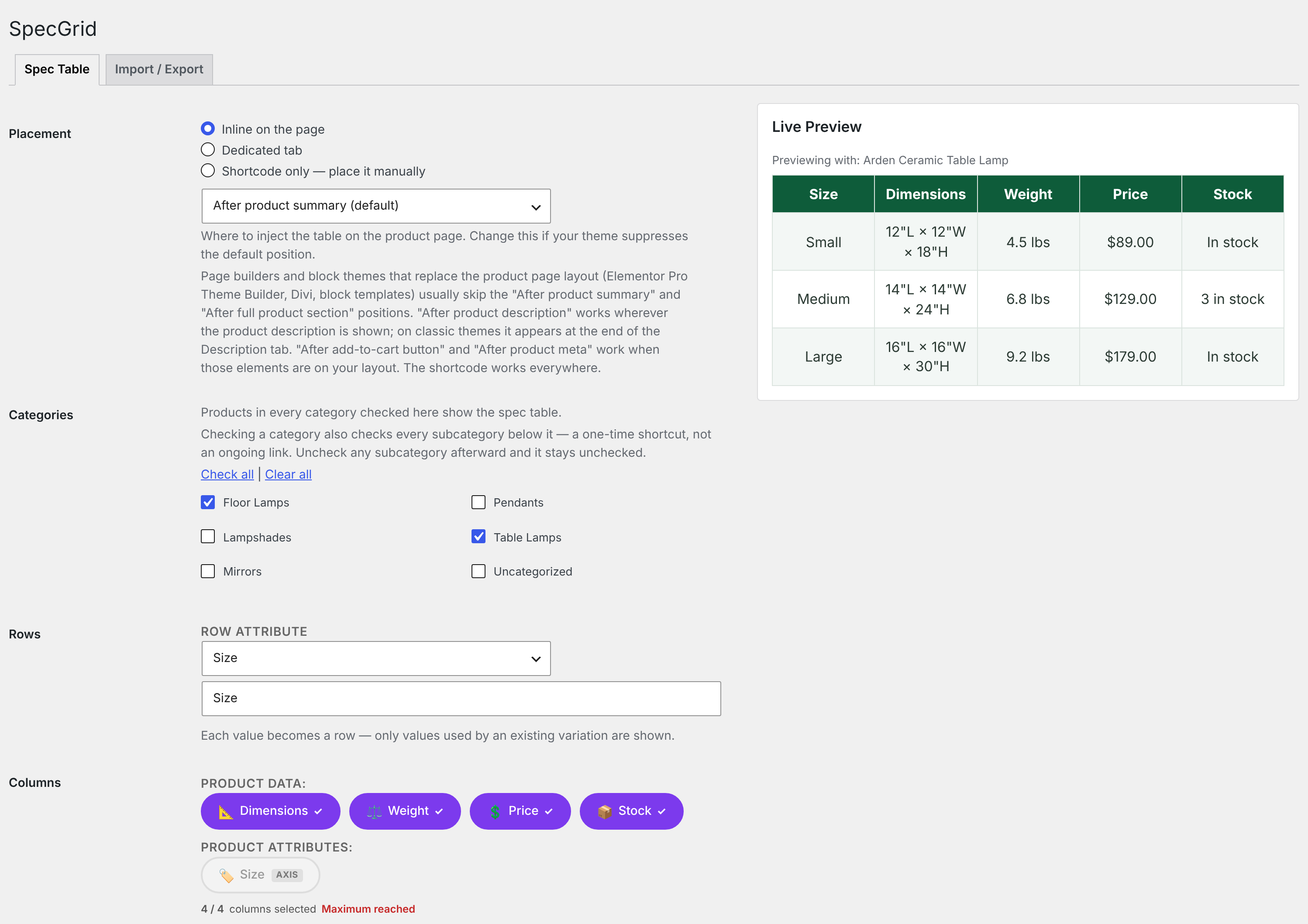
- Up to 4 columns: Dimensions, Weight, Price, Stock, and any product attribute
- One row per variation value (e.g. Small / Medium / Large), with ranges when several variations share a row
- Hide empty columns automatically
- Colors, font sizes, font family, and striped or solid rows, with a WCAG contrast checker
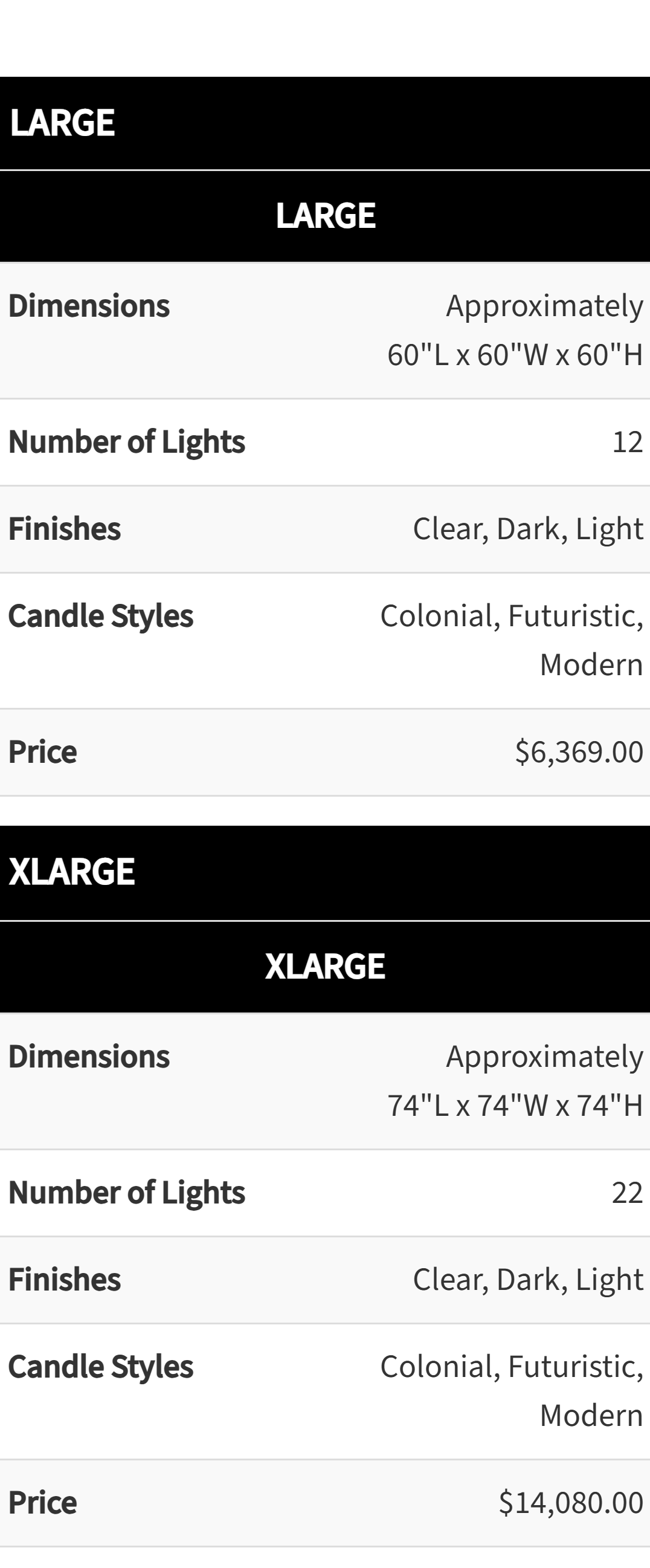
- Responsive: switches to mobile cards on small screens
- Placement: inline on the product page (five positions, including after the product description), a dedicated product tab, or the
[rankd_spec_table]shortcode - Hide the table on individual products
- Import / export of the table and its categories
SpecGrid Pro
SpecGrid Pro is a separate premium plugin with:
- Multiple templates, each for its own categories
- Up to 8 columns
- Custom field columns, including ACF fields
- Combo price column for add-ons and bundles
- Secondary and tertiary row grouping
- Table tabs with a mobile accordion
- Per-product column overrides
Shortcode
[rankd_spec_table]— the current product, on a product page[rankd_spec_table id="123"]— a specific product, anywhere on the site
Developer filters
rankd_pst_rendered_html, `rankd_pst_row_data`, `rankd_pst_skip_missing_variations`, `rankd_pst_show_axis_for_single_row`
External services
This plugin uses the Freemius SDK for licensing, updates of the Pro version, and optional usage data.
- What is sent, and when: only if you choose to opt in (on activation or later from the plugin’s account page), Freemius receives your site URL, WordPress, WooCommerce and PHP versions, plugin version, admin email and name, and plugin activation/deactivation events. Nothing is sent if you skip the opt-in. Buying or activating a Pro license sends the license key and site URL to Freemius to validate it.
- Provider: Freemius, Inc. — Terms of Service, Privacy Policy.
The product tables themselves make no external requests.
Screenshots
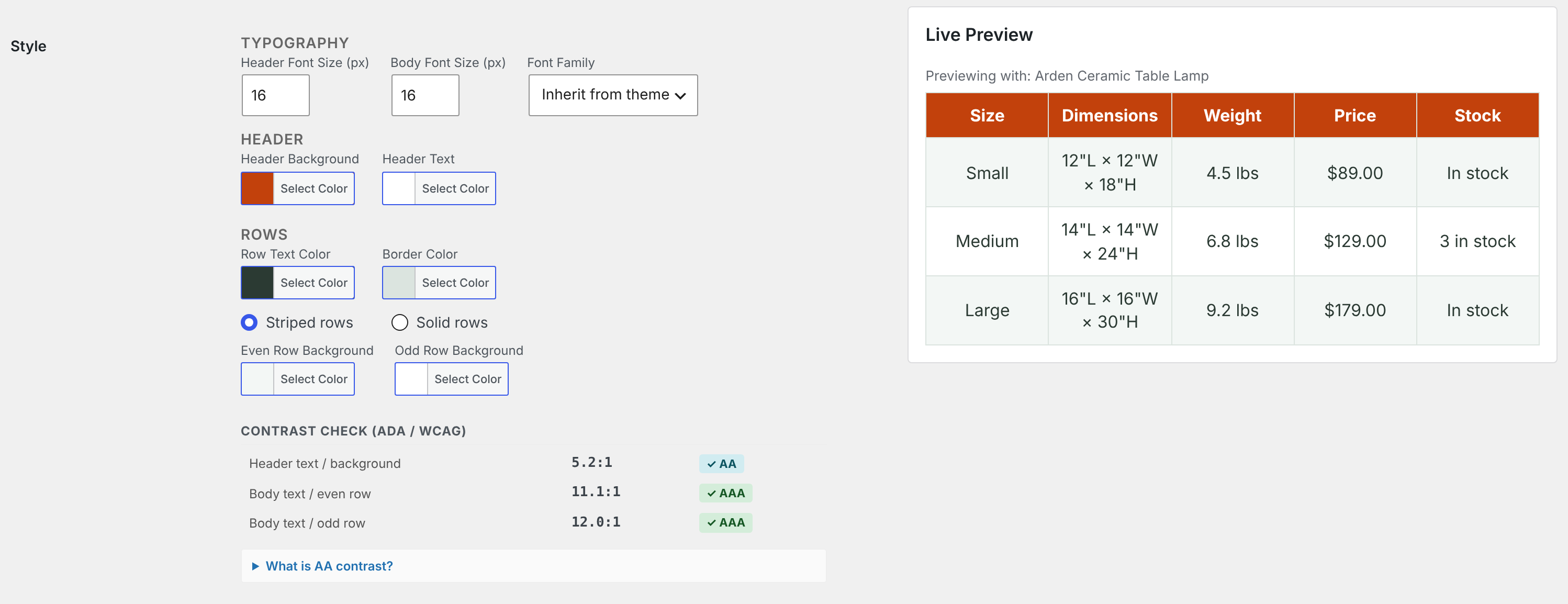
Installation
- Install and activate the plugin (WooCommerce must be active).
- Go to WooCommerce SpecGrid, pick the table’s columns and style, and check the categories it applies to.
- Choose a Placement (inline, dedicated tab, or shortcode) and save.
FAQ
-
Does it work with variable products?
-
Yes. Each value of the row attribute (usually Size) gets its own row, using that variation’s data. Only values used by real variations are shown, and variations set to “Any” match every value.
-
Can I hide the table on one product?
-
Yes. Check “Hide the spec table on this product” in the product’s Spec Table box.
-
Does it work with block themes?
-
Yes. Block themes and page builders such as Elementor often skip some of WooCommerce’s classic product-page positions. Choose the “After product description” inline position, which appears wherever the product description is shown, or place the shortcode, which works everywhere.
-
Will it slow down my site?
-
No. Tables are built from data WooCommerce already has, use one small stylesheet, and make no external requests.
Reviews
There are no reviews for this plugin.
Contributors & Developers
“Rankd SpecGrid for WooCommerce” is open source software. The following people have contributed to this plugin.
Contributors

Translate “Rankd SpecGrid for WooCommerce” into your language.
Interested in development?
Browse the code, check out the SVN repository, or subscribe to the development log by RSS.
Changelog
1.0.0
(10/13/2026)
* Initial release.