

Description
Spam bots fill in website forms by themselves: junk comments, fake sign-ups, fake orders and contact form spam. Rabbitproof blocks them, and your real visitors don’t notice a thing. There are no puzzles, no ticks and nothing to click.
What it protects
- Comments
- Sign-ups and lost password
- Sign-ins
- WooCommerce checkout and account sign-ups
- Contact Form 7
- WPForms
- Gravity Forms
- Elementor forms
- Fluent Forms
Features
- Form spam protection
- Comment spam protection
- Brute force login protection
- Fake account protection
- Automated browser detection
- Proxy and VPN detection
- Multi-connection device detection
- Repeat offender blocking
- Shared bot blocklist
- Direct POST protection
- Scanner and private file blocking
Rabbitproof needs a Rabbitproof account, which you make when you connect. Installing it and your first 5,000 requests cost nothing, with no payment details needed. After that it’s a paid service, and you can stop at any time.
Need more? Bot Management for WordPress checks every visitor before they reach your website, with geoblocking, content scraping protection and origin protection.
External services
This plugin relies on Rabbitproof, a service run by the plugin’s authors at rabbitproof.com.au, to tell real visitors from spam bots. It cannot work without it. Nothing is sent to Rabbitproof, and nothing is loaded from it, until you press Connect to Rabbitproof and your website is connected.
What is sent, and when:
- On your website’s pages: the plugin loads Rabbitproof’s script from https://rabbitproof.com.au/v1/rp.js. In the visitor’s browser it sends Rabbitproof technical details about the browser and device (for example the browser’s version, the screen size and the time zone) and checks the internet address the visitor connects from, including a connection test to p.rabbitproof.com.au. Rabbitproof answers with a pass, kept in a cookie on your website. This is not loaded on Bot Management for WordPress, where Rabbitproof checks visitors before they reach your website.
- When a form is sent (comments, sign-ups, sign-ins, lost password, WooCommerce checkout and the form plugins you switch on): your website sends Rabbitproof the visitor’s internet address, the form’s address, the kind of form, the visitor’s pass, whether the visitor is signed in, and, for a post from a service such as a payment provider, which service it says it is. What the visitor typed is never sent.
- When someone asks your website for a file no visitor needs, such as a server configuration file: your website sends Rabbitproof their internet address and the address they asked for, at most once an hour for each internet address.
- Once a day: your website sends Rabbitproof a list of its page and form addresses, to set up its protection. Rabbitproof may also visit your website’s public pages to find its forms.
- When you use the plugin’s settings page: your website sends and reads your Rabbitproof settings and your Requests list, using your website’s keys.
- When you connect, deactivate or remove the plugin: your website tells Rabbitproof, so its dashboard shows whether the plugin is connected.
Rabbitproof runs on Cloudflare’s network, which has data centres around the world.
- Terms of service: https://rabbitproof.com.au/terms
- Privacy policy: https://rabbitproof.com.au/privacy
- Compliance, including our Data Processing Agreement: https://rabbitproof.com.au/compliance
Credits
Country flags are from flag-icons by Panayiotis Lipiridis (https://github.com/lipis/flag-icons), under the MIT License. The licence is included in assets/flags/LICENSE.txt.
Screenshots
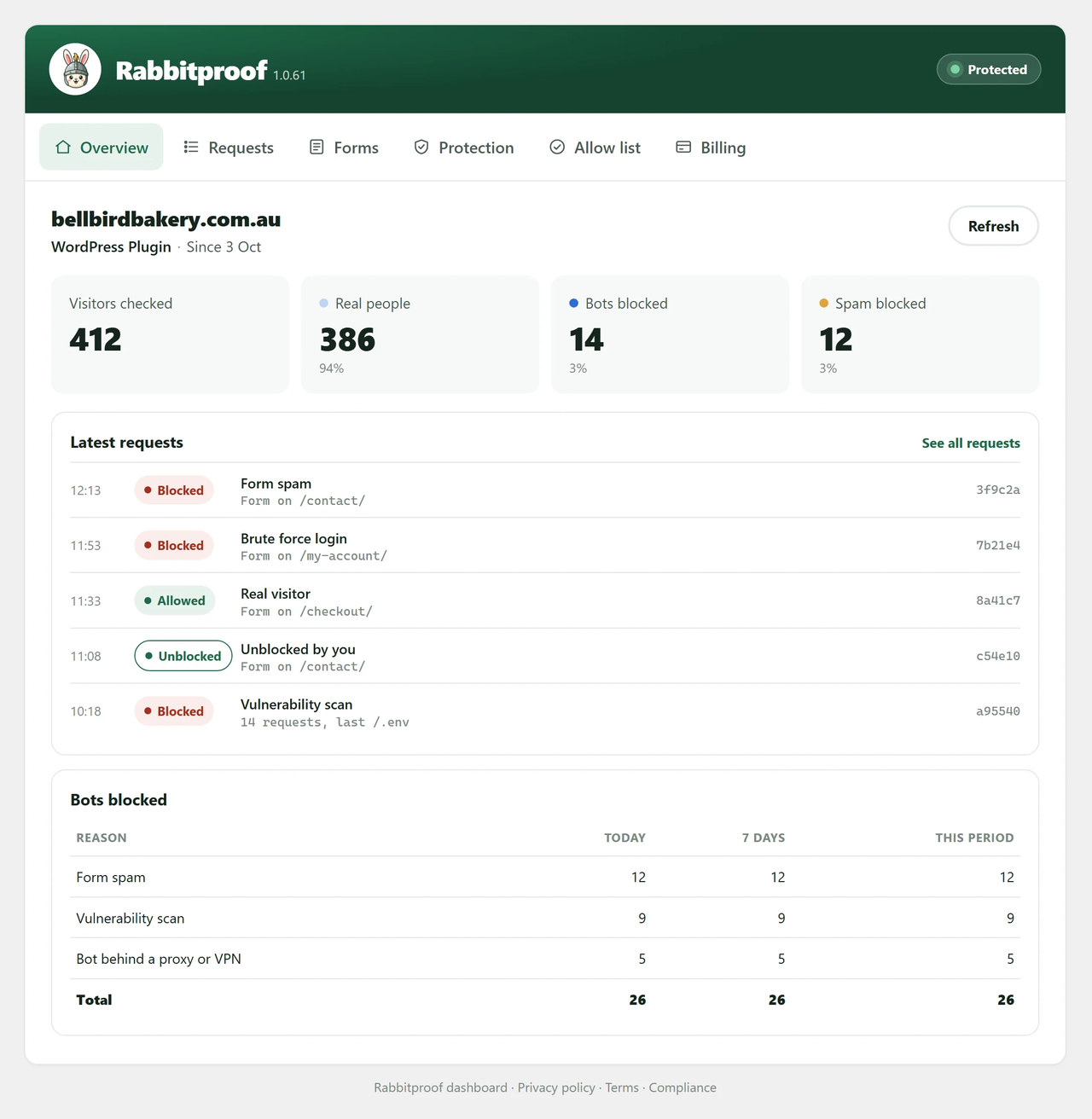
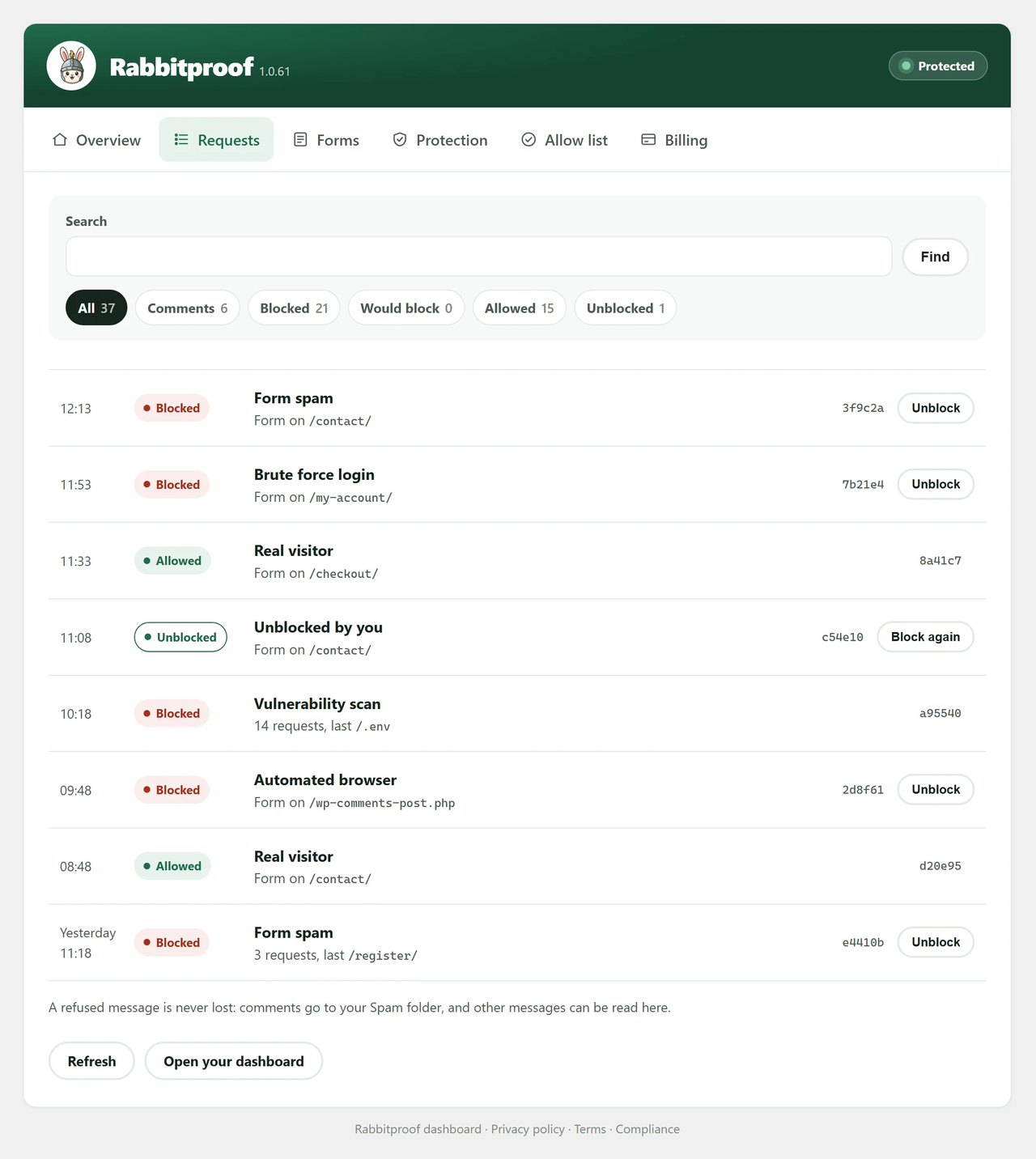
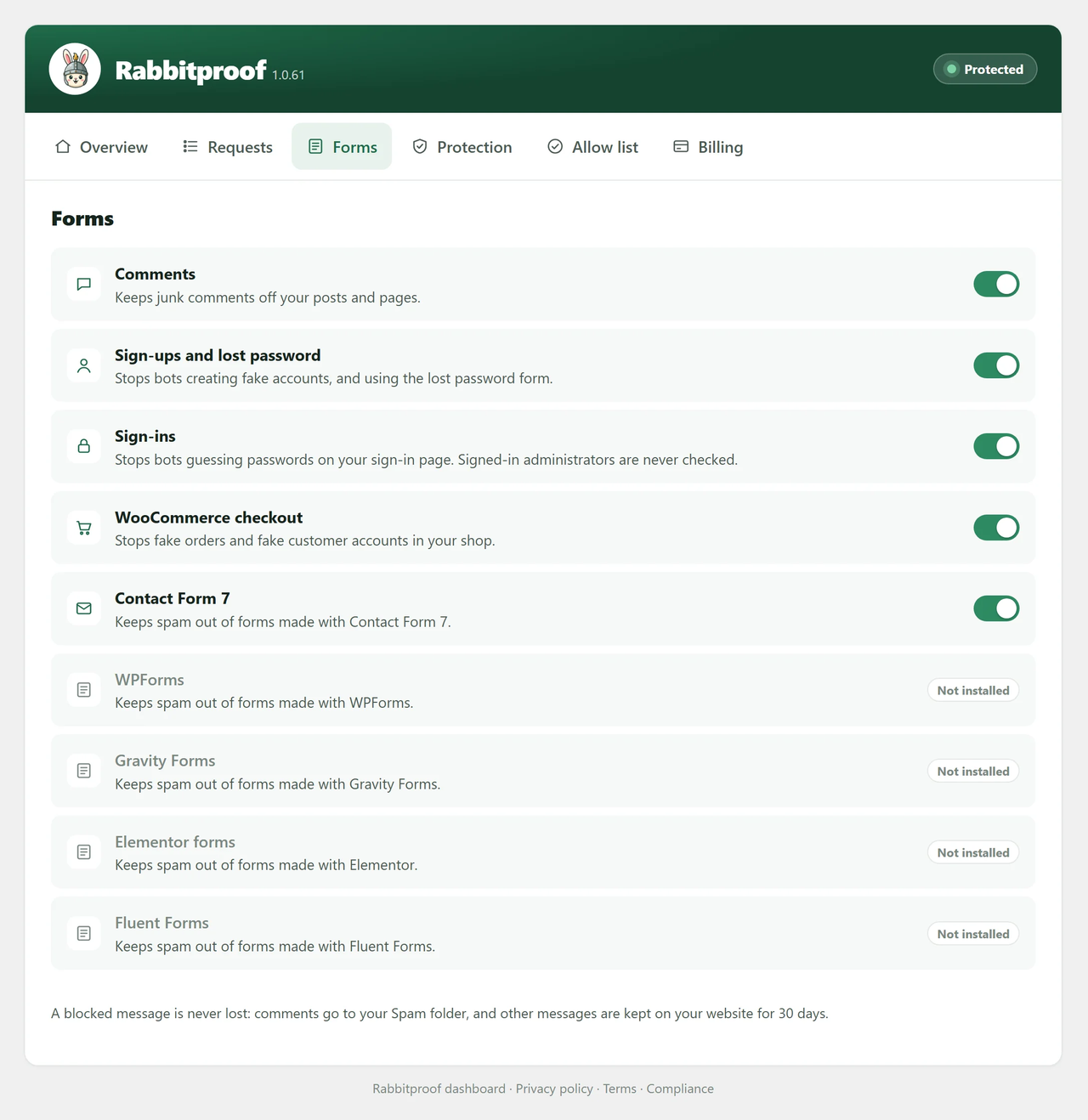
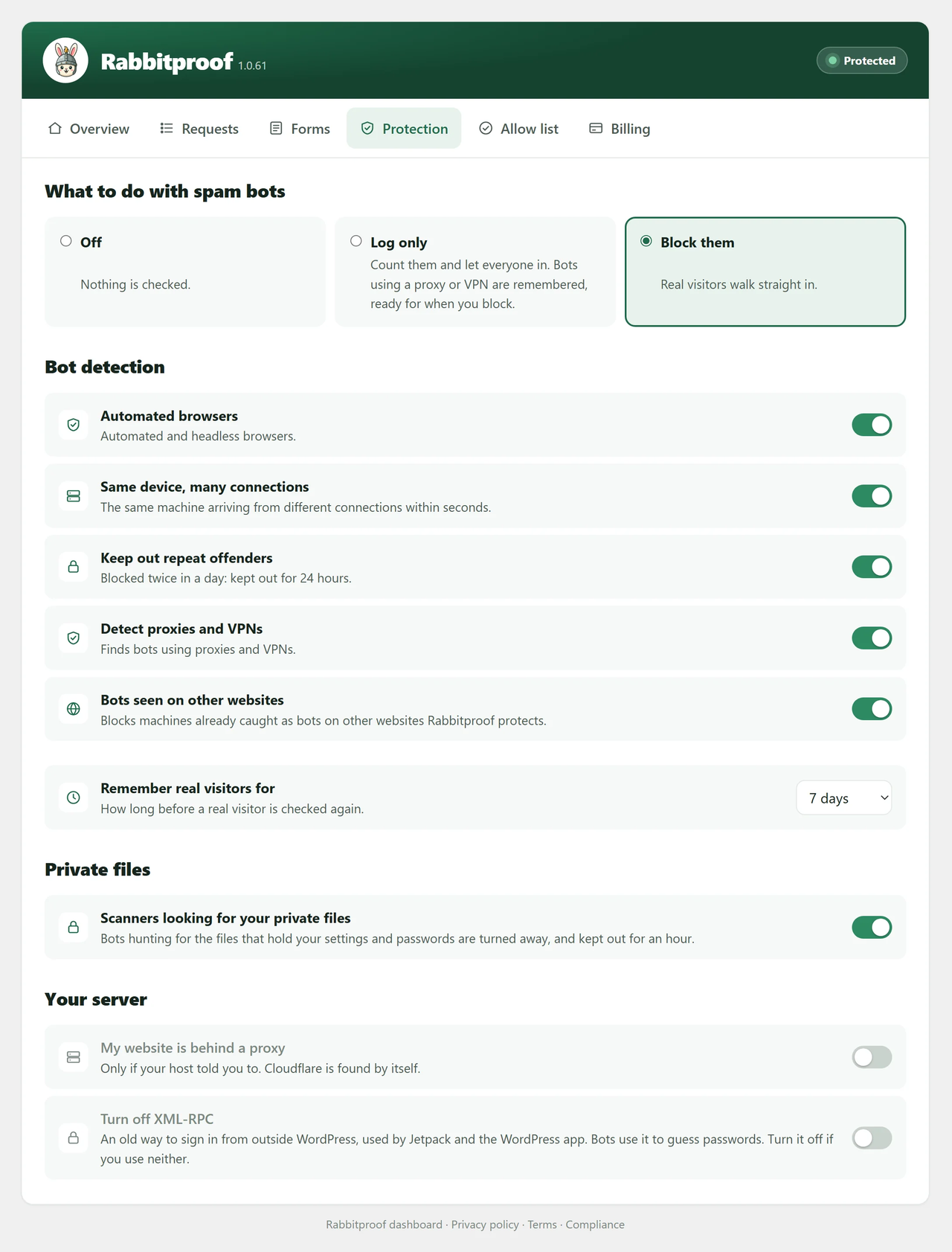

Installation
- Install and activate the plugin.
- Open Rabbitproof in the WordPress menu and press Connect to Rabbitproof.
- Sign in to your Rabbitproof account, or make one. You come back to WordPress connected.
FAQ
-
Will my visitors notice?
-
No. There are no puzzles and nothing to click.
-
Does it work with my forms?
-
Rabbitproof works with WordPress comments, sign-ups, sign-ins and lost password, WooCommerce checkout, Contact Form 7, WPForms, Gravity Forms, Elementor forms and Fluent Forms. Each one has its own switch on the Forms tab.
-
What happens to a message that was blocked?
-
It isn’t lost. Comments go to your Spam folder. Contact form messages are kept on your website for 30 days, where you can read them and unblock the sender.
-
What if a real person is blocked?
-
It’s very unlikely. Rabbitproof checks how the whole visit behaves, not just the internet address, so real people go straight through. If it ever happens, press Unblock on the Requests tab.
-
Does it work with page caching?
-
Yes.
-
Do I have to pay to start?
-
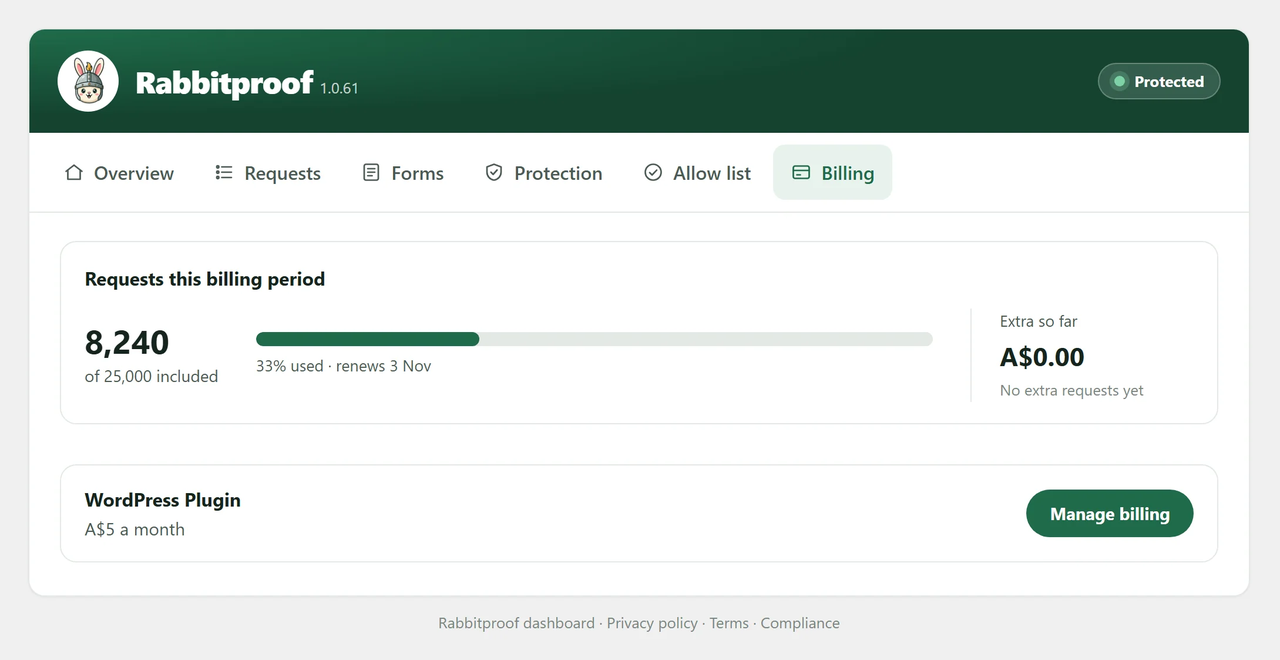
No. Installing it and your first 5,000 requests cost nothing, and no payment details are needed. To keep using it after that, it’s A$5 a month with 25,000 requests included, and you can stop at any time. See rabbitproof.com.au for details.
-
Where can I use Rabbitproof?
-
Everywhere except the European Union, Norway, Iceland, Liechtenstein, the United Kingdom and Switzerland.
Reviews
There are no reviews for this plugin.
Contributors & Developers
“Rabbitproof: Spam Bot Protection” is open source software. The following people have contributed to this plugin.
Contributors
Translate “Rabbitproof: Spam Bot Protection” into your language.
Interested in development?
Browse the code, check out the SVN repository, or subscribe to the development log by RSS.
Changelog
1.0.67
- A calmer layout: small section labels, and each section’s settings grouped together.
- Every blocked message, comments included, shows everything that was sent, in the same layout.
- A message only shows under its own form’s row.
- Unblock asks in the plugin’s own pop-up.
- View spam folder opens the right place for comments, Flamingo, Fluent Forms and Gravity Forms.
- Bot Management: the honeypot link is its own setting, and Protect your numbered pages is now Content scraping protection.
- Bot Management: choose the device check theme (Light, Dark or Match visitor) in the plugin.
1.0.61
- Overview shows the spam blocked on its own card, beside the bots blocked.
- Shares under 1% or over 99% show one decimal, so a few real people never read as 0%.
- A scan from many addresses has the same Blocked label as every other row.
1.0.60
- That row stands out with a solid red Blocked label.
1.0.59
- A scan from many addresses at once shows as one row on Requests, with how many requests and addresses.
1.0.58
- A blocked comment shows what was written and the post it was on, with a link to your spam folder.
1.0.56
- Requests for private files get the same refusal your server gives itself.
1.0.55
- Private files your server refuses now show on the Requests tab.
- Repeated failed sign-ins through XML-RPC are refused, and a new switch turns XML-RPC off.
1.0.54
- First release.