
Description
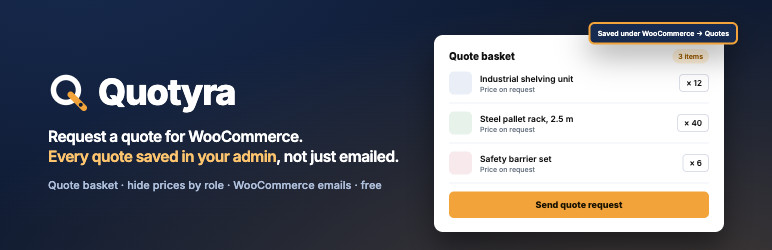
Every quote request is saved under WooCommerce Quotes, with status, search and internal notes, in the free version. Most free quote plugins only add a button and send you an email; Quotyra keeps the record so nothing gets lost in an inbox.
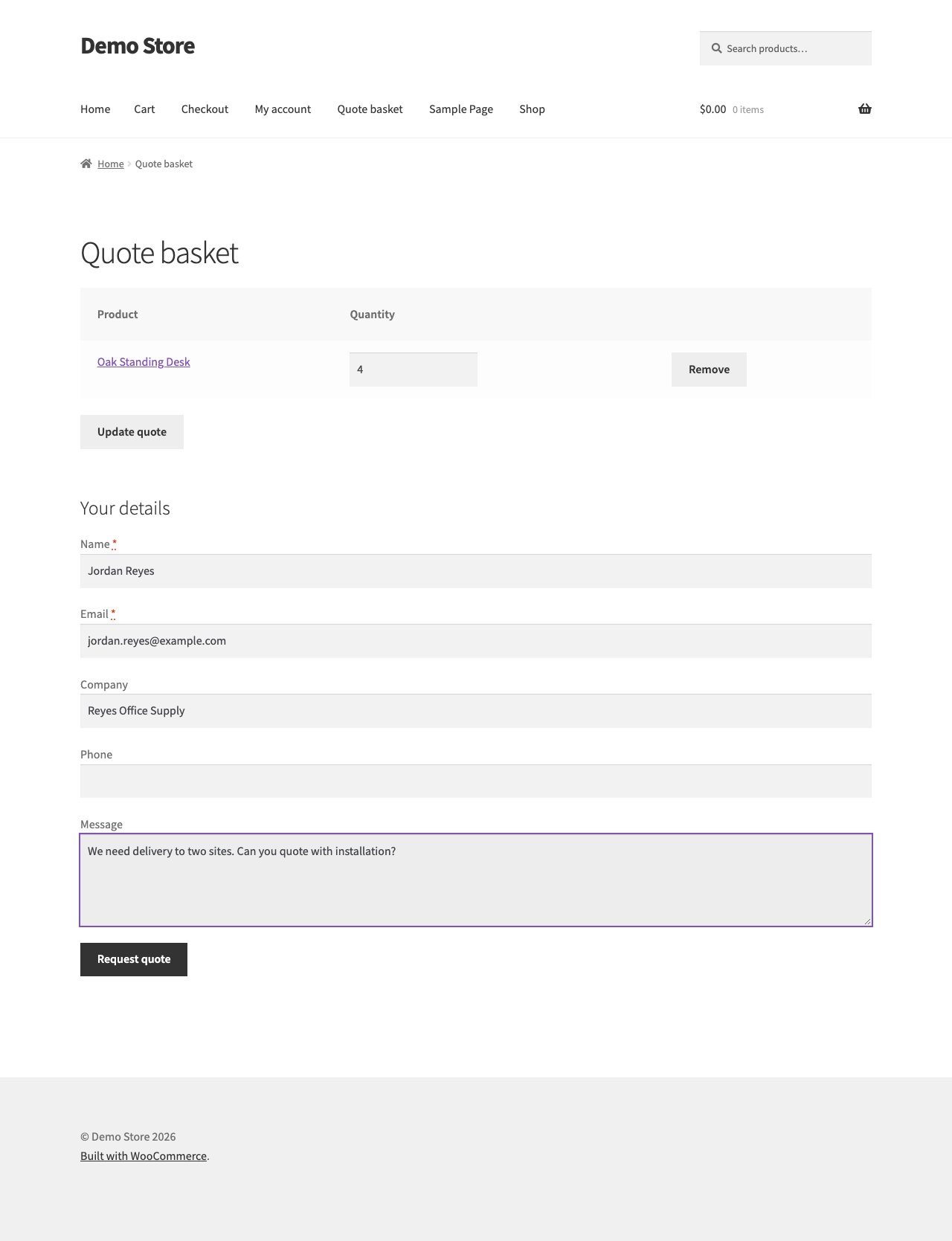
Quotyra adds a request-a-quote flow to WooCommerce for B2B, wholesale and made-to-order shops. Customers add products to a quote basket instead of the cart, review quantities, and send one request with their name, email, company, phone and message. You get the quote as a record in the admin plus an email, the customer gets a confirmation, and nothing becomes an order until you decide it should.
No account, no external service, no tracking. The free version is complete on its own and stays free.
What the free version does
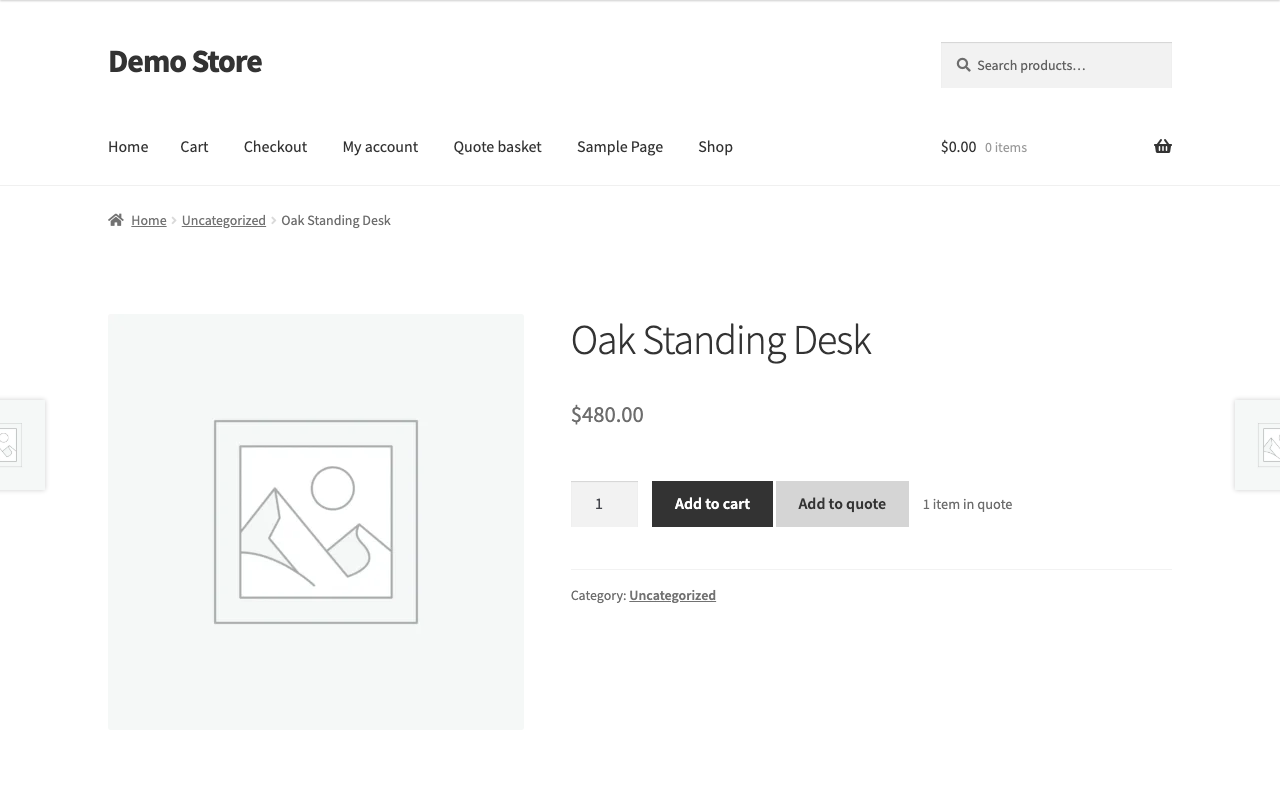
- “Add to quote” button on single product pages and in shop and category grids. Works with simple and variable products.
- Quote basket page via the
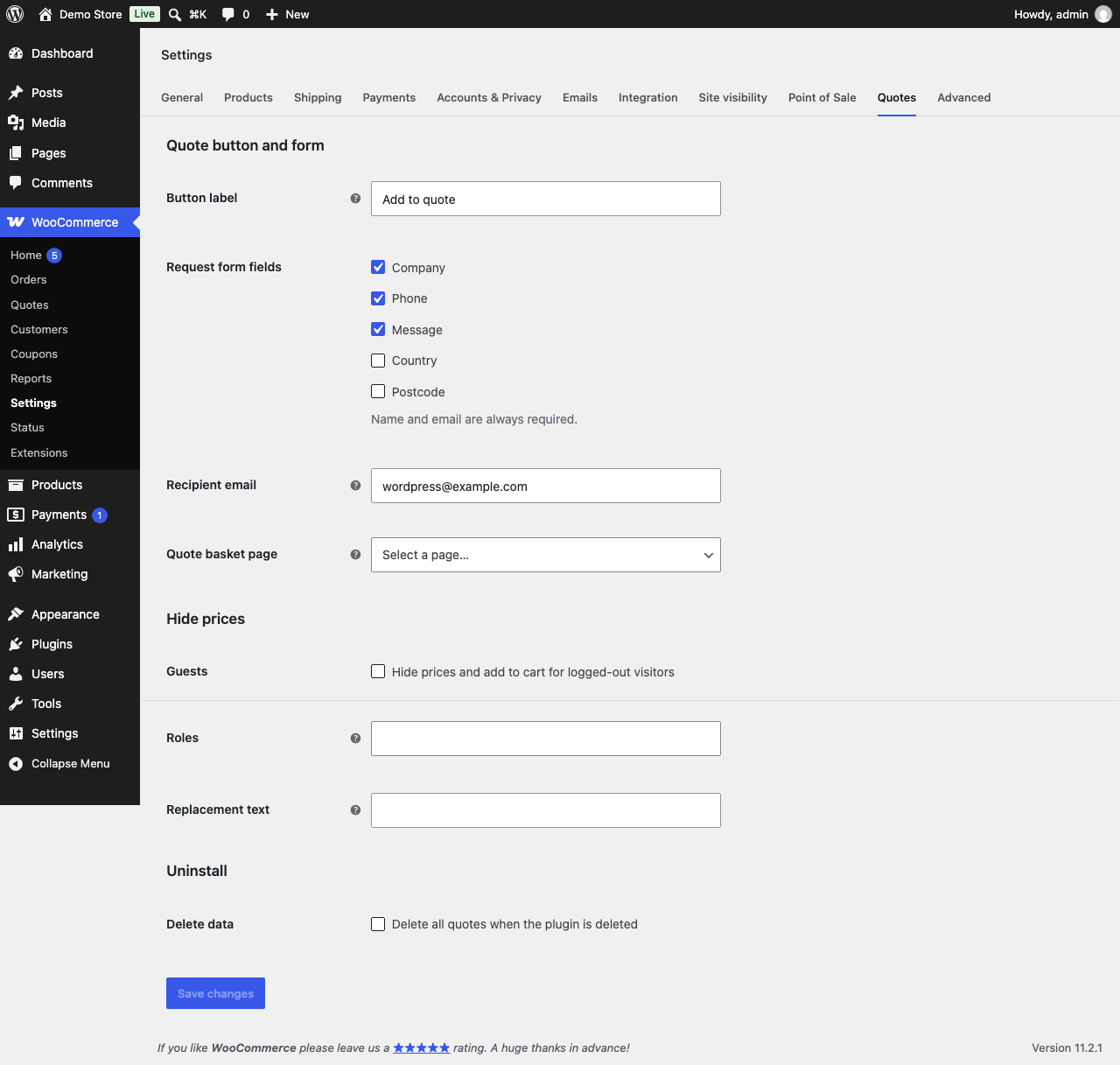
[quotyra_quote_basket]shortcode or the “Quote basket” block: edit quantities, remove items, submit the request. - Hide prices and add to cart for guests or for selected user roles, with optional replacement text such as “Login for pricing”. Shop managers always see prices.
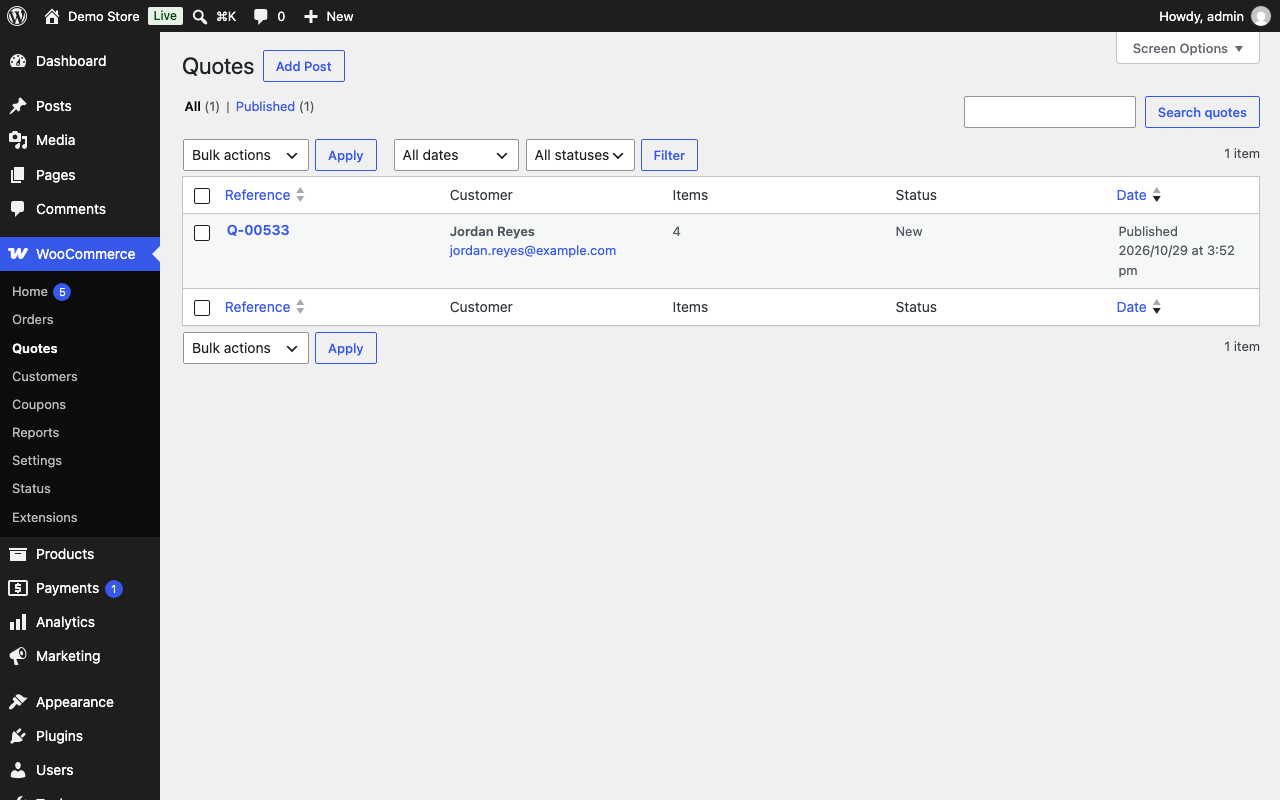
- Quote records in the WooCommerce admin: list with status filter and search by reference, customer name, email or company; quote screen with items, customer details and internal notes.
- Two WooCommerce emails, configured under WooCommerce Settings Emails: a new quote notification for the shop and a confirmation for the customer. Templates can be overridden in your theme.
- Settings tab under WooCommerce Settings Quotes: button label, optional form fields, recipient email, hide-price rules, basket page.
- Spam protection with a honeypot field and nonces on every form.
- Works with classic themes (tested on Storefront) and block themes (tested on Twenty Twenty-Four), WooCommerce product grid blocks, and High-Performance Order Storage on or off.
- No external services, no tracking, no data leaves your site.
- Optional “Delete data on uninstall” setting, off by default, so removing the plugin never deletes your quotes by accident.
Templates and hooks
Templates live in templates/quotyra/ and can be copied into your theme. Actions and filters use the quotyra_ prefix.
Quotyra Pro
Pro adds counter-offers with a customer accept link, accept-to-order conversion, PDF quotes, expiry reminders and per-product or per-role rules. One licence covers unlimited sites, and Pro features keep working if the licence expires. Upgrade from the plugin’s Plugins screen; the free plugin never loses features to Pro.
Screenshots

Installation
- Make sure WooCommerce 8.0 or newer is installed and active.
- Upload the plugin to
/wp-content/plugins/quotyra-quote-requests/, or install it from the Plugins screen, and activate it. - Create a page and add the
[quotyra_quote_basket]shortcode (or the “Quote basket” block) to it. This is the page where customers review their items and send the request. - Go to WooCommerce Settings Quotes, pick that page under “Quote basket page”, and set the button label, form fields and recipient email.
Requirements: PHP 7.4+, WordPress 6.4+, WooCommerce 8.0+. If WooCommerce is not active the plugin shows a notice and deactivates itself.
FAQ
-
Where do I see the quote requests?
-
Under WooCommerce Quotes. The list shows reference, customer, number of items, status and date. You can filter by status and search by reference, customer name, email or company. Open a quote to see the requested items, the customer’s details and to keep internal notes that customers never see.
-
Which emails does the plugin send?
-
Two WooCommerce emails: a “new quote request” email to the shop (recipient set in the Quotes settings, defaulting to the site admin email) and a “quote request received” confirmation to the customer. Both appear under WooCommerce Settings Emails, where you can turn them off and change the subject and heading. Templates can be overridden in your theme under
quotyra/emails/. -
Do quotes become orders?
-
No. A quote is stored as its own record and never creates a WooCommerce order, so it does not affect order numbers, stock or reports.
-
Yes. Under WooCommerce Settings Quotes Hide prices you can hide prices and add to cart for logged-out visitors and for selected user roles, and optionally show replacement text. The quote button is shown instead. Administrators and shop managers always see prices.
-
Does it work with variable products?
-
On the product page, yes: the customer picks a variation and the chosen variation and attributes are saved with the request. Variable products do not get a quote button in shop grids; the customer has to open the product page.
-
Does it work with block themes and the WooCommerce blocks?
-
Yes. It is tested with Storefront (classic) and Twenty Twenty-Four (block theme), and it adds the quote button to product grids built with the Product Button block. In a block theme, add the basket with the “Quote basket” block or a Shortcode block. See the compatibility notes shipped with the plugin source for known limitations.
-
Is it compatible with High-Performance Order Storage (HPOS)?
-
Yes. Compatibility is declared, and because quotes are not orders the plugin does not read or write order tables.
-
What data does the plugin store, and what happens when I delete it?
-
Quote requests (customer name, email, company, phone, message and requested items) are stored in your own database as the
quotyra_quotepost type. The plugin does not contact external services. When you delete the plugin its settings are removed. Quote requests are removed as well only if “Delete all quotes when the plugin is deleted” is ticked under WooCommerce Settings Quotes. -
Can I translate it?
-
Yes. All strings use the
quotyra-quote-requeststext domain and a.potfile is included in thelanguagesfolder.
Reviews
There are no reviews for this plugin.
Contributors & Developers
“Quotyra Quote Requests for WooCommerce” is open source software. The following people have contributed to this plugin.
Contributors
Translate “Quotyra Quote Requests for WooCommerce” into your language.
Interested in development?
Browse the code, check out the SVN repository, or subscribe to the development log by RSS.
Changelog
0.1.1
- Add a dismissible request for a WordPress.org review after five quote requests.
0.1.0
- Add to quote button on product pages and in shop loops, including product grids built with blocks.
- Quote basket page (shortcode and block) with editable quantities and a request form with spam honeypot.
- Quotes admin list with status filter and search, and a quote screen with internal notes.
- New quote and quote received emails.
- Hide prices and add to cart for guests and selected roles.
- Settings tab under WooCommerce Settings Quotes.
- HPOS and Cart/Checkout blocks compatibility declared.
- Optional removal of all quotes on uninstall; translation template included.