

Description
You need a Quotelatic account to use this plugin. The form, its questions and your requests are hosted on Quotelatic.com. Make a free account (no card needed), then connect it here.
Quotelatic gives your service business a quote request form built for your trade: roofing, cleaning, moving, landscaping, plumbing and many more (40 trades in all). Customers answer the questions that matter, add photos and their location, and you get every request by email, WhatsApp and in your dashboard, ready to price.
This plugin puts your Quotelatic form on your WordPress site:
- Inline form inside any page or post. It grows with its content, with no scrollbars.
- Popup button that opens the form in a window over your page.
- Floating button in the corner of every page.
- Plain link or a basic frame for builders that block scripts.
- A block for the block editor, and the
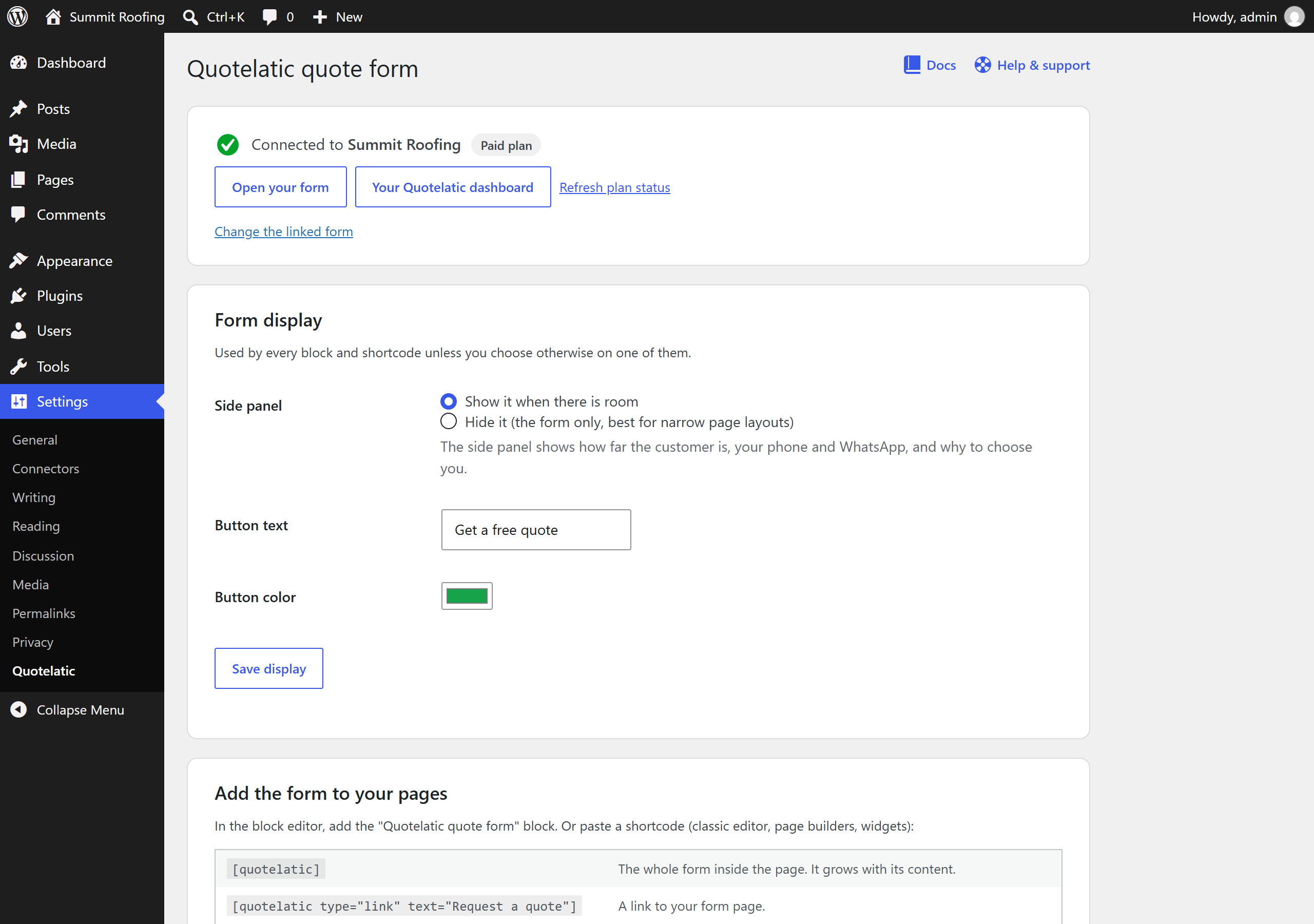
[quotelatic]shortcode for the classic editor, page builders and widgets. - Show or hide the form’s side panel (progress, your phone, why choose you), per form or for the whole site.
- Choose the pages that show the floating button: every page, only some, or all except some.
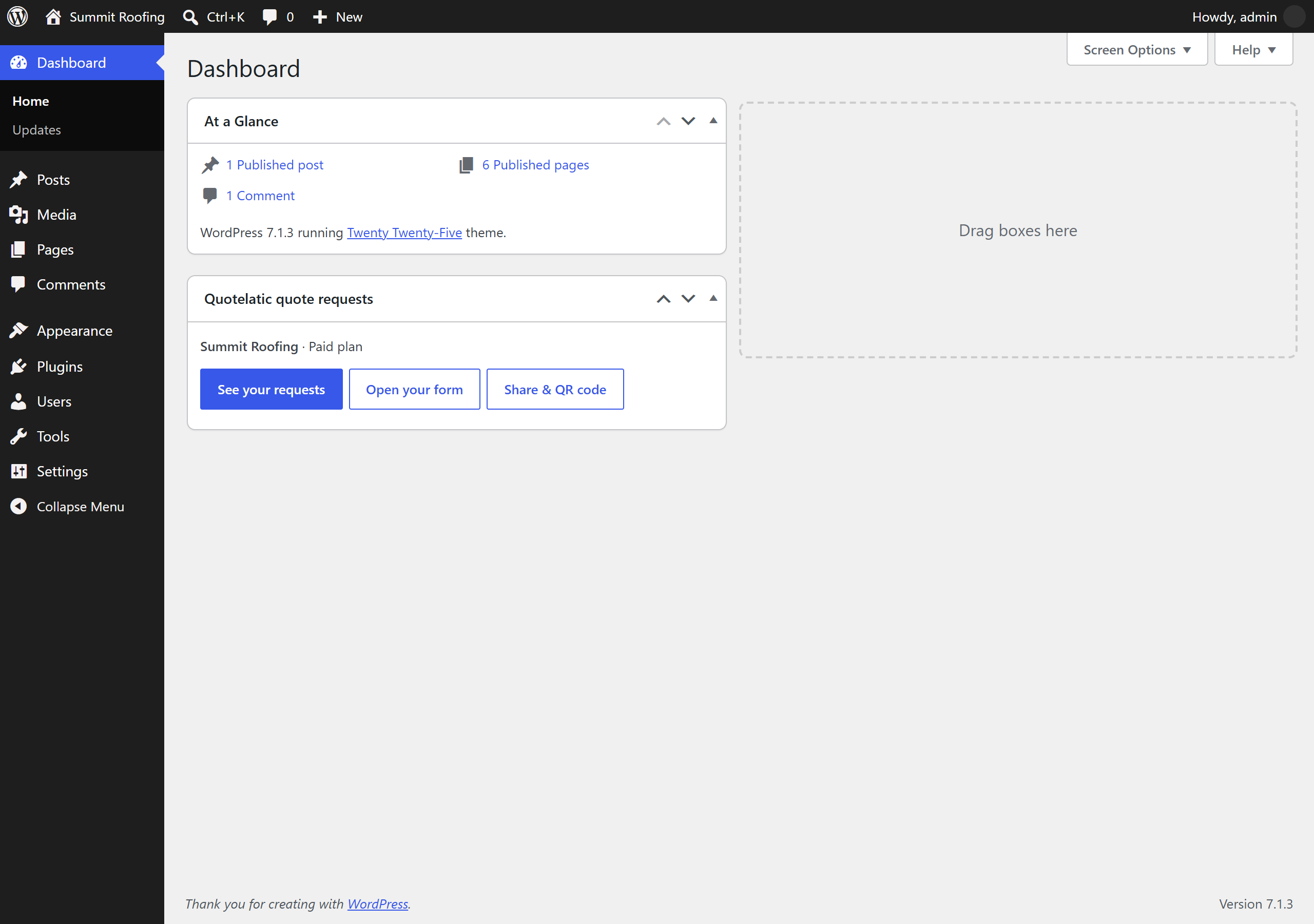
- A shortcode maker in the settings, and a Dashboard box with quick links to your requests.
Start free, no card needed. Paid plans add unlimited requests, itemized quotes, premium themes, the popup and floating button, and more. See pricing.
How it works
- Make your Quotelatic account and choose your trade.
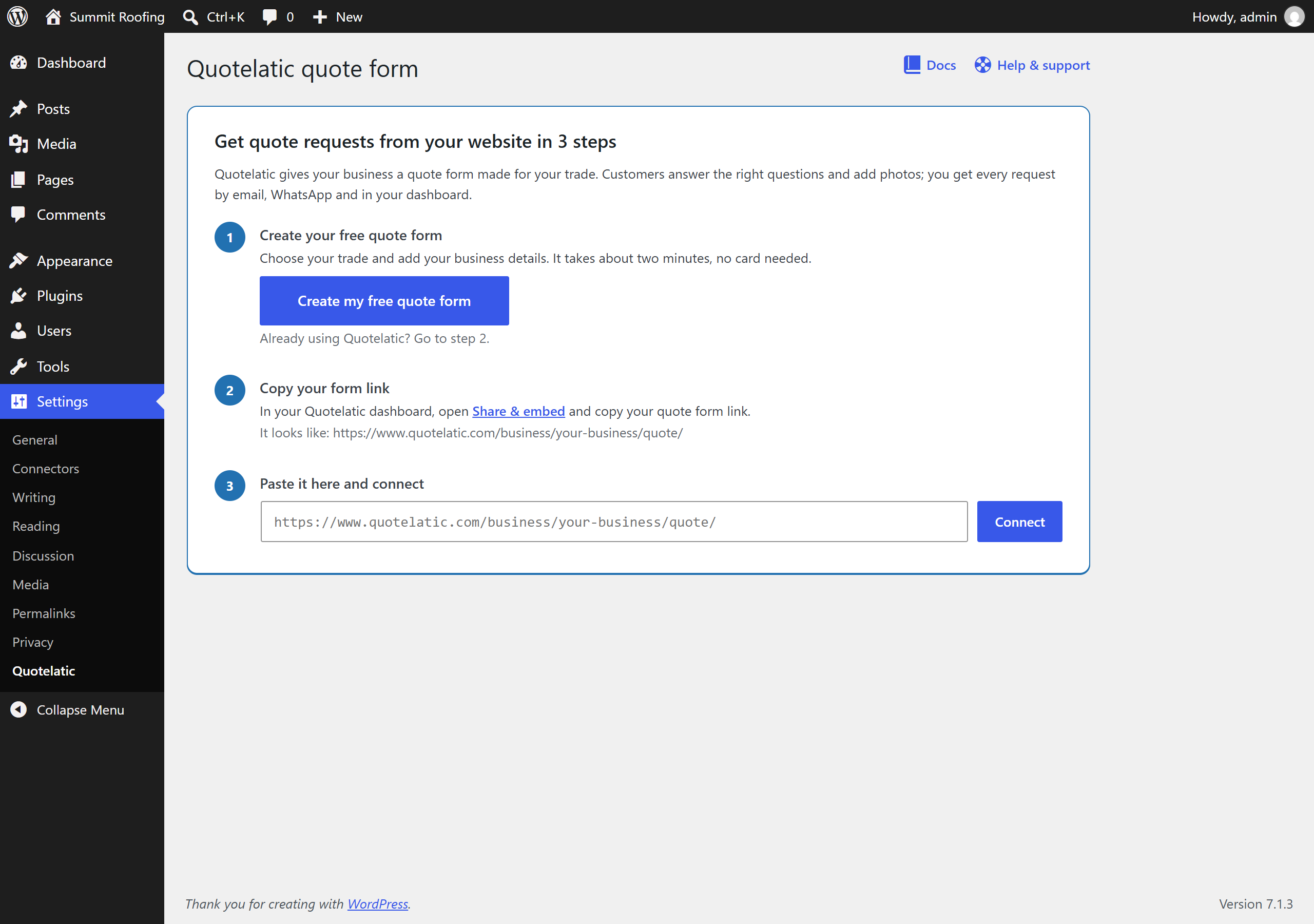
- Install this plugin, open Settings Quotelatic and paste your form link. The plugin checks it and shows your business name when it’s connected.
- Add the Quotelatic quote form block, or
[quotelatic], to your contact or quote page.
External service
This plugin connects to Quotelatic, a hosted service run by Growthlatic. Your quote form, its questions, the requests your customers send and your dashboard are hosted by Quotelatic, not stored in WordPress.
What is sent, and when:
- When you connect your form, and about every six hours in your WordPress admin, the plugin asks Quotelatic (
hub.quotelatic.com) for your form’s status: whether it is online, your business name and your plan. Only your form’s name (from your form link) is sent. - When a visitor opens a page with your form or button, their browser loads the form and its script from
hub.quotelatic.com. - When a visitor sends a quote request, the details they enter (such as their name, contact details, address, answers and photos) are sent to Quotelatic and delivered to your business, with the page it was sent from, so you can see where your requests come from.
The plugin stores one setting in your WordPress database. It sends nothing else.
- Service: https://www.quotelatic.com
- Terms of service: https://www.quotelatic.com/terms/
- Privacy policy: https://www.quotelatic.com/privacy/
Screenshots
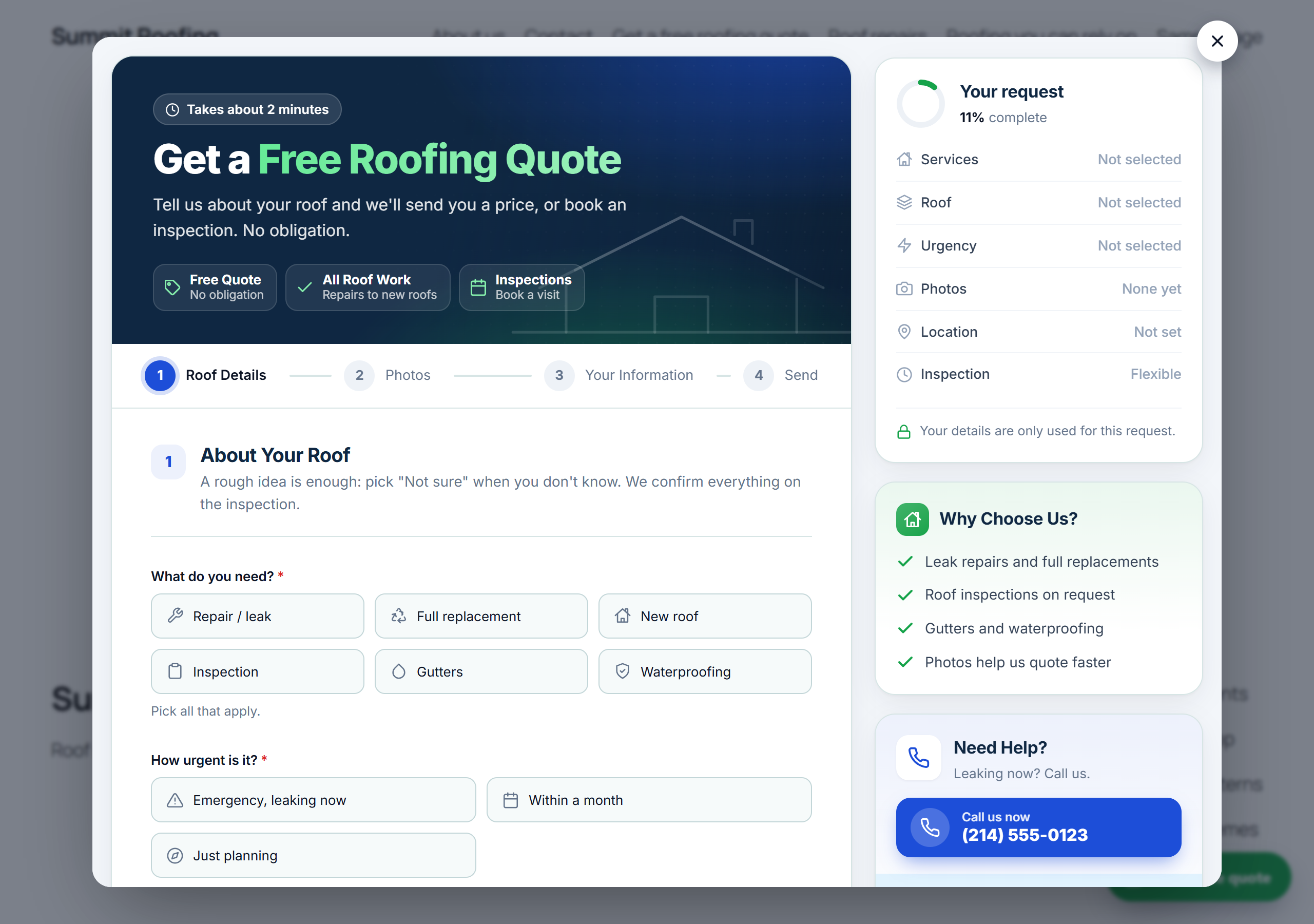
![Your quote form inside a page, added with the block or the [quotelatic] shortcode.](https://ps.w.org/quotelatic/assets/screenshot-1.png?rev=3765605)
Blocks
This plugin provides 1 block.
- Quotelatic quote form
Installation
- In WordPress, go to Plugins Add New, search for “Quotelatic”, install and activate it.
- Go to Settings Quotelatic and paste your form link. You find it in your Quotelatic dashboard under Share & embed.
- Add the Quotelatic quote form block to a page, or the shortcode
[quotelatic].
FAQ
-
Do I need a Quotelatic account?
-
Yes. The form and your requests are hosted by Quotelatic. You can start free, no card needed.
-
Where do the requests go?
-
To your Quotelatic dashboard, and by email and WhatsApp to you. They are not stored in WordPress.
-
Can I change the questions or the design?
-
Yes, in your Quotelatic dashboard: Form fields, Themes and Business details. Changes show on your WordPress site at once.
-
The plugin places them on any plan. On Quotelatic’s Free plan, pressing the button opens your form in a new tab; the popup over your page comes with Quotelatic’s Pro and Team plans.
-
What shortcode options are there?
-
[quotelatic] inline form ·
[quotelatic type="popup" text="Get a free quote" color="#16a34a"]popup button ·[quotelatic type="link" text="Request a quote"]link ·[quotelatic type="frame" height="1600"]basic frame. Addsidebar="no"to hide the side panel (orsidebar="yes"to show it), andlp="landing-page"for a landing page’s texts. -
Does it work with my page builder?
-
Yes. Use the shortcode in Elementor, Divi, Beaver Builder, WPBakery and others.
Reviews
There are no reviews for this plugin.
Contributors & Developers
“Quotelatic – Quote Request Forms” is open source software. The following people have contributed to this plugin.
Contributors
Translate “Quotelatic – Quote Request Forms” into your language.
Interested in development?
Browse the code, check out the SVN repository, or subscribe to the development log by RSS.
Changelog
1.0.0
- First release: inline form, popup button, floating button, link and frame; a block and the [quotelatic] shortcode.