

Description
Quoralo is an AI agent for the websites of small businesses — tradespeople, restaurants, practices, shops, agencies. You describe your business once (services, prices, opening hours, area, FAQ) and the agent answers your visitors day and night, in their words, from that information only.
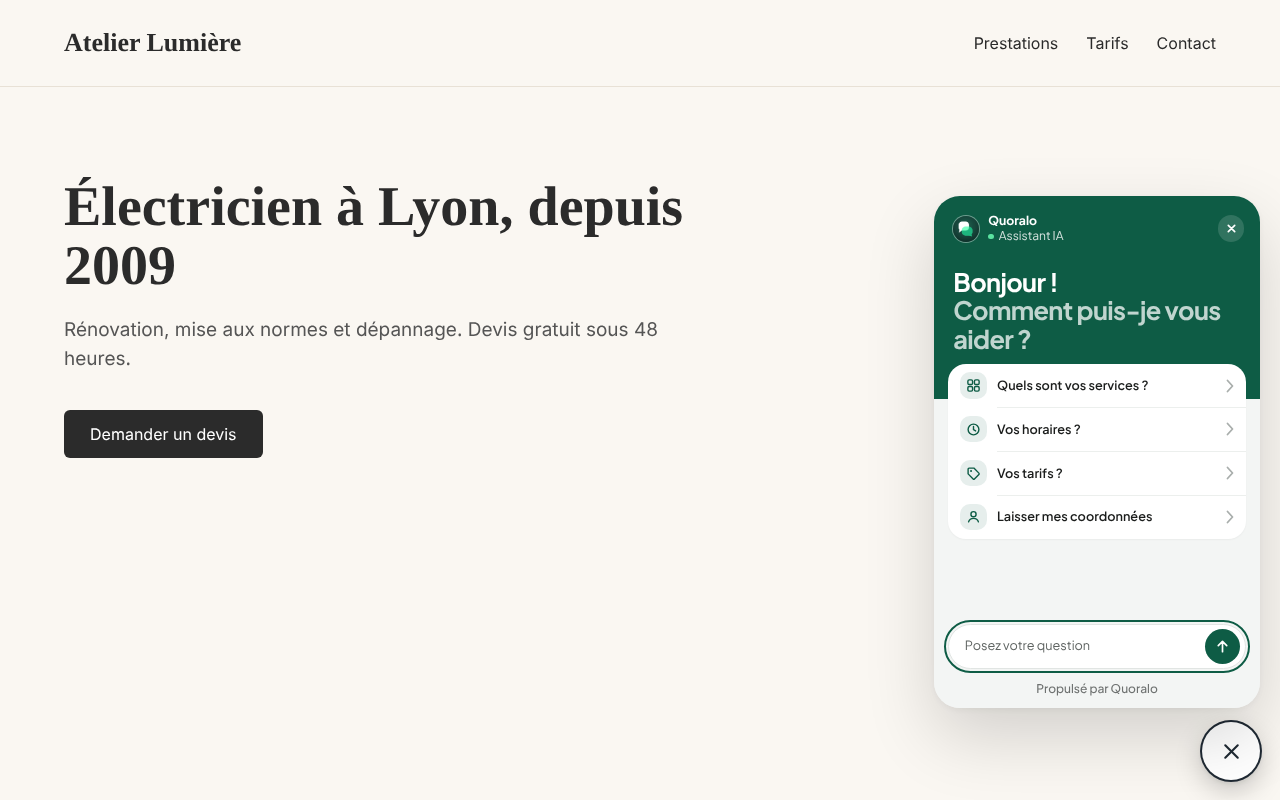
This plugin connects your WordPress site to your Quoralo agent. No code to edit, no theme file to touch: paste your agent’s identifier, save, and the chat button appears on every page.
What the agent does
- Answers the questions you get every day, from what you told it — and says so when it does not know, instead of making something up.
- Collects the name, phone number or e-mail of visitors who want a quote or a call back, with their consent, and sends them to you (paid plans).
- Takes appointments or table bookings in the conversation (paid plans).
- Tells visitors they are talking to an AI assistant.
What the plugin does
- Loads the chat button and window of your agent on the public pages of your site.
- Lets you choose the side of the screen, turn the welcome bubble on or off, and raise the button above a bar stuck to the bottom of your theme.
- Adds nothing to your database but its four settings, and removes them when it is deleted.
Free plan
The Discovery plan is free with no time limit and no credit card: the AI answers every conversation, up to its monthly volume. Paid plans add volume, contact capture and export, appointments and your own branding. See quoralo.com/tarifs.
Quoralo is made in France and written for French-speaking businesses: the dashboard and the agent speak French.
External services
This plugin connects your site to Quoralo, the service that runs your AI agent. It cannot work without it.
- What is loaded, and when: on every public page of your site, once an agent is set in the plugin settings, the visitor’s browser loads the widget script from
https://app.quoralo.com/api/widget/<your-agent>. Like any request, it sends the visitor’s IP address, browser user agent and the address of the page. - What is sent when a visitor uses the chat: the messages they type, and the contact details they choose to give, are sent to Quoralo to be answered by the AI model and delivered to you. Nothing is sent while the chat stays closed, besides loading the script.
- Service provider: Quoralo, quoralo.com. Data is stored in Frankfurt (Germany).
- Terms of service: https://quoralo.com/tos
- Privacy policy: https://quoralo.com/privacy
As the site owner, you are the data controller for the contact details your visitors leave through the chat; Quoralo processes them on your behalf.
Screenshots
Installation
- Install the plugin from Plugins Add New (search for “Quoralo”) and activate it.
- Create your agent at app.quoralo.com — free plan, no card.
- In your Quoralo dashboard, open your agent and copy its embed code or its chat link.
- In WordPress, go to Settings Quoralo, paste it in “Your agent” and save.
The chat button appears on your site right away.
FAQ
-
Do I need a Quoralo account?
-
Yes. The plugin only displays your agent; the agent itself — what it knows, its look, its conversations — is set up in your Quoralo dashboard. The free plan is enough to start.
-
What do I paste in “Your agent”?
-
Any of the three things your dashboard gives you: the agent’s identifier (for example
my-business), its chat link (https://quoralo.com/c/my-business) or the whole embed code. The plugin reads the identifier from it. -
Where are the colours, the welcome message and the answers set?
-
In your Quoralo dashboard, under “Edit agent”. The plugin follows what is set there; changes show on your site without touching WordPress.
-
Does it slow my site down?
-
The script loads asynchronously at the end of the page, so it never blocks the display of your content. The chat window itself only loads when a visitor opens it.
-
Set “Raise the button” in Settings Quoralo to the height of that bar, for example 80.
-
Does it work with WooCommerce?
-
Yes. The button appears on every public page, product pages and cart included.
Reviews
There are no reviews for this plugin.
Contributors & Developers
“Quoralo” is open source software. The following people have contributed to this plugin.
Contributors
Translate “Quoralo” into your language.
Interested in development?
Browse the code, check out the SVN repository, or subscribe to the development log by RSS.
Changelog
1.0.0
- First release.