

Description
Quillvia Docs turns WordPress into a complete knowledge base, documentation and help center — without a page builder, a subscription, or a single line of code.
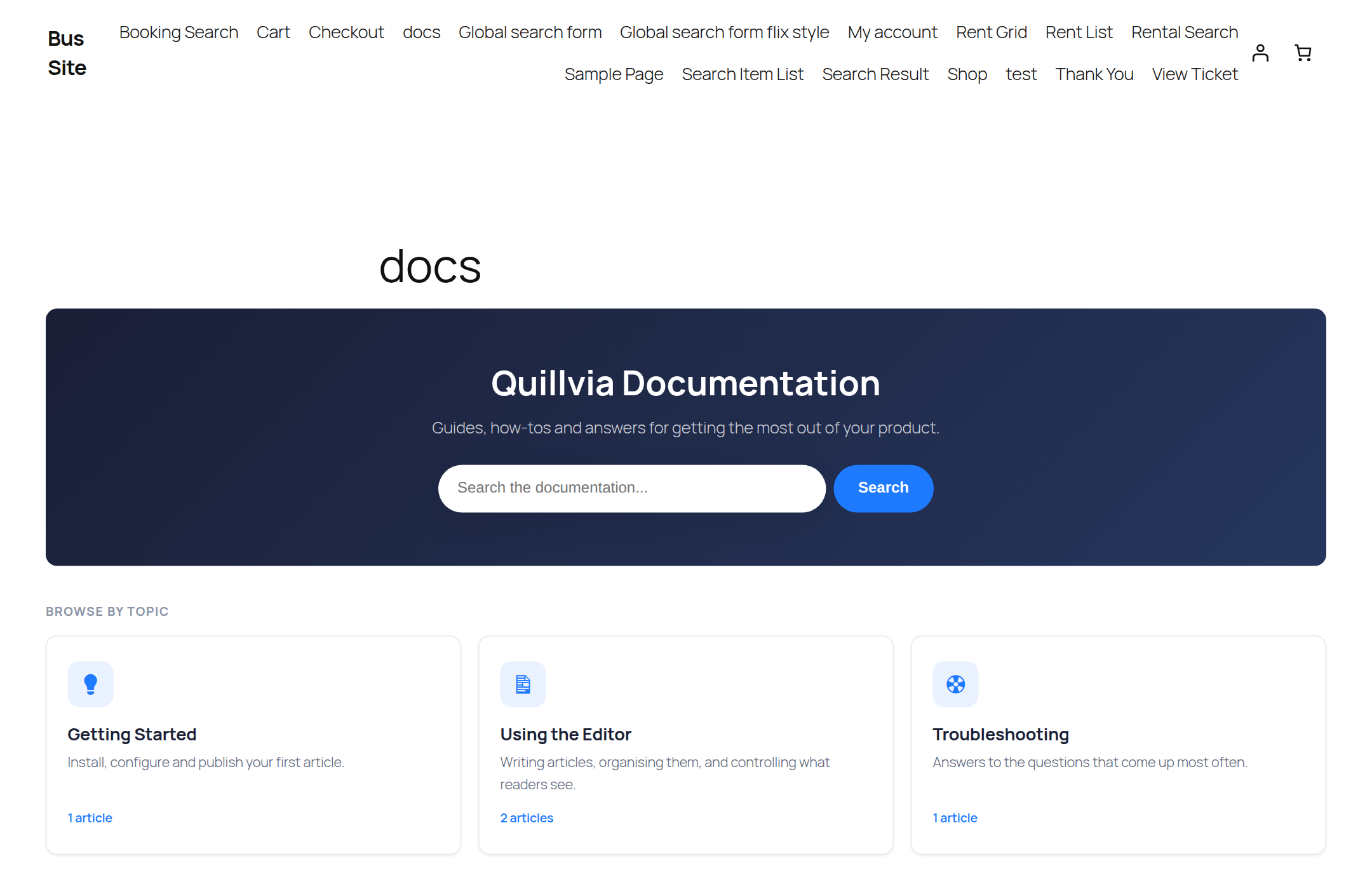
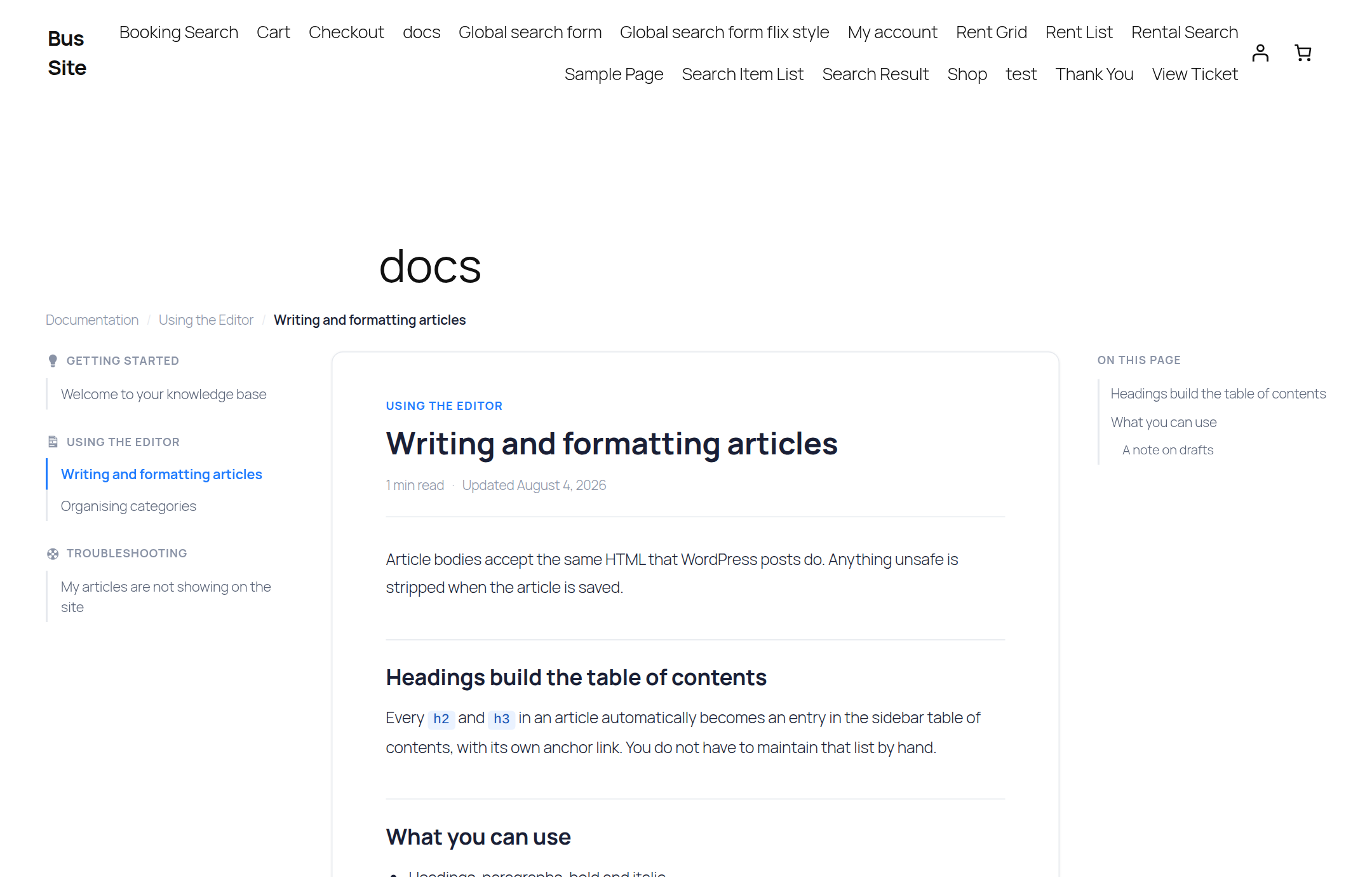
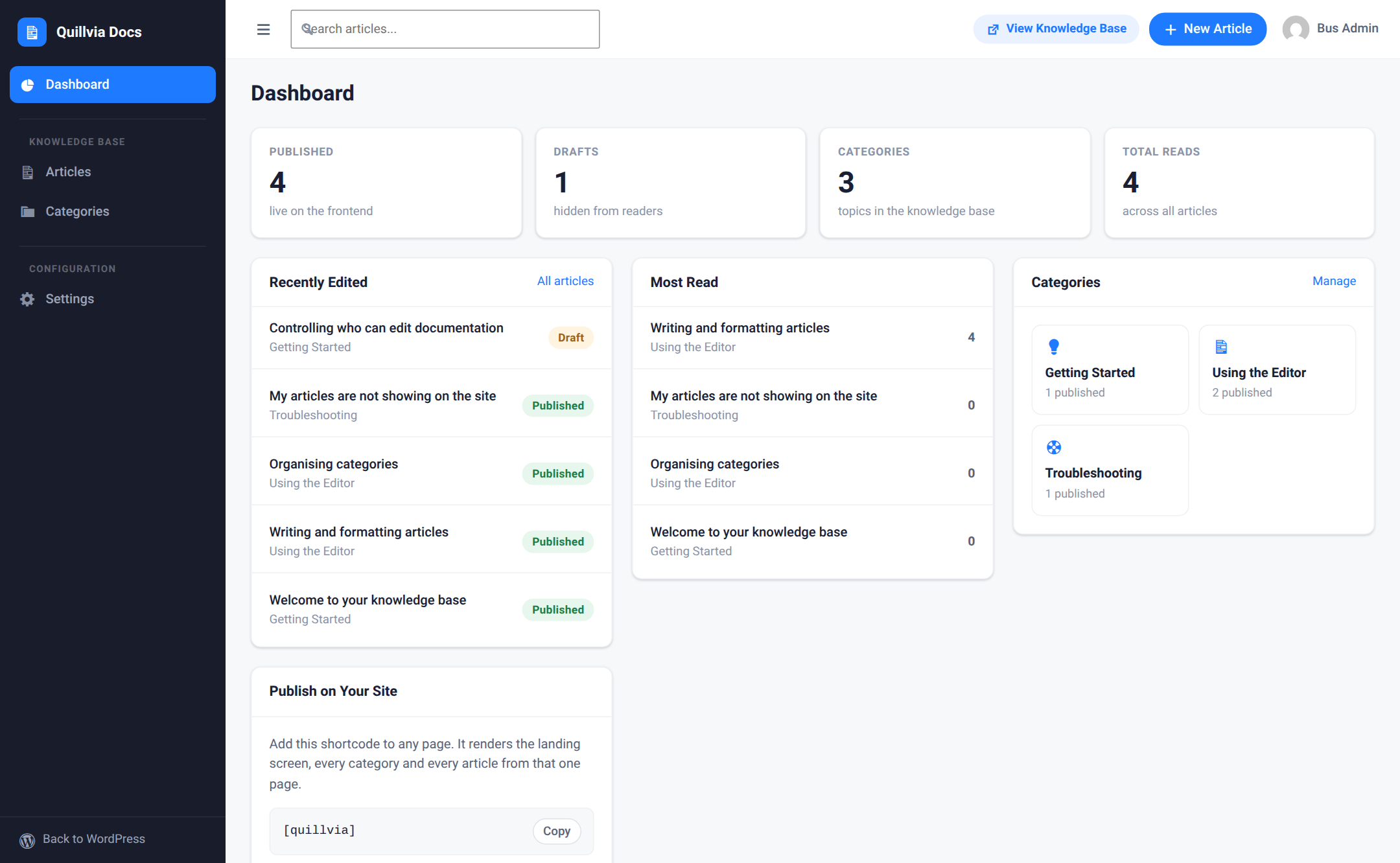
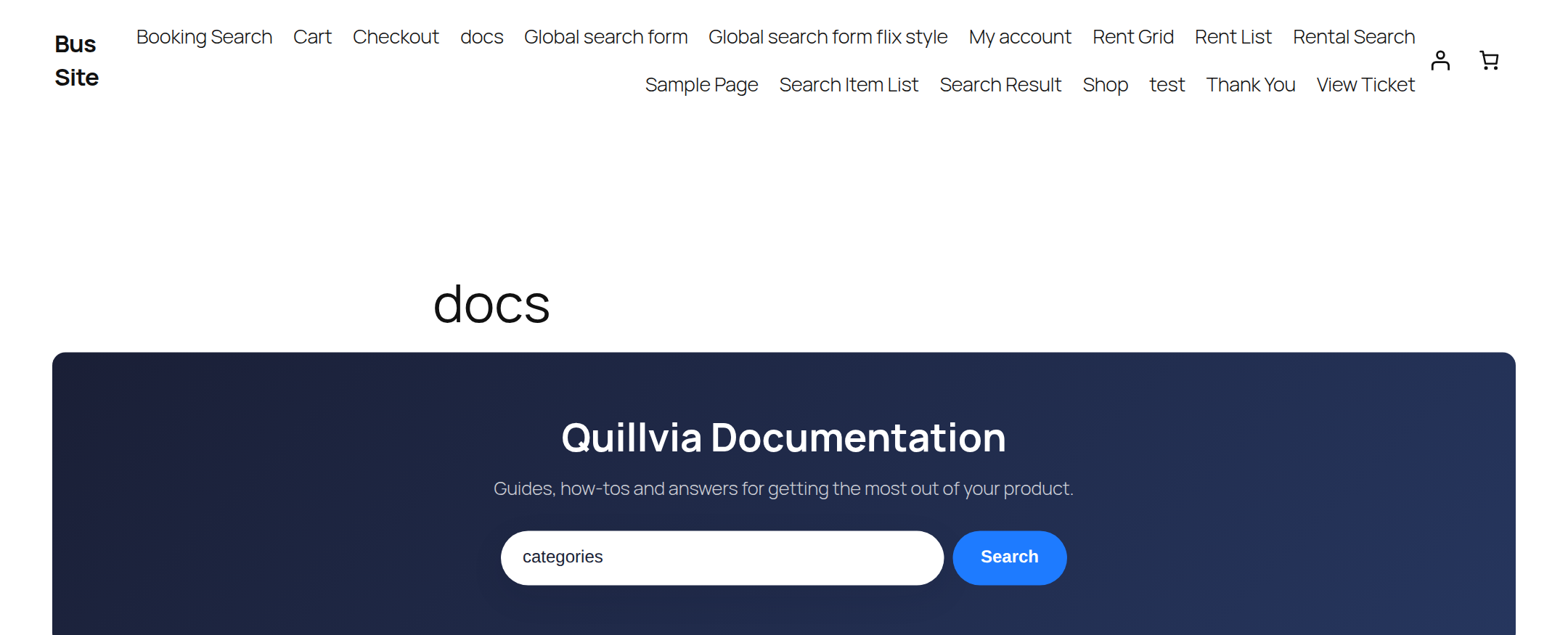
You write and organise articles inside a clean, distraction-free admin. Readers get a fast, professional documentation site: a searchable landing page, category pages, and single articles with an automatic table of contents.
Everything is published with one shortcode — [quillvia] — on any page, with any standard theme.
Why Quillvia Docs
- Self-contained. No page builder, no external SaaS, no dependency on another plugin. Install it and start writing.
- One shortcode, every view.
[quillvia]renders the landing page, category listings, single articles and search results from a single page. - Works with your theme. Four layout presets adapt the docs site to narrow, wide and boxed themes without touching your CSS.
- Built to WordPress standards. Escaped output, sanitised input, nonces and capability checks on every write, and prepared statements on every query.
Authoring
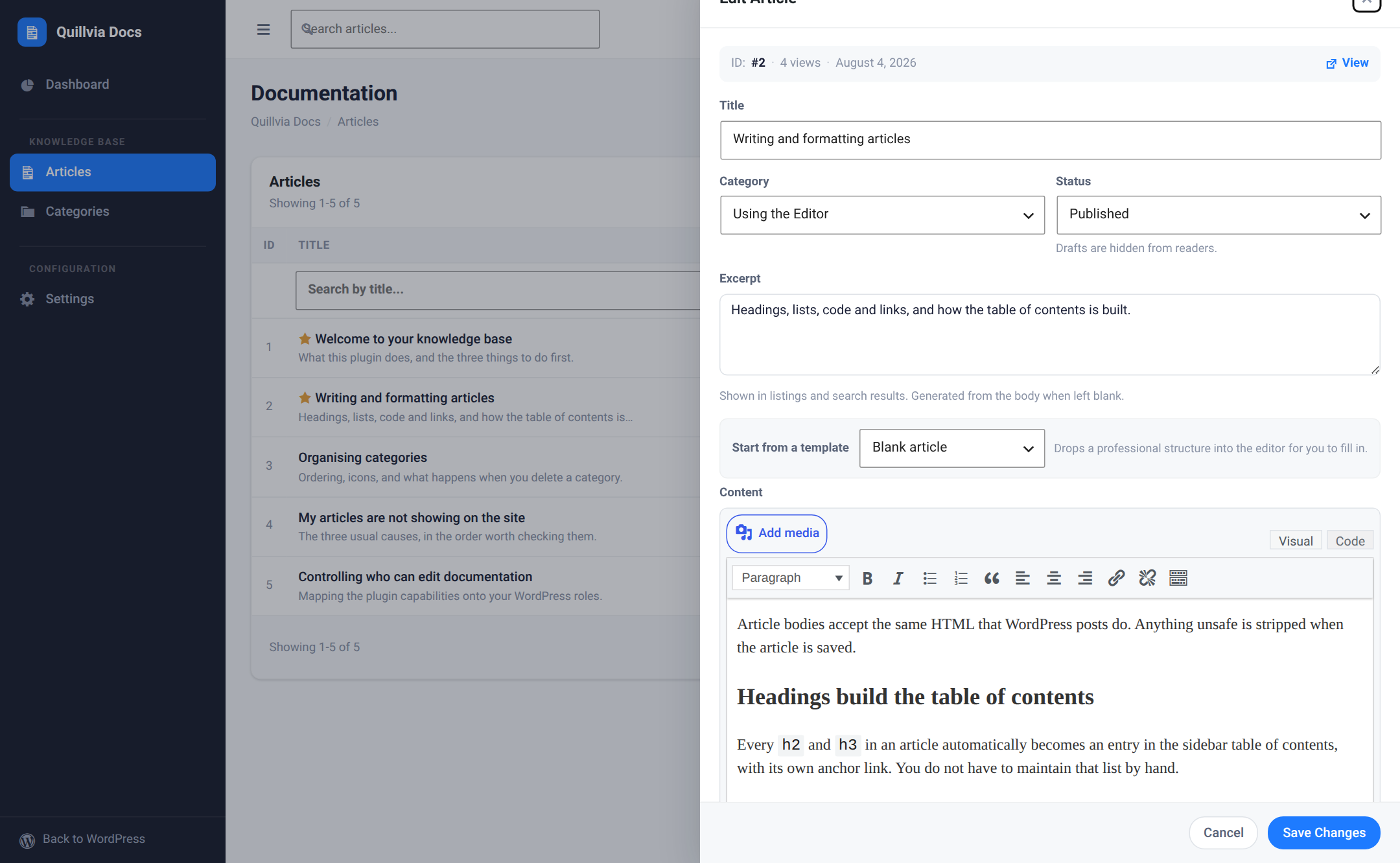
- Documentation articles and categories, each managed from a dedicated full-screen admin that keeps you focused on writing.
- A full WordPress rich-text (TinyMCE) editor with media-library image upload.
- Paste directly from Microsoft Word or Google Docs — headings, lists, and images are preserved while unsafe markup is stripped.
- Content starter templates (feature guide, how-to, FAQ, release notes) to begin an article from a proven structure.
- Drafts and published states, manual ordering, and featured articles pinned to the landing page.
- Quick edit in a side panel, so you never lose your place in the article list.
- CSV export of your articles and categories.
The documentation front end
- One shortcode —
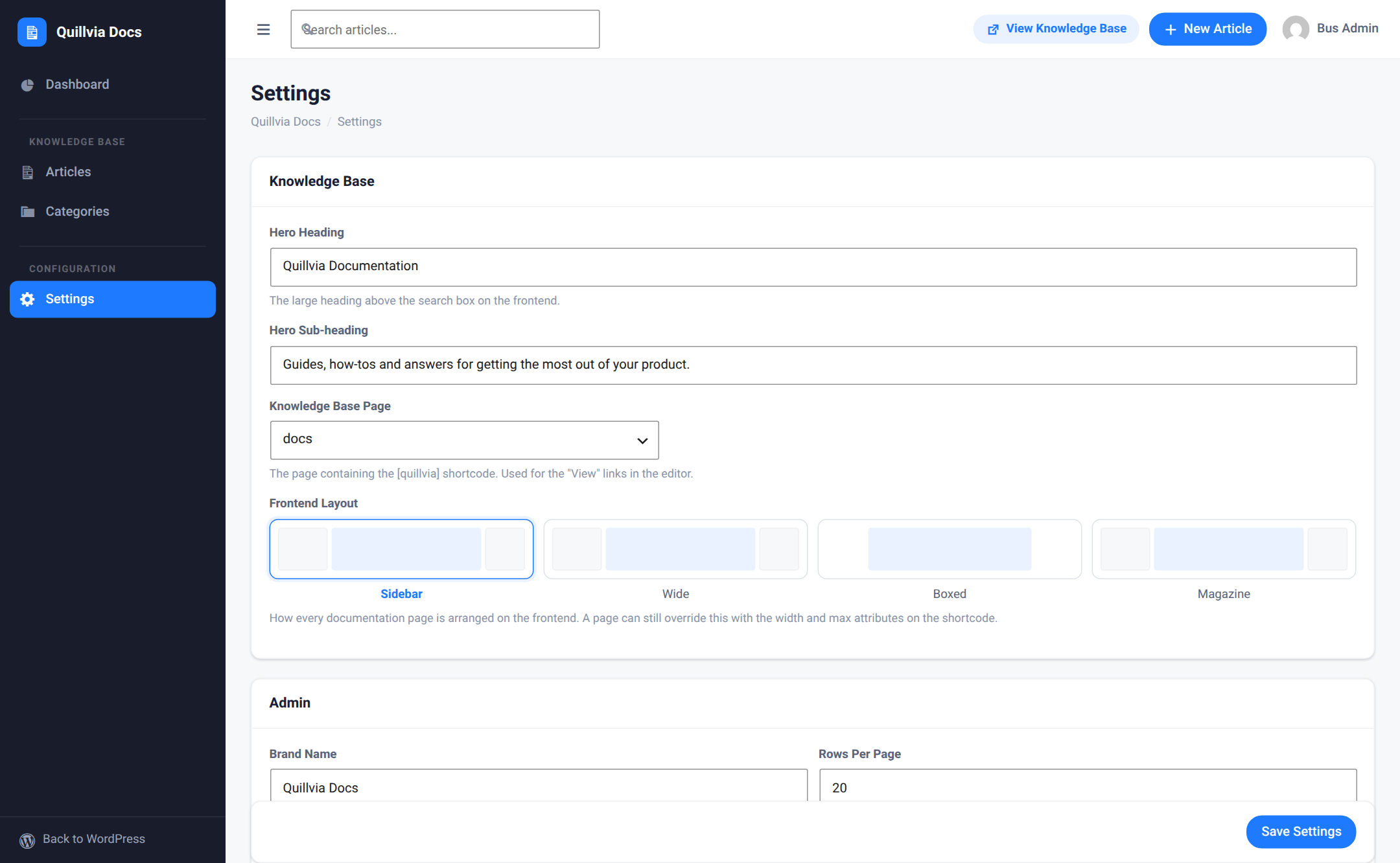
[quillvia]— renders the whole knowledge base: landing page, category pages, single articles, and search. - Selectable layout presets: sidebar, wide, boxed, and magazine.
- Automatic table of contents built from the article’s headings, with scroll highlighting.
- Instant article search, with grid and list result views.
- Estimated reading time, view counts, and copy-to-clipboard buttons on code blocks.
- Privacy-friendly “Was this helpful?” voting with aggregate feedback totals and a helpful-rate dashboard metric.
- Related-article recommendations from the current category.
- A print-friendly article action that removes navigation and controls from the printed page.
- Category icons, so a help center landing page reads at a glance.
- Responsive images: Quillvia adds
srcset,sizes, and lazy loading so a reader never downloads a full-resolution file just to see it scaled down in the reading column.
Shortcodes
[quillvia] — the whole knowledge base. Optional attributes:
titleandsubtitle— override the hero heading and sub-heading for this page.search—yes(default) ornoto hide the search box.columns— number of category columns on the landing page.-
widthandmax— override the layout preset’s width for this page only.[quillvia_categories] — just the category grid. Accepts
columns(2–4).[quillvia_articles] — a plain article list. Accepts
category(slug),limit(default 10) andfeatured(yes/no).
Permissions and roles
Quillvia maps its own capabilities — viewing, creating, editing and deleting articles and categories, and editing settings — onto your WordPress roles. An editor can maintain the documentation without ever being given administrator access.
Privacy
Quillvia Docs does not contact any external service, does not phone home, and does not embed third-party scripts or fonts. Your documentation stays in your own database.
Reader feedback stores only aggregate helpful and not-helpful counters. A first-party, HTTP-only cookie remembers that a browser has already voted on an article; Quillvia does not store the visitor’s IP address or identity.
Screenshots
Installation
- Upload the
quillviafolder to the/wp-content/plugins/directory, or install the plugin through the Plugins screen in WordPress. - Activate the plugin through the Plugins screen.
- Open the Quillvia menu, then add one or more categories and articles.
- Create a WordPress page (e.g. “Docs”) and add the
[quillvia]shortcode to its content. - In Quillvia → Settings, select that page as the knowledge base page and choose a layout preset.
FAQ
-
How do I display the knowledge base on the front end?
-
Create a normal WordPress page and add the
[quillvia]shortcode to it. The single shortcode renders every state — the landing page, category listings, individual articles, and search results — based on the URL. -
Do I need a page builder or any other plugin?
-
No. Quillvia Docs is self-contained and works with any standard WordPress theme. There is nothing to buy, connect or configure beyond the settings screen.
-
Can I use it as a help center or FAQ page instead of a full documentation site?
-
Yes. A single category with a handful of articles makes a perfectly good help center or FAQ. The bundled FAQ starter template gives you the structure, and
[quillvia_articles]can drop a scoped list of answers into any existing page. -
Can I paste content from Word or Google Docs?
-
Yes. Copy from your document and paste into the article editor. Headings, lists, links, and images are kept; scripts, inline event handlers, and other unsafe markup are removed automatically.
-
Does the table of contents need to be maintained by hand?
-
No. Every
h2andh3in an article automatically becomes an entry in the table of contents, with its own anchor link, and the entry for the section you are reading is highlighted as you scroll. -
Can I change how the documentation looks?
-
Yes. In Quillvia → Settings you can pick from four layout presets (sidebar, wide, boxed, magazine). The presets set the width and column structure of the front end without any theme changes, and the
widthandmaxshortcode attributes can override the preset on an individual page. -
Who is allowed to edit the documentation?
-
Whoever you choose. Quillvia maps its own view, create, edit and delete capabilities onto your existing WordPress roles, so an editor or a support lead can maintain the docs without administrator access.
-
Does Quillvia create custom database tables?
-
Yes. It creates three tables (articles, categories, and settings) using the WordPress table prefix.
-
What happens to my articles if I delete the plugin?
-
Nothing, by default. Deleting Quillvia leaves your articles and categories in the database, so uninstalling to troubleshoot a problem never costs you your documentation. If you do want a clean removal, switch on Delete all data when the plugin is uninstalled in Quillvia → Settings before you delete the plugin.
-
Does it work on multisite?
-
Yes. Each site in the network gets its own tables and its own documentation, and uninstalling cleans up every site.
-
Is it translation ready?
-
Yes. Every string is translatable, and the front end and admin both render correctly in right-to-left and non-Latin scripts.
-
Does the plugin send any data to an external service?
-
No. Quillvia Docs makes no outbound requests, loads no third-party scripts or fonts, and stores everything in your own database.
Reviews
There are no reviews for this plugin.
Contributors & Developers
“Quillvia Docs” is open source software. The following people have contributed to this plugin.
Contributors
Translate “Quillvia Docs” into your language.
Interested in development?
Browse the code, check out the SVN repository, or subscribe to the development log by RSS.
Changelog
1.1.0
- Added privacy-friendly helpful/not-helpful voting on documentation articles.
- Added aggregate feedback totals and helpful-rate metrics to the admin dashboard.
- Added related-article recommendations from the same category.
- Added a print article button and a clean print stylesheet.
- Added Reader Tools settings to enable or disable feedback, related articles, and printing independently.
- Added a versioned database migration for aggregate feedback counters; existing articles and settings remain unchanged.
1.0.3
- Renamed the plugin to Quillvia Docs throughout, to match the requested wordpress.org slug
quillvia. - Updated the text domain, all internal prefixes, class names, hook names and database table names to the new name.
- Shortcodes are now
[quillvia],[quillvia_categories]and[quillvia_articles]. - Regenerated the translation template.
1.0.2
- Interim rename, not published.
1.0.1
- Fixed the text domain so it matches the assigned wordpress.org plugin slug, as required by the plugin directory review.
- Regenerated the translation template.
1.0.0
- Initial release: articles and categories, rich-text editor with media upload and paste-from-Word support,
[quillvia]shortcode front end, four layout presets, content starter templates, automatic table of contents, responsive images, search, reading time, and view counts. - Roles and permissions mapping Quillvia capabilities onto WordPress roles.
- Optional data removal on uninstall, off by default.
- Multisite aware: per-site tables, per-site content, network-wide cleanup on uninstall.