

Description
Quiet SEO is a lightweight WordPress SEO plugin for site owners, editors, agencies, and developers who want clean meta tags, safer migration from bulky SEO plugins, useful search previews, and fewer admin distractions.
It helps control the search-facing details that matter: meta titles, meta descriptions, canonical URLs, robots meta, Open Graph and Twitter social previews, XML sitemap filtering, schema, WooCommerce product SEO, FAQPage output, and optional /llms.txt discovery. An authenticated Page SEO REST API lets publishing tools read and update the same saved page overrides used by editors.
Search Appearance: Titles, Meta Descriptions & Social Previews
Quiet SEO gives pages, posts, custom content, and WooCommerce products clear search appearance controls without a scoring dashboard. Set sitewide title and description defaults once, then override individual pages only when a page needs its own SEO title, meta description, canonical URL, robots meta, schema type, or social preview image.
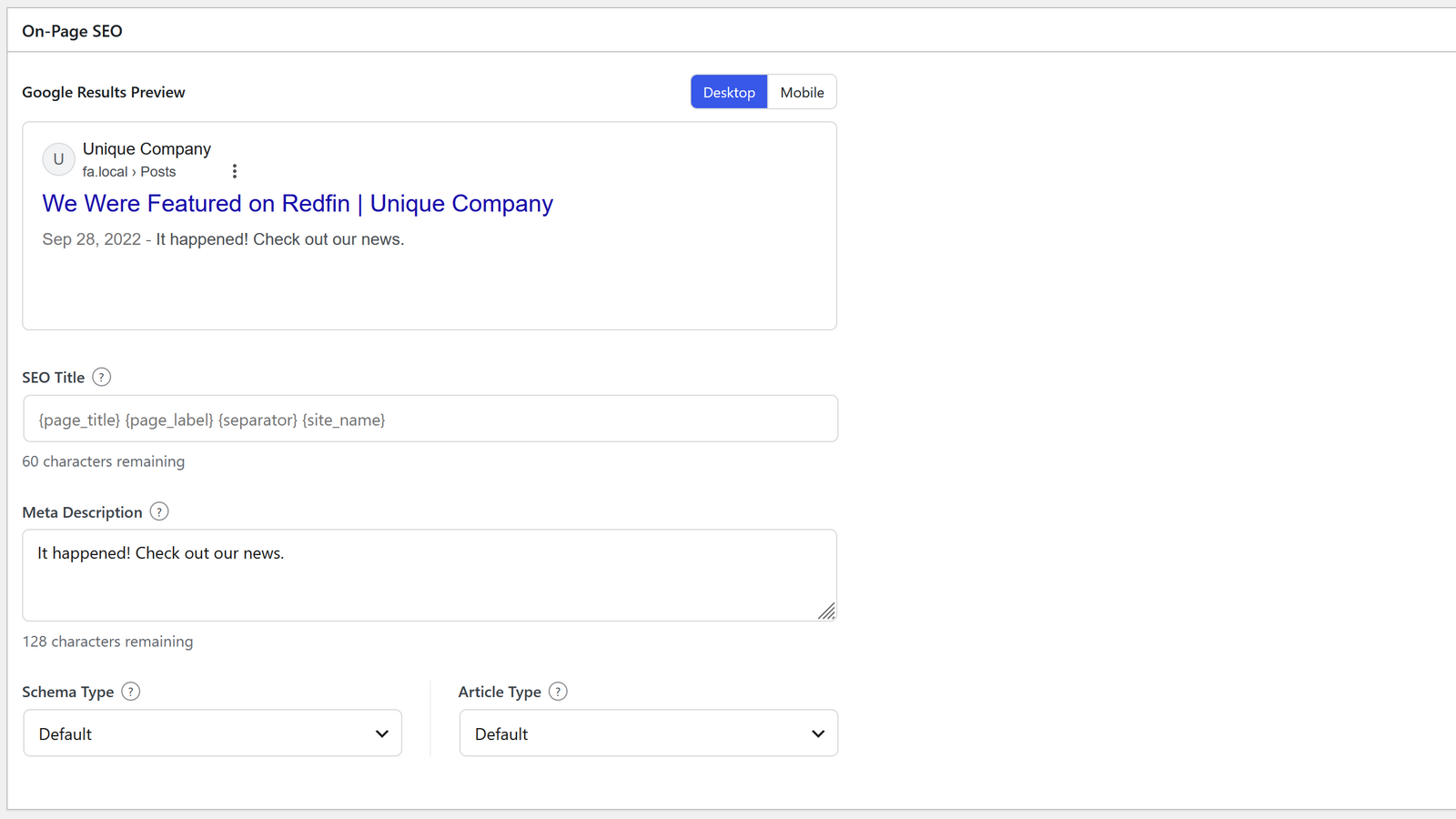
The page SEO panel shows a read-only search-result preview so editors can focus on the actual title and description visitors may see in search.
Authenticated Page SEO Read/Write API
Agencies, publishing systems, and internal tools can discover fields, read saved Page SEO overrides, validate changes without writing, patch named fields, replace the complete saved state, and review effective metadata. Writes require a current ETag so stale API state cannot overwrite newer values. The API uses standard WordPress authentication and per-post edit permissions; external tools can use an Application Password over HTTPS.
API updates use the same Page SEO fields and validation as the editor. They do not create a second metadata store or expose Quiet SEO’s raw internal meta keys.
Schema & Structured Data
Quiet SEO outputs conservative JSON-LD schema backed by configured site identity, visible page content, visible FAQ content, or reliable WooCommerce product facts. Supported schema includes WebPage-style page types, Article variants, FAQPage, Service, Product, WebSite, and Organization or LocalBusiness identity.
XML Sitemap Control
Quiet SEO keeps WordPress native XML sitemaps in place and filters out content that should not be discoverable, such as noindex URLs. It does not replace WordPress with a separate sitemap renderer or add sitemap priority controls.
WooCommerce Product SEO
WooCommerce product pages use the normal Quiet SEO search appearance path. Product pages can use product images for social previews, expose accurate product schema from WooCommerce data, and follow product archive indexing and sitemap controls.
FAQ Blocks & FAQPage Schema
Quiet SEO includes a visible FAQ block, shortcode, and Classic Editor insertion modal. FAQPage schema is generated only from visible Quiet SEO FAQ content, not hidden detached FAQ records.
llms.txt for AI Search Visibility
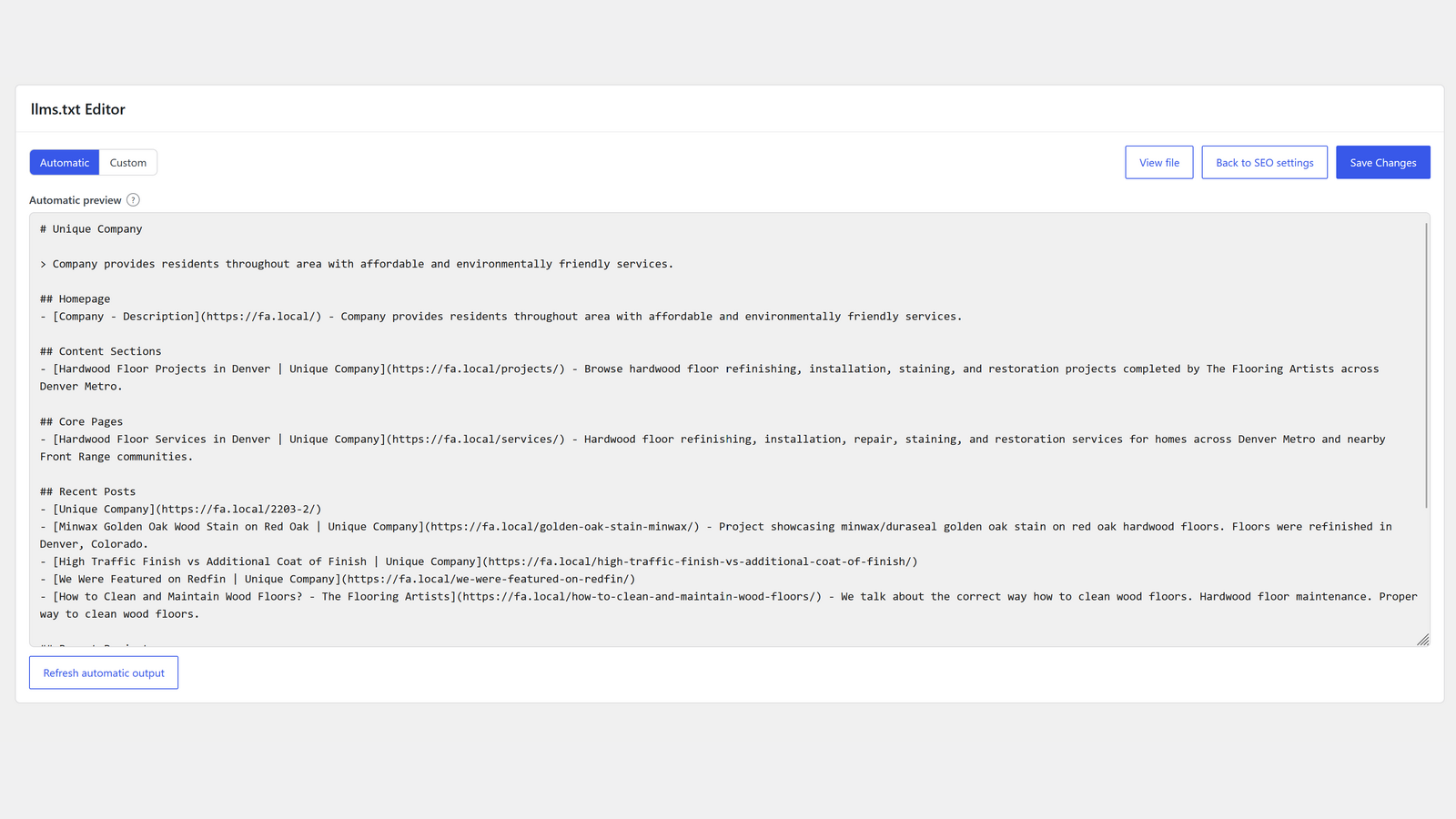
Quiet SEO can publish an optional /llms.txt file at the site root. Automatic mode builds a concise AI-readable discovery file from eligible public content and existing SEO decisions. Custom mode serves an operator-authored file exactly as saved.
/llms.txt is a discovery file. It does not control crawler access, AI training, citations, rankings, or search placement.
Reviewed SEO Plugin Migration
Quiet SEO can review imports from Yoast SEO, Rank Math, SEOPress, The SEO Framework, and AIOSEO before writing Quiet SEO fields. Imports fill empty fields by default, require confirmation before overwriting existing Quiet SEO values, and leave source plugin records untouched.
SEO Health Checks
SEO Health appears only when there is something to review, such as duplicate SEO plugins, duplicate canonical targets, robots conflicts, missing image alt text, archive risks, or product detail gaps.
What Quiet SEO Leaves Out On Purpose
Quiet SEO does not add SEO scores, keyword-density tools, automatic AI writing, AI chat, bulk generation, Search Console dashboards, generated reviews, product feeds, custom sitemap presentation, or another noisy SEO command center.
Screenshots
Blocks
This plugin provides 1 block.
- FAQ
Installation
- Upload the
quiet-seoplugin directory to/wp-content/plugins/. - Activate Quiet SEO in WordPress.
- Open Settings > SEO.
- Configure site identity and search appearance defaults; review SEO Health only when warnings appear.
- Edit individual posts or pages to override SEO fields when needed.
FAQ
-
Is Quiet SEO a lightweight alternative to Yoast SEO or Rank Math?
-
Yes, if you want clean WordPress SEO controls without scores, upsell screens, or an all-in-one marketing suite. Quiet SEO focuses on meta titles, meta descriptions, canonical URLs, robots meta, schema, XML sitemap filtering, WooCommerce product SEO, /llms.txt, and reviewed imports.
-
Does Quiet SEO handle meta titles and descriptions?
-
Yes. Quiet SEO supports sitewide title and description defaults plus page-level SEO title and meta description overrides. The page SEO panel shows a search-result preview before you save.
-
Does Quiet SEO handle canonical URLs, robots meta, and Open Graph?
-
Yes. Quiet SEO can output canonical URLs, robots meta directives, Open Graph tags, Twitter card tags, and social preview images when it owns front-end SEO output.
-
Can external tools read and update Page SEO fields?
-
Yes. Quiet SEO provides an authenticated REST API for sparse reads, guarded patch or replacement writes, dry-run validation, and effective metadata review. Requests require permission to edit the target post. External tools can use standard WordPress Application Password authentication over HTTPS.
-
Does Quiet SEO replace WordPress sitemaps?
-
No. Quiet SEO filters WordPress native XML sitemap output instead of rendering a separate sitemap system.
-
Does Quiet SEO generate SEO scores?
-
No. Quiet SEO focuses on search output and warnings, not scoring or content-writing workflows.
-
Does Quiet SEO use AI automatically?
-
No. AI Assist appears only when enabled in Sitewide Controls and WordPress AI Client text generation is available through configured connectors. It runs only after an editor clicks a prompt action. Suggestions fill existing unsaved fields only; they are not saved until the post or settings form is saved.
-
What is /llms.txt and do I need it?
-
It publishes an optional plain-text discovery file at the site root. Automatic mode derives a concise file from eligible public content and existing SEO decisions. Custom mode serves your exact saved text. It does not control crawler access, AI training, citations, or rankings.
-
How does FAQPage schema work?
-
FAQPage schema is generated from visible Quiet SEO FAQ content only. Editors can use the Quiet SEO FAQ block, shortcode, or Classic Editor insertion modal when FAQ authoring is enabled. Quiet SEO does not create a hidden FAQ library or reusable FAQ storage.
-
Does Quiet SEO support WooCommerce products?
-
Yes. WooCommerce products use the normal Quiet SEO search appearance and page SEO paths. Product pages can show accurate product details from WooCommerce data, use product images for social previews, and follow product archive indexing and sitemap controls.
-
What happens if another SEO plugin is active?
-
Quiet SEO blocks its own front-end output to avoid duplicate SEO tags. Settings and saved SEO fields remain available so you can review or prepare a migration without producing competing tags.
-
Can I import data from Yoast SEO, Rank Math, SEOPress, AIOSEO, or The SEO Framework?
-
Yes. When supported source data is detected, Quiet SEO provides an import review flow before writing Quiet SEO fields. Source plugin variables in per-page titles or descriptions are skipped because Quiet SEO page overrides are literal values, not templates. Other valid fields in the same record can still import.
-
Does import overwrite existing Quiet SEO fields?
-
Not by default. Import fills empty Quiet SEO fields first. Overwriting existing Quiet SEO fields requires choosing overwrite mode and confirming the change.
-
Does import delete source plugin data?
-
No. Third-party source records are read-only during import and are left untouched.
-
Does Quiet SEO keep my data if I deactivate or delete the plugin?
-
Deactivation stops live output and keeps Quiet SEO settings and saved SEO fields. Uninstall also preserves data by default; deletion cleanup only runs when the Plugin Removal setting is explicitly enabled and confirmed.
-
Does native Quiet SEO export/import preserve title templates?
-
Yes. Native Quiet SEO JSON export/import preserves Quiet SEO settings, including title template variables.
Reviews
There are no reviews for this plugin.
Contributors & Developers
“Quiet SEO” is open source software. The following people have contributed to this plugin.
Contributors
“Quiet SEO” has been translated into 2 locales. Thank you to the translators for their contributions.
Translate “Quiet SEO” into your language.
Interested in development?
Browse the code, check out the SVN repository, or subscribe to the development log by RSS.
Changelog
1.2.0
- Added an authenticated REST API to discover, read, validate, patch, replace, and review Page SEO metadata.
- API writes use strong ETag preconditions, per-post edit permissions, and the same validation and storage workflow as the editor.
- Existing Quiet SEO settings and page metadata work with the API without migration, reactivation, or resaving.
1.1.0
- Initial plugin release.