

Description
QBitFlow for WooCommerce lets you accept cryptocurrency payments directly in your WooCommerce store. Powered by smart contracts, payments go straight to your wallet — no middleman, no custody risk.
Features
- Non-Custodial — Funds go directly to your wallet via smart contracts
- Multiple Cryptocurrencies — ETH, SOL, USDC, USDT, and more
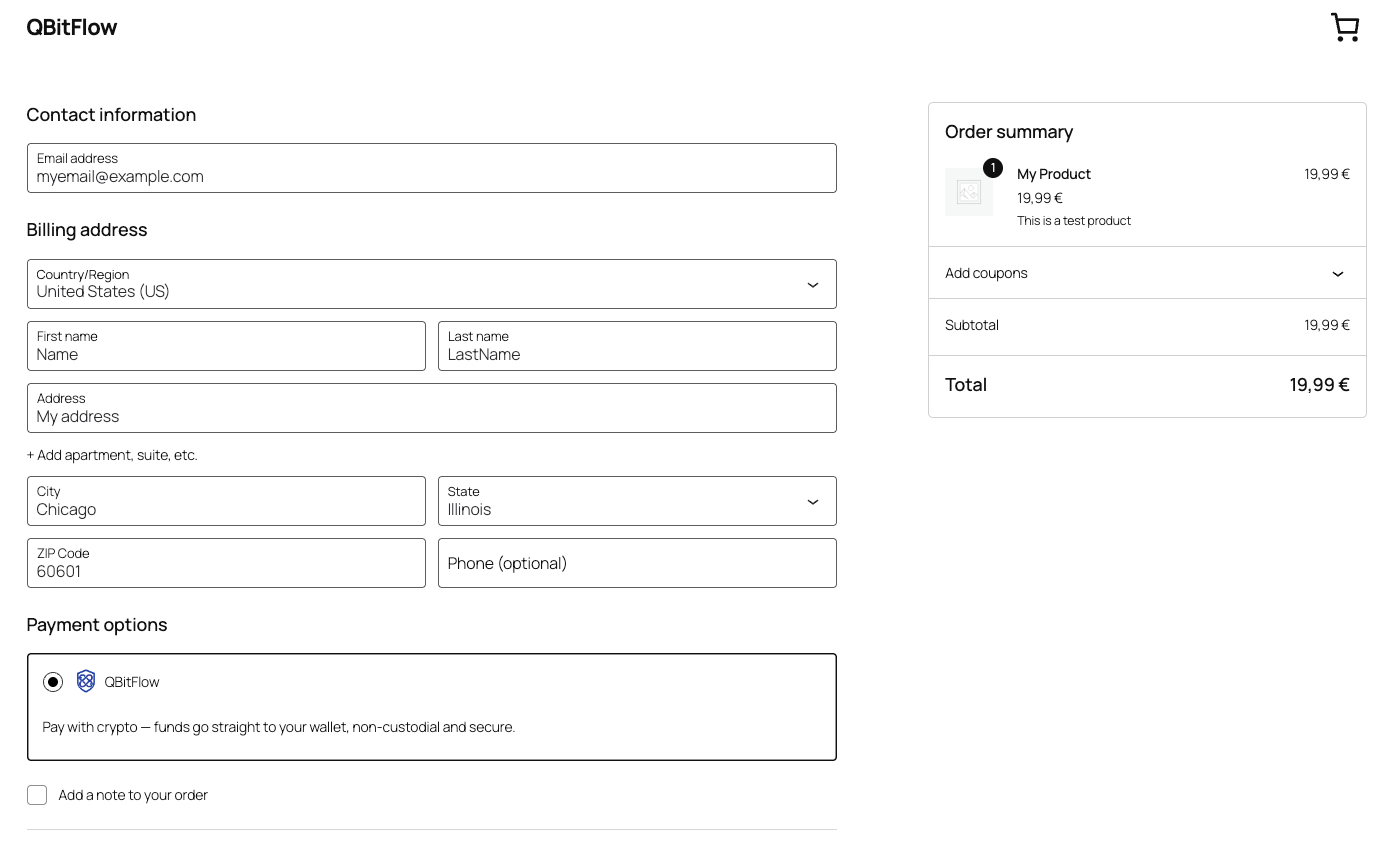
- Block Checkout Support — Works with both classic and block-based checkout
- Automatic Customer Sync — Buyer details (email, name, phone, billing address) sync to QBitFlow at checkout, so the QBitFlow page never re-prompts for what WooCommerce already has
- Invoice & Management Pages — Hosted payment details pages for customers
- Webhook Verified — Server-to-server payment confirmation with HMAC signature verification
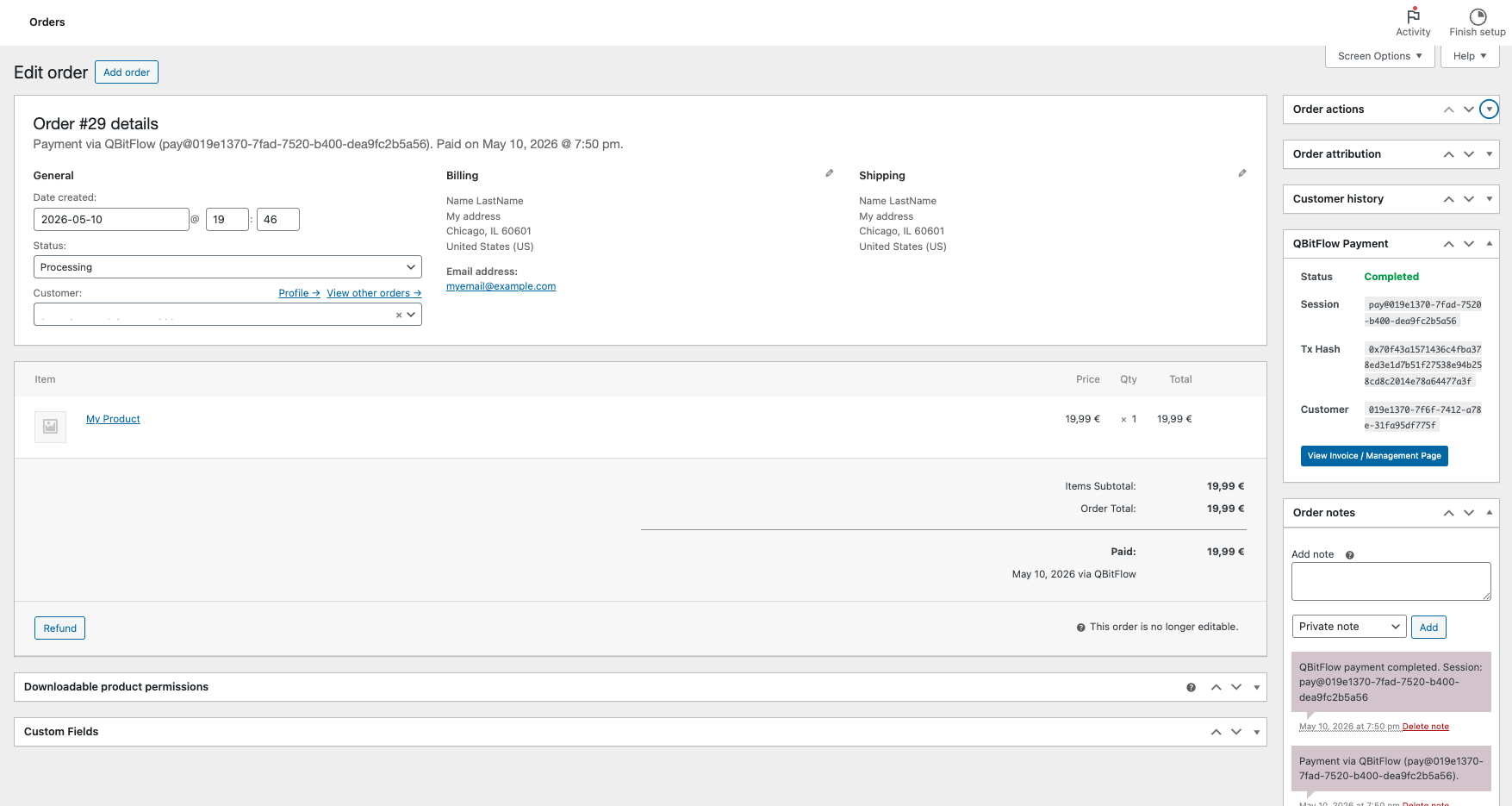
- Real-time Order Updates — Order status updates automatically on payment
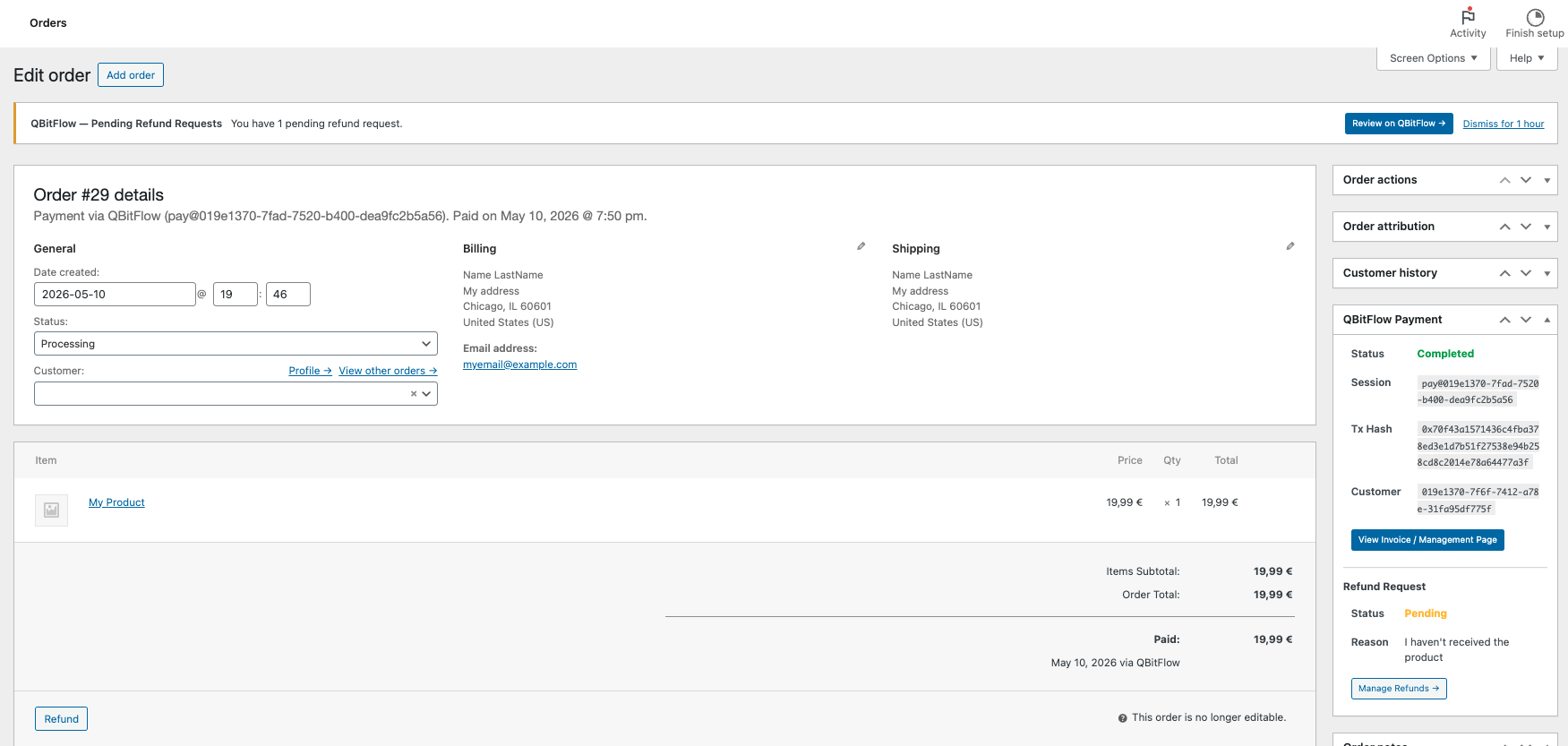
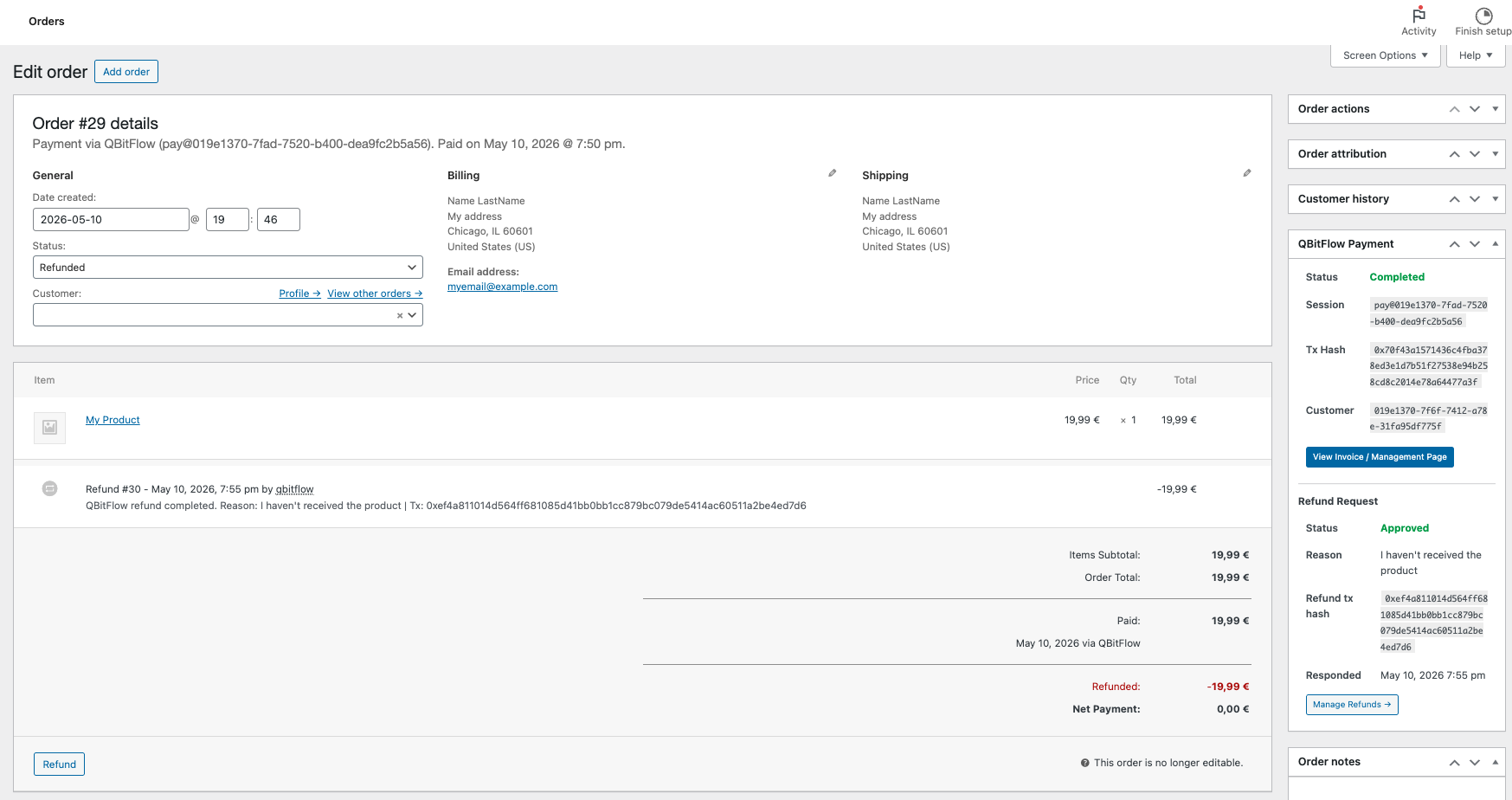
- Refunds, end-to-end — Pending refund requests surface as an admin notice; once you approve a refund on the QBitFlow dashboard and the on-chain refund settles, a notice at the top of the order screen offers a one-click Sync refund to WooCommerce button that marks the order Refunded and records the refund tx hash
- Test Mode — Try the full payment flow without spending any real cryptocurrency
- Debug Logging — Built-in logging for troubleshooting
How It Works
- Customer selects “Pay with Crypto” at checkout
- Customer is redirected to QBitFlow’s secure payment page
- Customer pays with their preferred cryptocurrency
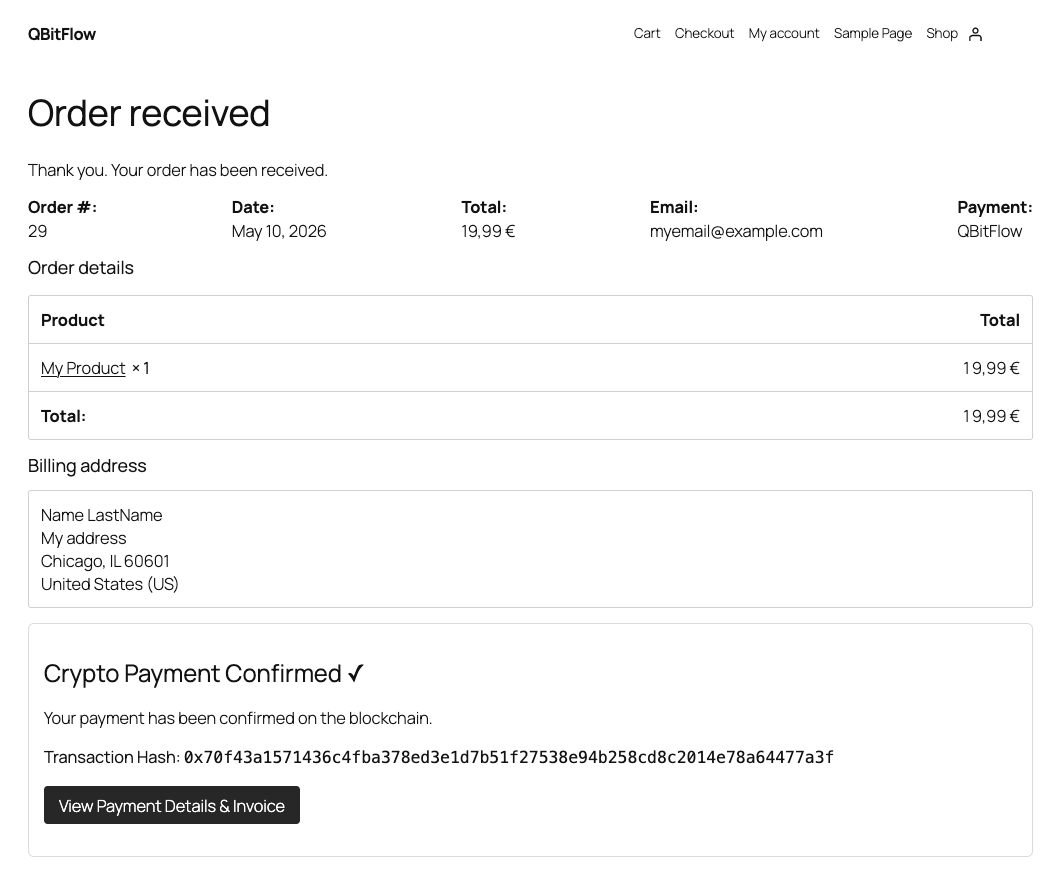
- Payment is confirmed on-chain and order is updated automatically
- Customer receives invoice with transaction details
Test Mode — Try Before Going Live
QBitFlow provides a test mode that lets you simulate the entire payment flow — checkout, on-chain confirmation, webhooks, order updates — without spending any real cryptocurrency.
- Create a Test API Key from your QBitFlow dashboard
- Paste it into the plugin settings at WooCommerce Settings Payments QBitFlow
- Place a test order — everything works exactly like production, but no real funds are moved
When you’re ready to accept real payments, simply replace the test key with a Live API Key and save.
For more details, see the QBitFlow Test Mode Documentation.
Learn more
- Accept crypto on WooCommerce — full overview — how the non-custodial checkout works, which chains and tokens your customers can pay with, and pricing.
- Step-by-step setup guide — install the plugin, connect your wallet, and take your first crypto payment.
- QBitFlow documentation — API keys, test mode, webhooks, and full API reference.
Requirements
- WooCommerce 7.0 or later
- PHP 7.4 or later
- A QBitFlow account (sign up free)
External services
This plugin relies on QBitFlow, a third-party cryptocurrency payment service, to function. QBitFlow processes crypto payments non-custodially (funds go directly to your wallet via smart contracts). Without it, the gateway cannot create payments or process refunds. The plugin communicates with the QBitFlow API at https://api.qbitflow.app. Every request is authenticated with the QBitFlow API key you enter in the plugin settings.
What data is sent, and when:
- At checkout, when a customer chooses to pay with QBitFlow, the plugin sends the buyer’s email address, first and last name, phone number, and billing address, together with the order and transaction details (amount, currency, order reference), in order to find or create the matching customer record on QBitFlow and to create the payment session the customer is redirected to.
- On the admin order screen and when you sync a refund, the plugin sends the transaction identifier for that order to look up its current refund status.
- When QBitFlow sends a webhook to confirm a payment, the plugin sends the received webhook payload and its signature back to QBitFlow to verify the notification is authentic before acting on it.
The plugin does not send any data to QBitFlow outside of these actions.
This service is provided by QBitFlow. By using it you agree to their terms and privacy policy:
- Terms of Service: https://qbitflow.app/terms
- Privacy Policy: https://qbitflow.app/privacy
Screenshots
Installation
Automatic (recommended)
- In your WordPress admin, go to Plugins Add New
- Search for “QBitFlow”
- Click “Install Now”, then “Activate”
- Go to WooCommerce Settings Payments QBitFlow
- Enter your API key from your QBitFlow dashboard
- Enable the payment method and save
Manual
- Download the Plugin ZIP and upload it via Plugins Add New Upload Plugin
(or extract the
qbitflow-for-woocommercefolder to/wp-content/plugins/) - Activate the plugin through the ‘Plugins’ menu in WordPress
- Go to WooCommerce Settings Payments QBitFlow
- Enter your API key from your QBitFlow dashboard
- Enable the payment method and save
FAQ
-
Where do I get an API key?
-
Sign up at qbitflow.app and generate an API key from your dashboard.
-
Which cryptocurrencies are supported?
-
ETH, SOL, USDC, USDT, and more. Check the QBitFlow dashboard for the full list.
-
Is this custodial?
-
No. QBitFlow is fully non-custodial. Payments go directly to your wallet via smart contracts.
-
Does it work with the new block checkout?
-
Yes. The plugin supports both the classic shortcode checkout and the new WooCommerce block-based checkout.
-
How are refunds handled?
-
Customers request a refund from their QBitFlow invoice page; you approve or refuse it in the QBitFlow dashboard. Once you approve a refund and the on-chain refund settles, a notice at the top of the order screen shows a Sync refund to WooCommerce button; clicking it marks the WooCommerce order Refunded and adds a note recording the refund transaction hash. The order’s QBitFlow meta box shows the current refund status at all times. While a request is still pending, an admin notice keeps it on your radar with a one-click link to the QBitFlow refund queue. Only full refunds are supported (blockchain transactions are irreversible, so partial refunds aren’t applicable).
-
Can I test the plugin without real payments?
-
Yes! Create a Test API Key from your QBitFlow dashboard and use it in the plugin settings. You can simulate the entire payment flow without spending any cryptocurrency. See the Test Mode Documentation for details.
-
What happens if I forget to switch from test to live mode?
-
Test API keys will not process real transactions. Make sure to replace your test key with a live key before launching your store.
Reviews
There are no reviews for this plugin.
Contributors & Developers
“QBitFlow for WooCommerce” is open source software. The following people have contributed to this plugin.
Contributors
Translate “QBitFlow for WooCommerce” into your language.
Interested in development?
Browse the code, check out the SVN repository, or subscribe to the development log by RSS.
Changelog
1.1.5
- Updating Screenshots
- Ready for publishing
1.1.2
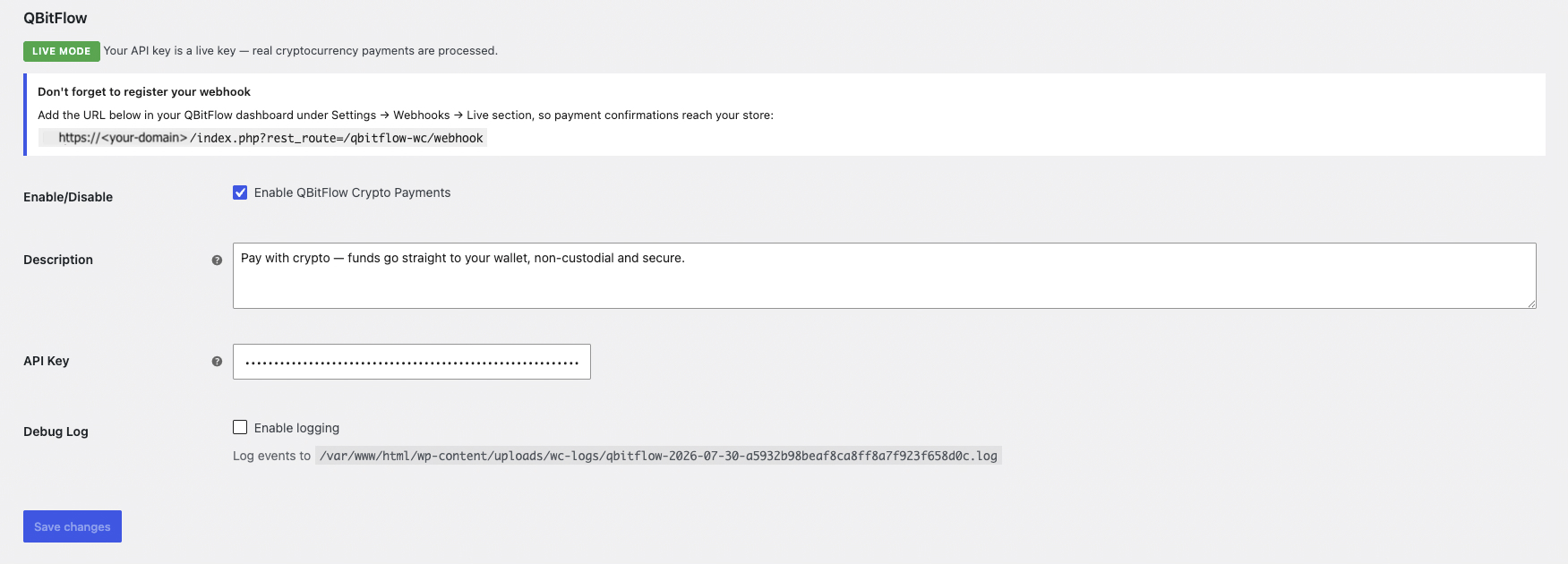
- Settings now show a Test / Live mode badge derived from your API key, plus a plain-language reminder that test keys run on blockchain testnets with faucet funds (no real cryptocurrency spent)
- Settings now display your store’s webhook URL with a reminder to register it in the QBitFlow dashboard (Settings Webhooks Test/Live section, matching your API key)
- Documented the QBitFlow external service in a dedicated “External services” section, including what data is sent and when, plus Terms of Service and Privacy Policy links (WordPress.org requirement)
- Hardened refund syncing: the admin order screen is now strictly read-only (no order changes happen on page load). When QBitFlow has settled a refund on-chain that WooCommerce hasn’t recorded yet, a notice with a “Sync refund to WooCommerce” button appears at the top of the order screen. Applying the refund now runs through an explicit, nonce-protected, capability-checked (
edit_shop_orders) action that marks the order Refunded, records the refund tx hash, and adds an order note - Refund status lookups on the order screen are cached briefly to avoid repeated API calls on screen refreshes
1.1.1
- Added the
Requires Plugins: woocommerceheader so WordPress enforces the WooCommerce dependency before activation - The checkout payment method description is now an editable setting (Description field) instead of a hardcoded string
- Distributed ZIP no longer includes directory assets or development-only files (
.wordpress-org, raw screenshots, dev docs); added abuild.sh/.distignorebuild pipeline
1.1.0
- Customer sync — find-or-create on QBitFlow at checkout (
GET /customer/email/{email}first,POST /customeronly when missing) so the QBitFlow checkout never re-prompts the buyer for details WooCommerce already has - Customer identity is now keyed on the order’s billing email (not the WP account), backed by a persistent email UUID map; the same WP user placing two orders with two different emails resolves to two distinct QBitFlow customers
- Customer billing address is synced to QBitFlow as a single string (street, city, state, postal code, country)
- Refunds end-to-end — admin notice for pending refunds (live, no cache); refund block on the order meta box shows status, reason, merchantMessage, refund tx hash, respondedAt; once approved on-chain the order is auto-marked Refunded with the refund tx hash recorded as an order note
- Refund snapshots persisted on the order once the refund reaches a terminal state (approved/refused/failed); pending refunds keep refetching live
- Updated payment session endpoint to
/transaction/session-checkout/new/payment; fixedcustomerUUIDfield casing - Fixed undefined variable bug in webhook handler for stock reduction
- Fixed potential fatal error when cart is unavailable during REST webhook processing
uninstall.phpcleans up plugin options, the email UUID map, and the legacy customer-uuid user meta on deletion- Standardised license to GPL-2.0-or-later across LICENSE, plugin header, readme, and README (required for WordPress.org)
- Plugin header
Tested up to: 7.0andWC tested up to: 9.7(in sync with readme) - Added translation template (
languages/qbitflow-for-woocommerce.pot) - Added WordPress.org directory assets (banners, icons, listing screenshots)
- Documented webhook
permission_callbackauth model with inline comment - Plugin Check pass: translators comments on every placeholder, escape-output on the plain-text email branch, refactored webhook order lookup to
meta_query; remaining structural warnings annotated with justifiedphpcs:ignorecomments - Plugin slug renamed to
qbitflow-for-woocommerceto comply with the WordPress.org trademark policy (settings option name and gateway ID unchanged, so existing installs preserve their API key and order history)
1.0.0
- Initial release
- One-time crypto payments via QBitFlow
- Block and classic checkout support
- Automatic customer sync
- Webhook signature verification
- Invoice and management page links
- Admin order meta box with payment details
- Email instructions with transaction details
- Test mode support