

Description
PureDash Cleaner is an enhanced WordPress plugin designed to clean up the WordPress admin interface by allowing users to hide annoying or redundant elements with a single click. It features a “Zen Mode” for interactive element selection and a robust system for persistent or session-based blocking.
Privacy Policy
This plugin utilizes the Freemius SDK to provide optional usage tracking and support services. Data is only sent to freemius.com if you explicitly opt in during activation. For more information, please refer to the Freemius Privacy Policy: https://freemius.com/privacy/
How to Use
Hiding an element with Zen Mode
- Log in to your WordPress admin as an administrator.
- Look for the PureDash Cleaner entry in the top admin bar (black bar at the top). Click it to open the submenu.
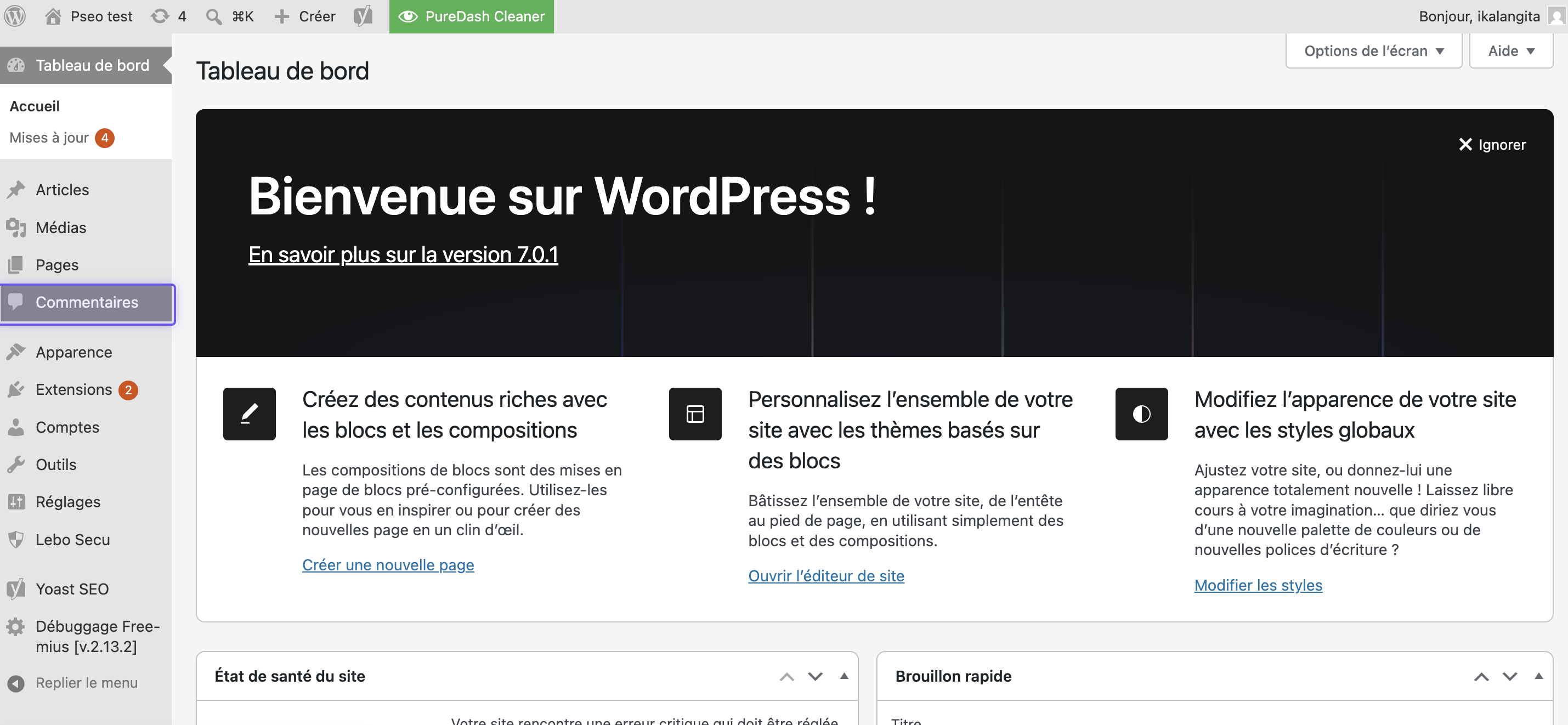
- Click Toggle Zen Mode. The page will enter selection mode — a blue highlight will follow your cursor as you move over admin elements.
- Hover over any element you want to hide (a menu item, a dashboard widget, an admin notice, etc.) and click it.
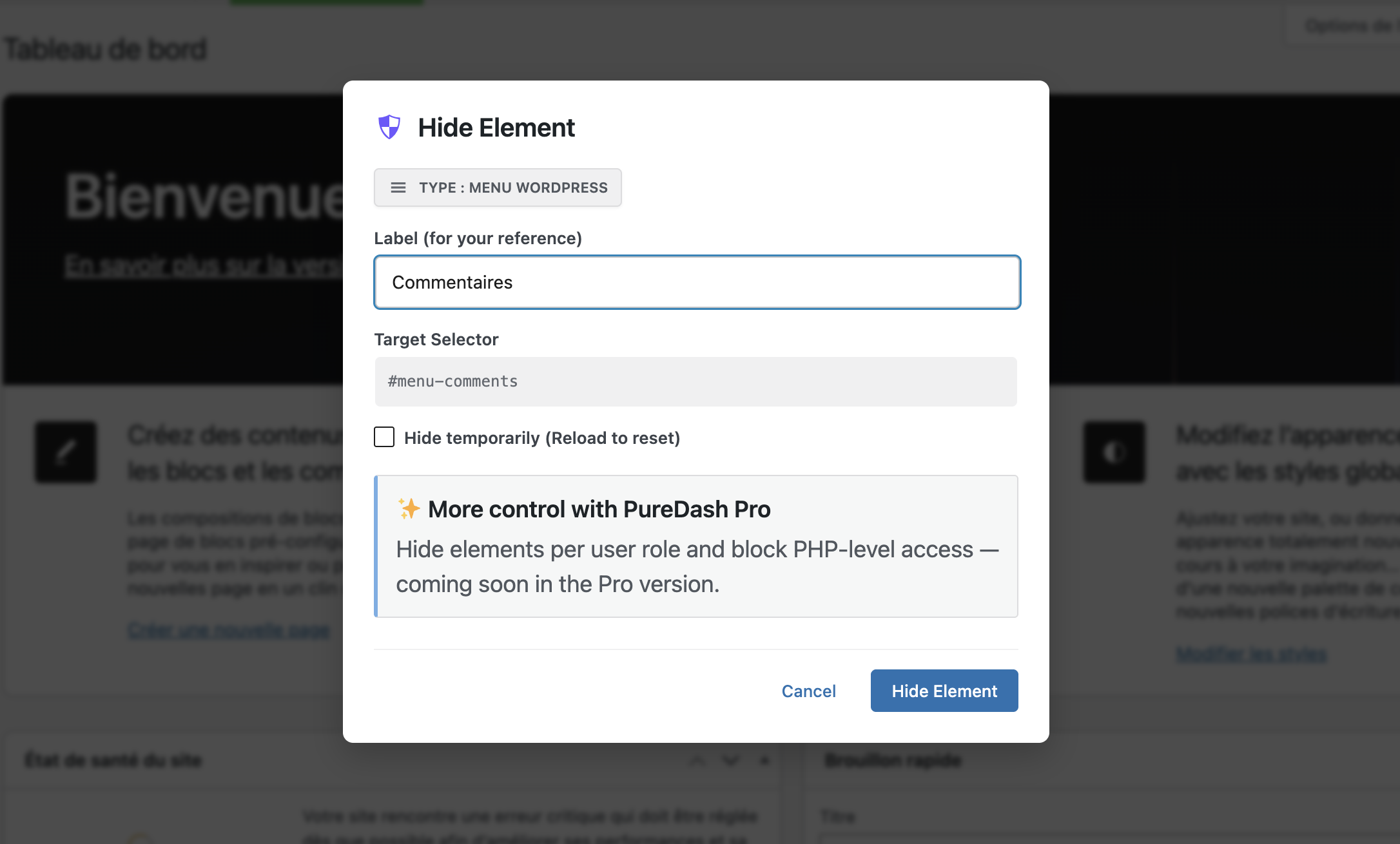
- A dialog will appear. Optionally give the element a label so you can identify it later, then click Hide Element to confirm.
- The element is now hidden for all admin sessions for your user. It will be hidden every time you load an admin page.
Viewing and managing blocked elements
- Go to Settings > PureDash Cleaner.
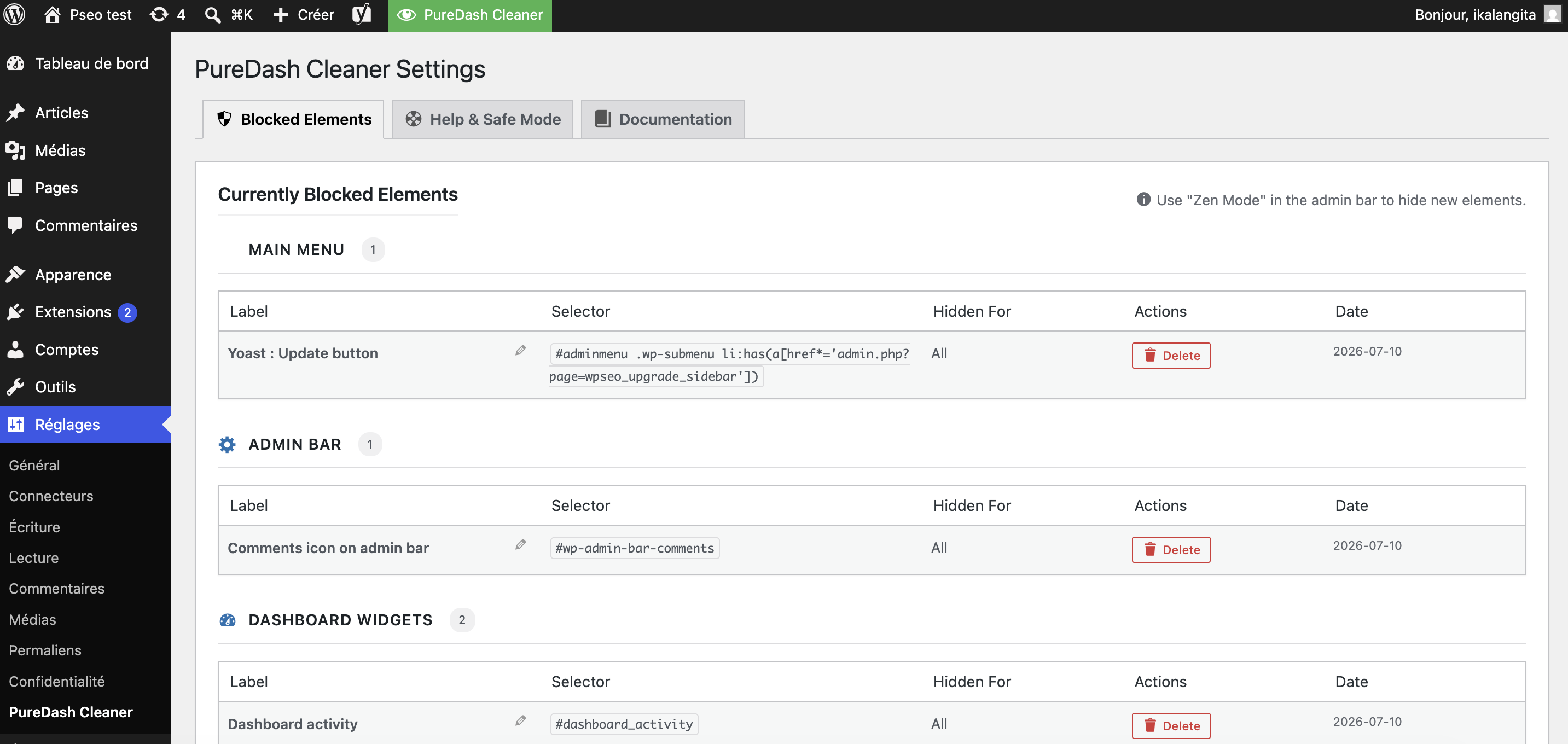
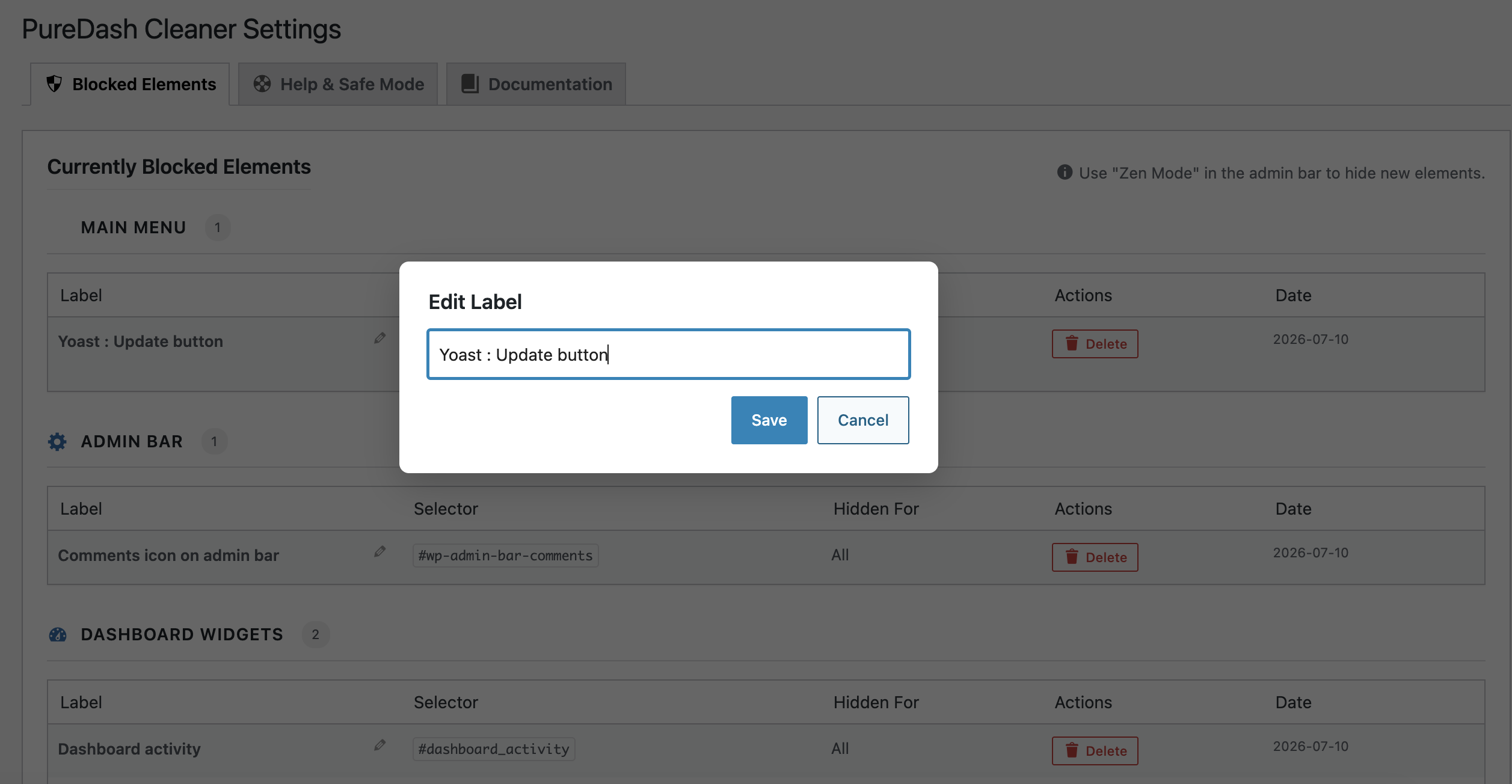
- The Blocked Elements tab lists every element you have hidden, grouped by category (Main Menu, Admin Bar, Dashboard Widgets, Admin Notices, Miscellaneous).
- To remove a block, click the Delete button next to the element. It will reappear immediately on the next page load.
- To rename a block’s label, click the pencil icon next to its name.
Safe Mode (emergency recovery)
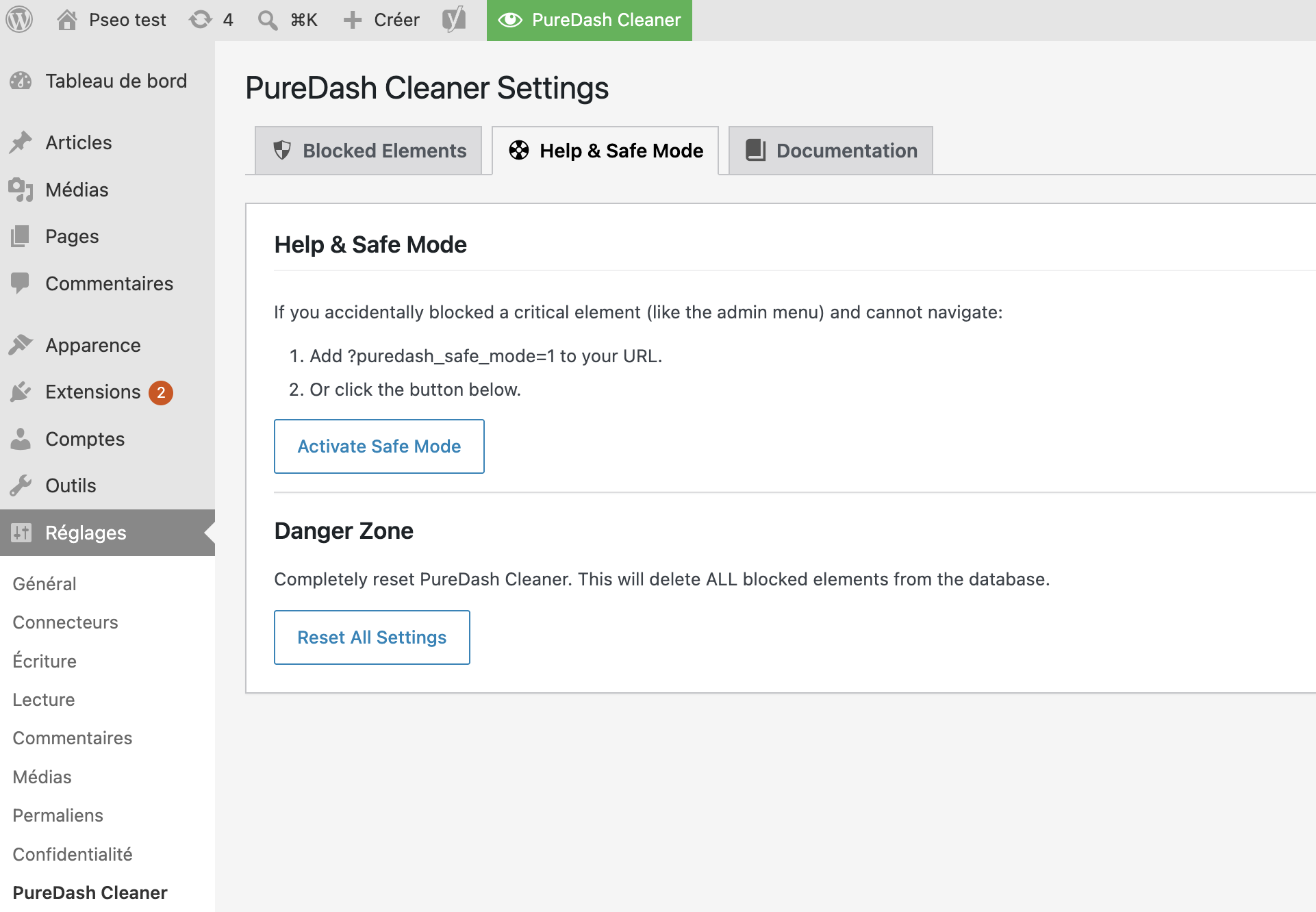
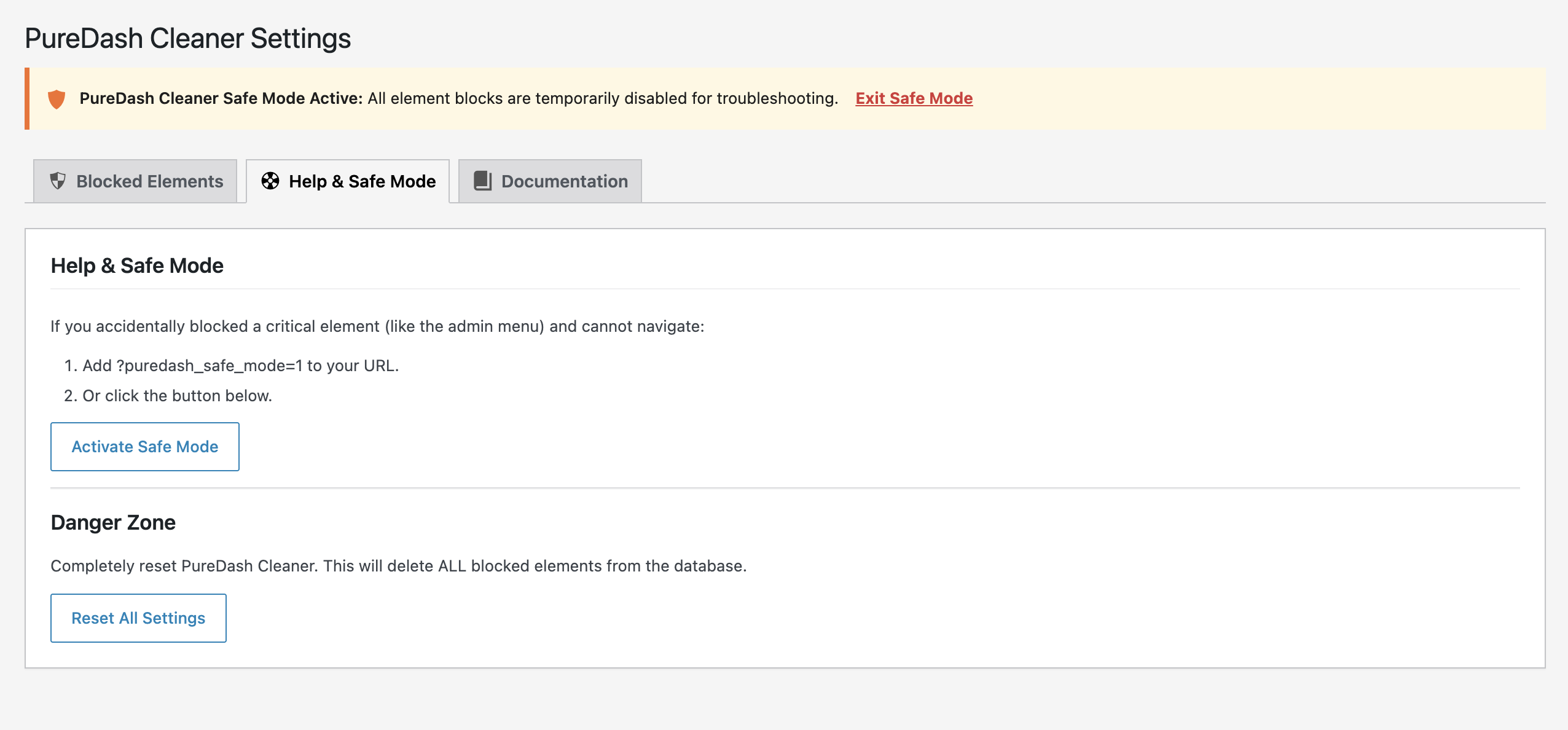
If you accidentally hide a critical element (such as the admin menu) and cannot navigate:
- Add
?puredash_safe_mode=1to any admin URL, for example:https://yoursite.com/wp-admin/?puredash_safe_mode=1 - Or go to Settings > PureDash Cleaner > Help & Safe Mode and click Activate Safe Mode.
Safe Mode temporarily disables all blocks so you can access the settings page and delete the problematic entry.
Developer kill switch
You can disable the plugin entirely without deactivating it by adding the following line to your wp-config.php:
define( 'PUREDASH_DISABLE', true );
Screenshots
Installation
- Upload the
puredash-cleanerfolder to the/wp-content/plugins/directory. - Activate the plugin through the ‘Plugins’ menu in WordPress.
- Go to Settings > PureDash Cleaner to access the plugin settings page.
FAQ
-
Where is the settings page?
-
Go to Settings > PureDash Cleaner in the WordPress admin menu, or click PureDash Cleaner in the top admin bar and choose Settings.
-
Add
?puredash_safe_mode=1to your admin URL (e.g.https://yoursite.com/wp-admin/?puredash_safe_mode=1). This temporarily disables all blocks so you can navigate to the settings page and delete the rule. -
Does this hide elements for all users or just me?
-
Blocks are applied site-wide for all logged-in administrators. If you want to test visibility without removing a block, use Safe Mode (see above).
Reviews
There are no reviews for this plugin.
Contributors & Developers
“PureDash Cleaner” is open source software. The following people have contributed to this plugin.
Contributors

“PureDash Cleaner” has been translated into 1 locale. Thank you to the translators for their contributions.
Translate “PureDash Cleaner” into your language.
Interested in development?
Browse the code, check out the SVN repository, or subscribe to the development log by RSS.
Changelog
1.2.13
- Internal build cleanup: removed leftover CI/build script files from the distributed plugin package.
1.2.12
- Fixed a build script bug that had been silently removing the free “Edit Label” action from the Blocked Elements list.
1.2.11
- Fixed clean-premium.py stripping the ‘is_premium’ Freemius flag entirely on WordPress.org builds instead of setting it to false; the SDK defaults it to true when absent, which made the free build behave as if it were the premium package.
1.2.10
- Security/Plugin Check: replaced phpcs:ignore suppressions (not honored by the official Plugin Check tool for security sniffs) with real fixes — proper nonce verification tied to the Safe Mode toggle’s $_GET read, nested $_FILES key validation for the config import, and sanitize-at-read for the white-label applied-roles field.
1.2.9
- Fixed remaining WordPress Plugin Check findings: outdated “Tested up to” header (readme.txt and the plugin file docblock), and missing wp_unslash() on white-label color fields.
1.2.8
- Replaced the textual promo banner with an image banner in the “Hide Element” modal for a cleaner look.
1.2.7
- Fixed admin bar “PureDash Cleaner” link pointing to a non-existent page (admin.php) instead of the correct settings page (Settings > PureDash Cleaner).
- Expanded readme with a full “How to Use” section, FAQ, and Safe Mode recovery instructions to help users configure and use the plugin from scratch.
1.2.6
- Security: Added CSS-context sanitization for selector values output via wp_add_inline_style() to prevent potential CSS injection.
- Updated Freemius SDK to 2.13.2.
- Added plugin owner to the Contributors list in readme.txt.
1.2.5
- WordPress.org release: removed premium-only code and upgrade links.
- Fixed the “Edit Label” action on the Blocked Elements list.
- Simplified the Hide Element dialog.
1.0.3
- Updated version to 1.0.3.
1.0.2
- Renamed plugin to PureDash Cleaner for WordPress.org compliance.
- Ensured compatibility with official directory requirements.
- Integrated Freemius SDK with Org-compliant configuration.
- Removed inline styles and scripts for better security.