

Description
Small churches need the same four things on their website every week — a sermon archive, a podcast, a livestream page, and events — and usually have to stitch together three to five plugins (or buy into a theme ecosystem) to get them.
PulpitKit does all four in one free plugin, with any WordPress theme:
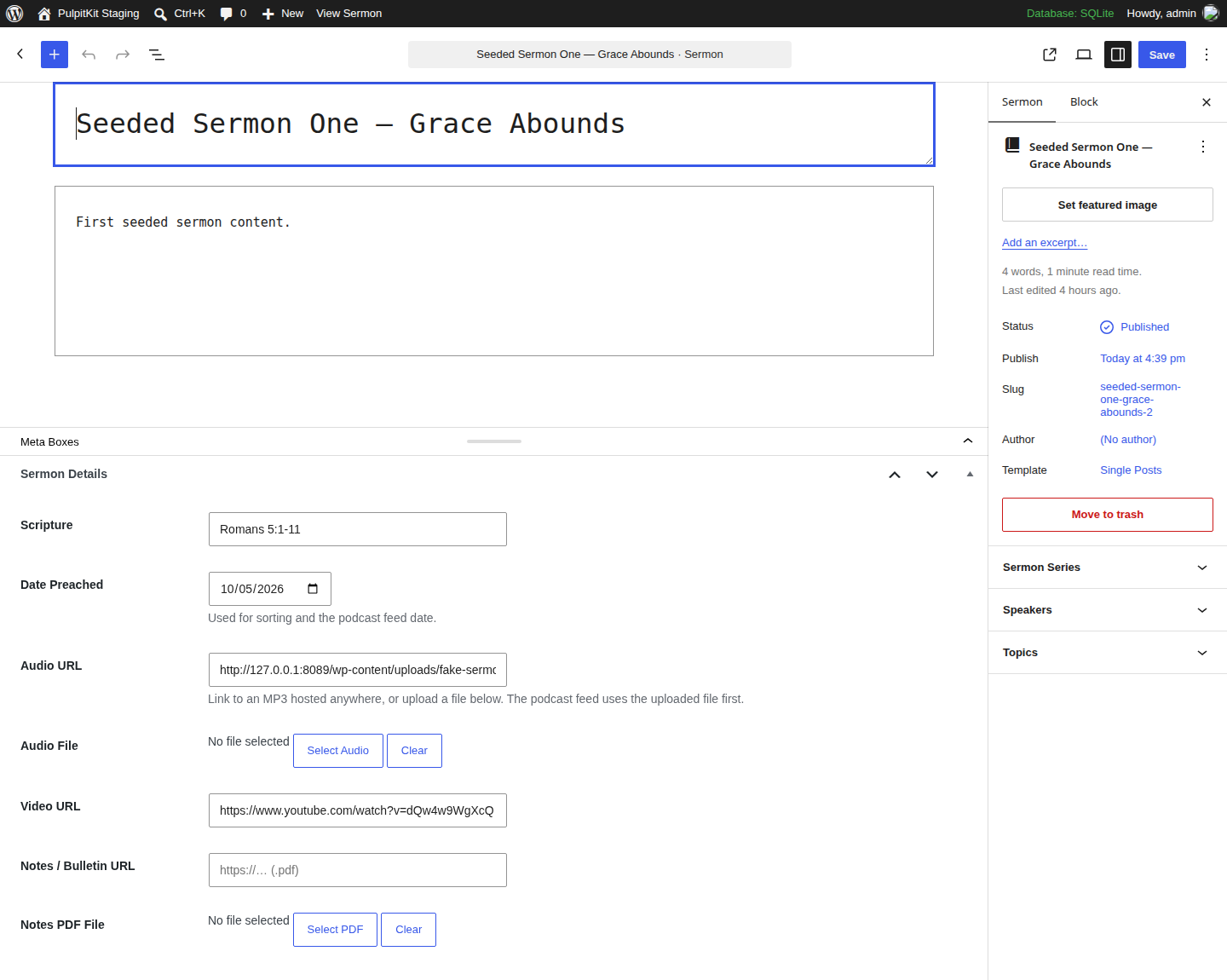
- Sermon library — Sermons with series, speakers, topics, scripture references, audio (upload or URL), video (YouTube/Vimeo), and sermon-notes/bulletin PDFs.
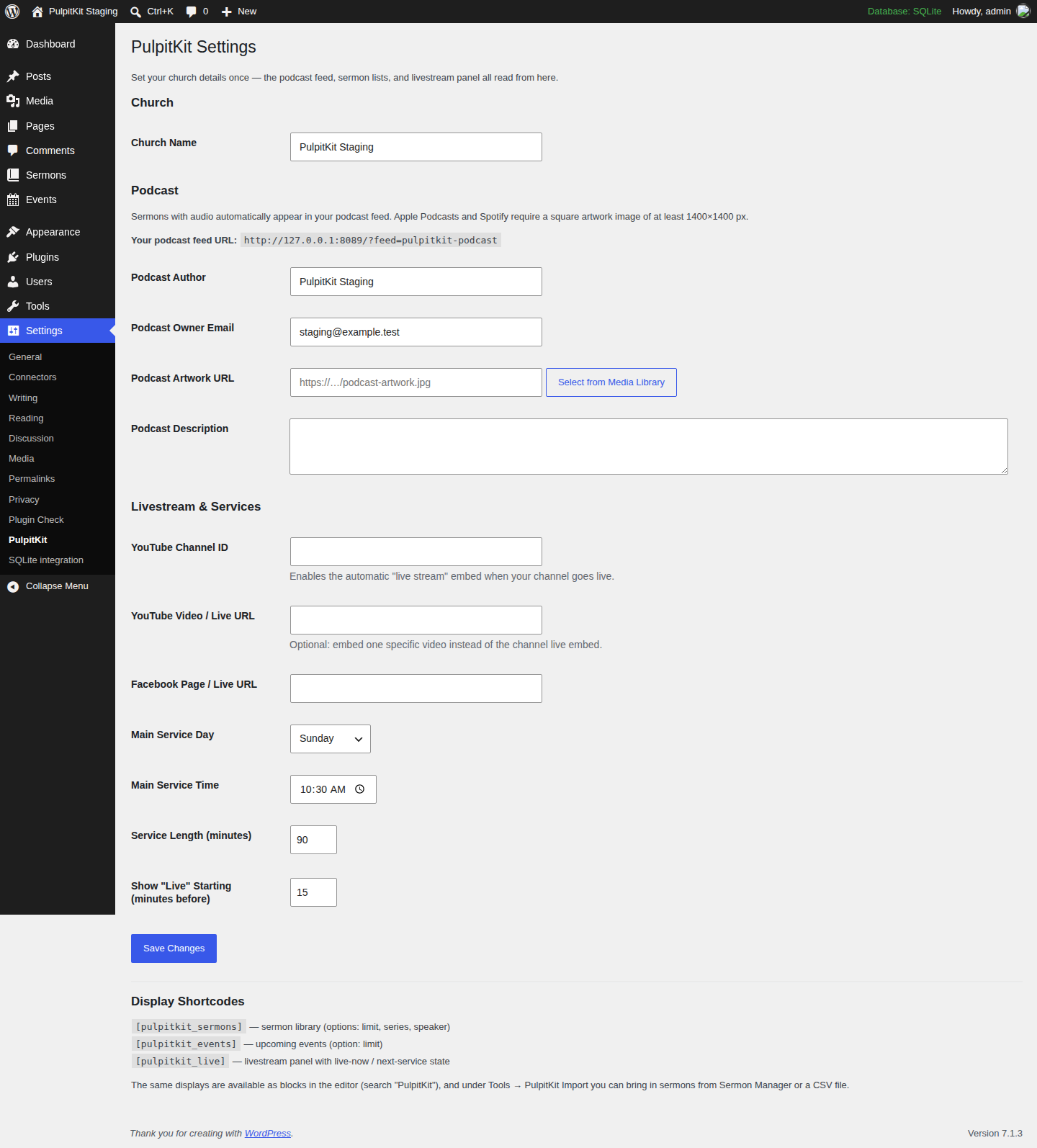
- Podcast feed, free — Every sermon with audio automatically appears in an Apple Podcasts / Spotify compatible RSS feed, with cover artwork, author, and category settings. (Other church plugins charge extra for podcasting — PulpitKit doesn’t.)
- Recurring events, free — Weekly, every-2-weeks, monthly, and “nth weekday” (2nd Sunday) events with automatic upcoming-events lists. (Also free here.)
- Livestream panel — Embeds your YouTube or Facebook stream and knows your service schedule: it shows a “Live Now” state during services and the next service time the rest of the week.
- Works with ANY theme — Sermons, events, and the livestream panel display through shortcodes or blocks with their own built-in styling. No compatible-theme purchase required.
Switching from Sermon Manager? Sermon Manager was closed on WordPress.org in December 2025 and no longer receives updates. PulpitKit’s one-click importer (Tools PulpitKit Import) copies your Sermon Manager sermons — series, speakers, topics, scripture, dates, audio, video, and notes — into PulpitKit and reports exactly what was imported. Your originals are never modified, and re-running the importer never creates duplicates. A generic CSV importer is included as a fallback for other sources.
Shortcodes
[pulpitkit_sermons]— sermon library (limit,series,speakeroptions)[pulpitkit_events]— upcoming events (limitoption)[pulpitkit_live]— livestream panel with live-now / next-service state
The same displays are available as blocks: search the editor for “PulpitKit”.
Screenshots


Blocks
This plugin provides 3 blocks.
- PulpitKit: Sermons
- PulpitKit: Events
- PulpitKit: Livestream
Installation
- Upload the
pulpitkitfolder to/wp-content/plugins/(or install the zip via Plugins Add New Upload). - Activate PulpitKit.
- Go to Settings PulpitKit and enter your church name, podcast artwork, and livestream details.
- Add your first sermon under Sermons, and drop the shortcodes (or blocks) onto your pages.
- Coming from Sermon Manager? Run Tools PulpitKit Import first.
FAQ
-
Does PulpitKit work with my theme?
-
Yes. Sermons, events, and livestream display through shortcodes/blocks that ship their own CSS, so no special or “compatible” theme is required.
-
Where is my podcast feed?
-
At
https://yoursite.com/feed/pulpitkit-podcast/— also shown on the Settings PulpitKit page. Submit that URL to Apple Podcasts and Spotify. Only sermons with audio are included, as podcast apps require an audio file per episode. -
What does the Sermon Manager importer copy?
-
Titles, content, excerpts, status, featured images, date preached, Bible passage, audio (file or URL), video, notes PDFs, and series / speaker / topic terms. It stamps each imported sermon so re-running it skips duplicates, and it never changes or deletes your Sermon Manager data.
-
What counts as a “recurring event”?
-
Weekly, every 2 weeks, monthly on the same date, and monthly on the same weekday (like the 2nd Sunday or last Friday). Give an event an optional end date for the repetition, or leave it open-ended.
-
How does the “Live Now” state work?
-
Set your main service day and time under Settings PulpitKit. The
[pulpitkit_live]panel switches to “Live Now” shortly before the service starts (configurable) and shows the embed; the rest of the time it shows when the next service is.
Reviews
There are no reviews for this plugin.
Contributors & Developers
“PulpitKit” is open source software. The following people have contributed to this plugin.
Contributors
Translate “PulpitKit” into your language.
Interested in development?
Browse the code, check out the SVN repository, or subscribe to the development log by RSS.
Changelog
0.1.1
- Review fixes: livestream embed is now built by the plugin from a parsed YouTube video ID (no raw oEmbed HTML output); the import-report transient key is allowlisted to the exact format the plugin generates; all post types, taxonomies, meta keys, and other identifiers now use the full “pulpitkit_” prefix; removed the Domain Path header (translations are served by WordPress.org).
0.1.0
- Initial release: sermon library (series/speaker/topic, scripture, audio, video, notes PDF), podcast RSS feed, recurring events, livestream panel with service-schedule state, Sermon Manager + CSV importers, settings page, shortcodes and blocks.