
Description
ProjectHQ plans, writes and schedules articles for your blog. This plugin is how they reach WordPress: when an article is ready, ProjectHQ sends it here and it is published as a normal post.
- The post goes out under the author and in the category you choose.
- Images are added to your Media Library, and the cover becomes the featured image.
- The meta description and focus keyword land in the fields your SEO plugin uses: Yoast SEO, Rank Math, SEOPress and All in One SEO are supported. Without an SEO plugin, the plugin prints the meta description itself.
- Updating an article in ProjectHQ updates the same post. Its address, date, author and categories stay as they are.
- ProjectHQ can only change posts it published. Posts you wrote yourself are out of its reach, and so is the rest of your site: it never signs in as anyone and cannot change settings, users, plugins or themes.
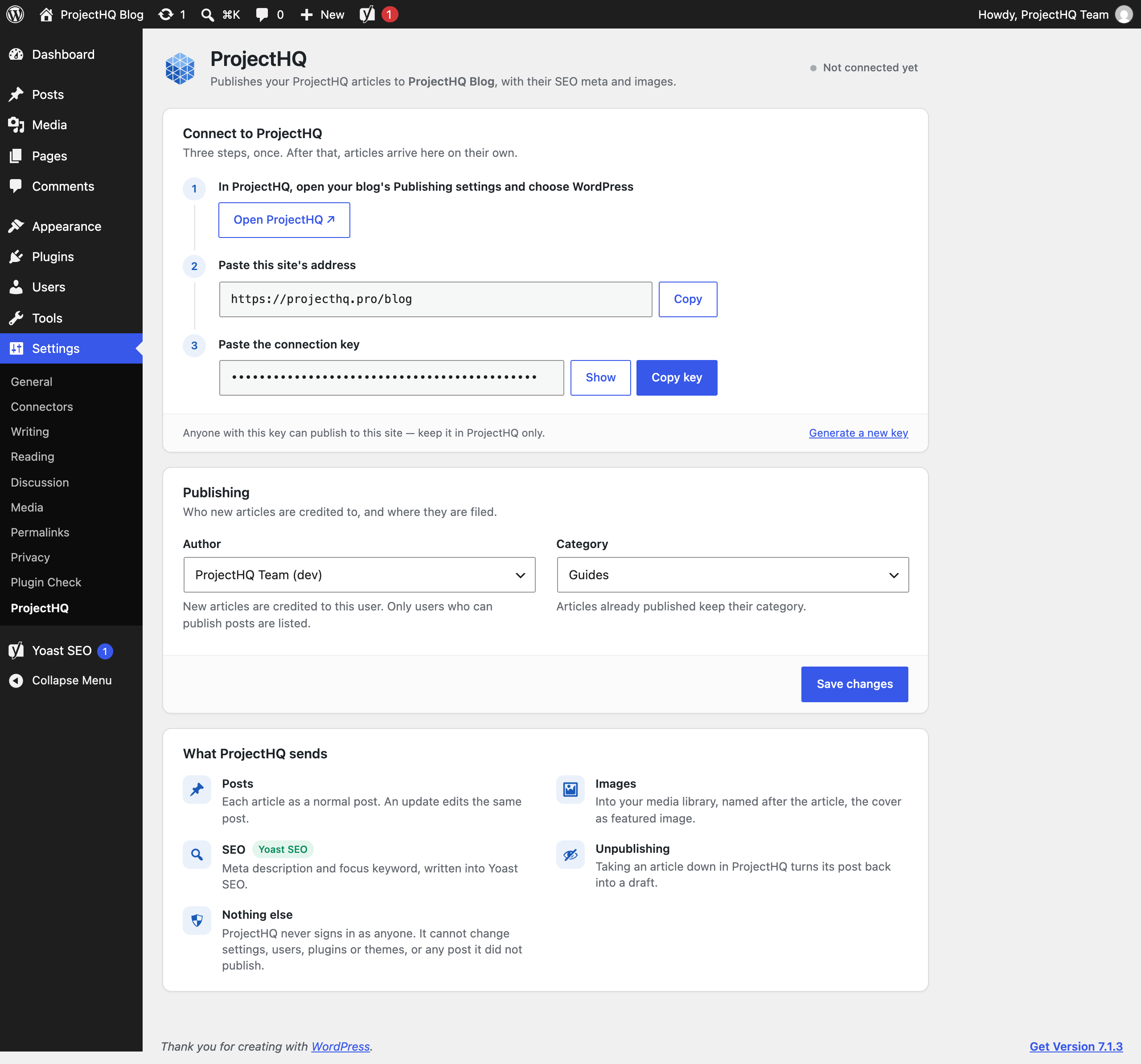
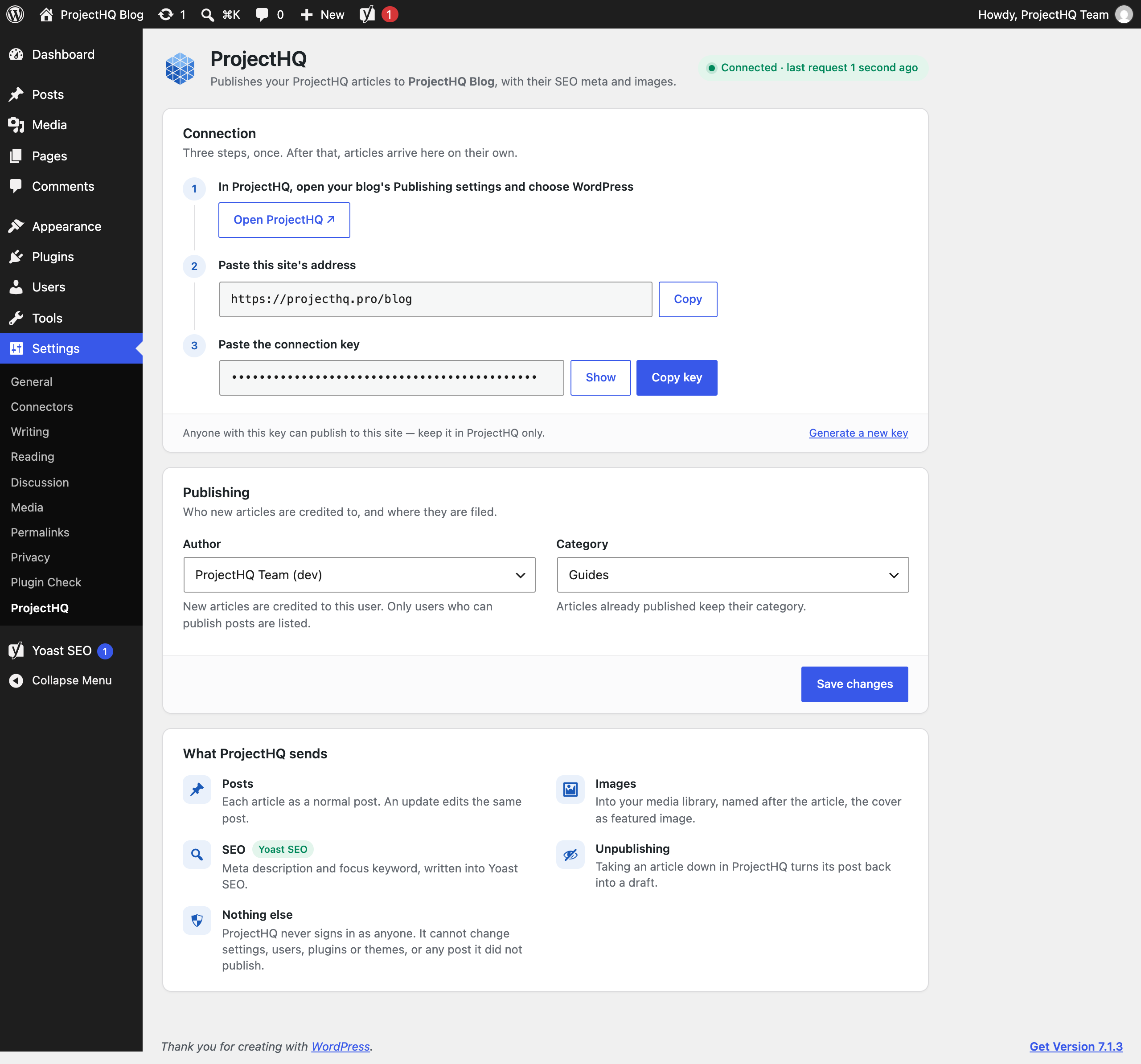
There are no passwords to create. You copy one key from Settings ProjectHQ into ProjectHQ, and every request is signed with it.
You need a ProjectHQ account (https://projecthq.pro) to use this plugin.
External services
This plugin connects your site to ProjectHQ (https://projecthq.pro), an SEO and content service run by ProjectHQ. It is what publishes your articles here; without a ProjectHQ account the plugin does nothing.
The plugin itself makes no outbound requests. ProjectHQ’s servers call the plugin’s REST routes on your site (under /wp-json/projecthq/v1/), signed with the connection key:
- When you connect, and before publishing, ProjectHQ reads a status report: the plugin, WordPress and PHP versions, your site’s name and address, which SEO plugin is active, and the name of the author and category articles are published under.
- When an article is published or updated in ProjectHQ, its title, content, excerpt, meta description, focus keyword and images are sent to your site, and the post’s ID and address are sent back to ProjectHQ.
- When an article is unpublished in ProjectHQ, the post’s ID is sent and the post becomes a draft.
No data about your visitors is collected or sent.
ProjectHQ terms of service: https://projecthq.pro/terms
ProjectHQ privacy policy: https://projecthq.pro/privacy
Screenshots
Installation
- In WordPress, go to Plugins Add New Upload Plugin and upload
projecthq-pro-ai-blog-publisher.zip, or upload theprojecthq-pro-ai-blog-publisherfolder to/wp-content/plugins/. - Activate the plugin.
- Open Settings ProjectHQ and copy the connection key.
- In ProjectHQ, open your blog’s Publishing settings, choose WordPress, and paste this site’s address and the key.
FAQ
-
Does the plugin call home?
-
No. ProjectHQ calls your site; the plugin only answers. It makes no outbound requests, loads nothing from other servers and does no tracking.
-
What exactly can ProjectHQ do on my site?
-
Four things, through the plugin’s REST routes and only with a valid signature: read a status report, add images to the Media Library, create or update the posts it published, and switch those posts between published and draft. Requests run without any user account, so they carry no WordPress permissions; nothing else on the site can be reached. New posts and images are credited to the author you choose in Settings ProjectHQ.
-
Can ProjectHQ edit or delete my own posts?
-
No. Every post the plugin creates is marked as ProjectHQ’s, and every change it makes looks that mark up first. A post without it cannot be reached. The plugin never deletes posts: unpublishing turns a post back into a draft.
-
What happens if I deactivate or delete the plugin?
-
ProjectHQ can no longer publish here. Everything it already published stays, posts and images alike. Deleting the plugin removes only its settings.
-
ProjectHQ says the signature does not match
-
The key in ProjectHQ is not the one on this site, usually because a new key was generated here. Copy it from Settings ProjectHQ again and paste it into ProjectHQ.
-
ProjectHQ says the request is too old
-
Requests are only accepted within five minutes of being sent. If the key is right and you still see this, the server’s clock is wrong; your host can fix it.
Reviews
There are no reviews for this plugin.
Contributors & Developers
“ProjectHQ.pro – AI Blog Publisher” is open source software. The following people have contributed to this plugin.
Contributors
Translate “ProjectHQ.pro – AI Blog Publisher” into your language.
Interested in development?
Browse the code, check out the SVN repository, or subscribe to the development log by RSS.
Changelog
1.0.0
- First release: publishing, image uploads, SEO meta for Yoast SEO, Rank Math, SEOPress and All in One SEO, and the settings page.