
Description
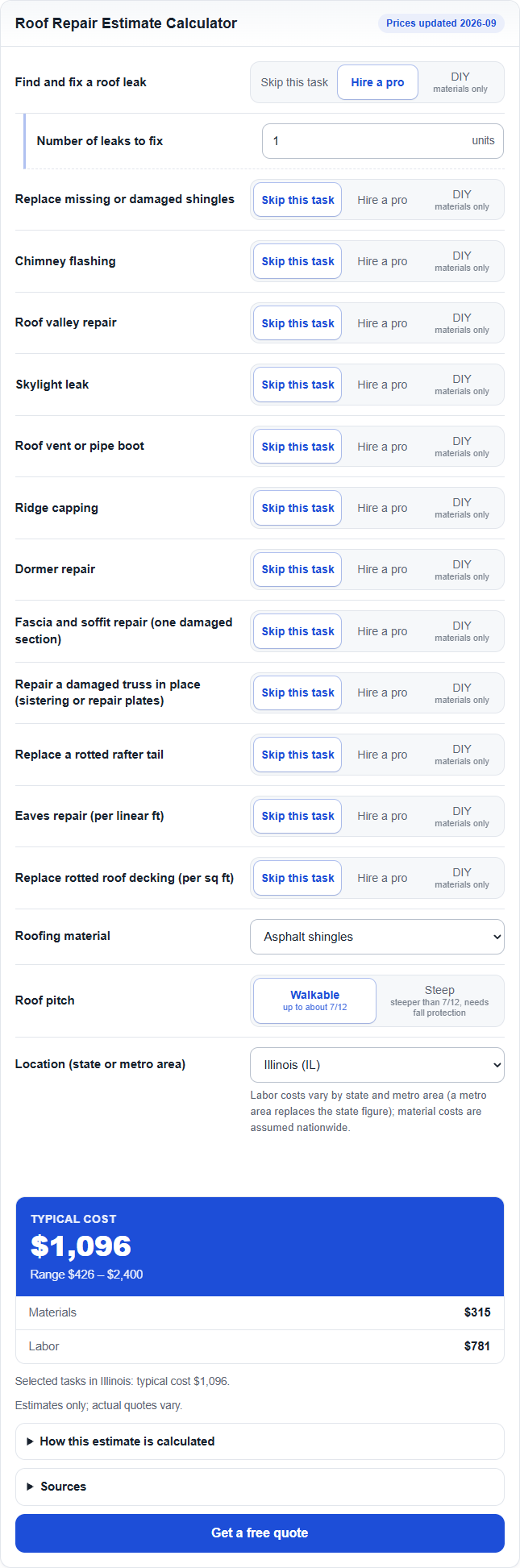
Put a ready-made cost calculator for your trade on your website. Visitors answer a few questions and instantly get a low, typical and high estimate, with an explanation of how it was calculated and the sources behind the numbers. Below the result, your own “Request a quote” button leads them to your contact page.
Included calculators:
- Roof repair estimate
- Window installation estimate
- HVAC installation cost estimator
- Paint cost estimator
- Finished basement cost estimator
Features:
- Shortcode and block, several calculators on the same page.
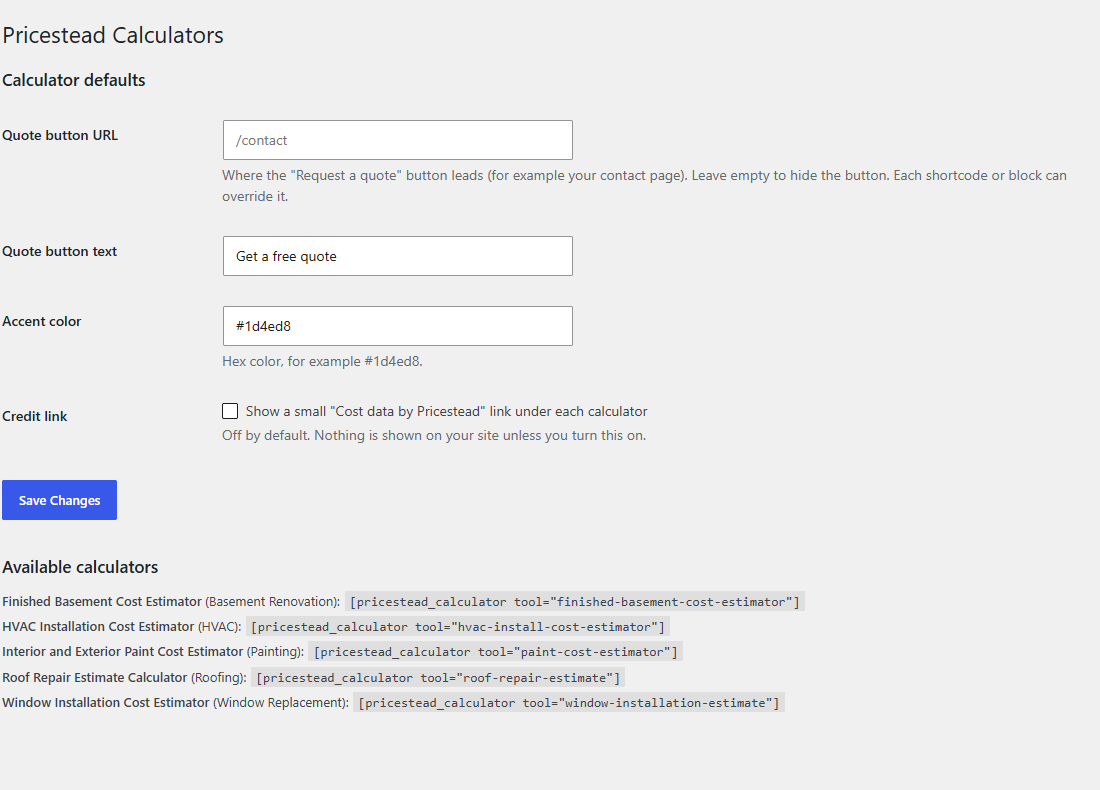
- Your own quote button (URL and text), set globally or per calculator.
- Accent color setting.
- Mobile-first and accessible (labels, live result region).
- No build step, no external requests, no tracking.
Usage
Shortcode:
[pricestead_calculator tool="roof-repair-estimate" cta_url="/contact" cta_label="Get a free quote"]
Or add the “Pricestead Calculator” block and pick a calculator in the block settings. Defaults for the quote button and color are under Settings > Pricestead Calculators.
Credit link (opt-in)
The plugin can show a small “Cost data by Pricestead” link under each calculator. It is OFF by default and is shown only if you enable it in Settings > Pricestead Calculators. Nothing is added to your public pages without your permission.
External services
This plugin does not make any external requests. All data, calculation logic and scripts are bundled inside the plugin, nothing is sent to Pricestead or to any third party, and no cookies or tracking are used. Cost data is updated by releasing new versions of the plugin. If you enable the optional credit link, it is a normal link to https://pricestead.com that only loads if a visitor clicks it. Source links shown under each result also lead to third-party sites only when clicked.
Screenshots

Blocks
This plugin provides 1 block.
- Pricestead Calculator Cost calculator for a home-improvement trade, with your own quote button.
Installation
- Upload the plugin folder to
/wp-content/plugins/, or install it from the Plugins screen. - Activate the plugin.
- Add the shortcode or the block to a page.
- Optionally set your quote button URL and color in Settings > Pricestead Calculators.
FAQ
-
Are the estimates exact?
-
No. They are typical ranges based on public cost data and BLS wages, valid for the date shown under each result. Real quotes depend on the job.
-
Does it work without JavaScript?
-
The calculators need JavaScript to run; without it visitors see a short notice.
-
Yes. Leave the quote button URL empty.
Reviews
There are no reviews for this plugin.
Contributors & Developers
“Pricestead Cost Calculators” is open source software. The following people have contributed to this plugin.
Contributors
Translate “Pricestead Cost Calculators” into your language.
Interested in development?
Browse the code, check out the SVN repository, or subscribe to the development log by RSS.
Changelog
0.2.2
- All functions, constants, options, hooks, script handles, CSS classes and the JavaScript global now use the unique “pricestead” prefix instead of “psc” (filters: pricestead_calculator_html, pricestead_calculator_settings; option: pricestead_settings).
0.2.1
- New design: header with the price date, one row per field, short choices as buttons, a large estimate with its range, a sticky price bar on narrow layouts and a sticky result column on wide ones. Layout adapts to the width of the calculator, not the screen.
0.2.0
- Developer hooks: JavaScript filters (PricesteadCalc.addFilter / PricesteadCalc.applyFilters) and the show_sources and notice settings of the pricestead_calculator_settings filter, so other plugins can extend the calculators.
0.1.0
- First release: five calculators, shortcode, block and settings page.