

Description
If you sell products with multiple attributes, you know the problem. Four sizes, three materials, two colors — that’s 24 variations to create, price, and keep up to date. Raise the price on one material and you’re editing records for the next hour.
PriceBlueprint takes a different approach.
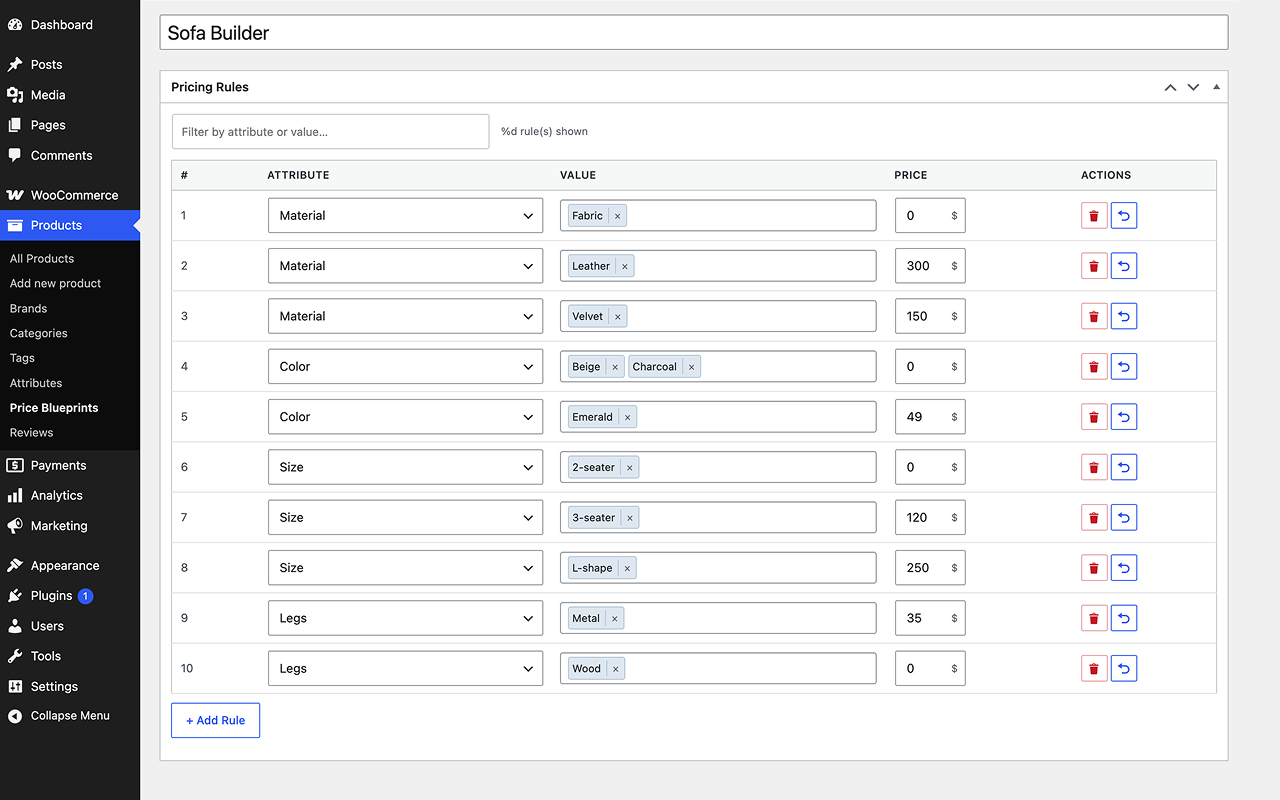
You build a Price Blueprint, a set of pricing rules like “Size XL adds $10” or “Material Leather adds $25.” Attach that blueprint to as many products as you want. When something changes, you update the rule once and every linked product is done.
What’s included:
- Reusable blueprints: one blueprint can cover your entire catalog if the pricing logic is the same
- Attribute-based rules: works with any WooCommerce global attribute: size, color, material, finish, whatever you use
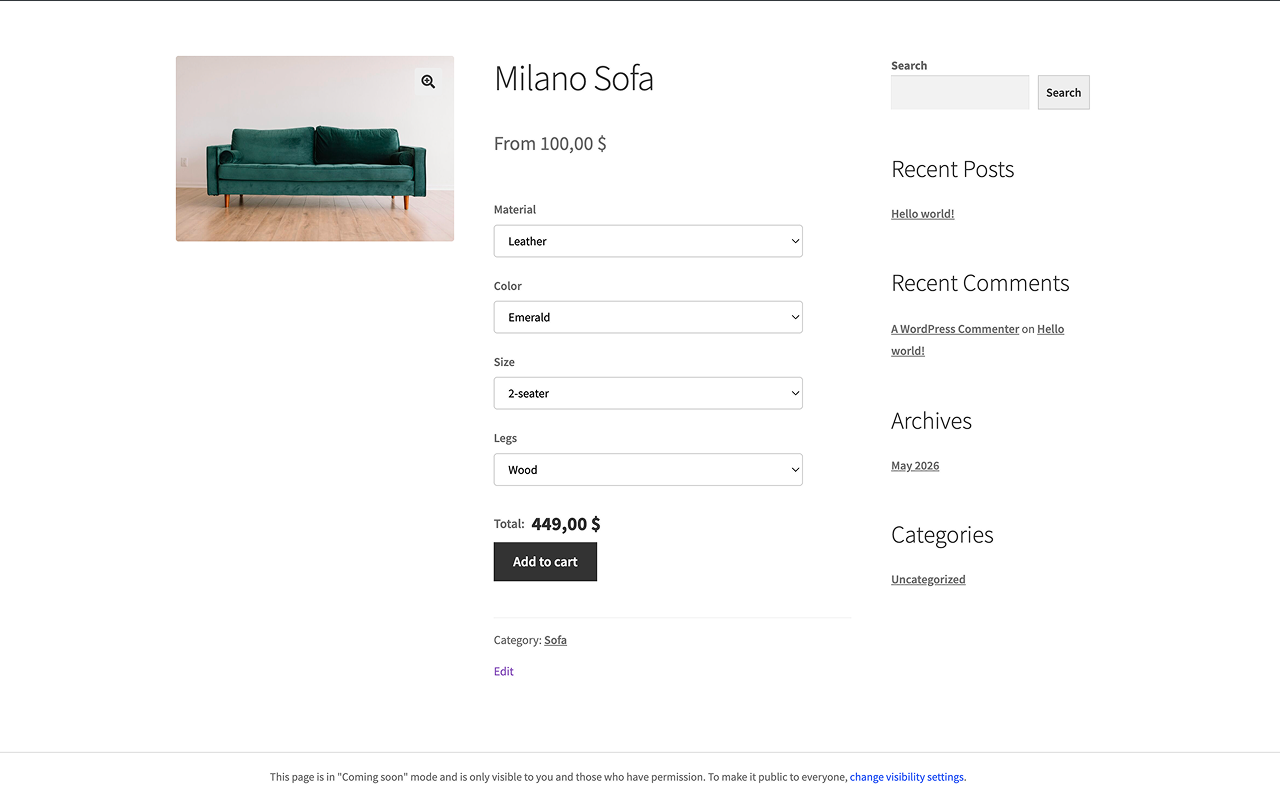
- Live price updates: the price recalculates on the product page as customers make their selections
- Cart and checkout: selections and the final price carry through correctly at every step
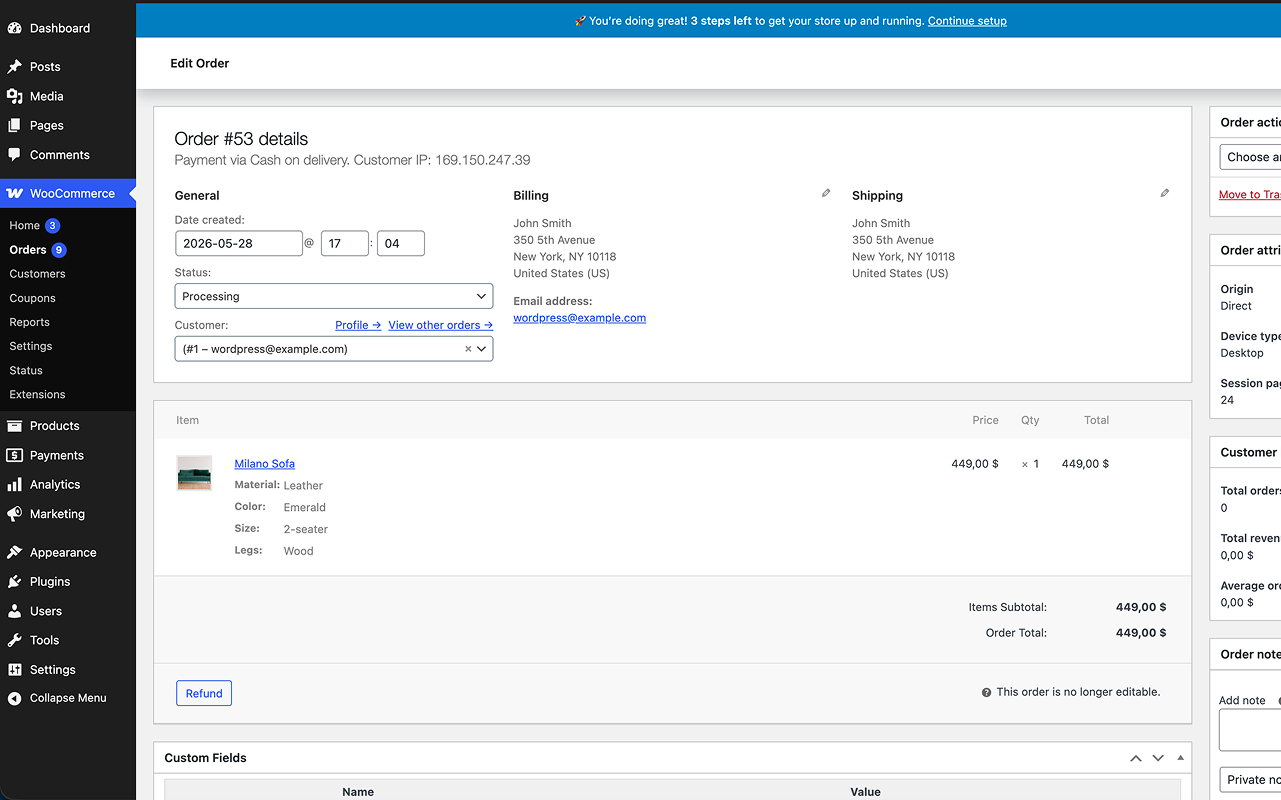
- Order records: attribute choices show up in WC Admin, order emails, the Thank You page, and My Account
- No variation records: nothing gets written to the database per combination, so your store stays clean
- HPOS compatible: works with WooCommerce High-Performance Order Storage
- Schema.org structured data for configurable products
- RTL support and translations: English, German, French, Spanish, Ukrainian, Polish
Requires WooCommerce 6.0 or higher.
Who uses it?
Mostly store owners who got tired of managing hundreds of variations. Clothing shops with size and color pricing, custom product builders, print-on-demand stores — anyone who has the same pricing logic repeated across a lot of products.
Screenshots
Installation
- Upload the
priceblueprint-for-woocommercefolder to/wp-content/plugins/ - Activate it through the Plugins menu
- Go to Products Price Blueprints Add New
- Add your rules (Size XL +$10, Material Oak +$25, etc.)
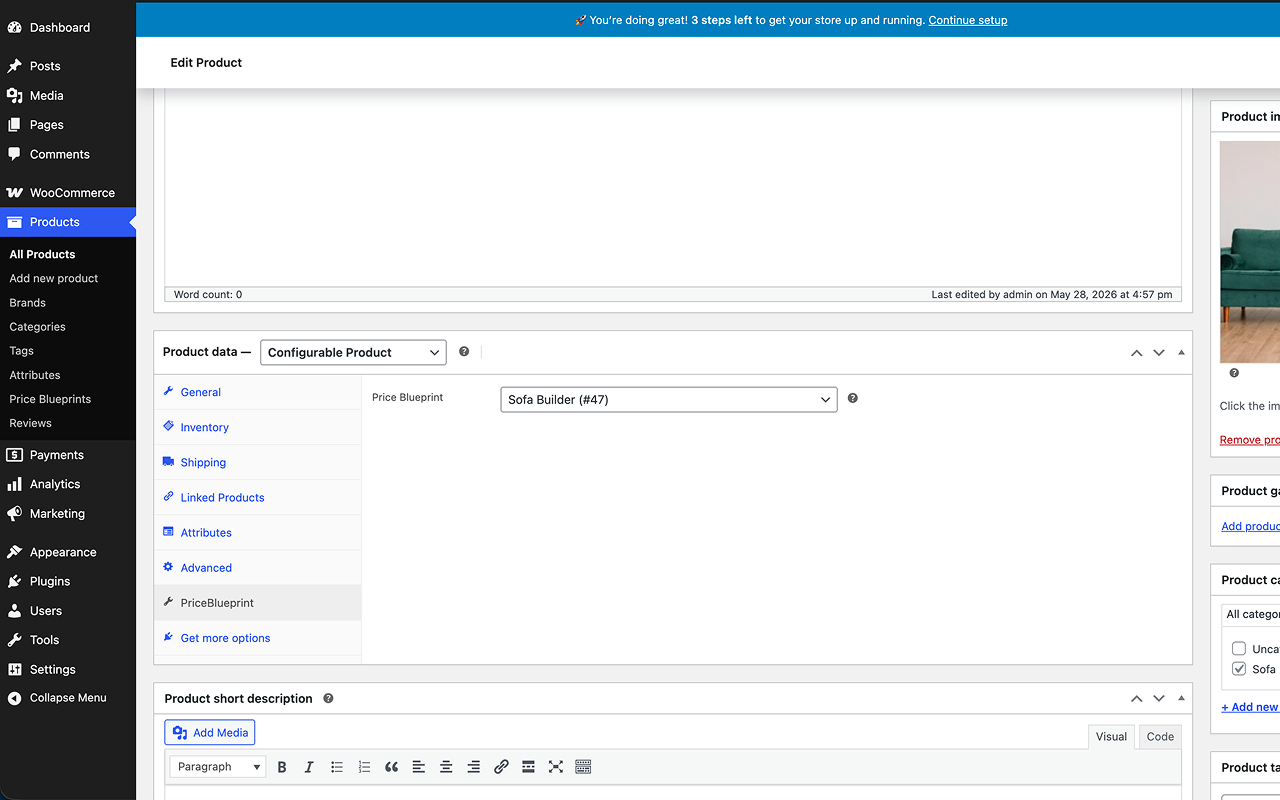
- Create a product, set the type to Configurable Product, and assign your blueprint on the PriceBlueprint tab
FAQ
-
How is this different from WooCommerce variations?
-
With variations, every combination of attributes needs its own record. Four sizes × three colors = 12 variations to create and maintain. PriceBlueprint skips all that. You write one rule per attribute value and the price is calculated from those rules at runtime. No combinations, no bloat.
-
Can I use the same blueprint on multiple products?
-
Yes, that is the whole point. One blueprint, as many products as you want. Update a rule and all of them update with it.
-
What if I change a blueprint while someone is shopping?
-
New sessions get the updated price right away. Anything already in the cart recalculates on the next page load.
-
Does it work with caching plugins?
-
Yes. Price updates happen via AJAX on the product page, so full-page caching does not interfere.
-
Can I set a rule that adds nothing to the price?
-
Yes, just set the add-on to
0.00. Handy for your base option that should not change the price.
Reviews
There are no reviews for this plugin.
Contributors & Developers
“PriceBlueprint – Configurable Product Pricing for WooCommerce” is open source software. The following people have contributed to this plugin.
Contributors
“PriceBlueprint – Configurable Product Pricing for WooCommerce” has been translated into 1 locale. Thank you to the translators for their contributions.
Translate “PriceBlueprint – Configurable Product Pricing for WooCommerce” into your language.
Interested in development?
Browse the code, check out the SVN repository, or subscribe to the development log by RSS.
Changelog
1.0.1
- Fix: attribute configurator not rendering on product page after saving blueprint rules.
- Fix: configured price not applied correctly in cart and checkout in certain setups.
- Fix: order-received page displaying internal blueprint meta to customers.
- Fix: compatibility header corrected for WordPress 6.x.
1.0.0
- Initial release