

Description
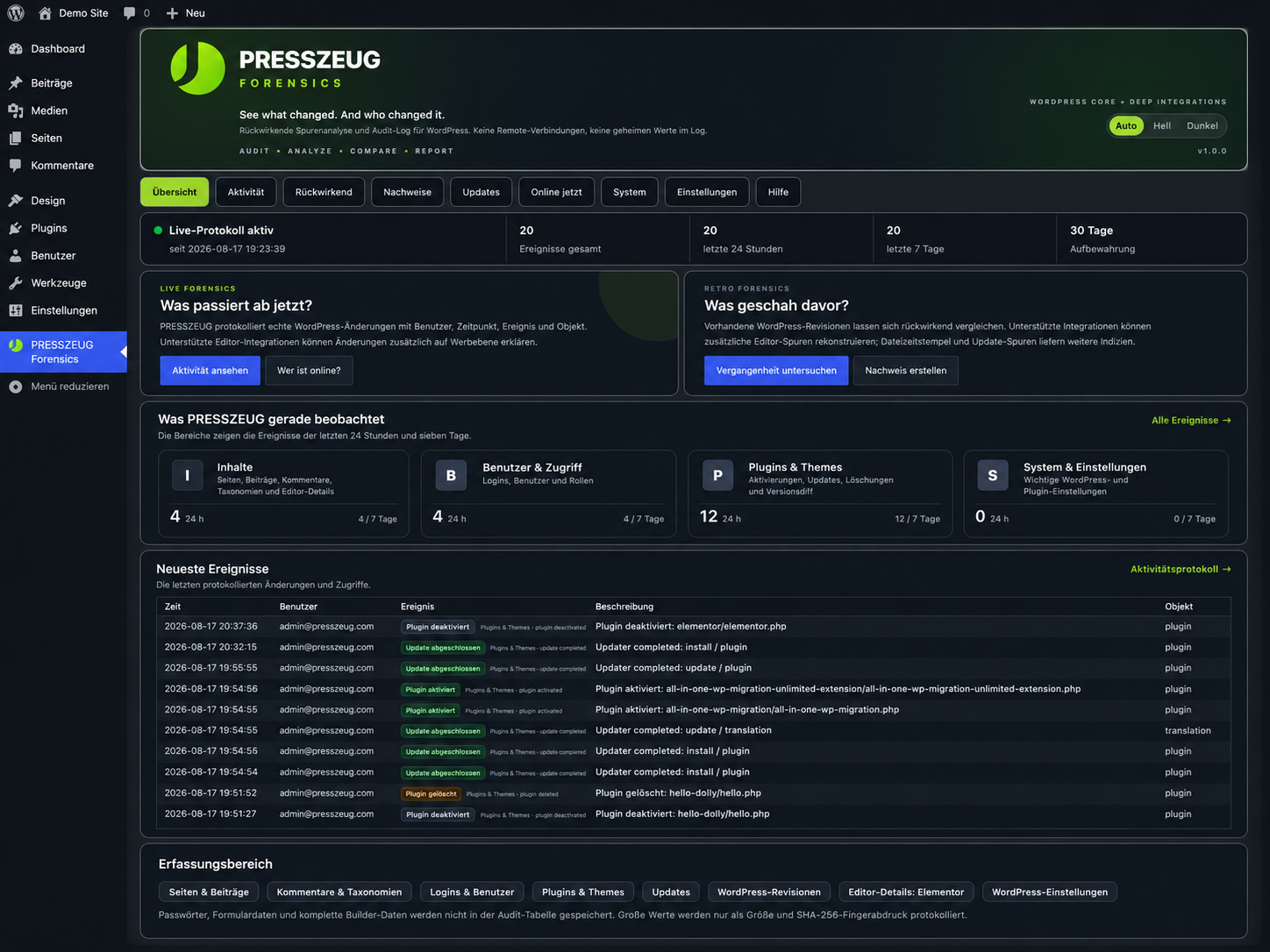
PRESSZEUG Forensics helps administrators understand what changed in WordPress, when it changed, and which WordPress account was associated with the event.
It combines a live audit log with retrospective evidence from data WordPress already stores. The focus is on meaningful changes rather than ordinary admin navigation.
WordPress Core auditing
PRESSZEUG Forensics can record and investigate changes involving:
- Pages, posts, comments, and taxonomies.
- Users, roles, successful logins, logouts, and optional failed-login events.
- Plugin and theme activation, deactivation, deletion, installation, and updates.
- Relevant WordPress settings and revision evidence.
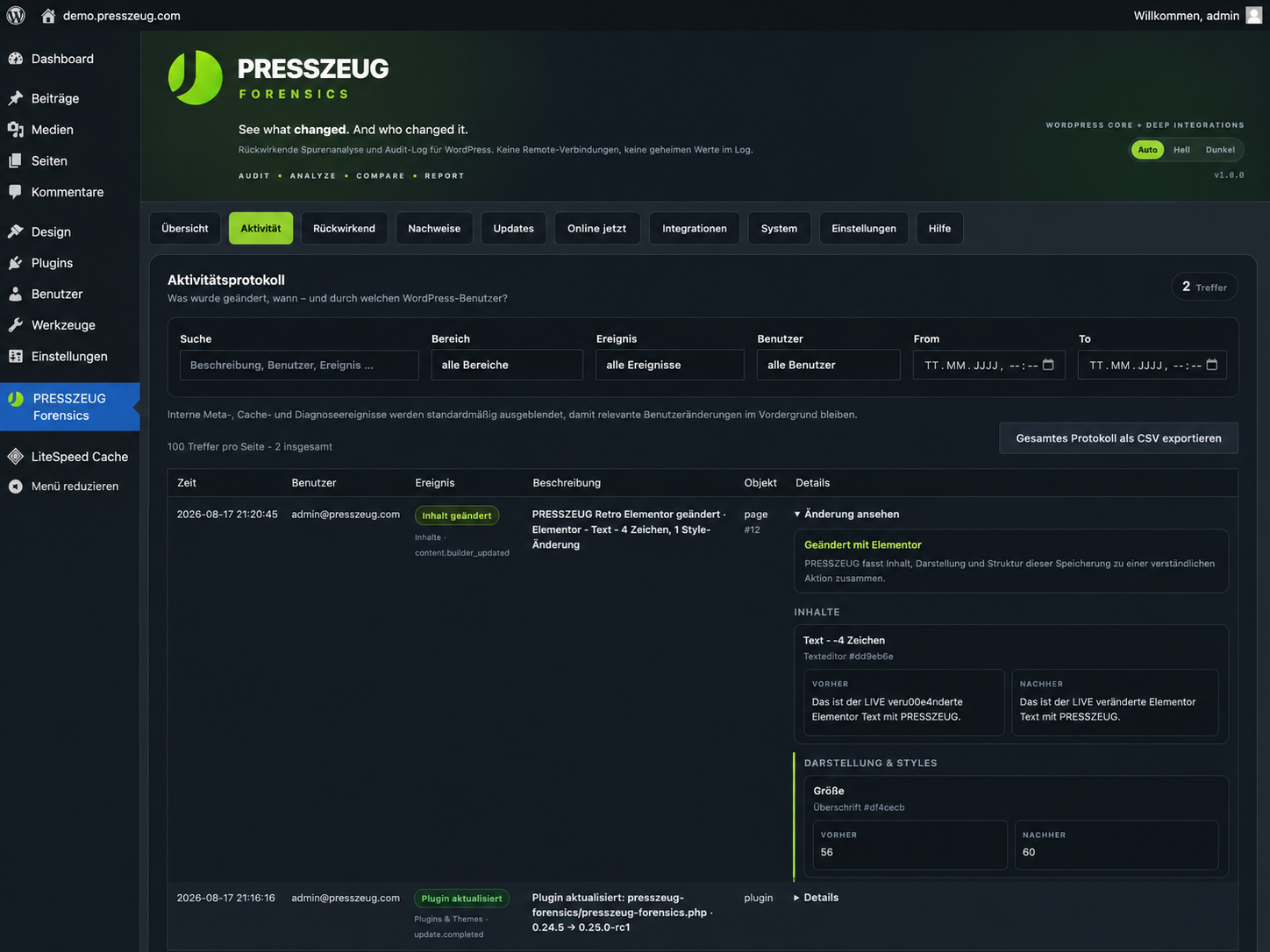
- Compact before/after information for supported content changes.
- A live presence view that separates recent authenticated activity from merely valid WordPress sessions.
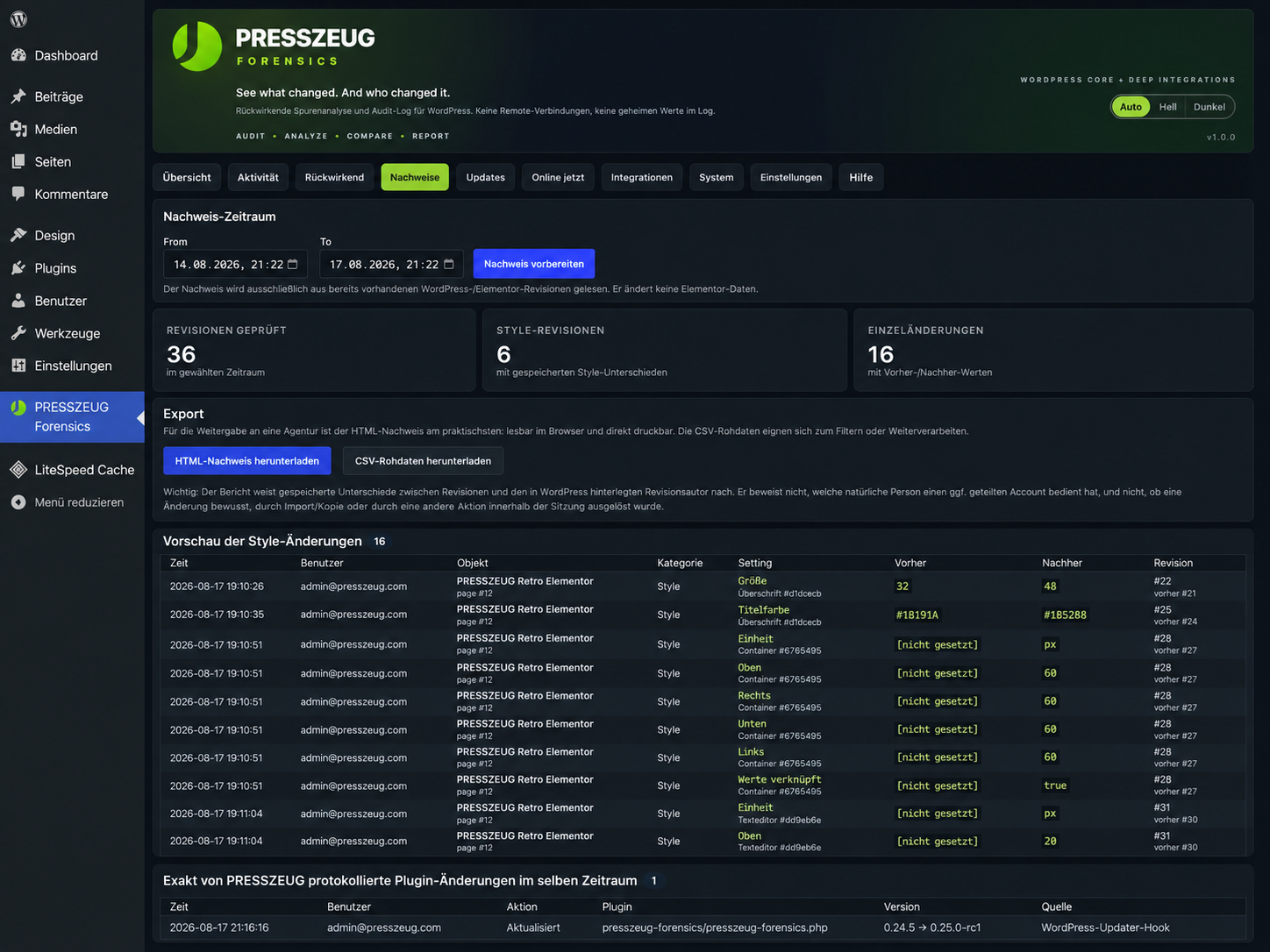
- HTML and CSV evidence exports for selected time windows.
- Optional read-only local file timestamp analysis as an additional retrospective indicator.
Elementor deep integration
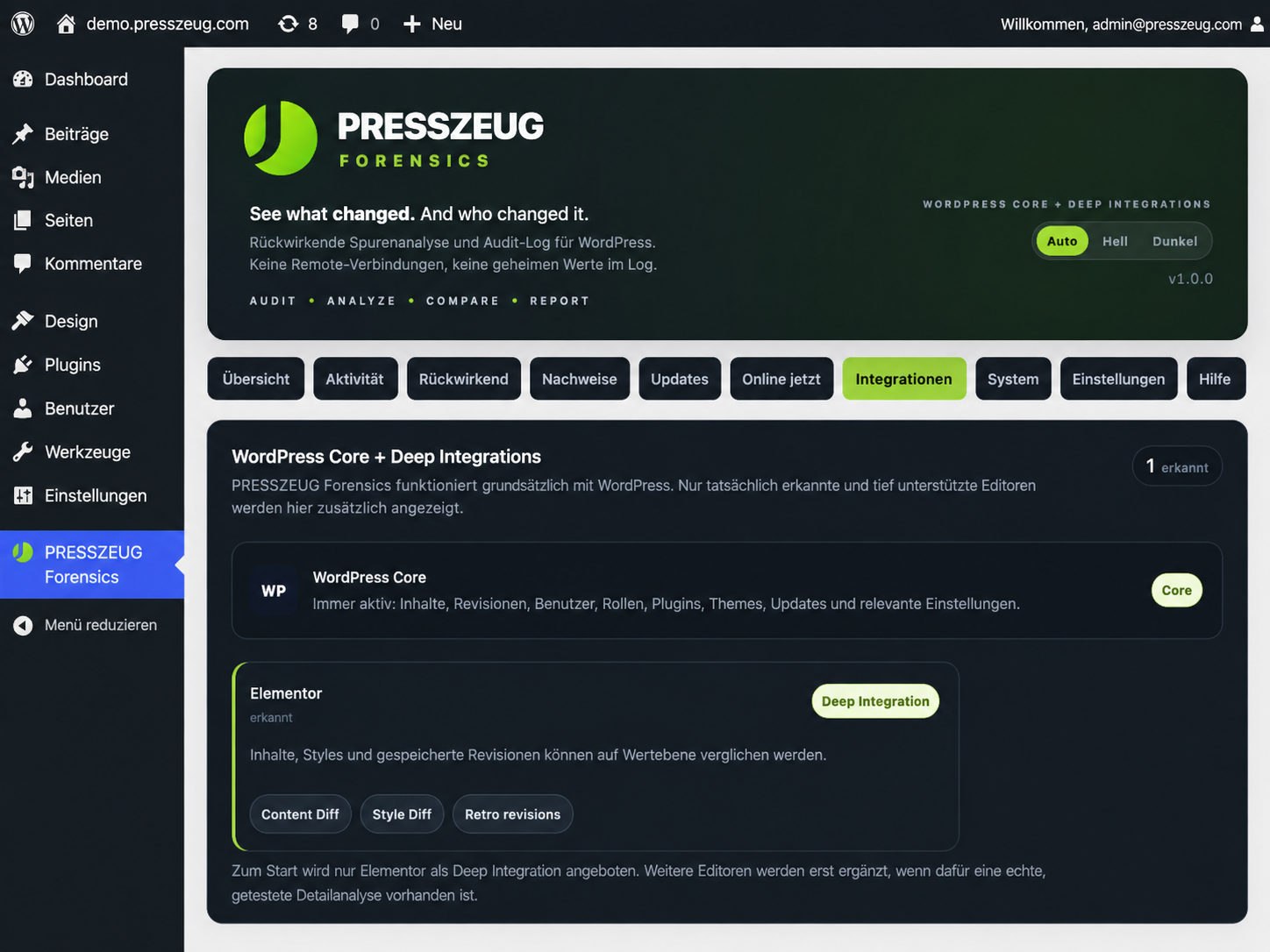
Elementor is the first optional Deep Integration and is shown only when Elementor is detected.
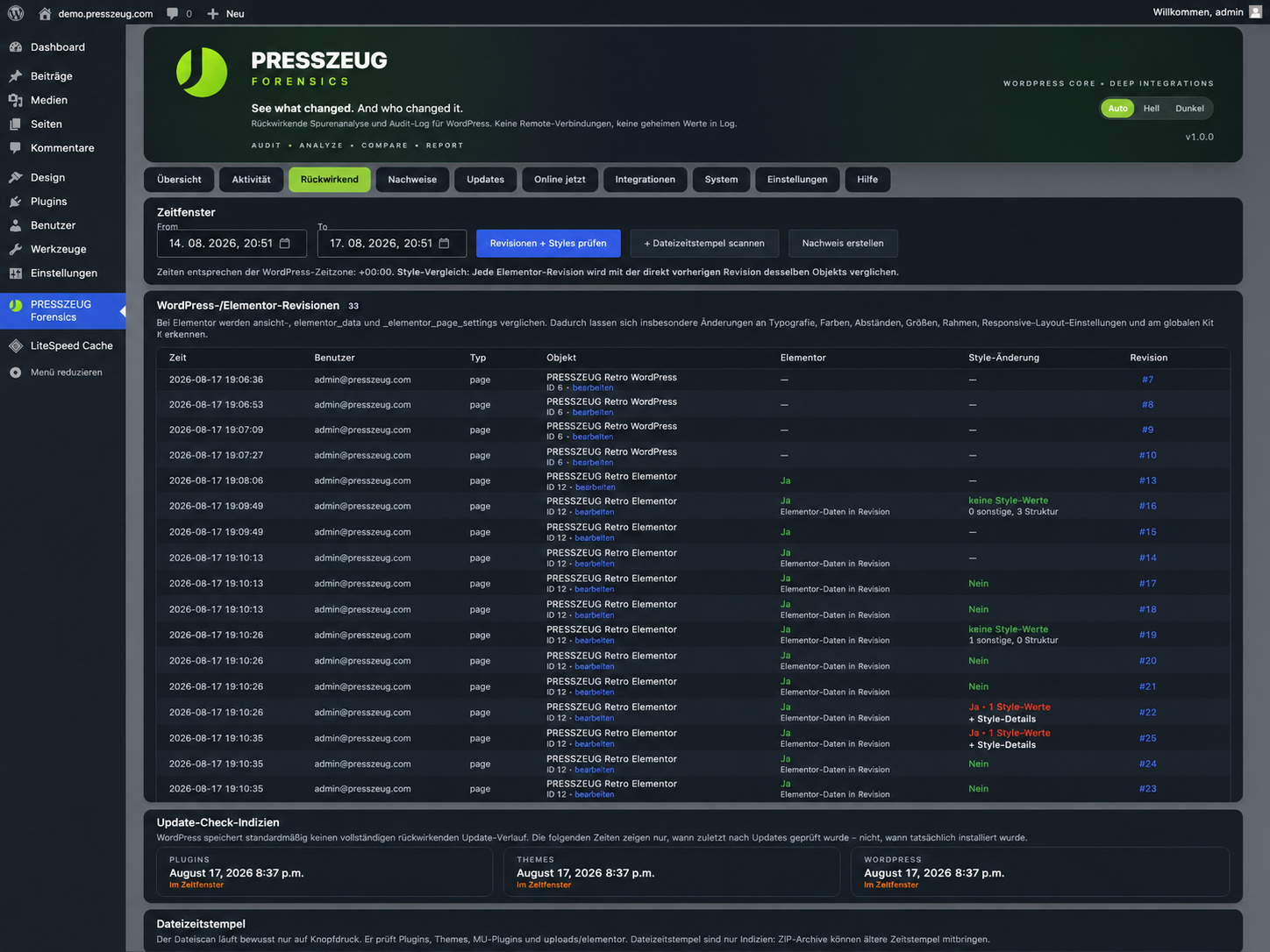
When available, PRESSZEUG Forensics can add field-level information about Elementor content, structure, and visual settings such as typography, colors, spacing, borders, dimensions, and responsive values. Stored Elementor revisions can also be compared retrospectively.
Elementor is not required. WordPress Core auditing continues to work when no supported editor integration is active.
Live and retrospective forensics
The live audit log records supported events from the moment PRESSZEUG Forensics is active.
Retrospective analysis is different: it examines evidence WordPress or a supported editor already stored, such as revisions, metadata, update information, and selected file timestamps. It cannot recreate actions for which no evidence exists.
File modification and inode-change times are indicators only. Restores, migrations, manual uploads, server work, and updates can create similar timestamp patterns.
Privacy and data handling
- No cloud account is required.
- Core forensic functionality does not send audit data to PRESSZEUG or another remote service.
- The live presence view does not store IP addresses.
- Passwords, submitted form contents, and complete Elementor document JSON are not stored in the audit table.
- Large values can be represented by size and SHA-256 fingerprints instead of full contents.
- CSV exports neutralize common spreadsheet-formula prefixes.
- Audit data is intentionally preserved on uninstall so forensic evidence is not destroyed accidentally.
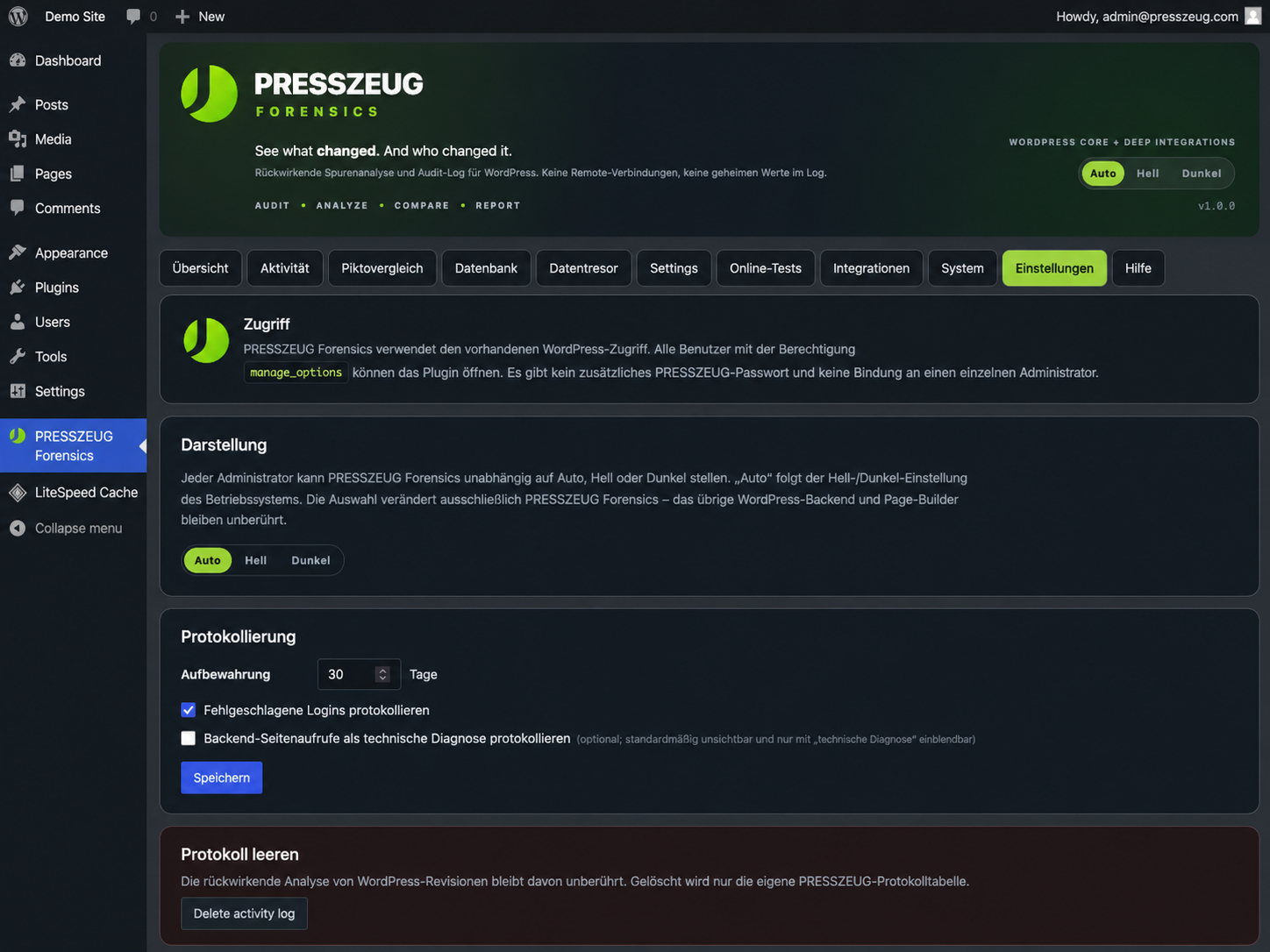
Access follows WordPress permissions. Administrators and other users granted the corresponding administration capability can open PRESSZEUG Forensics.
Support
The built-in Help tab contains explanations for common forensic questions and a privacy-safe system-information summary for support requests.
For public support after the plugin is listed, use the PRESSZEUG Forensics support forum on WordPress.org. Product documentation and PRESSZEUG support links are also available from the plugin interface.
Screenshots
Installation
- Install PRESSZEUG Forensics from the WordPress Plugin Directory, or upload the plugin ZIP from Plugins > Add Plugin > Upload Plugin.
- Activate the plugin.
- Open PRESSZEUG Forensics in the WordPress admin menu.
- Use Activity for events recorded from activation onward.
- Use Retrospective to inspect evidence already stored by WordPress and detected Deep Integrations.
FAQ
-
Does PRESSZEUG Forensics require Elementor?
-
No. WordPress Core auditing works independently. Elementor-specific analysis appears only when Elementor is detected.
-
Can it tell me everything that happened before installation?
-
No. It can analyze evidence that already exists, such as WordPress/Elementor revisions and selected local file/update traces. It cannot recreate events for which no evidence was stored.
-
Does it send audit data to PRESSZEUG or another cloud service?
-
No. Core forensic functionality works locally in the WordPress installation and does not require a cloud account.
-
Does “Online Now” prove that a person is currently at the computer?
-
No. Recent authenticated activity and WordPress session validity are displayed separately. A valid WordPress session can remain active after a browser is closed.
-
What happens to audit data when I uninstall the plugin?
-
It is preserved by default so forensic evidence is not destroyed accidentally. Back up evidence you need before deliberately removing stored PRESSZEUG data.
-
Can PRESSZEUG prove which natural person used a WordPress account?
-
No. PRESSZEUG records the WordPress account associated with an event. If people share an account, the account alone does not prove which natural person performed the action.
Reviews
There are no reviews for this plugin.
Contributors & Developers
“PRESSZEUG Forensics” is open source software. The following people have contributed to this plugin.
Contributors
“PRESSZEUG Forensics” has been translated into 1 locale. Thank you to the translators for their contributions.
Translate “PRESSZEUG Forensics” into your language.
Interested in development?
Browse the code, check out the SVN repository, or subscribe to the development log by RSS.
Changelog
1.0.1
- Fixed an Elementor compatibility issue that could prevent newly created Elementor pages from opening in the editor.
- Improved Elementor change tracking during initial document creation while preserving detailed content and style logging after saves.
1.0.0
- First public release of PRESSZEUG Forensics.
- Live WordPress audit logging for meaningful content, user/access, plugin/theme, update, and settings events.
- Retrospective WordPress revision analysis and evidence-oriented local update/file indicators.
- Optional Elementor Deep Integration with content, structure, and field-level style comparisons.
- Human-readable before/after details with technical diagnostics separated from the normal activity view.
- Live presence view distinguishing recent activity from valid WordPress sessions.
- HTML and CSV evidence exports for selected time windows.
- Per-user Auto, Light, and Dark appearance for PRESSZEUG Forensics only.
- Built-in onboarding, Help & Support, privacy-policy guidance, and privacy-safe system information.
- WordPress.org Plugin Check release hardening completed for the tested release candidate.