
Description
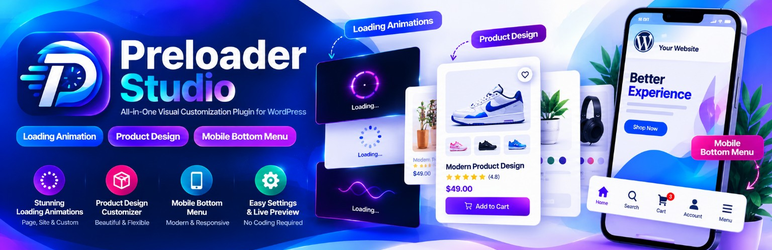
Preloader Studio offers loading animations, mobile navigation, WooCommerce product layouts and optional account designs in one WordPress plugin. Each integration can be enabled separately.
✨ Features at a Glance
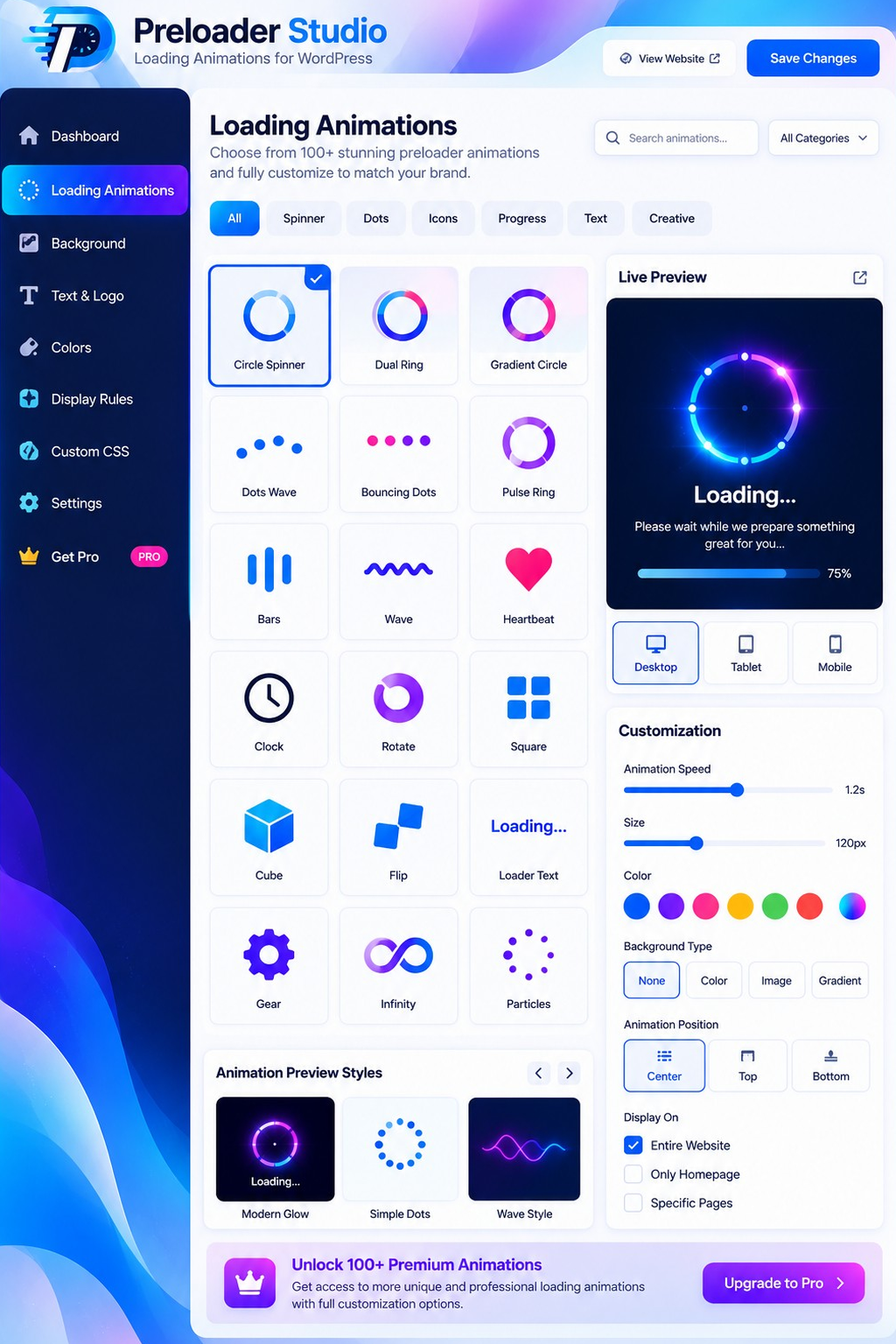
- 🔄 36 animated preloaders with live preview and appearance settings.
- 📱 24 responsive bottom-menu styles for mobile and tablet visitors.
- 🛍️ 32 WooCommerce product-card styles with optional layout integration.
- 🔐 6 account design templates for login, registration and recovery.
- 🎨 Flexible customization for logos, images, colors and display rules.
🔄 Loading Animations
- Preview bundled CSS loaders; choose a logo, GIF or loading text.
- Set duration, background, exit effects, page/device rules and safety timeout.
- Save presets and import or export settings.
📱 Mobile Bottom Menu
- Configure up to six links for Home, Search, pages and custom destinations.
- Adjust local icons, active styles, sizes and optional scroll-to-hide behavior.
- Preview different devices and enable optional theme-toolbar compatibility.
🛍️ WooCommerce Product Design
- Select product card styles, columns, image ratios and displayed elements.
- Optionally integrate with supported classic product loops and single-product pages.
- Custom page builders may require a shortcode or separate integration.
🔐 Login, Registration & Account
- Style login, registration and password recovery with six design templates.
- Optionally redesign WooCommerce My Account and the signed-in dashboard.
- Add up to 12 extra registration fields, keeping WordPress authentication intact.
- Disable an override to restore normal page rendering.
⚙️ Compatibility & Privacy
Loading screens and mobile navigation work without WooCommerce. Product and account integrations require WooCommerce. Optional integrations should be tested with your theme, CAPTCHA and other security plugins before live use. No customer authentication data, site content or analytics are sent to a Preloader Studio server; local assets are bundled with the plugin.
📸 Interface Preview
The three screenshots below are illustrative design previews of the loading, product and navigation studios. The installed interface may differ from these mockups.
Privacy and Uninstall
The plugin saves configuration in WordPress options and optional customer registration field values as user metadata (psx_field_ prefix). A salted hash derived from IP address may be used as a short-lived rate-limit transient for the plugin’s independent authentication endpoints; raw IP values are not sent to an external service. Existing WooCommerce/WordPress account records remain with the website owner.
When the plugin is uninstalled, plugin configuration options are removed. Customer profile metadata is intentionally retained to prevent accidental loss of customer information. Website administrators can handle any requested data deletion using their applicable WordPress privacy workflows. Uploaded logos remain in the Media Library and are not deleted automatically.
Third-party resources
Font Awesome Free Solid icon vector paths are included locally. They are attributed to Fonticons, Inc. under the CC BY 4.0 icons license; see THIRD-PARTY-LICENSES.txt. No external scripts, font files or remote assets are loaded by the plugin. Product sample photographs are bundled demo assets, not actual store inventory.
Source code and development
All runtime PHP, CSS, and JavaScript is distributed as human-readable, editable source inside the plugin ZIP.
For the three WordPress.org review-flagged JavaScript files, maintained readable
source copies are included in assets/js/src/:
assets/js/src/auth-custom.jscorresponds toassets/js/auth-custom.js.assets/js/src/auth-suite-admin.jscorresponds toassets/js/auth-suite-admin.js.assets/js/src/product-admin.jscorresponds toassets/js/product-admin.js.
No compiler, bundler, npm packages, or remote build service is required. JavaScript
sources can be copied to their corresponding assets/js/ runtime paths; see
SOURCE-README.txt for reproduction instructions. The plugin’s own PHP and CSS are
editable in place. The Font Awesome Free vector data is a third-party resource;
its source, license and adaptation are documented in THIRD-PARTY-LICENSES.txt.
Legacy ps_studio_* option names and psx_field_* customer metadata are retained
to preserve existing configurations during updates; these identifiers belong to
this plugin and must not be renamed without a migration.
Screenshots


Installation
- Upload the plugin ZIP through Plugins > Add New Plugin > Upload Plugin, then activate it.
- Open Preloader Studio in the WordPress administration menu.
- Select a design in the feature-specific submenu. Preview, adjust and save it.
- Bottom Navigation, Product Layout Override and independent Login/Register are opt-in; leave them off until configured.
- For WooCommerce features, install and activate WooCommerce, then verify cart, checkout, variable products, and account endpoints.
- If a theme displays its own loader or fixed bottom toolbar, try the theme’s own disable setting first.
- Purge page caches after changes and verify the frontend on real devices.
FAQ
-
Does this plugin require WooCommerce?
-
No. Loading screens and the mobile bottom navigation work without it. WooCommerce product and account integrations require WooCommerce.
-
Does it change my theme files?
-
No. Optional frontend overrides use WordPress and WooCommerce hooks/templates. Disable an override to restore the theme’s normal rendering. Third-party builders may require separate integration.
-
Will it replace every Elementor or WoodMart widget automatically?
-
No. Builders with custom markup are not guaranteed to use the WooCommerce loop hooks. The included product shortcode can be used as an alternative product grid where appropriate.
-
Can I choose my own logo or animated GIF?
-
Yes. Choose an existing site logo or upload an image through the WordPress Media Library.
-
Are Login, Register and Reset Password independent templates?
-
Yes, the optional independent account experience renders its own forms while retaining the core WordPress/WooCommerce account and security systems. Test CAPTCHA, two-factor login, mail delivery and password recovery with your installed security plugins before turning on the feature for visitors.
-
Can I restore the original login, account and product pages?
-
Yes. Each design override can be disabled without deleting theme files or customer accounts.
-
Is a preloader’s loading percentage actual network transfer progress?
-
No. The optional displayed percentage is a visual estimate, not measured bytes downloaded.
Reviews
There are no reviews for this plugin.
Contributors & Developers
“Preloader Studio – Animated Loading Screens” is open source software. The following people have contributed to this plugin.
Contributors
Translate “Preloader Studio – Animated Loading Screens” into your language.
Interested in development?
Browse the code, check out the SVN repository, or subscribe to the development log by RSS.
Changelog
2.6.5
- Review compliance: replace direct style output with accessible JavaScript-optional tabs and WordPress enqueue APIs.
- Remove automatic frontend attribution, use the core login URL helper, and correct WordPress.org contributor metadata.
- Ship readable JavaScript sources and build documentation alongside the runtime files.
- Apply distinctive namespace-style prefixes to PHP declarations and form actions without renaming existing saved user settings.
- Audit administrator capabilities, CSRF protections and independent authentication handlers.
2.6.4
- Align translation text domain and package directory with the WordPress.org submission slug; keep the Tested up to value only in readme.txt.
- Address Plugin Check escaping and PHP global-variable naming reports.
- Document safe read-only query flags and preserve core WooCommerce product and registration hooks.
- Update WordPress.org compatibility metadata to WordPress 7.1 (full site integration testing remains required).
2.6.3
- Hardened input/output handling, direct-file access guards and translation metadata for WordPress.org review.
- Updated documentation, privacy notes, third-party license details and uninstall behavior.
- Preserved the standard WordPress registration lifecycle for independent registration.
2.6.1
- Improved logged-in WooCommerce My Account dashboard rendering with optional force template mode.
- Adjusted authentication notice styling and overlap in supported theme layouts.
2.6.0
- Added customizable registration fields and premium member account dashboard.
2.5.0
- Added six plugin-rendered login, registration and password recovery templates.
2.3.3
- Improved conditional assets and responsive WooCommerce product detail tabs.
2.3.0
- Added optional single-product layout matching and bottom navigation scroll behavior.
2.0.0
- Added 32 responsive WooCommerce product card layouts with preview and opt-in theme overrides.
1.3.0
- Added mobile/tablet bottom navigation studio.
1.0.0
- Initial animated preloader studio release.