
Description
Happy customers are your best marketing — but asking for testimonials, copying them from emails and keeping a page up to date takes time. Praisvia turns it into a simple loop:
- Collect — add the Testimonial Form block to any page and share the link.
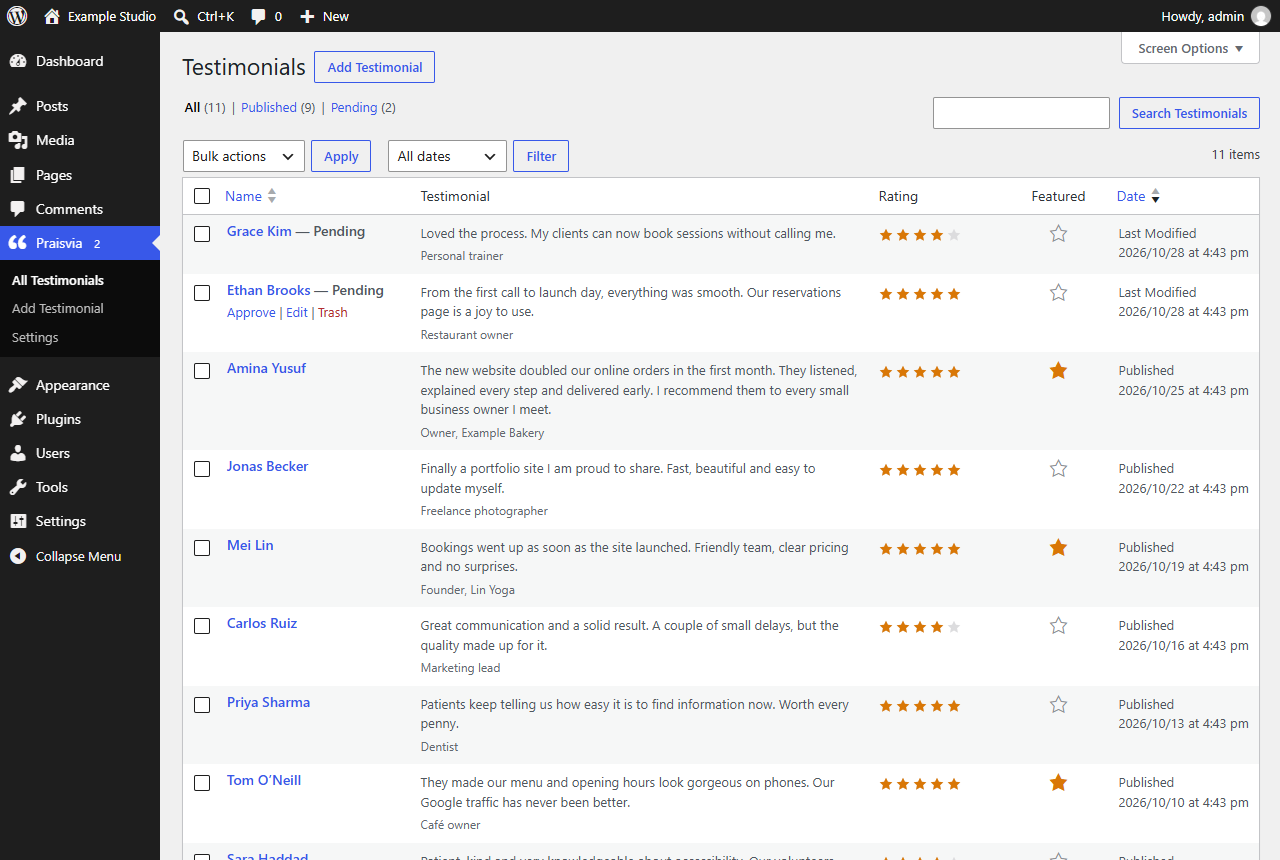
- Approve — new testimonials wait in your dashboard. Approve them with one click and star your favourites.
- Show — display them anywhere with the Wall of Love and Rating Summary blocks.
Praisvia is a self-hosted alternative to paid testimonial services: no account, no monthly bill, no external requests. Your testimonials stay in your own WordPress database.
Three blocks
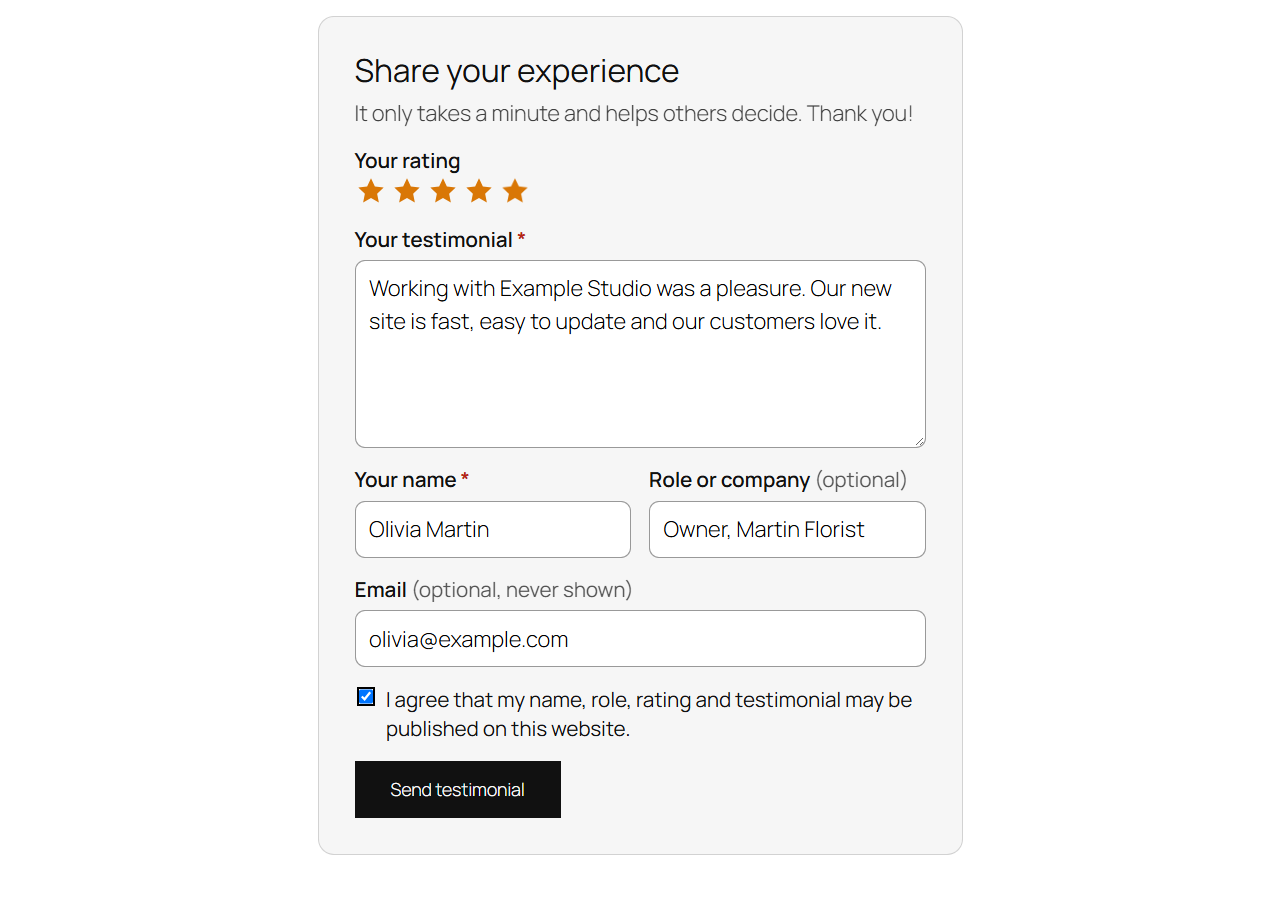
- Testimonial Form — name, optional role or company, optional private email, an accessible 1–5 star rating, the testimonial and a publication consent checkbox. Works with and without JavaScript, and on cached pages.
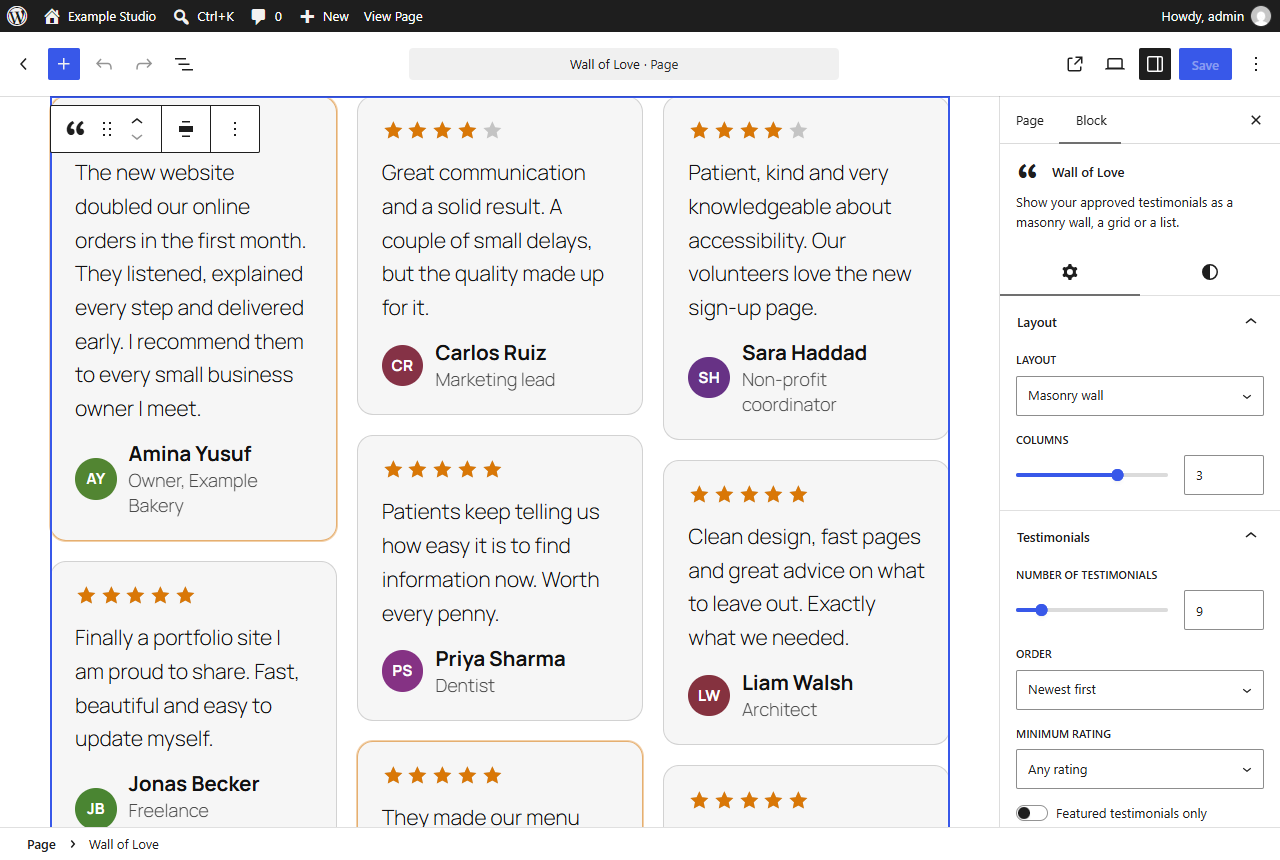
- Wall of Love — approved testimonials as a masonry wall, a grid or a list. Choose the number, order (newest, highest rating or random), minimum rating and whether to show only featured testimonials.
- Rating Summary — the average rating with stars and the number of testimonials, for example “4.9 ★★★★★ from 127 testimonials”.
All blocks use your theme’s fonts and colors and support block color, spacing and typography settings.
Moderation made easy
- Every new testimonial waits for your approval — nothing is published automatically.
- Approve from the list with one click, and star the best testimonials to feature them.
- A count bubble in the menu shows how many testimonials are waiting.
- Optional email notification for each new testimonial.
- Add testimonials you received elsewhere by hand.
Spam protection without CAPTCHAs
- A hidden honeypot field and a signed time token stop most bots.
- A per-visitor hourly limit, using only a temporary salted hash of the IP address.
- Your own Disallowed Comment Keys (Settings Discussion) are respected.
- No third-party CAPTCHA, no cookies, no tracking.
Privacy first
- Consent to publish is required and its time is stored with each testimonial.
- Email addresses are optional and never shown.
- Testimonials can be exported and erased with the core Export/Erase Personal Data tools, and suggested privacy policy text is included.
- No data ever leaves your site.
Accessible
The form uses real labels, a keyboard-friendly star rating, clear error messages connected to their fields and a status region for screen readers. Star ratings have text alternatives everywhere.
Screenshots

Blocks
This plugin provides 3 blocks.
- Rating Summary Show the average star rating and the number of approved testimonials.
- Testimonial Form A friendly form where customers send you a testimonial with a star rating. New testimonials wait for your approval.
- Wall of Love Show your approved testimonials as a masonry wall, a grid or a list.
Installation
- Install and activate Praisvia from the Plugins screen.
- Create a page such as “Share your experience” and add the Testimonial Form block.
- Add the Wall of Love or Rating Summary block wherever you want to show testimonials.
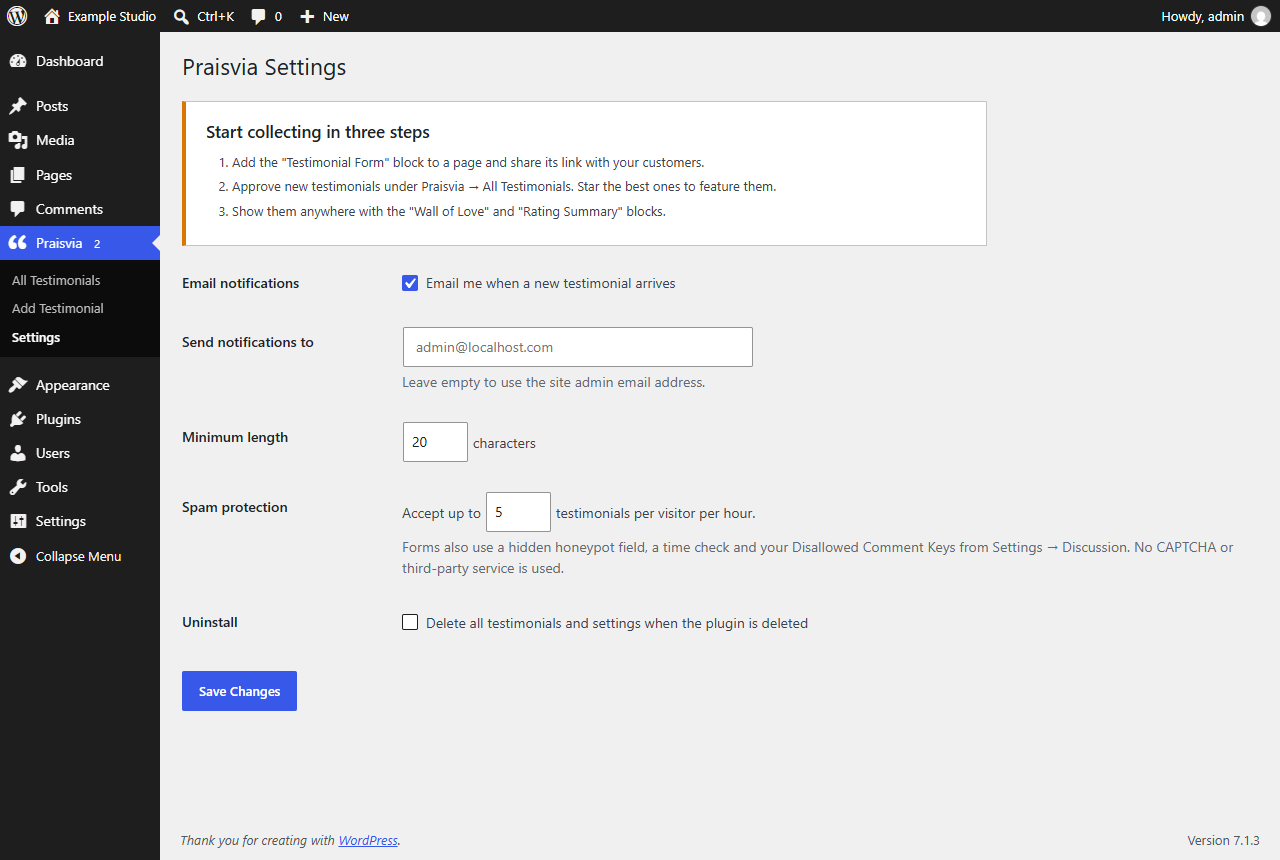
- Approve incoming testimonials under Praisvia All Testimonials. Adjust notifications and spam protection under Praisvia Settings.
FAQ
-
Are testimonials published automatically?
-
No. Every testimonial sent through the form is saved as pending and appears only after you approve it.
-
Does it work with page caching?
-
Yes. The form does not depend on login sessions and refreshes its security token when the page loads, so cached pages keep working.
-
Does it work without JavaScript?
-
Yes. With JavaScript the form sends without reloading the page. Without it, the form is posted normally and the visitor returns to the same page with a confirmation.
-
Can I add testimonials I received by email?
-
Yes. Go to Praisvia Add Testimonial, enter the name, the text, the rating and the role, then publish.
-
Can I import reviews from Google or other sites?
-
No. Praisvia does not connect to external services, so you stay in control of what you publish.
-
Does it add review rich snippets?
-
No. Search engines do not show star snippets for reviews a business publishes about itself, so Praisvia does not output review schema that could look misleading.
-
What happens when I delete the plugin?
-
Settings are removed. Your testimonials are kept unless you enable “Delete all testimonials and settings when the plugin is deleted” in Praisvia Settings.
Reviews
There are no reviews for this plugin.
Contributors & Developers
“Praisvia” is open source software. The following people have contributed to this plugin.
Contributors
Translate “Praisvia” into your language.
Interested in development?
Browse the code, check out the SVN repository, or subscribe to the development log by RSS.
Changelog
1.0.0
- Initial release.