
Description
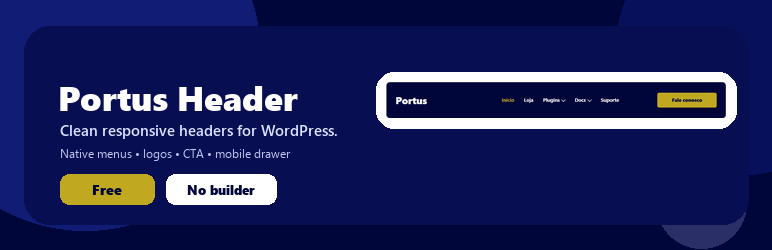
Portus Header adds a responsive, customizable header to WordPress without requiring premium builders.
Free features:
- Native WordPress menu support.
- Desktop and mobile logos.
- Simple CTA button.
- Automatic insertion through wp_body_open.
- Shortcode alternative with [portus_header].
- Optional sticky header.
- Mobile drawer navigation.
- Page inclusion and exclusion rules.
- Basic color controls.
- Local SVG assets.
- Explicit option to hide the original theme header with a custom CSS selector.
The plugin does not hide the theme header automatically. Enable that option only after testing the new header on your site.
Screenshots


Installation
- Upload the ZIP file from Plugins > Add New > Upload Plugin.
- Activate the plugin.
- Go to Appearance > Portus Header.
- Choose Automatic or Shortcode display mode.
- Assign a menu to the Portus Header – Primary menu location.
FAQ
-
Do I need Elementor Pro?
-
No. The plugin uses PHP, plain CSS, plain JavaScript, and native WordPress menus.
-
Can I use a shortcode?
-
Yes. Add [portus_header] to pages, widgets, or templates.
-
Does the plugin hide my theme header automatically?
-
No. The original theme header is hidden only when you explicitly enable that setting and provide a valid CSS selector.
-
No. Those features are reserved for the Pro edition.
Reviews
There are no reviews for this plugin.
Contributors & Developers
“Portus Header” is open source software. The following people have contributed to this plugin.
Contributors
Translate “Portus Header” into your language.
Interested in development?
Browse the code, check out the SVN repository, or subscribe to the development log by RSS.
Changelog
2.3.10
- Makes page inclusion and exclusion rules available in the Free edition.
- Updates WordPress compatibility metadata for WordPress 7.1.
- Uses the official WordPress.org contributor username.
2.3.9
- Prepares the Free candidate assets and screenshot captions for WordPress.org review.
- Keeps the admin preview dynamic: configured logos appear instantly, while the fallback preview shows only the site name.
- Keeps Pro update assets excluded from the Free candidate build.
2.3.8
- Aligns the experimental Free package metadata with the current shared codebase.
- Keeps Pro-only commercial assets and release notes excluded from the Free experimental build.
2.3.4
- Maintenance update for shared header foundation while keeping Pro licensing out of the Free package.
2.3.3
- Updates the Free readme to standard English for WordPress.org checks.
- Updates the Free readme Tested up to value to 7.0.
- Removes the manual textdomain loader from the shared runtime.
- Prefixes template-local variables used by the Free header template.
- Adds the required translators comment for the account greeting placeholder.
2.3.2
- Adds visible desktop arrows for menu items that have submenus.
- Keeps desktop arrows synced with normal, hover, and active menu colors.
2.3.1
- Hardens mobile icon styles against inherited theme styles.
- Keeps mobile submenu arrows visible and gold.
2.3.0
- Adds an automated clean-install smoke test for the experimental Free ZIP.
- Validates that the experimental Free ZIP loads as the Free edition without the Pro folder.
- Confirms that Pro classes, assets, readme content, and admin screens are not included in the experimental Free package.
- Keeps the public Free distribution blocked until manual testing in a clean WordPress site is complete.
2.2.0
- Prepares the Free candidate without publishing it.
- Keeps only essential features in the experimental Free package.
- Uses a dedicated GPL readme in the experimental Free build.
- Removes private distribution references from the plugin header in the experimental Free build.
- Strengthens validation against premium screens and assets in the experimental Free ZIP.